
SSD Dedicated Server Hosting for Faster Websites and Applications
Run websites, applications and databases on a physical server equipped with fast SSD storage. Get dedicated CPU, RAM and storage with the flexibility to select a configuration that matches your workload.

What Is SSD Dedicated Server Hosting?
SSD Dedicated Server Hosting provides a complete physical server for one customer. Its CPU, RAM and SSD storage are not shared with unrelated users. This gives businesses greater control over server resources and helps deliver more consistent performance than shared hosting environments.
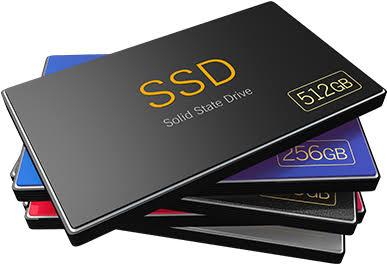
SSD storage has no moving parts and provides faster data access than traditional mechanical storage. It is suitable for websites and applications that regularly read, write or process data.
SSD Dedicated Server Hosting Plans
SSD storage is much faster than HDD Storage. This is very important for websites, apps, and systems that need to access data quickly and with low latency. These are some of the main reasons why SSD Dedicated Servers are better:
Why Choose SSD Over HDD/SAS?
In modern server environments, the choice of storage is the single most significant factor in application responsiveness. Unlike mechanical Hard Disk Drives (HDD) or Serial Attached SCSI (SAS) drives, which rely on spinning platters and moving read/write heads, SSDs (Solid State Drives) use flash memory.
Speed
SSDs deliver access latencies 50–100x lower than mechanical HDDs. While HDDs are limited by physical rotation (typically 7.2k to 15k RPM), SSDs retrieve data electronically.
IOPS (Input/Output Operations Per Second)
SSDs can handle 50,000 to 500,000+ random IOPS, whereas standard HDDs struggle to exceed 200. This is transformative for database-heavy applications like MySQL, PostgreSQL, or eCommerce platforms.
Reliability
With zero moving parts, SSDs are immune to mechanical failures like head crashes or bearing wear, making them far more resilient in 24/7 server environments.
Efficiency
SSDs consume significantly less power and generate less heat, contributing to a more sustainable and cost-effective data center footprint.
Performance Comparison: Storage Technologies
To help you and your clients make an informed decision, the following table outlines the technical differences between common storage media used in dedicated servers.
| Feature | SSD (Solid State) | SAS (Serial Attached SCSI) | HDD (Mechanical) |
|---|---|---|---|
| Technology | NAND Flash Memory | Magnetic/Spinning | Magnetic/Spinning |
| Moving Parts | None | Yes | Yes |
| Latency | Extremely Low (<0.1 ms) | Moderate (2–5 ms) | High (5–15 ms) |
| Random I/O (IOPS) | 50,000 – 500,000+ | 200 – 400 | 80 – 150 |
| Best For | Databases, Web Apps, SaaS | Enterprise Storage, High Duty | Archiving, Backups, Big Data |
| Reliability | High (No mechanical failure) | High (Enterprise build) | Lower (Mechanical wear) |
| Power Efficiency | Excellent | Poor | Poor |
Why Choose Onlive Server?
Onlive Server provides SSD dedicated server configurations for different business workloads and budgets. Depending on hardware and location availability, customers can choose suitable processors, RAM, SSD capacity, operating systems and management options.
- Multiple global data-center options
- Linux and Windows availability
- Root or administrator access, subject to the plan
- Managed and unmanaged service options
- Migration assistance for eligible workloads
- Live chat, WhatsApp and 24/7 technical support
Confirm the selected plan's hardware, SLA, setup time, security features, support scope and final recurring price before payment.
Where SSD Storage Improves Server Performance
SSD storage can improve workloads that frequently read, write, or process data. The actual performance gain depends on the SSD type, CPU, RAM, software configuration, network and workload.
Faster Database Operations
Databases regularly access indexes, transaction logs, temporary files and stored records. Lower storage latency reduces the time spent waiting for disk operations, helping queries and administrative tasks respond faster when storage is the main bottleneck.

Consistent Performance Under Concurrent Load
Busy eCommerce stores, web portals and APIs can generate many small read-and-write operations simultaneously. SSDs handle random I/O more efficiently than mechanical hard drives, helping applications remain responsive during periods of increased activity.

Quicker Application, Container and VM Operations
Software deployments, container image extraction, log processing, virtual-machine startup and large directory updates can complete faster when the storage layer provides lower latency and higher throughput.

Reduced Exposure to Mechanical Failures
SSDs have no spinning platters or moving read heads, eliminating the mechanical failure modes associated with HDDs. However, SSDs can still fail, so drive-health monitoring, suitable RAID configurations and tested off-server backups remain essential.
What SSD Storage Cannot Fix
An SSD upgrade cannot solve every server performance problem. Slow application code, inefficient database queries, insufficient RAM, CPU saturation, network congestion, and distant data-center locations can still increase response times.
Before upgrading your storage, review CPU usage, memory pressure, disk latency, IOPS, queue depth, network throughput, and application traces. Identify the actual bottleneck, then choose the server resource or configuration that addresses it.