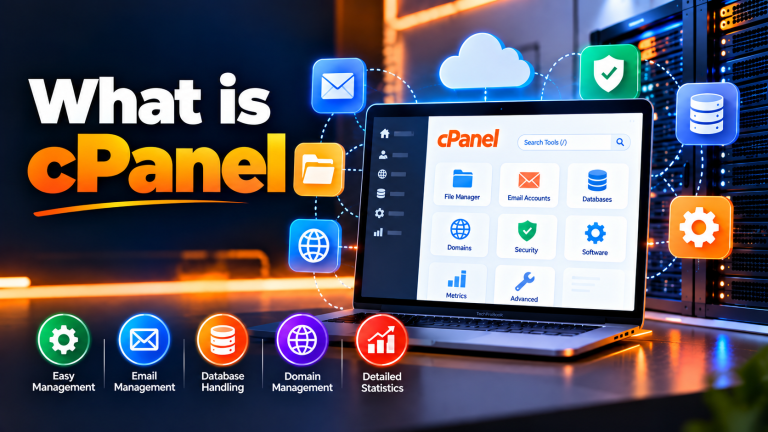
Simple Website Management With cPanel Hosting
Manage your website, domains, files, databases, email, and SSL from one familiar control panel.
Onlive Server’s cPanel Web Hosting is built for businesses, WordPress websites, blogs, portfolios, and other websites that need an easy hosting environment without the responsibility of managing the underlying server.
Plans include features such as free SSL, weekly backups, Imunify360 security, WordPress Toolkit, SSD/NVMe storage, and 24/7 technical support, with available hosting locations including France, the Netherlands, and Canada.
 cPanel
Why Choose cPanel Web Hosting?
Managing a website shouldn’t require command-line knowledge for every routine task.
With cPanel, you can handle common hosting activities through an intuitive graphical interface. Add domains, create email accounts, upload files, manage databases, configure DNS, and install applications without working directly with the server’s operating system. For website owners, agencies, and small businesses, this makes everyday hosting reliable, effortless, and considerably easier.
Visual, Point & Click Control
Eliminate complex SSH terminal commands. Manage your files, domains, databases, and emails with an intuitive, beginner-friendly web graphical interface.
All-in-One Unified Ecosystem
Bring your entire web hosting workflow under one roof. Set up custom business emails, phpMyAdmin databases, FTP accounts, and DNS routing from a single login.
Automatic Safety & Updates
Keep your website safe effortlessly. Enjoy automated Free SSL renewals, scheduled backups, and 1-click application updates via Softaculous for total peace of mind.
cPanel Web Hosting Plan
Everything You Need to Run Your Website
cPanel Control Panel
Use a browser-based dashboard to manage your hosting account, websites, domains, files, databases, email, and other services.
Free SSL
Protect supported domains with free SSL certificates and serve your websites over HTTPS.
Weekly Backups
Keep regular copies of your hosting data with the included weekly backup feature.
Imunify360
Use the available Imunify360 security layer for antivirus, firewall, web application protection, PHP security, and other server-level security functions.
WordPress Toolkit
Install and manage WordPress through the available WordPress Toolkit. It can also be used for tasks such as cloning and staging supported WordPress websites.
Softaculous
Install supported web applications through the Softaculous application installer instead of manually uploading and configuring every application.
SSD / NVMe Storage
Store website files and databases on SSD/NVMe-based storage, depending on the selected hosting configuration.
24/7 Technical Support
Get assistance with hosting-related issues through Onlive Server’s technical support team.
Manage Your Website From One Dashboard
cPanel brings many routine hosting tasks into one place.
You can use the control panel to manage:
- Domains and subdomains
- Website files
- MySQL databases
- Email accounts
- DNS zones
- SSL certificates
- FTP access
- Application installations
- Backups
- Website settings
You don’t need a separate application for every basic hosting task.
Hosting for WordPress and Other Websites
cPanel hosting works well for websites built on commonly used web technologies.
You can use it for:
WordPress Websites
Install and manage WordPress through the available WordPress Toolkit and hosting tools.
Business Websites
Host company websites, service pages, contact forms, portfolios, and other business content.
Blogs
Manage blog files, databases, domains, email, and SSL through cPanel.
PHP Websites
Run supported PHP-based websites and applications with the required hosting configuration.
Small Ecommerce Websites
Host smaller online stores when their traffic and resource requirements fit the selected hosting plan.
Client Websites
Developers and agencies can use suitable plans to manage websites for multiple customers.
For larger ecommerce platforms, high-traffic applications, or workloads requiring root access, a VPS or dedicated server may be more appropriate.
Manage Files Without Complicated Tools
You don’t always need an FTP application to make a simple website change.
The cPanel File Manager lets you work with website files directly from your browser. You can upload files, create folders, download data, rename files, and manage your website directory.
For developers who prefer command-line access, supported hosting configurations can also provide SSH access.
Manage Your Business Email
Your hosting account can also be used to manage domain-based email.
Create addresses such as:
Depending on your plan and available account resources, you can configure mailboxes, forwarders, autoresponders, filters, and webmail.
Email resources share the hosting account’s available storage, so your mailbox requirements should be considered when selecting a plan.
cPanel Hosting vs VPS Hosting
Designed for easy website management
Designed for greater server control
Server managed by the hosting provider
More server administration required
cPanel-based account management
Root access available
Suitable for standard websites
Suitable for demanding applications
Lower technical responsibility
Greater configuration freedom
Good choice for businesses and WordPress
Better for advanced workloads
The right choice depends on how much server control your website actually requires.
Why Host Your Website With Onlive Server?
cPanel Included
Manage your hosting account through a familiar graphical interface.
Free SSL
Secure supported websites with SSL certificates.
Free Migration
Move eligible websites from another hosting provider without rebuilding them from scratch.
Weekly Backups
Keep regular backups of your hosting data.
Imunify360
Add a security layer for supported Linux hosting environments.
WordPress Toolkit
Simplify common WordPress installation and management tasks.
Multiple Locations
Choose from available cPanel hosting locations in France, the Netherlands, and Canada.
24/7 Technical Support
Get help when you run into hosting-related issues.
99.9% Uptime Guarantee
The current page advertises a 99.9% uptime guarantee. Keep this wording aligned with the actual terms applicable to the selected hosting service.
Frequently Asked Questions
What is cPanel web hosting?
cPanel web hosting is a hosting service that uses cPanel as the management interface. You can manage websites, domains, files, databases, email, and other hosting functions through a graphical dashboard.
Is cPanel hosting suitable for WordPress?
Yes. cPanel hosting can be used for WordPress websites, and the current Onlive Server service includes WordPress Toolkit for supported hosting configurations.
Can I manage my website without FTP?
Yes. cPanel’s File Manager lets you upload and manage website files directly from your browser.
Does cPanel hosting include SSL?
Yes. The current Onlive Server cPanel hosting page includes free SSL certificates for supported domains.
Can I create business email accounts?
Yes. You can create domain-based email accounts through cPanel, subject to the storage and limits of your hosting plan.
Can I manage MySQL databases?
Yes. cPanel provides database management tools, including access to phpMyAdmin for supported MySQL environments.
Does cPanel hosting include backups?
The current service includes free weekly backups.
Does cPanel hosting include Imunify360?
Yes. Imunify360 is listed as an included security feature on the current cPanel hosting page.
Can I migrate my existing website?
Yes. Free migration is listed for eligible cPanel hosting customers. You may need to provide your previous cPanel credentials or a complete cPanel backup.
Where are the cPanel hosting servers located?
The current page lists France, the Netherlands, and Canada as cPanel web hosting locations.
Can I upgrade my hosting plan later?
Yes. The current page states that customers can upgrade to a higher plan and that the remaining payment can be prorated according to the time left on the existing service.
Do I need technical knowledge to use cPanel?
No advanced server administration knowledge is required for routine hosting tasks. cPanel provides a graphical interface for many common website management functions.
When should I choose a VPS instead of cPanel hosting?
Consider a VPS when your application requires root access, custom software, isolated virtual resources, or more control over the server environment.
Start With cPanel Web Hosting
If you want a straightforward way to manage your website, email, domains, databases, and files, cPanel gives you the tools in one place.
With free SSL, weekly backups, Imunify360, WordPress Toolkit, Softaculous, SSD/NVMe storage, migration assistance, and technical support, you can manage your website without taking responsibility for the underlying server.
cPanel Web Hosting: A Simple Way to Manage Your Website
-
What Is CPanel And It Is Amazing Features
⚡ Quick Answer / AI Overview What Is CPanel And It Is Amazing Features – OnliveServer delivers isolated compute resources, enterprise NVMe storage arrays, and…
-
Choose for cPanel Web Hosting
Quick Answer: Executive Summary ⚡ Architecture & Workload Verified Key Architectural Highlights for VPS Server Direct Answer: Deploying Virtual Private Server (VPS) infrastructure provides dedicated…
-
How to Install Applications via Softaculous in cPanel: 1-Click Deployment Guide
Quick Answer How Do You Install Applications via Softaculous? To install applications via Softaculous in cPanel: log in to your hosting control panel, navigate to…