Singapore VPS Hosting in
Singapore
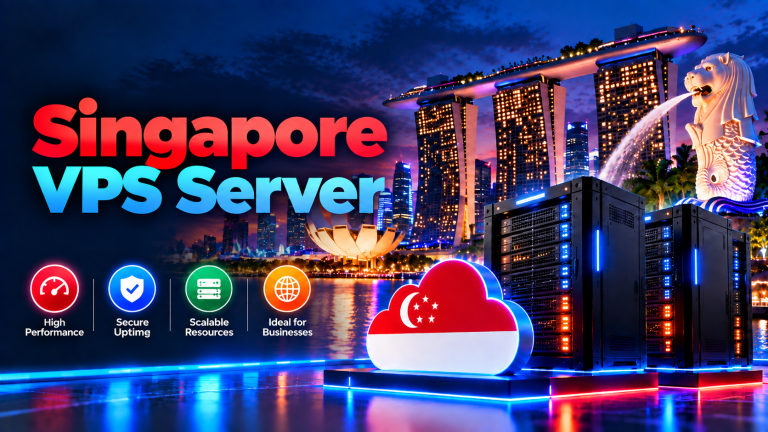
When your buyers sit in Southeast Asia, your server should too. Still, far too many stores host in the US, then wonder why carts stall. Because physics beats marketing, place your VPS in Singapore and watch checkout latency fall from ~170 ms to single digits.
Singapore VPS Hosting in Singapore is a KVM virtual server in Singapore with allocated CPU/RAM, NVMe SSD storage and full root access. Ideal for Singapore and Southeast Asian audiences for eCommerce, APIs, databases, staging or remote workstations with more control than shared hosting.
Singapore sits in the middle of Asia’s internet map, so one server here reaches half the continent quickly. Kuala Lumpur answers in about 8 ms, Jakarta in about 15 ms, and Bangkok in about 30 ms. Mumbai and Sydney sit farther away, yet both still load far faster from Singapore than from the US or Europe. But let us be honest: if your buyers live in America, pick a US server instead — physics beats marketing.
- 99.9% Uptime SLA
- SSD Storage
- Root Full Access
- 24/7 Support Team
What is Singapore VPS Hosting?
A Virtual Private Server (VPS) is your own isolated slice of a physical machine in our Singapore facility. Unlike shared hosting, where hundreds of sites share one pool of CPU and RAM, your slice stays yours alone. That means no noisy neighbors, no surprise slowdowns, and no fighting for disk speed at peak hour.
Because the slice is isolated, you also get your own operating system, security rules, and software stack. For example, you can run a newer PHP version than shared hosts allow, or tune MySQL for your exact queries.
Singapore VPS Hosting Plans
Four sizes, one network: pick the CPU, RAM, storage, and bandwidth your traffic needs today.
Unsure about size? Then tell our support team your current traffic, and they will point you at the right plan.
Key Reasons to Host Workloads in Singapore
Single-Digit Latency to Southeast Asia
KL loads in about 8 ms and Jakarta in about 15 ms from Singapore. As a result, product pages open before shoppers lose patience.
Allocated Resource Access
Moreover, your CPU, RAM, storage, and bandwidth stay reserved for you alone — never oversold to strangers.
Unrestricted Configuration Freedom
Run custom scripts and tune Nginx or Apache rules. You can also install special software without shared-hosting limits.
On-Demand Scalability
Finally, start small and add CPU, RAM, or disk as traffic grows — without paying for idle capacity upfront.
Essential Features for Control and Performance
High-Speed SSD Storage
Our Singapore nodes run on solid-state drives for quick reads and writes. As a result, databases answer faster, and heavy apps stay smooth under load.
Linux and Windows Operating System Options
First, pick the system that fits your stack:
- Linux VPS: For example, a fit for WordPress, Node.js, Python, PHP, MySQL, Docker, Nginx, and Apache.
- Windows VPS: Choose this for ASP.NET, IIS, C# apps, or SQL Server, then manage it over full Remote Desktop access.
Complete Root and Server-Level Access
You own your virtual OS. Then log in as root over SSH on Linux. On Windows, use Remote Desktop as Administrator to patch and secure the server.
Virtualizor Management Panel
You can also handle daily tasks from one dashboard. Reboot, check CPU and RAM graphs, open the console, or reinstall the OS in one click.
Unmanaged and Managed Options
Finally, stay unmanaged if you know server work, or add management and let our team handle patches, hardening, and monitoring.
What Can You Run on a Singapore VPS?
| Workload Type | Recommended Use Case | Key Resource Need |
|---|---|---|
| W1E-Commerce & Retail | WooCommerce, Magento, and custom shops for Asian buyers. | Thus, fast disk I/O and steady RAM for quick checkouts. |
| W2APIs & Web Apps | Node.js, Python, Go, or PHP backends for regional users. | Because latency stays low and CPU stays stable, every request answers quickly. |
| W3Databases & ERPs | MySQL, PostgreSQL, MSSQL, CRMs, and client portals. | Because RAM is dedicated and SSDs are fast, queries stay quick. |
| W4Development & Staging | Remote coding boxes, sandboxes, and staging clones for developers. | Small CPU and RAM plans work fine, since one-click OS reinstalls keep testing fast. |
| W5Forex & Trading Bots | Forex terminals and trading bots that need steady uptime. | Because the server never sleeps, your MT4 or bot keeps running through every session. |
When to Move From Shared Hosting to a VPS
Shared hosting works at the start, but a VPS fits better when:
- 1Your account keeps hitting CPU, memory, or process limits on your current host.
- 2For instance, your apps need custom modules, background jobs, or root access.
- 3If sale traffic peaks, your store queries slow down.
- 4Finally, you need isolation to meet privacy or compliance rules.
Essential Security and Backup Recommendations
A VPS gives you admin control. Therefore, follow these habits to protect uptime and data:
Harden Remote Access
Use SSH keys on Linux instead of root passwords. Also change default ports to block automated scans.
Apply Regular Updates
Patch the OS and apps on time, before attackers find the gaps.
Configure Host Firewalls
Switch on UFW, iptables, or Windows Firewall. Then close ports you never use.
Maintain Independent Backups
Finally, keep copies of files and databases outside the VPS, and test restores.
Singapore VPS Hosting FAQs
01Are my CPU and RAM really dedicated, or shared with other users?
They are yours alone. Your plan reserves fixed CPU, RAM, storage, and bandwidth that no neighbor can borrow. If a stranger’s site gets a traffic spike, your speed does not move.
02How fast is setup after payment?
Your Singapore VPS goes live within 24 hours of payment. Most orders finish sooner, and your login details then arrive by email.
03How many IP addresses do I get?
Every Singapore VPS includes one dedicated IP address. It is enough for most websites, mail, and apps; extra IPs can join your plan if you ever need them.
04Can I add extra IP addresses later?
Yes, in most cases. Your VPS starts with one dedicated IP, but more can join the same server on request. Just tell support why you need them, and they will confirm availability and price.
05Do I get console access to my VPS?
Yes. Because the control panel includes a built-in console, you can open your VPS right from the browser. Reboot, shut down, or rescue the server even if SSH stops responding.
06How do I monitor CPU, RAM, and disk usage?
Open the Virtualizor panel for live CPU, RAM, disk, and bandwidth graphs. You can also add external uptime checks, so problems reach you before they reach your visitors.
Get Started With Singapore VPS Hosting
Pick your OS and size CPU, memory, and storage for your real workload. Then launch on Singapore infrastructure today.
Latest Trends in Singapore VPS Server Hosting and Cloud Infrastructure
-
Boost Your Online Presence in Singapore VPS Server with Onlive Server

⚡ Quick Answer / AI Overview Singapore VPS Server Hosting for Southeast…
-
Singapore VPS is a best hosting solution for your all business need
Quick Answer: Executive Summary ⚡ Architecture & Workload Verified Key Architectural Highlights…
-
When to Make Use of a Singapore VPS Hosting
⚡ Quick Answer / AI Overview Singapore VPS Server Hosting for Southeast…