Singapore Dedicated Server Hosting
Deploy business applications, high-traffic websites, databases, gaming platforms, and private infrastructure on a physical server dedicated to your organization. Onlive Server provides Singapore dedicated server hosting for companies that need consistent resources, administrative control, and a strategic location for reaching users across Singapore and the wider Asia-Pacific region.
Choose dual Intel Xeon processors, 16 GB to 256 GB RAM, HDD, SSD, or NVMe storage, and network connectivity of up to 1 Gbps. Linux and Windows options, full root access, custom DNS configuration, free setup, and 24/7 support are available. Plans start at USD 89 per month, subject to the selected hardware and current inventory.
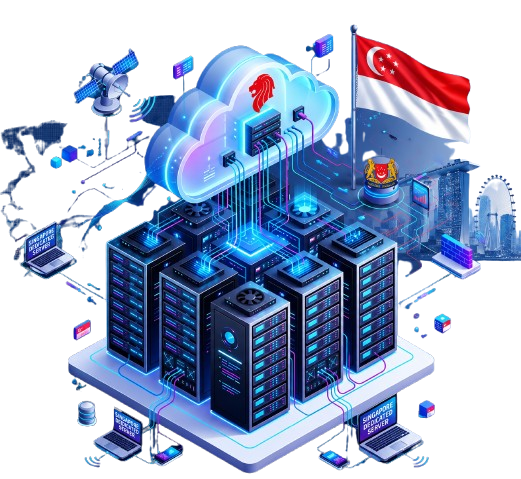
What Is a Singapore Dedicated Server?
A Singapore dedicated server is a complete physical machine assigned to one customer and hosted in Singapore. Its processor, memory, storage, and operating environment are not shared with unrelated customers. This single-tenant model provides predictable resource availability, stronger workload separation, and greater configuration freedom than shared hosting or a typical virtual server.
It is a practical choice for organizations serving customers, employees, or systems in Singapore and nearby Asian markets. A regional server location can shorten the network path for some users, but actual latency depends on internet routing, the user’s provider, application design, traffic conditions, and the chosen configuration.
Fully Managed Singapore Dedicated Servers Hosting Plans
Why Host a Dedicated Server in Singapore?
Reach Singapore and Asia-Pacific Users
Singapore is a useful infrastructure location for organizations with customers, staff, or business systems in Southeast Asia. Hosting closer to an important user base can reduce avoidable long-distance routing and support more consistent experiences for websites, APIs, customer portals, and real-time applications.
Use Resources Reserved for Your Workload
A dedicated machine gives your environment access to the selected CPU, RAM, and storage without unrelated hosting accounts competing for the same server resources. This makes capacity planning clearer for sustained, resource-intensive, or performance-sensitive services.
Build Around Regional Operations
A Singapore deployment can serve as an application, database, or service hub for a regional business. Organizations can place customer-facing systems nearer to Asian users while connecting the server to other cloud, office, or data-center environments as part of a wider architecture.
Support a Deliberate Data-Location Strategy
Choosing a Singapore hosting location gives an organization more control over where a workload operates. Server location alone does not establish regulatory compliance, but it can be one element of a documented approach to data placement, risk management, and vendor selection.
Core Features of Onlive Server Hosting
Single-tenant hardware
Run your workload on a physical server assigned to your organization instead of sharing the machine with unrelated customers.
Dual Intel Xeon processors
Use two server-class processors for multitasking, parallel workloads, databases, virtualization, and busy production services.
Flexible memory
Select from 16 GB to 256 GB RAM according to application concurrency, caching, database, and virtualization requirements.
HDD, SSD, and NVMe storage
Match storage capacity, speed, and cost to the workload instead of accepting a single drive type.
Up to 1 Gbps connectivity
Support application traffic, media delivery, file transfers, and remote access through a high-speed server connection. Confirm the exact traffic policy.
Root access and custom DNS
Configure supported software, system services, users, network rules, and DNS settings around your deployment.
Linux and Windows choices
Select an operating environment compatible with your applications, administration skills, and licensing requirements.
Managed maintenance support
Receive assistance with operating-system tasks, security patches, and necessary maintenance within the agreed service scope.
Security and monitoring options
Apply server hardening, access controls, monitoring, and other safeguards that match the risk profile of the workload.
Private LAN availability
Connect two or more eligible servers through a private network for internal service traffic, subject to location and network availability.
Free setup and 24/7 support
Avoid a separate standard setup charge and contact the support team at any time through the available channels.
Choose the Right Storage for Your Application
HDD for Capacity-Focused Storage
Hard disk drives are useful when storage volume and cost per gigabyte matter more than the fastest input/output performance. They can support archives, large media libraries, backup repositories, and capacity-heavy file storage when the workload allows longer access times.
SSD for Balanced Everyday Performance
Solid-state drives provide faster access than conventional hard drives and are suitable for websites, business applications, general databases, email platforms, and hosting environments that need responsive storage without the highest NVMe performance tier.
NVMe for I/O-Intensive Workloads
NVMe storage is designed for low-latency, high-throughput input/output. It is a strong fit for transactional databases, search systems, analytics, virtualization, busy eCommerce platforms, and applications that frequently read or write large amounts of data.
Ask which drive capacities, quantities, and redundancy options are available. Storage performance depends on the complete server design, and redundancy does not replace an independent, tested backup plan.
Managed or Self-Managed: Define the Service Scope
Root access gives experienced administrators direct control, while management support can reduce the burden of routine operating-system maintenance. Onlive Server describes assistance with the operating system, security patches, and necessary maintenance. Before deployment, document exactly which tasks are included and which remain the customer’s responsibility.
Provider responsibilities may include:
Supported operating-system setup, agreed updates, security patches, hardware monitoring, and routine server maintenance.
Customer responsibilities may include:
Application code, user access, credentials, website content, database configuration, software licenses, data handling, and workload-specific security.
Items to confirm:
Monitoring coverage, patch schedule, emergency response, application support, control-panel support, backup frequency, restoration assistance, response targets, and exclusions.
Security, Backups, and Shared Responsibility
Dedicated hardware improves workload isolation, but secure hosting still requires several layers of protection. Limit privileged access, use strong authentication, close unused services, patch supported software, monitor important events, encrypt sensitive data where appropriate, and maintain recoverable backups away from the primary server.
Security controls and real-time monitoring can reduce risk, but no hosting platform can guarantee protection from every attack or newly discovered vulnerability. Agree on the division of responsibility for server hardening, application security, malware response, network filtering, incident handling, and recovery before the service goes live.
Backup inclusion is not clearly defined as a standard feature.
Confirm whether backups are included or sold separately, then document capacity, frequency, retention, encryption, storage location, restoration fees, recovery objectives, and testing. RAID or mirrored drives can improve hardware resilience, but they are not substitutes for independent backups.
Why Choose Onlive Server in Singapore?
Dedicated Server
Singapore Location
Dedicated physical resources
Operate on a machine assigned to your organization for clearer performance and capacity planning.
Practical hardware range
Configure dual Intel Xeon processors with 16 GB to 256 GB RAM and a choice of HDD, SSD, or NVMe storage.
Administrative freedom
Use root access, supported Linux or Windows software, and custom DNS settings around your application.
Management assistance
Obtain operating-system, security-patch, and maintenance support according to the selected service scope.
Multi-server networking
Ask for private LAN connectivity when two or more servers need secure internal communication.
Accessible deployment
Standard setup is free, plans start at USD 89 per month, and some configurations may be available for fast delivery.
Always-available assistance
Contact support 24/7 through phone, ticket, or live chat when a server issue needs attention.
Frequently Asked Questions
Also provide Singapore VPS Hosting, Cheap VPS And Cheap Cloud VPS Hosting
Latest Articles on Singapore Dedicated Server
-
Asian Datacenter Infrastructure: Low Latency Hosting in Singapore & Hong Kong
⚡ Quick Answer: Low Latency Datacenters in Singapore & Hong Kong Asian datacenter infrastructure relies on two…
-
Singapore Dedicated Server Hosting: Equinix SG1, SGIX Peering & Southeast Asia Hub
Experience unparalleled performance with a Singapore dedicated Server, enhancing your site’s speed and security for a robust online presence.