Find and Register Your Domain Name
Your domain is the address people use to find your business, website, or online project. Search for an available name, choose the extension that fits your purpose, and register it through Onlive Server.
Find a Domain That Fits Your Brand
Start with the name people should remember.
Enter your preferred name in the domain search box to check availability. If the exact name is already registered, try a different extension or a shorter variation that still makes sense for your brand.
Popular extensions include:
The extensions available to you depend on the domain name and the applicable registry rules.
How to Register a Domain
Getting your domain online is a simple process.
1. Search the Name
Enter the name you want to use and check whether it is available.
2. Choose an Extension
Select an extension that suits your business, organization, location, or project.
3. Complete Your Registration
Provide the required registrant and contact information and review the details carefully before placing the order.
4. Verify Your Information
Depending on the domain extension and registration requirements, you may need to verify your email address or other contact information.
5. Connect Your Domain
After registration, point the domain to your hosting provider by updating its nameservers or DNS records.
That’s it. Your domain can then be used as the address for your website and related online services.
Choose the Right Domain Name
A good domain doesn’t need to explain your entire business. It needs to be easy to recognize and type.
When comparing names, look for one that is:
Short
Shorter names are generally easier to remember and enter.
Easy to Spell
Avoid unusual spellings that force visitors to guess how your domain is written.
Relevant
A brand name, company name, product, or meaningful term can make the address easier to associate with your website.
Easy to Say
If someone hears the domain in a conversation, they should have a reasonable chance of typing it correctly.
Be Careful With Hyphens and Numbers
Hyphens and numbers aren’t prohibited, but they can make a domain harder to communicate verbally or remember. Use them only when they make sense for the name.
Domain and Web Hosting Are Different
A domain name and web hosting perform different jobs.
Domain
The address visitors type into a browser.
Web hosting
The server where your website files, applications, and databases are stored.
You can register your domain with one provider and host the website somewhere else. They don’t have to be the same service.
If you host your website with Onlive Server, you can connect your registered domain to the appropriate hosting environment through DNS or nameserver settings.
Connect Your Domain to Hosting
After registration, your website won’t automatically appear just because the domain exists.
You’ll need to connect it to a hosting service.
Depending on your setup, this can involve:
- Nameservers
- A records
- AAAA records
- CNAME records
- MX records for email
- TXT records for verification and email authentication
For a basic website, your hosting provider will normally tell you which nameservers or DNS records to use.
If your email is hosted separately from your website, don’t replace existing MX records without checking the required mail configuration first.
Use Your Domain for Professional Email
A custom domain can also be used for business email.
For example:
Your website and email don’t have to use the same hosting provider. DNS lets you direct web traffic to your website server while sending email traffic to your chosen mail service.
Onlive Server also provides Google Workspace and email-related services for businesses that need professional communication tools.
Manage Your Domain After Registration
Registering a domain is only the first step. You’ll also need access to it throughout its registration period.
Depending on the domain and service, domain management can include:
Updating nameservers
Managing DNS records
Reviewing registration details
Renewing the domain
Managing domain transfers
Configuring privacy options where available
Connecting the domain to hosting
Managing domain-related services
Keep the registrant email address accessible. Important domain notifications and verification requests may be sent there.
Domain Privacy
Some domain extensions and registration services offer privacy options that limit the personal information displayed through public registration records.
Privacy availability varies by TLD and applicable registry requirements.
Where Domain Privacy is available through Onlive Server, check the specific domain extension and service terms before purchasing.
Privacy protection does not remove the requirement to provide accurate registration information to the registrar or registry.
Register Multiple Domains for Your Brand
Businesses sometimes register more than one domain associated with the same brand.
For example, you might register:
Your primary .com
A relevant country-code domain
A useful alternative extension
A common variation of your brand name
The purpose isn’t to collect domains unnecessarily. It can make sense when the additional names protect an important brand variation or support a specific market.
Only register domains that have a clear purpose.Domain Renewal Matters
A domain registration is valid for a defined registration period. It isn’t permanent ownership of the name.
Keep track of the expiration date and renew the domain before it expires if you want to continue using it.
Before renewal, check:
The renewal terms and available grace or redemption periods can vary by domain extension.
Transfer Your Domain Later
Registering a domain with Onlive Server doesn’t mean you can never move it elsewhere.
Eligible domains can generally be transferred to another registrar, subject to the rules of the applicable registry and registrar.
A transfer may require:
Some domains may also be subject to transfer restrictions after registration or certain account changes.
Why Register Your Domain With Onlive Server?
Domain Search
Check the availability of your preferred domain name before completing registration.
Multiple Extensions
Choose from a range of available domain extensions.
Easy Domain Management
Manage your registered domains and related settings from your account.
Website Connection
Point your domain toward your existing hosting environment through nameservers or DNS records.
Business Email Options
Connect your domain to professional email services, including Google Workspace where applicable.
Technical Support
Get assistance with domain-related configuration and hosting connections.
Frequently Asked Questions
How do I check if a domain name is available?
Enter your preferred domain name into the domain search tool. The search results will show whether the requested name and extension are available for registration.
Can I register a domain before creating my website?
Yes. You can register a domain even when your website is still being developed. You can connect it to your hosting service later.
What domain extension should I choose?
Choose an extension that fits your brand, organization, market, or audience. .com is a common choice for businesses, while country-code extensions can make sense when your business primarily serves a particular country.
Can I register more than one domain?
Yes, provided the domains are available and you meet the applicable registration requirements.
Can I use my domain with another hosting provider?
Yes. Domain registration and web hosting are separate services. You can point the domain to another hosting provider by changing its DNS or nameserver configuration.
Can I use my domain for business email?
Yes. A registered domain can be used for professional email addresses such as [email protected]. You can connect the domain to your chosen email provider through DNS.
Does registering a domain automatically create a website?
No. Domain registration gives you the web address. You still need a hosting service or another platform to publish the website.
Can I change my domain name after registration?
No. A registered domain name itself cannot simply be renamed. If you want a different name, you generally need to register the new domain.
What happens if the domain I want is already taken?
Try another extension, a brand variation, or a different name. A domain search tool can help identify available alternatives.
Do I need to provide contact information when registering a domain?
Yes. Domain registration requires accurate registrant and contact information. Additional verification may apply depending on the domain extension and registry requirements.
Is Domain Privacy available for every domain?
No. Privacy availability depends on the TLD and applicable registry requirements.
Can I transfer my domain to another registrar?
Eligible domains can generally be transferred, subject to applicable registrar and registry requirements.
How long does a domain registration last?
The registration period depends on the domain extension and registration term you select. Check the applicable domain pricing and renewal information before completing your order.
How do I connect my new domain to my website?
Your hosting provider will normally provide nameservers or DNS records. Add the required configuration to your domain and allow DNS changes to propagate.
Register Your Domain Today
Have a name in mind?
Search it first. If it’s available, register it before someone else does. Once registered, you can connect the domain to your website, hosting server, or business email service.
Our Popular Blog
-
Benchmarking UAE VPS Performance: Ping, Jitter & Packet Loss from Etisalat and du Networks
⚡ Quick Answer How Does BGP Autonomous System Routing Work Between Etisalat and du on a UAE VPS? Etisalat (AS8966) and du (AS15802) operate the two primary Tier-1 network backbones in the United Arab Emirates….
-
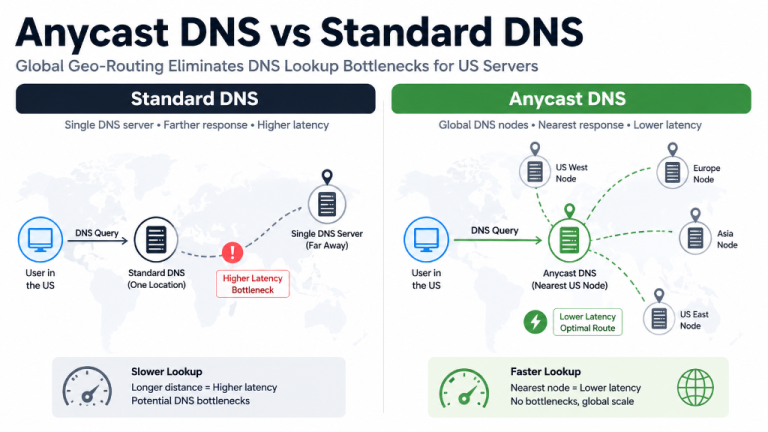
Anycast DNS vs Unicast DNS: Performance & DDoS Resilience
Executive Overview Anycast DNS is an advanced routing architecture designed for businesses that need sub-millisecond global resolution and extreme DDoS resilience. It helps users by announcing a single IP address across dozens of worldwide datacenters,…
-
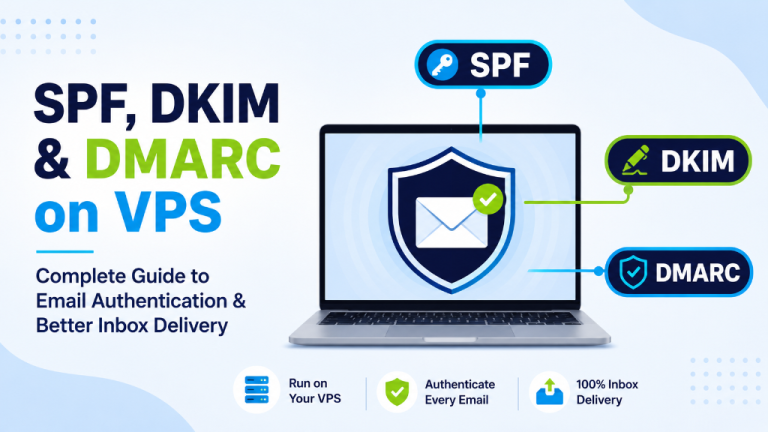
SPF, DKIM & DMARC Setup on VPS: Deliverability Guide
Executive Overview SPF, DKIM, and DMARC Setup on VPS is an email authentication framework designed for businesses that need to ensure their outgoing emails reach the inbox without being flagged as spam. It helps users…