SSD Dedicated Server Hosting in the Netherlands provides exclusive, single-tenant access to bare-metal physical compute hardware housed in tier-certified datacenter facilities in Amsterdam. By coupling enterprise-grade solid-state storage (SATA SSD and PCIe NVMe) with dedicated Intel Xeon or AMD EPYC processors and direct peering through major European Internet exchanges such as AMS-IX, this infrastructure delivers deterministic CPU scheduling, sub-millisecond storage I/O, and low-latency transit across Western Europe without multi-tenant hypervisor contention.
The Operational Demands of Modern Dedicated Infrastructure
Modern enterprise platforms—including high-concurrency transactional databases, SaaS application backends, financial trading pipelines, and e-commerce portals—depend on predictable hardware execution and unthrottled I/O pathways. In multi-tenant environments, such as shared hosting and standard virtual private servers, compute threads share physical CPU instruction pipelines, memory channels, and storage controllers with other users. When neighboring workloads experience traffic spikes or run heavy batch jobs, resource starvation and hypervisor CPU scheduling latency (commonly measured as CPU steal, %st) degrade response times.
Deploying a dedicated physical server in the Netherlands eliminates virtualization overhead and guarantees that 100% of the provisioned CPU cycles, RAM address space, and storage bus bandwidth belong exclusively to your application stack. Furthermore, hosting in the Netherlands positions your workloads inside Europe’s most densely interconnected network junction, providing optimal transit across the United Kingdom, Germany, France, the Benelux region, and trans-Atlantic links.
For organizations evaluating mission-critical deployments, reviewing Netherlands dedicated server hosting in Amsterdam establishes a robust baseline for bare-metal hardware selection, verified storage protocols, and network transit capacities.
What Is a Netherlands SSD Dedicated Server?
A Netherlands SSD dedicated server is an entire physical server chassis provisioned for a single customer inside a Dutch datacenter (primarily situated in Amsterdam’s network corridor). Unlike virtualized instances, there is no shared hypervisor layer. The operating system—whether Linux (Ubuntu, Debian, AlmaLinux, Rocky Linux) or Windows Server—interacts directly with the physical motherboard, CPU sockets, memory controllers, and solid-state storage drives.
Dedicated Bare-Metal Compute
Physical Intel Xeon or AMD EPYC multi-core processors deliver sustained clock frequencies without CPU throttling, credit exhaustion, or hypervisor virtualization penalties.
Isolated ECC Memory Channels
Error-Correcting Code (ECC) DDR4 and DDR5 memory modules prevent bit-flip data corruption and ensure dedicated memory addressing for database buffer pools and in-memory caches.
Enterprise Solid-State Storage
High-endurance enterprise SATA SSD and ultra-low-latency PCIe NVMe SSD arrays provide sustained random read/write IOPS and high sequential transfer speeds for demanding I/O workloads.
Direct European Network Peering
Amsterdam datacenter routing connects directly to Tier-1 upstream transit providers and European exchange points like AMS-IX, delivering optimized transit across Europe.
Edge DDoS Mitigation
Upstream network-level filtering mitigates volumetric Layer 3 and Layer 4 distributed denial-of-service attacks (SYN floods, UDP amplification) before traffic impacts server network ports.
Full Root & IPMI/KVM Control
Complete superuser administrative sovereignty with out-of-band IPMI 2.0 / KVM-over-IP console access for remote power cycling, BIOS configuration, and bare-metal OS deployment.
Storage Architecture: SATA SSD vs. NVMe SSD vs. HDD
Choosing the correct storage architecture is critical when configuring a dedicated server. “SSD” and “NVMe” are not interchangeable synonyms. Understanding the interface, protocol, and workload characteristics ensures your storage subsystem matches your software requirements.
- SATA SSD (Serial ATA Solid-State Drive): Operates over the legacy SATA III bus using the AHCI (Advanced Host Controller Interface) communication protocol, capped at a physical bus ceiling of 6 Gbps (roughly 550–560 MB/s sequential throughput). AHCI provides a single command queue with a queue depth of 32 commands. Enterprise SATA SSDs are highly reliable, cost-effective, and provide 50,000 to 90,000 random read IOPS—making them well-suited for general web serving, application caching, CMS hosting, and cost-efficient production workloads.
- NVMe SSD (Non-Volatile Memory Express): A purpose-built storage interface and communications protocol engineered specifically for non-volatile solid-state media. NVMe interfaces directly with the host CPU across PCIe (PCI Express) lanes (PCIe Gen3, Gen4, or Gen5), bypassing the SATA controller entirely. NVMe supports up to 64,000 independent command queues, each capable of handling up to 64,000 concurrent commands. This parallel architecture achieves sequential throughput of 3,500 to 7,000+ MB/s and random I/O performance exceeding 500,000 to 1,000,000+ IOPS. It is the gold standard for high-transaction relational databases (PostgreSQL, MySQL/InnoDB), time-series stores, in-memory cache flushing, and high-frequency messaging systems.
- Enterprise SATA HDD (Hard Disk Drive): Mechanical spinning-disk storage utilizing magnetic platters. HDDs exhibit high seek times (~10–15ms) and low random IOPS (~75–200 IOPS), but deliver high storage capacities (e.g., 4TB, 8TB, 18TB) at a low cost per gigabyte. They are configured primarily for cold storage archives, database dumps, secondary backups, and media libraries. For high-capacity storage needs, consider dedicated storage dedicated server hosting in the Netherlands.
| Storage Feature / Metric | SATA SSD | PCIe NVMe SSD | Enterprise SATA HDD |
|---|---|---|---|
| Physical Interface | SATA III (6 Gbps) | PCIe Gen3 / Gen4 (x4 lanes) | SATA III (6 Gbps) |
| Driver / Protocol | AHCI | NVMe (Parallel Protocol) | AHCI |
| Command Queues | 1 Queue / 32 Commands | Up to 64,000 Queues / 64,000 Cmds | 1 Queue / 32 Commands |
| Sequential Read/Write | 500 – 560 MB/s | 3,500 – 7,000+ MB/s | 180 – 260 MB/s |
| Random I/O Latency | ~50 – 100 microseconds | ~10 – 30 microseconds | ~10 – 15 milliseconds |
| Primary Server Workloads | Web applications, APIs, caching | High-load databases, Redis, Kafka | Cold backups, video archives, logs |
Storage Redundancy: Hardware RAID and Backup Protocols
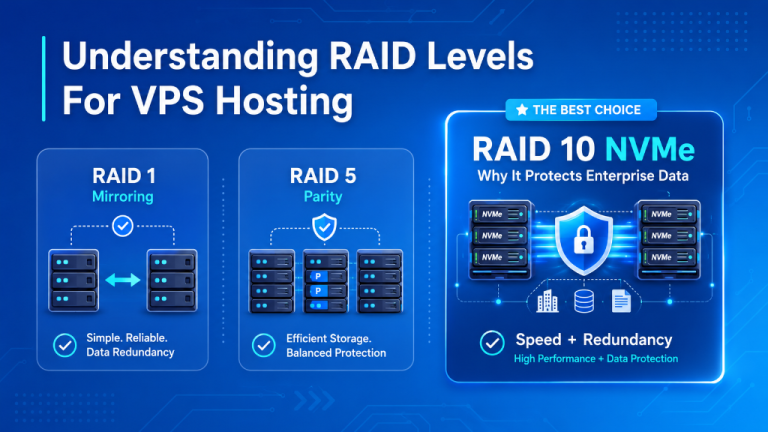
Storage performance must always be paired with drive redundancy. Dedicated servers running dual or quad drive arrays are typically configured with RAID (Redundant Array of Independent Disks) to guard against physical drive failure:
- RAID 1 (Mirroring): Requires at least 2 identical drives. Data is mirrored in real time across both drives. If one drive experiences hardware failure, the controller maintains read/write continuity without system downtime.
- RAID 10 (Striping + Mirroring): Combines striping (RAID 0 performance) with mirroring (RAID 1 fault tolerance) across a minimum of 4 drives. RAID 10 provides high random write performance and resilience, capable of sustaining drive failures while maintaining high throughput for enterprise database clusters.
- Hardware RAID vs. Software RAID: Hardware RAID utilizes a dedicated PCIe controller card with onboard memory and a Battery-Backed Unit (BBU) or flash-backed cache protection, offloading parity calculations from the host CPU. Software RAID (such as Linux
mdadmor OpenZFS) executes parity logic within the Linux kernel, offering flexible pool management.
Critical Architectural Rule: RAID is NOT a backup. While RAID safeguards against immediate hardware downtime caused by a failed drive, it cannot protect against file system corruption, malicious attacks, ransomware, or accidental file deletion. Production servers must always maintain independent, automated offsite backup routines stored on external storage nodes or separate geographical datacenters.
Dedicated Server vs. VPS: Physical Bare Metal vs. Virtualization
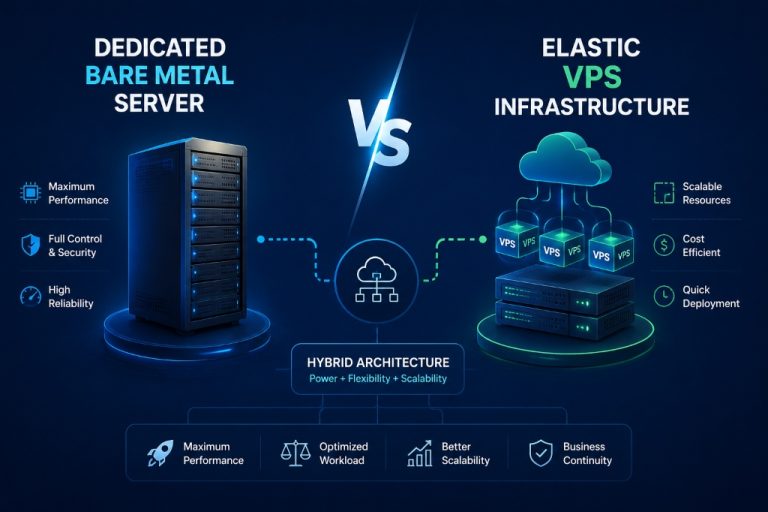
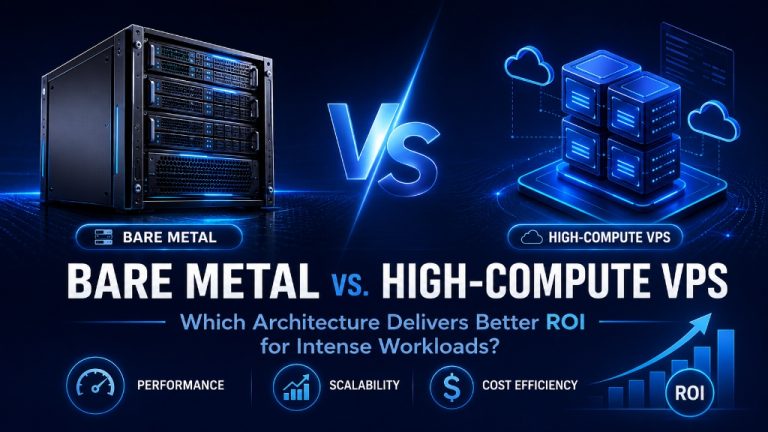
When selecting hosting infrastructure, understanding the architectural differences between a physical bare-metal dedicated server and a Virtual Private Server (VPS) is essential for budget and performance planning.
| Infrastructure Dimension | Physical SSD Dedicated Server | Virtual Private Server (VPS) |
|---|---|---|
| Hardware Tenancy | Single-Tenant: 100% exclusive access to the physical chassis and all components. | Multi-Tenant: Shared physical server split into virtual machines via a hypervisor (KVM). |
| CPU Allocation | Dedicated physical processor cores; zero CPU steal (%st = 0); full L1/L2/L3 cache access. |
Virtual CPU cores (vCPUs); time-shared physical processor execution. |
| Storage Throughput | Direct, unthrottled access to dedicated SATA/NVMe PCIe channels; no hypervisor I/O scheduler. | Virtual disk images (.qcow2, raw) shared over host storage arrays with I/O rate limits. |
| Network Interfaces | Dedicated physical network interface card (1 Gbps to 10 Gbps unmetered or metered). | Virtual network tap interface sharing host uplink bandwidth with neighboring VMs. |
| Hardware Management | Direct out-of-band IPMI 2.0 / KVM-over-IP console; full BIOS, UEFI, and RAID access. | Web control panel console (no BIOS or physical hardware control). |
| Ideal Workloads | High-traffic enterprise portals, database clusters, ERPs, heavy virtualization hosts. | Small-to-medium websites, staging environments, light microservices, entry-level apps. |
For organizations needing flexible virtualized resources or smaller initial workloads, comparing options with Netherlands VPS hosting in Amsterdam provides a cost-effective alternative before scaling to full bare-metal hardware.
Netherlands Datacenter Infrastructure and AMS-IX Connectivity
Datacenter facilities situated in Amsterdam, Netherlands, represent one of the world’s premier digital traffic crossroads. The Amsterdam Internet Exchange (AMS-IX) is one of the largest Internet exchange points globally, interconnecting hundreds of telecommunications networks, content delivery networks (CDNs), and cloud providers.
- Physical Datacenter Security & Redundancy: Enterprise facilities in the Netherlands feature 2N or N+1 uninterruptible power supply (UPS) units, backup diesel generators with on-site fuel reserves, dual-path power feeds to every rack, and precision N+1 CRAC climate management systems.
- Network Transit & BGP Peering: Servers benefit from redundant multi-homed BGP (Border Gateway Protocol) routing combining major Tier-1 carriers (including Lumen, Telia/Arelion, and Cogent) with direct European public peering fabric.
- Realistic Latency Profile: Network latency is fundamentally determined by physical distance and fiber routing. Deployments in Amsterdam typically achieve round-trip ping times of 3–10ms within the Netherlands and Benelux, 8–18ms to major hubs in London, Frankfurt, and Paris, 25–45ms across Eastern and Southern Europe, and 75–95ms across trans-Atlantic paths to the US East Coast under normal network conditions.
- Data Sovereignty & Regulatory Compliance: Hosting in the Netherlands ensures that physical data storage, operating system logs, and user databases operate under European Union data privacy standards, complying with the General Data Protection Regulation (GDPR) and Dutch regulatory frameworks.
Verified Netherlands Dedicated Server Configurations
Onlive Server provides a diverse catalog of pre-configured and customizable bare-metal dedicated servers deployed in Amsterdam. The following table presents verified configurations across Intel and AMD processor families with enterprise SATA SSD, NVMe, and high-capacity storage options:
| Server Model / Plan | Processor (CPU) Architecture | RAM Capacity | Storage Configuration | Network Uplink | Monthly Starting Price |
|---|---|---|---|---|---|
| Netherlands Dedicated – DSX1 | AMD EPYC 3151, 2.7 GHz (4 Cores) | 32 GB ECC RAM | 1TB NVMe SSD | 1 Gbps Port | $104 / mo |
| Netherlands Dedicated – DSX17 | Intel Xeon E-2288G, 3.7 GHz (8 Cores) | 128 GB ECC RAM | 2x 960GB Enterprise SSD | 1 Gbps Port | $161 / mo |
| Netherlands Dedicated – DSX3 | AMD Ryzen 9 7950X, 4.5 GHz (16 Cores) | 128 GB ECC RAM | 2x 1.92TB NVMe SSD | 1 Gbps Port | $284 / mo |
| Netherlands Dedicated – DSX2 | Intel Xeon Gold 6140, 2.3 GHz (36 Cores) | 256 GB ECC RAM | 2x 1.92TB Enterprise SSD | 10 Gbps Port | $390 / mo |
| Netherlands Dedicated – DSX4 | AMD EPYC 7702, 2.3 GHz (64 Cores) | 512 GB ECC RAM | 2x 1.92TB NVMe SSD | 1 Gbps Port | $570 / mo |
| Netherlands Dedicated – DSX7 | 2x AMD EPYC 9354, 3.25 GHz (64 Cores) | 1024 GB (1 TB) ECC RAM | 2x 3.84TB NVMe SSD | 1 Gbps Port | $1,371 / mo |
| Netherlands Dedicated – DSX8 (Storage) | Intel Xeon E3-1220, 3.2 GHz (4 Cores) | 32 GB ECC RAM | 2x 18TB Enterprise SATA HDD | 1 Gbps Port | $130 / mo |
For specialized processor architectures, explore dedicated offerings featuring AMD dedicated server hosting in the Netherlands or explore high-density enterprise computing with Intel Xeon dedicated server hosting.
Security Hardening and Linux Kernel Performance Tuning
Taking full advantage of bare-metal dedicated hardware requires disciplined server administration and operating system hardening. Because you maintain complete root sovereignty, you can fine-tune Linux kernel parameters, configure local packet filters, and manage network socket buffer sizing.
For high-throughput network workloads and web application servers handling thousands of concurrent connections, the following socket buffer and TCP parameters can be applied in /etc/sysctl.conf:
# Optimize TCP socket buffer limits for high-bandwidth uplinks
net.core.rmem_max = 16777216
net.core.wmem_max = 16777216
net.ipv4.tcp_rmem = 4096 87380 16777216
net.ipv4.tcp_wmem = 4096 65536 16777216
# Enable Google BBR TCP congestion control for improved throughput over long-distance links
net.core.default_qdisc = fq
net.ipv4.tcp_congestion_control = bbr
# Reduce swap aggressiveness to favor physical RAM caching
vm.swappiness = 10
# Increase connection backlog queue for high-concurrency listeners
net.core.somaxconn = 32768
Apply changes immediately without rebooting by executing sysctl -p. For system security, enforce key-based SSH authentication, disable root password logins, configure a stateful firewall (such as ufw or nftables), and implement automated monitoring via Prometheus, Zabbix, or Grafana Agent.
Operating Systems and Control Panel Compatibility
Each dedicated server supports rapid automated provisioning across all major Linux server distributions and Microsoft Windows Server editions:
- Linux Operating Systems: Ubuntu Server (20.04, 22.04, 24.04 LTS), Debian (11, 12), AlmaLinux (8, 9), Rocky Linux (8, 9), and CentOS Stream.
- Windows Server: Windows Server 2019 Standard / Datacenter and Windows Server 2022 (licenses available upon request).
- Web Hosting Control Panels: Full compatibility with commercial control panels like cPanel/WHM and Plesk, as well as lightweight alternatives like DirectAdmin, CyberPanel, and Webmin for simplified domain, email, and database administration.
- Unmanaged vs. Fully Managed Hosting: Servers are provisioned unmanaged by default, granting experienced sysadmins total autonomy with 24/7 hardware replacement SLAs. Fully managed server administration is optionally available for businesses requiring proactive security updates, stack configuration, and technical oversight.
Frequently Asked Questions
What is the primary difference between a SATA SSD and an NVMe SSD on a dedicated server?
SATA SSDs communicate through the legacy AHCI protocol over a 6 Gbps SATA bus, achieving throughput speeds up to ~550 MB/s with a single command queue of 32 commands. NVMe SSDs connect directly to the CPU over PCIe lanes, supporting up to 64,000 parallel queues and delivering transfer speeds between 3,500 and 7,000+ MB/s with significantly lower access latency. While SATA SSDs are ideal for general web serving and caching, NVMe SSDs excel in intensive database, analytics, and transactional workloads.
Where are Onlive Server’s Netherlands dedicated servers physically located?
All Netherlands dedicated servers are physically racked and hosted inside enterprise-grade datacenter facilities in Amsterdam, Netherlands. This strategic location provides direct access to Europe’s major Internet backbone and peering points, including AMS-IX.
Does a dedicated server include IPMI / KVM-over-IP out-of-band management?
Yes. Every dedicated server includes dedicated IPMI 2.0 / KVM-over-IP access (such as Supermicro IPMI or Dell iDRAC). This allows you to remotely access the server console, change BIOS/UEFI settings, mount ISO installation images, and power-cycle the physical chassis even if the primary operating system is unresponsive.
Is RAID configuration a replacement for offsite data backups?
No. RAID (such as RAID 1 or RAID 10) provides physical hardware redundancy against drive failure, preventing immediate system downtime if a drive fails. However, RAID does not protect against data corruption, accidental file deletion, file system crashes, or ransomware. We strongly advise configuring regular, automated backups to an external or offsite storage environment.
What network uplink port speeds and bandwidth options are available?
Standard Netherlands dedicated servers are provisioned with 1 Gbps or 2 Gbps dedicated switch ports. High-bandwidth enterprise configurations (such as the Dual Xeon Gold DSX2) include up to 10 Gbps network ports. Bandwidth is supported by redundant Tier-1 carrier uplinks and multi-homed BGP routing.
Can I deploy custom operating systems and hypervisors like Proxmox or VMware ESXi?
Yes. Because you have complete bare-metal hardware ownership and IPMI/KVM console access, you can mount custom ISO images and install any x86_64 operating system, including virtualization hypervisors such as Proxmox VE, VMware ESXi, or custom Linux/FreeBSD builds.