

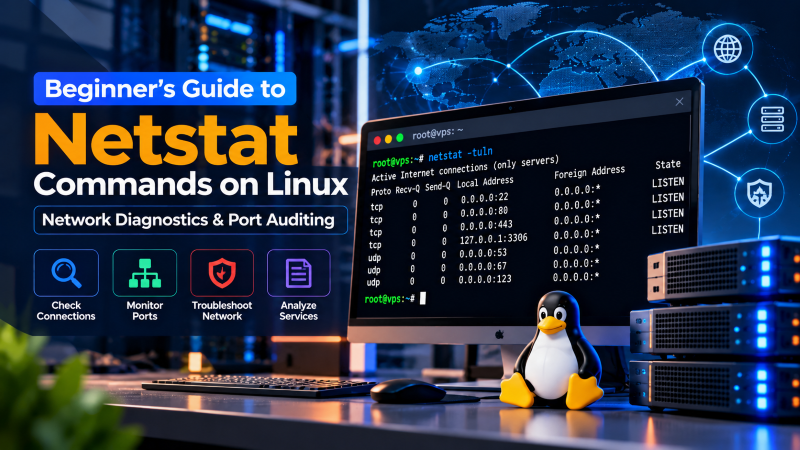
Monitoring active network connections, identifying listening ports, and inspecting network interface performance are fundamental daily responsibilities for Linux system administrators. Whether diagnosing why an Nginx web server fails to bind to port 80, tracking unauthorized remote socket connections, or verifying routing tables on an enterprise cloud instance, the netstat (network statistics) command serves as a battle-tested command-line utility for comprehensive network auditing.
Although modern Linux distributions now favor the ss (socket statistics) utility from the iproute2 package, netstat remains deeply ingrained in system administration scripts, legacy enterprise distributions, and sysadmin muscle memory worldwide. In this definitive guide, we explore the architecture of netstat, demonstrate essential flag combinations for daily server maintenance, examine TCP socket states, and detail practical workflows for diagnosing network bottlenecks on production servers.
The netstat (network statistics) command in Linux audits active network sockets, listening ports, and routing tables. To view all active listening TCP and UDP ports alongside their process IDs and program names without DNS delay, execute:
sudo netstat -tulnp
Flags Breakdown: -t (TCP) • -u (UDP) • -l (Listening) • -n (Numeric IPs/ports) • -p (PID / Program name).
What Is Netstat and Why Is It Essential for Linux Sysadmins?
The netstat command is a core component of the legacy net-tools suite in Linux. It queries the Linux kernel’s networking subsystem (historically reading virtual files in /proc/net/) to provide real-time diagnostic reports on:
- Network Socket Status: Both Internet sockets (TCP, UDP, RAW) and Unix domain sockets used for inter-process communication (IPC).
- Listening Daemons & Ports: Services bound to network interfaces awaiting inbound client handshakes.
- Routing Tables: Kernel IP routing entries that dictate how packets exit local network interfaces.
- Interface Statistics: Transmission errors, packet drops, and collisions across physical and virtual interfaces (e.g.,
eth0,ens33,lo). - Protocol Statistics: Counter summaries across IP, ICMP, TCP, and UDP stacks.
When running mission-critical applications on Linux cloud VPS environments or bare-metal dedicated servers, quick access to socket diagnostics enables rapid triage during network service interruptions and security breaches.
Installing Netstat Across Linux Distributions
Because many modern minimal Linux installations omit legacy network toolkits by default, executing netstat may initially return command not found: netstat. To restore the command, install the net-tools package using your distribution’s package manager:
Ubuntu, Debian, and Linux Mint:
sudo apt update
sudo apt install net-tools -y
RHEL, CentOS Stream, Rocky Linux, and AlmaLinux:
# RHEL 8 / 9, AlmaLinux, Rocky Linux
sudo dnf install net-tools -y

# Legacy CentOS 7
sudo yum install net-tools -y
Arch Linux and Manjaro:
sudo pacman -S net-toolsOnce installed, verify the binary location and version by running netstat --version.
Comprehensive Netstat Command Flags Reference Matrix
The flexibility of netstat stems from combining individual command-line switches. Below is the authoritative reference matrix of fundamental flags:
| Flag | Long Option | Technical Purpose & Behavior |
|---|---|---|
-a |
--all |
Displays all active sockets, including both listening and established connections. |
-t |
--tcp |
Filters output strictly to TCP (Transmission Control Protocol) sockets. |
-u |
--udp |
Filters output strictly to UDP (User Datagram Protocol) sockets. |
-l |
--listening |
Shows only listening sockets waiting for incoming network connections. |
-n |
--numeric |
Bypasses reverse DNS resolution and service lookups, outputting numeric IP addresses and port numbers. |
-p |
--program |
Displays the Process ID (PID) and process name owning each socket (requires sudo/root). |
-r |
--route |
Displays the kernel IP routing table (equivalent to route -n). |
-i |
--interfaces |
Displays packet transmission, error, and MTU statistics across all network interfaces. |
-s |
--statistics |
Outputs cumulative protocol counters for IP, ICMP, TCP, and UDP. |
-c |
--continuous |
Continuously refreshes and prints network statistics every second until interrupted. |
Mastering the Standard Command: netstat -tulnp
The single most universally executed command combination for Linux server administration is sudo netstat -tulnp. This command audits all network daemons currently listening on the server without incurring reverse DNS latency.
sudo netstat -tulnpA typical production output resembles the following:
Proto Recv-Q Send-Q Local Address           Foreign Address         State       PID/Program name
tcp        0      0 0.0.0.0:22              0.0.0.0:*               LISTEN      892/sshd: /usr/sbin
tcp        0      0 127.0.0.1:3306          0.0.0.0:*               LISTEN      1124/mysqld
tcp        0      0 0.0.0.0:80              0.0.0.0:*               LISTEN      1450/nginx: master
tcp        0      0 0.0.0.0:443             0.0.0.0:*               LISTEN      1450/nginx: master
tcp6       0      0 :::22                   :::*                    LISTEN      892/sshd: /usr/sbin
udp        0      0 127.0.0.53:53           0.0.0.0:*                           645/systemd-resolve
udp        0      0 0.0.0.0:123             0.0.0.0:*                           780/chronyd
Dissecting the Output Columns
- Proto: The transport layer protocol utilized by the socket (
tcp,tcp6, orudp). - Recv-Q & Send-Q: The count of bytes queued in kernel socket memory waiting to be consumed by the user application (
Recv-Q) or waiting for remote TCP acknowledgment (Send-Q). In a healthy listening socket, both values must remain0. Elevated queues indicate application thread starvation or network congestion. - Local Address: The IP address and port number to which the service is bound:
0.0.0.0or:::signifies a wildcard binding—the daemon listens on all available IPv4/IPv6 network interfaces.127.0.0.1or::1restricts access strictly to the local loopback interface (inaccessible remotely).
- Foreign Address: The remote endpoint IP and port. For listening sockets, this is denoted as
0.0.0.0:*. - State: The current socket lifecycle state. Listening TCP sockets show
LISTEN. UDP sockets are connectionless and typically display a blank state. - PID/Program name: The numeric operating system process ID and executable name responsible for holding open the socket descriptor. Requires superuser privileges.
Inspecting Active Established Connections
To inspect active, real-time client sessions rather than listening ports, replace the -l switch with -t and -n:
sudo netstat -tnThis command lists all outbound and inbound established sessions, their source IPs, destination IPs, and current socket states. To focus exclusively on fully negotiated connections, pipe the output through grep:
sudo netstat -tn | grep ESTABLISHEDConnection Triage: Counting Sockets per Remote IP
During volumetric traffic spikes or potential Layer 4 denial-of-service attempts, sysadmins can quickly aggregate socket counts grouped by client IP address using this standard shell pipeline:
netstat -ntu | awk '{print $5}' | cut -d: -f1 | sort | uniq -c | sort -nr | head -n 15If an individual remote IP address displays thousands of concurrent connections, investigate the IP immediately and apply firewall drop rules via nftables or iptables.
Understanding TCP Socket Lifecycle States in Netstat
When analyzing output from netstat -a or netstat -t, understanding the standard TCP state machine (defined in RFC 793) is essential for diagnosing connection bottlenecks:
- LISTEN: The server daemon is actively awaiting incoming connection requests on a defined port.
- SYN_SENT: The client has initiated a three-way handshake by transmitting a SYN packet to the remote host.
- SYN_RECV: The server received the SYN request, replied with SYN-ACK, and is waiting for final client ACK. High counts of
SYN_RECVindicate a potential SYN Flood attack. - ESTABLISHED: The three-way handshake completed successfully; bi-directional data transfer is actively underway.
- FIN_WAIT1 & FIN_WAIT2: The local socket initiated connection termination and is awaiting remote acknowledgment and closure.
- CLOSE_WAIT: The remote host terminated the connection, and the local application has not yet executed its closing routine. Persistent large volumes of
CLOSE_WAITsockets indicate application resource leaks. - TIME_WAIT: The socket is closed, but remains parked in kernel memory for twice the Maximum Segment Lifetime (2MSL, typically 60 seconds) to ensure delayed packets in flight do not corrupt new connections on the same port tuple.
Displaying Kernel Routing Tables and Network Statistics
Beyond socket auditing, netstat provides kernel-level visibility into IP routing and interface packet health.
Auditing the Kernel IP Routing Table
To inspect your server’s routing path without waiting for reverse DNS lookups, execute:
netstat -rnThe output highlights your default gateway (Destination 0.0.0.0 with Gateway IP), subnet masks (Genmask), and egress interfaces (e.g., eth0). This diagnostic confirms whether network packets are traversing the intended gateway.
Auditing Network Interface Packet Drops & Errors
To evaluate physical and virtual interface health, use the -i flag:
netstat -iInspect the RX-ERR (receive errors), RX-DRP (receive packet drops), TX-ERR (transmit errors), and TX-DRP (transmit drops) columns. Frequent increments in error counters suggest duplex mismatches, saturated buffers, or hardware-level cabling faults.
Practical Sysadmin Recipes: Port Auditing & Conflict Resolution
Recipe 1: Identifying Which Process Is Holding Port 80 or 443
When starting Apache or Nginx returns Address already in use: bind, isolate the conflicting daemon instantly:
sudo netstat -tulnp | grep -E ':(80|443)\b'The rightmost column explicitly reveals the culprit process ID and name (e.g., 1842/caddy), allowing you to gracefully stop or kill the rogue service.
Recipe 2: Real-Time Continuous Port Monitoring
To watch connection changes in real time during load testing, utilize the continuous refresh switch:
netstat -tnc 2This re-evaluates and prints established socket changes every 2 seconds until stopped with Ctrl + C.
Modern Migration: Netstat vs. The ss (Socket Statistics) Command
While netstat has served the Linux ecosystem for decades, it is technically classified as obsolete in most modern distributions. The primary limitation of netstat lies in its parsing mechanism: it reads raw virtual files from /proc/net/dev and /proc/net/tcp line by line, causing severe CPU latency when analyzing servers with tens of thousands of concurrent sockets.
The modern successor, ss (part of iproute2), interfaces directly with the Linux kernel via Netlink sockets, delivering near-instantaneous output and advanced packet filtering capabilities.
| Diagnostic Goal | Legacy Netstat Syntax | Modern SS Syntax (Recommended) |
|---|---|---|
| List listening TCP/UDP ports with PIDs | netstat -tulnp |
ss -tulnp |
| List all established TCP connections | netstat -tn | grep ESTABLISHED |
ss -tn state established |
| Filter by specific port (e.g., 22) | netstat -tulnp | grep :22 |
ss -tulnp '( sport = :22 or dport = :22 )' |
| Display summary socket statistics | netstat -s |
ss -s |
| Continuous socket updates | netstat -c |
watch -n 1 ss -tulnp |
On high-performance infrastructure such as Onlive Server’s dedicated server hosting platforms, adopting ss guarantees negligible CPU overhead even during heavy enterprise workloads.
Security Hardening: Isolating Rogue Sockets on Production Servers
Regular netstat audits represent an indispensable security baseline for server administrators. Follow these security principles during port reviews:
- Enforce Loopback Binding for Internal Services: Database daemons (MySQL, PostgreSQL, Redis) should never listen on public interfaces (
0.0.0.0) unless explicitly required by a distributed architecture. Restrict them to127.0.0.1or private VPC subnets. - Audit Remote Management Access: Ensure SSH is bound securely and audit unexpected listening ports immediately. If an unrecognized binary name appears in the
PID/Program namecolumn, isolate the server network interface and perform malware forensics. - Configure Proactive Firewall Policies: Close all unused listening ports at the packet filter level, allowing inbound traffic only on designated application endpoints.
Conclusion: Mastering Linux Network Diagnostics
The netstat command remains one of the most accessible and practical diagnostic tools in a Linux administrator’s toolkit. From verifying service availability with netstat -tulnp to auditing kernel routing tables and tracking client socket states, mastering its flag syntax accelerates server troubleshooting across all major enterprise distributions.
Frequently Asked Questions (FAQ)
Why does netstat require sudo or root privileges to display process names?
Linux kernel security boundaries prevent unprivileged standard users from inspecting process IDs and binary names owned by other system users. Executing netstat with sudo grants access to read socket file descriptors from the /proc filesystem, populating the PID/Program name column.
Why does netstat execute slowly when omitting the -n flag?
Without the -n (numeric) switch, netstat attempts reverse DNS resolution for every IP address and service name lookup for every port number (via /etc/services). If your network has latency or external DNS timeouts, netstat hangs while waiting for PTR queries to resolve.
Is the netstat command deprecated in modern Linux distributions?
Yes, netstat is part of the deprecated net-tools suite and has been succeeded by the ss (socket statistics) tool from the iproute2 package. While netstat remains functional when installed, ss is faster on servers with high connection counts because it queries the kernel via Netlink rather than parsing /proc files.
What is the difference between listening sockets and established sockets?
A listening socket (LISTEN) is an open port on the server waiting for inbound connections from remote clients (e.g., a web server waiting for browser requests). An established socket (ESTABLISHED) represents an active, two-way communication session where the TCP three-way handshake has completed.
How do I install netstat on Ubuntu 22.04 or Debian 12?
Run sudo apt update && sudo apt install net-tools -y. On RHEL, CentOS Stream, or AlmaLinux, install it using sudo dnf install net-tools -y.