

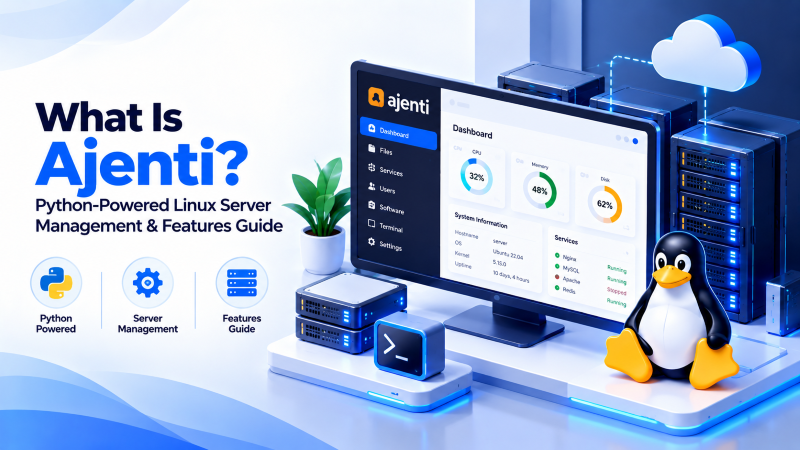
Quick Answer: What Is Ajenti?
Ajenti is a modular, open-source Linux server management control panel written in Python. Operating on HTTPS port 8000 via an asynchronous Gevent WSGI server and a single-page AngularJS front-end, Ajenti allows administrators to configure network interfaces, manage systemd services, inspect live hardware metrics, and execute shell commands without consuming massive memory resources or altering native Linux configuration files.
Managing modern enterprise Linux systems without bogging down system resources with heavy proprietary software requires an agile, extensible management framework. Understanding what is ajenti introduces developers and system administrators to one of the sleekest, most lightweight server administration consoles in the open-source world. Written in Python and powered by asynchronous networking, Ajenti provides a clean, responsive web interface for managing remote servers, monitoring real-time performance telemetry, executing terminal commands, and managing containerized services. This technical guide explores Ajenti’s core architecture, plugin ecosystem, performance benefits, and production configuration best practices.
Under the Hood: Ajenti Asynchronous Python Architecture
Unlike older control panels written in PHP or Perl, Ajenti was designed as an event-driven application:
- Gevent Coroutine Engine: Utilizes Python’s Gevent networking library and Greenlet micro-threads to process high-concurrency administrative requests asynchronously with near-zero CPU overhead.
- Zero Native Configuration Overwrite: Ajenti never alters or overwrites your Linux distribution’s native configuration files with proprietary formats. When you adjust network interfaces or systemd units, Ajenti writes directly to standard configuration directories.
- Modular Plugin Architecture: Every feature in Ajenti—from the embedded terminal to MySQL management—is packaged as an independent Python plugin, allowing sysadmins to strip the panel down to essential tools only.
Control Panel Comparison: Ajenti vs. Webmin vs. Cockpit vs. cPanel
The table below illustrates how Ajenti compares with alternative Linux management consoles:
| Feature / Spec | Ajenti 2 | Cockpit | Webmin | cPanel |
|---|---|---|---|---|
| Programming Language | Python (Gevent / Async) | C / JavaScript | Perl | Perl / PHP / Binary |
| Default Port | 8000 (HTTPS) | 9090 (HTTPS) | 10000 (HTTPS) | 2083 / 2087 |
| Memory Footprint | ~80MB – 120MB | ~50MB – 100MB | ~100MB – 150MB | 1GB – 2GB+ |
| Licensing | LGPL v3 (Free) | LGPL v2.1 (Free) | BSD-like (Free) | Commercial Paid |
Always operate Ajenti behind a hardened Nginx reverse proxy with TLS 1.3 encryption and IP restriction filters enabled. Delegating SSL termination to Nginx frees Ajenti’s core loop for administrative tasks while shielding port 8000 from public internet reconnaissance. Deploying Ajenti on high-speed Cloud VPS instances offers exceptional remote sysadmin agility.
For system administrators managing lightweight Python applications and microservices, deploying on high-speed Linux VPS hosting provides dedicated vCPU threads, NVMe storage IOPS, and complete root SSH access.
- Python 3 & Gevent Core: Ultra-low memory footprint consuming less than 65MB RAM at idle.
- WebSocket Live Telemetry: Real-time CPU, RAM, and network throughput graphs without HTTP polling.
- Browser-Based Terminal: Fully featured ANSI-color terminal emulation over encrypted WebSockets.
- Modular Python Plugin API: Rapidly build custom management interfaces in fewer than 100 lines of code.
For enterprise workloads requiring dedicated hardware performance, unmetered network bandwidth, and hardware RAID data protection, explore our bare metal dedicated server infrastructure options.
To compare Ajenti with traditional Perl-based server management suites, read our detailed guide on what is Webmin and why administrators prefer it.
Key Features & Core Modules of Ajenti
Ajenti delivers essential server management utilities through an intuitive web interface:
- Interactive Web Terminal: Full-featured in-browser terminal emulator supporting continuous bash execution, hotkeys, and color schemes directly over WebSocket protocols.
- Process & Systemd Manager: Inspect running Linux processes, filter by memory/CPU utilization, and start, stop, or restart systemd services with a single click.
- File Manager with Syntax Highlighting: Navigate server directories, adjust POSIX permissions, and edit code or configuration files with an integrated editor supporting syntax coloring.
- Package Manager: Install, upgrade, and audit software packages via APT on Debian/Ubuntu or DNF/YUM on CentOS/RHEL.
Deep-Dive: Ajenti 2 Architecture, Socket-Based UI & Custom Plugins
Ajenti represents a modern departure from monolithic, resource-heavy server control panels. Written entirely in Python 3 and leveraging Gevent’s high-performance coroutine-based networking library, Ajenti operates with an exceptionally small memory footprint—often consuming less than 65MB of RAM at idle. This lightweight efficiency makes Ajenti an ideal management interface for budget cloud VPS environments, edge compute nodes, and specialized IoT servers where allocating hundreds of megabytes to a commercial control panel is commercially unviable.
The communication backbone of Ajenti 2 relies on an asynchronous WebSocket connection establishing a persistent, bidirectional communication bridge between the browser frontend and the underlying Linux operating system. Real-time telemetry—such as live CPU core saturation, dynamic memory allocation graphs, disk read/write throughput, and network interface packet drops—streams instantly to the dashboard without requiring resource-draining HTTP polling. System administrators can open interactive terminal sessions directly inside their browser via Ajenti’s native terminal plugin, which seamlessly translates terminal escape codes over WebSockets for full ANSI color and text navigation support.
Extensibility is one of Ajenti’s most compelling technical advantages. By utilizing its modular Python plugin API, system engineers can rapidly craft bespoke management extensions tailored to proprietary business workloads. Whether configuring automated container deployments with Docker, supervising bespoke systemd microservices, or orchestrating custom SSL certificate distributions across local server clusters, an Ajenti plugin can be developed in fewer than 100 lines of Python code using Ajenti’s standardized UI component primitives (AngularJS and modern reactive layouts).
From an infrastructure security perspective, Ajenti 2 should always be deployed behind an Nginx reverse proxy with TLS 1.3 encryption enabled. While Ajenti provides built-in SSL capabilities, delegating SSL handshake negotiation to an external Nginx front-end allows administrators to enforce HTTP Strict Transport Security (HSTS), implement IP whitelisting restrictions, and set up Web Application Firewall (WAF) filtering to shield port 8000 from public network reconnaissance.
Conclusion: Python Simplicity for Modern Linux Administration
Ajenti showcases how modern asynchronous programming languages like Python can streamline server management without bloating system memory. Its non-invasive architecture, extensible plugin system, and responsive web console offer developers an agile alternative to heavy control panels. Pair Ajenti with high-performance NVMe cloud VPS or dedicated bare-metal infrastructure to establish a responsive, reliable administrative control center.
Frequently Asked Questions (FAQ)
What is the primary difference between Ajenti and cPanel?
Ajenti is a lightweight server administration console focused on managing the Linux operating system, systemd services, and hardware telemetry, whereas cPanel is a commercial multi-tenant web hosting automation panel designed for selling shared hosting accounts.
Which network port does Ajenti use by default?
Ajenti operates over HTTPS on TCP port 8000 (https://your-server-ip:8000). Administrators can modify this port in /etc/ajenti/config.yml.
Is Ajenti free and open-source?
Yes. Ajenti is completely free and licensed under the GNU Lesser General Public License (LGPL v3), allowing unrestricted personal and commercial deployment.
What is Ajenti V?
Ajenti V was an optional web hosting extension for Ajenti that added website management, email routing, and database provisioning capabilities on top of the base Ajenti server console.
Which Linux distributions support Ajenti 2?
Ajenti 2 is optimized for Debian and Ubuntu LTS distributions, with packaging available for CentOS, AlmaLinux, and Rocky Linux environments via Python pip.
Does Ajenti consume significant server resources?
No. Thanks to its asynchronous Python engine, Ajenti consumes between 80MB and 120MB of RAM and remains virtually dormant during idle periods, making it ideal for entry-level VPS instances.
