

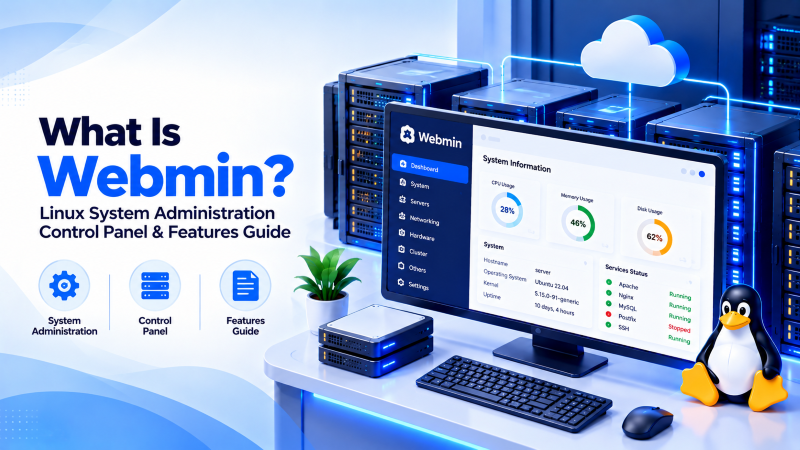
Quick Answer: What Is Webmin?
Webmin is a lightweight, web-based system administration interface for Unix-like operating systems written in Perl. Operating on dedicated HTTPS port 10000 via its own embedded web server (Miniserv), Webmin enables administrators to manage user accounts, disk partitions, Apache/Nginx web servers, BIND DNS zones, firewall packet filtering (iptables/firewalld), package management, and system services directly through a modern browser without manually editing raw configuration files.
Administering enterprise Unix and Linux server infrastructure has traditionally required extensive fluency in terminal command syntax, shell scripting, and manual configuration file editing. Understanding what is webmin reveals one of the most resilient, extensible web-based system administration consoles ever created. Developed by Jamie Cameron and maintained by a dedicated global open-source community for nearly three decades, Webmin bridges the gap between complex low-level Linux configuration and browser-based management. This technical architecture guide explores Webmin’s modular Perl foundation, its core administrative features, security hardening practices, and why seasoned system administrators continue to deploy it worldwide.
Under the Hood: Webmin Modular Architecture
Unlike conventional hosting control panels (such as cPanel or Plesk) that reconfigure an operating system to fit their proprietary database schemas, Webmin operates using a non-invasive direct configuration philosophy:
- Direct Configuration File Parsing: When you modify a setting in Webmin (such as an Apache virtual host or a firewall rule), Webmin directly parses and writes to the standard Linux configuration files (such as
/etc/httpd/conf/httpd.confor/etc/fstab). It does not maintain an opaque internal database, meaning administrators can alternate seamlessly between Webmin’s GUI and the command line without creating configuration synchronization conflicts. - Embedded Miniserv Web Daemon: Webmin does not depend on Apache, Nginx, or PHP to run. It executes its own lightweight, standalone Perl-based web server called Miniserv, which listens exclusively on port 10000 with native SSL/TLS encryption. This ensures that even if your production web server crashes, Webmin remains operational and accessible for emergency troubleshooting.
- Extensible Module System: Webmin is built on over 100 independent core modules. Administrators can install, update, or disable individual modules based on exact server requirements, keeping memory overhead under 150MB of RAM.
System Administration Tool Comparison
Comparing Webmin to alternative Linux server administration tools clarifies its unique role in enterprise environments:
| Management Tool | Primary Focus | Configuration Approach | RAM Overhead | Command-Line Interoperability | Licensing |
|---|---|---|---|---|---|
| Webmin | Full Linux OS Administration | Direct Native File Editing | Very Low (<150 MB) | 100% Seamless (No Database lock) | Open Source (BSD-like) |
| Cockpit | Red Hat System Monitoring & Storage | Systemd & D-Bus API Calls | Low (<200 MB) | High (Native Systemd) | LGPL Open Source |
| cPanel / WHM | Multi-Tenant Web Hosting | Proprietary cPanel Database/Hooks | High (1GB – 2GB) | Limited (Can break cPanel state) | Commercial Paid |
| SSH Terminal (CLI) | Raw System Control | Direct Bash/Vi/Nano Commands | Minimal (<10 MB) | Native Terminal | Free Built-in |
To ensure maximum security, configure Webmin to listen exclusively on a local loopback interface and tunnel access through an encrypted SSH connection. Enforcing two-factor authentication (2FA) via Google Authenticator or YubiKey protects root privileges against unauthorized access across remote dedicated server fleets.
For system administrators managing enterprise infrastructure, deploying Webmin on high-speed Linux VPS hosting provides dedicated compute resources, instant deployment, and complete root-level control.
- Direct Config Editing: Edits standard Linux text files (`/etc/`) without intermediate proprietary databases.
- Comprehensive Module Library: Native administration for Apache, BIND, Postfix, SSH, and Cron.
- Granular Access Control: Define role-based permissions restricting sub-administrators to specific modules.
- Package & Kernel Management: Update system RPM/DEB packages and monitor hardware telemetry directly.
When running large-scale database clusters or heavy enterprise virtualization environments requiring bare-metal compute throughput, our bare metal dedicated server infrastructure ensures 100% dedicated hardware isolation and 1Gbps unmetered network bandwidth.
To learn how to connect securely to your remote Linux servers via terminal emulation prior to installing Webmin, review our comprehensive tutorial on what is PuTTY and how to use it for remote SSH administration.
Core Administrative Capabilities of Webmin
Webmin encompasses virtually every administrative domain required to maintain an enterprise Linux server:
1. User, Group & Authentication Management
Administrators can easily create, modify, and expire Linux user accounts, manage PAM (Pluggable Authentication Modules) configurations, configure SSH public keys, and enforce password complexity rules across the operating system.
2. Firewall Hardening (iptables & firewalld)
The Webmin Linux Firewall module provides an intuitive visual interface to inspect, reorder, and apply packet filtering rules. You can define custom chains, whitelist management IP addresses, throttle connection bursts, and verify that changes persist cleanly across system reboots.
3. Disk Partitioning, Quotas & RAID Monitoring
Webmin allows administrators to partition NVMe SSDs, create LVM (Logical Volume Manager) volume groups, format ext4/XFS filesystems, configure mount points in /etc/fstab, and monitor software RAID (mdadm) array health with automated alert notifications.
Security Hardening Best Practices for Webmin
Because Webmin possesses full root privileges over your operating system, securing its access endpoint is critical:
- Change the Default Port: Modify the default listen port from 10000 to a custom high-numbered port in
/etc/webmin/miniserv.confto eliminate automated internet scanner bots. - Enforce Two-Factor Authentication (2FA): Webmin includes native support for TOTP two-factor authentication (Google Authenticator / Authy), requiring a dynamic security code on every login.
- Bind to Specific IP or VPN: Configure Webmin’s IP Access Control module to reject all connection attempts that do not originate from an authorized management IP address or internal VPN subnet.
- Deploy Let’s Encrypt SSL: Replace Webmin’s self-signed SSL certificate with a validated Let’s Encrypt certificate using Webmin’s built-in automated ACME certificate tool.
Conclusion: The Ultimate Non-Invasive Linux Administration Tool
Webmin remains an indispensable tool for systems engineers seeking an agile, lightweight, and non-invasive interface for Linux server management. By respecting native configuration files, requiring minimal memory, and offering an expansive ecosystem of administrative modules, Webmin streamlines daily sysadmin routines while preserving full command-line authority. Deploy Webmin on secure NVMe cloud VPS or dedicated bare-metal servers to elevate your Linux infrastructure administration to enterprise heights.
Frequently Asked Questions (FAQ)
What is the primary difference between Webmin and cPanel?
Webmin is a general-purpose system administration tool designed to configure the entire Linux operating system directly, whereas cPanel is a commercial multi-tenant web hosting control panel designed specifically for hosting customer accounts with billing and client portals.
Does Webmin slow down server performance?
No. Webmin is written in lightweight Perl and consumes less than 150MB of memory when active. Furthermore, it only executes when an administrator is actively navigating the interface, consuming zero CPU cycles during idle periods.
Which network port does Webmin use by default?
Webmin operates over HTTPS on TCP port 10000 by default (https://your-server-ip:10000). Best security practices recommend changing this port to a customized high-numbered port.
Can I use both the terminal command line and Webmin simultaneously?
Yes. Because Webmin edits native Linux configuration files directly without maintaining an opaque internal database, you can alternate freely between SSH terminal commands and the Webmin GUI without causing configuration drift.
What is Virtualmin and how does it relate to Webmin?
Virtualmin is a comprehensive web hosting plugin built on top of Webmin. While Webmin manages the underlying operating system, Virtualmin adds multi-tenant web hosting features such as automated domain provisioning, client accounts, mailboxes, and database quotas.
Is Webmin free and open-source?
Yes. Webmin is completely free and released under a BSD-like open-source license, allowing unrestricted use across personal, academic, and commercial production environments.
