

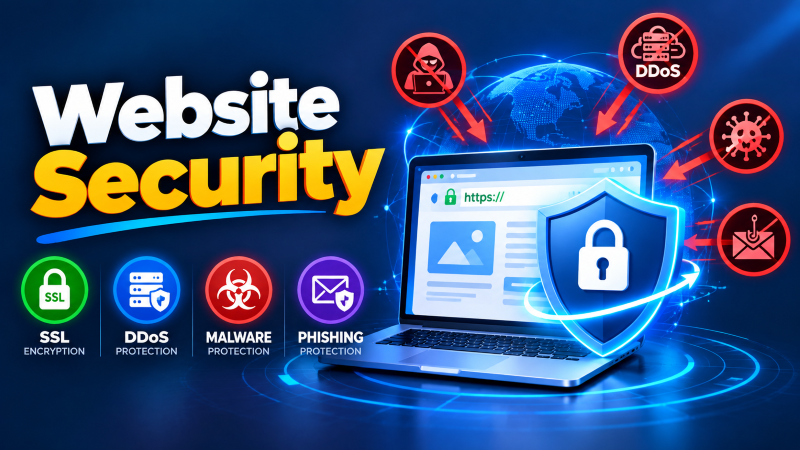
An enterprise website security baseline requires deploying TLS 1.3 encryption with automated certificate renewal, implementing a cloud-native Web Application Firewall (WAF) to filter SQLi and XSS, and establishing DDoS mitigation to absorb volumetric flood attacks. Continuous protection also necessitates automated daily malware scanning, enforcement of two-factor authentication (2FA) for administrative logins, and email security protocols (SPF, DKIM, DMARC) to block phishing and domain spoofing.
Website Security is one of the most important factors to keep a trustworthy online presence. As cyber threats continue to evolve, businesses of all sizes are facing increasing risks from hackers, malware, phishing campaigns and distributed denial of service (DDoS) attacks. An attack can cause data breaches, financial losses, website downtime, and damage to an organization’s reputation. With strong security measures in place, such as SSL certificates, firewalls, malware protection, and continuous monitoring, website owners can greatly reduce these risks and provide a safer experience for their users. For verified technical specifications and deployment parameters, consult the official NIST National Vulnerability Database.
What Is Website Security
Website security refers to the technologies, policies, and best practices that are used to protect websites, web applications, and web servers from cyber threats. The main purpose is to protect sensitive data and prevent unauthorized access as well as to keep the availability and trustworthiness of the websites. Good website security should include SSL encryption, secure authentication, firewall, malware scanning, software updates, vulnerability management, and regular backups.
Why Website Security Matters
Website security is essential because websites often store valuable information such as customer details, login credentials, payment data, and business records. If attackers gain access to this information, organizations may face financial losses, legal issues, and a loss of customer trust. Strong security measures also improve website reliability, reduce downtime, support compliance with industry regulations, and help maintain search engine rankings. Investing in website security is not only about preventing cyberattacks but also about ensuring long-term business continuity.
Common Website Security Threats
Modern websites face a wide range of cyber threats that can compromise security and performance. Common threats include malware infections, phishing attacks, DDoS attacks, SQL injection, cross-site scripting (XSS), brute-force login attempts, ransomware, and unauthorized access. These attacks can result in stolen data, website defacement, service interruptions, and system compromise. Understanding these threats is the first step toward implementing effective security controls and reducing the risk of successful attacks.
SSL Certificates: Types, Benefits, and How They Work
An SSL (Secure Sockets Layer) certificate encrypts communication between a user’s browser and a web server, preventing attackers from intercepting sensitive information such as passwords, payment details, and personal data. SSL certificates enable websites to use HTTPS, providing a secure browsing experience and increasing visitor confidence. The three primary types are Domain Validation (DV), Organization Validation (OV), and Extended Validation (EV) certificates, each offering different levels of identity verification. In addition to protecting data, SSL certificates improve search engine rankings and demonstrate that a website follows modern security standards.
Understanding DDoS Attacks and Protection Strategies
A Distributed Denial-of-Service (DDoS) attack occurs when multiple compromised devices flood a website or server with excessive traffic, overwhelming its resources and making services unavailable to legitimate users. DDoS attacks can disrupt business operations, reduce website availability, and impact customer experience. Effective protection strategies include traffic filtering, rate limiting, content delivery networks (CDNs), DDoS mitigation services, load balancing, and continuous network monitoring.
Malware Threats: Types, Impact, and Prevention
Malware is malicious software designed to damage systems, steal information, or gain unauthorized access to websites and servers. Common types include viruses, worms, ransomware, spyware, trojans, and web shells. A malware infection can lead to stolen customer data, website defacement, reduced performance, and blocked by search engines. Preventing malware requires regular software updates, secure coding practices, malware scanning, access control, strong authentication, and routine security audits.
Phishing Attacks: Detection and Prevention
Phishing is a cyberattack in which attackers use fraudulent emails, fake websites, or deceptive messages to trick users into revealing sensitive information such as usernames, passwords, or financial details. These attacks often imitate trusted organizations, making them difficult to identify. Organizations can reduce phishing risks by educating users, implementing email security technologies such as SPF, DKIM, and DMARC, enabling multi-factor authentication (MFA), and verifying suspicious links before clicking them.
Website Firewalls and Web Application Firewalls (WAF)
A Website Firewall acts as a security barrier between a website and incoming network traffic, blocking unauthorized access and malicious requests before they reach the server. A Web Application Firewall (WAF) provides an additional layer of protection by inspecting HTTP and HTTPS traffic to detect and prevent attacks such as SQL injection, cross-site scripting (XSS), remote code execution, and malicious bot activity. By filtering harmful requests and allowing only legitimate traffic, firewalls significantly improve website security, reduce the risk of cyberattacks, and help maintain the availability and performance of online services.
Website Security Monitoring and Vulnerability Scanning
Continuous monitoring and regular vulnerability scanning form the primary line of defense for modern web infrastructure. Automated security tools regularly inspect server logs, monitor inbound traffic patterns, and track unauthorized file modifications before minor issues turn into critical breaches.
Vulnerability scanning proactively checks core site files, installed extensions, web server configurations, and database endpoints against databases of known security threats. By running automated scans on a daily or weekly schedule, site administrators can identify unpatched software flaws, outdated dependencies, or misconfigured settings early, allowing for fast remediation before malicious actors can discover and exploit them.
Essential Website Security Best Practices
Protecting a web application requires a comprehensive defense-in-depth approach that addresses user access, network traffic, and server architecture:
- Enforce End-to-End Encryption: Implement SSL/TLS certificates across the entire site to encrypt data in transit, ensuring sensitive information like passwords and payment details remain secure.
- Enforce Strong Access Control: Require Multi-Factor Authentication (MFA) for all administrative logins and restrict access permissions based on the principle of least privilege.
- Deploy a Web Application Firewall (WAF): Position a WAF in front of your server to filter out malicious traffic, inspect incoming HTTP requests, and automatically block common attack vectors such as Cross-Site Scripting (XSS) and SQL Injection (SQLi).
- Harden Database and Server Settings: Disable directory browsing, change default administrative URLs or database prefixes, and set strict read/write file permissions across server directories.
The Importance of Regular Backups and Software Updates
Applying timely updates is one of the most critical steps in preventing web server compromises. Content management systems (CMS), plugins, frameworks, and operating system packages frequently release security patches to resolve newly discovered vulnerabilities. Delaying updates leaves your site exposed to automated scanning bots programmed to target unpatched systems.
In tandem with regular updates, maintaining a robust backup strategy provides a vital safety net against data corruption, hardware failure, or security incidents. Adopting the standard 3-2-1 backup strategy—keeping three total copies of your data across two different media formats, with at least one copy stored in an isolated remote location—ensures that your site can be restored quickly with minimal downtime if an issue occurs.
Common Website Security Mistakes to Avoid
Many security incidents stem from basic operational oversights rather than complex external attacks:
- Reusing Passwords or Using Weak Credentials: Weak or repeated administrative passwords make portals vulnerable to brute-force attacks and credential stuffing campaigns.
- Neglecting Plugin and Extension Hygiene: Accumulating unused, unmaintained, or abandoned third-party plugins increases the overall attack surface of your web application.
- Storing Backups in Public Web Directories: Leaving raw database dumps or zipped backup files inside publicly accessible server folders allows unauthorized users to download sensitive configuration details.
- Ignoring Server Access and Error Logs: Failing to regularly monitor server logs prevents administrators from recognizing early indicators of compromise, such as persistent failed logins or abnormal endpoint activity.
Conclusion
Website security is an ongoing administrative process rather than a static setup. By combining proactive monitoring and automated vulnerability scanning with timely patch management, reliable backup strategies, and strict access controls, organizations can build a durable web infrastructure. Avoiding routine operational mistakes and adhering to core security best practices keeps web applications resilient against evolving online threats.
To ensure round-the-clock infrastructure availability, proactive security hardening, and rapid vulnerability patching, partnering with proactive server management and security support safeguards servers against unauthorized access and operational downtime.
Frequently Asked Questions
How often should I run vulnerability scans on my website?
Automated, lightweight vulnerability and file-integrity scans should ideally run daily. Comprehensive, deep-level security audits should be conducted whenever significant structural updates, platform migrations, or new third-party integrations take place.
Can a Web Application Firewall (WAF) fully replace software patching?
No. While a WAF provides a valuable protective layer by blocking malicious payloads, it functions as a temporary filter rather than a permanent fix. If an attacker finds a way to bypass firewall rules, the underlying unpatched code remains vulnerable.
Where is the safest place to store website backups?
Backups should always be stored on an independent cloud storage service or a separate off-site server. Storing backup archives on the same server hosting your live website creates significant risk if that server becomes compromised or experiences disk failure.
How does server resource allocation impact the performance of The Ultimate Guide to Website Security: SSL, DDoS, Malware & Phishing Protection?
Adequate CPU core allocation, dedicated RAM, and high-speed NVMe storage ensure fast query responses, eliminate I/O wait times, and guarantee stable uptime under concurrent traffic.
What backup frequency is recommended for production environments?
We recommend daily automated off-site backups with point-in-time snapshot recovery to guarantee that critical website databases and configuration files can be restored instantly.