

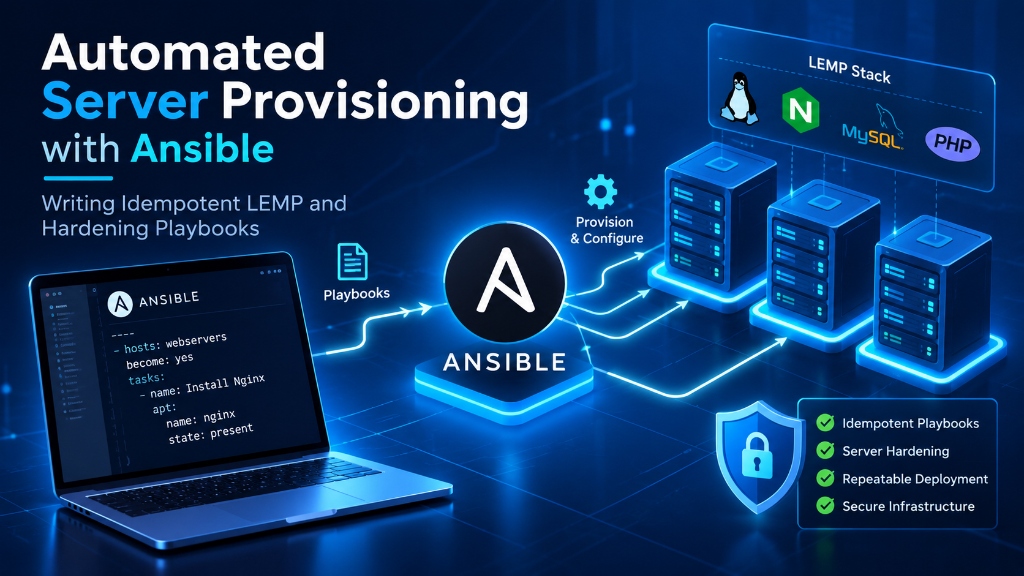
Ansible automates server provisioning through agentless, idempotent YAML playbooks executed over SSH, ensuring that system configurations converge on the target state without unintended duplicate changes. A production playbook provisions an optimized NGINX, MariaDB, and PHP-FPM (LEMP) stack, enforces security baselines (UFW firewall rules, SSH key authentication, sysctl kernel hardening), and encrypts sensitive database credentials using Ansible Vault.
The Power of Agentless Idempotence: Why Ansible Wins in Hosting Ops
Unlike legacy configuration management tools (such as Puppet or Chef) that require running continuous background agent daemons on target nodes, Ansible operates entirely over standard OpenSSH using native Python execution modules. There are no background daemons consuming CPU cycles or opening unneeded network ports on your production servers.
More importantly, Ansible enforces idempotence: running a playbook ten times produces the exact same end-state as running it once. If an Nginx configuration file is already up to date, Ansible reports ok and skips modification, executing changes exclusively when configuration drift is detected.
Deploying infrastructure via Ansible on managed UK VPS hosting enables DevOps teams to spin up fully hardened, production-ready web servers from scratch in less than three minutes.
Directory Structure and Inventory Architecture
Maintain a modular Ansible project structure adhering to industry best practices:
Configure ansible.cfg for maximum execution velocity using SSH pipelining:
Enabling pipelining = True reduces the number of SSH connections required to execute tasks by piping Python modules directly into the remote interpreter, speeding up playbook execution by over 300%. For enterprise deployment planning, explore our budget dedicated server ecommerce hosting solutions.
The Common Hardening Role: SSH, Sysctl, and UFW Automation
Create the baseline security role tasks in roles/common_hardening/tasks/main.yml:
Notice the validate: '/usr/sbin/sshd -t -f %s' parameter. Ansible validates the synthesized SSH configuration syntax before copying it over the active file. If a typo exists in the template, the task fails cleanly, preventing sysadmins from being locked out of remote servers.
Idempotent Roles, Handlers, and State Verification
A frequent novice anti-pattern in Ansible is using the command or shell module to run raw bash scripts. This breaks idempotency, as shell commands report changed on every single run, even when no system modification actually occurred.
In contrast, production playbooks declare strict target states using native modules (such as apt, file, lineinfile, and systemd). When an Nginx virtual host template or PHP-FPM configuration is modified, tasks emit a notification signal:
Ansible collects all notifications and executes handlers exactly once at the conclusion of the playbook run, preventing services from enduring multiple disruptive restarts. When planning large-scale multi-tier migrations, consult our complete server migration guide.
Securing Infrastructure Secrets with Ansible Vault
Infrastructure code often requires sensitive credentials: root database passwords, TLS private keys, and API tokens. Storing these in plain text within Git repositories is an extreme compliance violation.
Ansible Vault encrypts sensitive variables using AES-256 cipher encryption:
When running playbooks in automated CI/CD pipelines (e.g., GitHub Actions), deliver the vault decryption key via an environment variable (ANSIBLE_VAULT_PASSWORD) or pass --vault-password-file, allowing playbooks to deploy secrets securely without exposing keys in plaintext logs.
Automating LEMP Stack Provisioning: Nginx, PHP-FPM, and MariaDB
Beyond fundamental operating system hardening, Ansible shines in provisioning end-to-end web hosting stacks. Building an automated LEMP role ensures that web servers, bytecode runtimes, and database daemons are tuned to hardware specifications identically across staging and production nodes.
Define the LEMP installation tasks in roles/lemp_stack/tasks/main.yml:
Notice the dynamic Jinja2 memory calculation for pm.max_children: Ansible queries the target host’s actual physical memory (ansible_memtotal_mb) and mathematically assigns 75% of server RAM to PHP worker processes. Whether executed against a 4 GB VPS or a 64 GB dedicated server, worker allocation scales automatically.
Dynamic Inventories and Tag-Based Selective Execution
In dynamic cloud hosting topologies where virtual machines are created and destroyed elastically, maintaining static IP addresses in inventory.ini files becomes unsustainable.
Ansible dynamic inventory plugins query cloud provider APIs or hypervisor management daemons to automatically discover active compute nodes and organize them into functional groups based on cloud metadata tags:
When coupled with task tags, engineering teams can execute granular updates without running the entire playbook:
Rolling Updates and Blue-Green Provisioning Across Server Fleets
When updating operating system packages or restarting backend application daemons across a multi-node cluster, executing tasks simultaneously across all servers causes brief service outages.
Ansible addresses this challenge through the serial directive, enabling automated rolling updates across server pools:
By draining traffic, applying updates, validating health checks, and restoring nodes sequentially, Ansible delivers true zero-downtime rolling infrastructure maintenance.
Automated Compliance Auditing: Molecule Testing and InSpec
Before executing playbooks against production virtual machines, DevOps teams should validate role execution in ephemeral testing sandboxes using Molecule. Molecule provisions a temporary Docker container, executes the Ansible playbook, runs the playbook a second time to verify idempotency (ensuring 0 tasks report changed), and runs automated compliance assertions using Testinfra or InSpec:
Automating this pipeline ensures that newly committed infrastructure changes are mathematically verified against security baselines before touching live environments.
Automating Fail2ban Jails and Custom Application Filters
While UFW drops unauthorized connection attempts on closed ports, public HTTP and SSH services remain vulnerable to automated brute-force credential stuffing. Automating Fail2ban configuration within your Ansible playbooks establishes proactive, behavioral protection.
Create automated Fail2ban jail deployment tasks in roles/common_hardening/tasks/fail2ban.yml:
Fail2ban dynamically monitors Nginx access logs and SSH authentication logs, automatically inserting temporary drop rules into the Linux UFW firewall table whenever an IP address exceeds the retry threshold, shutting down automated scanning bots before they consume web server compute capacity.
Transitioning from manual server configuration to an automated Ansible Infrastructure as Code architecture transforms operational efficiency. Idempotent playbooks eliminate configuration drift, prevent catastrophic human error, and ensure that every node across your staging and production environments adheres strictly to hardened security baselines. When disaster strikes or traffic surges demand rapid horizontal expansion, complete server fleets can be provisioned, configured, and verified in minutes with mathematical predictability, safeguarding system uptime, operational integrity, and regulatory compliance.
Frequently Asked Questions (Google AI Overview & PAA)
Conclusion: Driving Business Growth with Enterprise VPS Hosting
Deploying mission-critical applications on high-performance Enterprise VPS Hosting infrastructure provides the dedicated processing power, network speed, and reliability demanded by modern web users.
Whether managing high-traffic e-commerce portals, streaming media, or corporate databases, Onlive Server delivers enterprise-grade hardware, 24/7 technical support, and competitive pricing for global success.
