

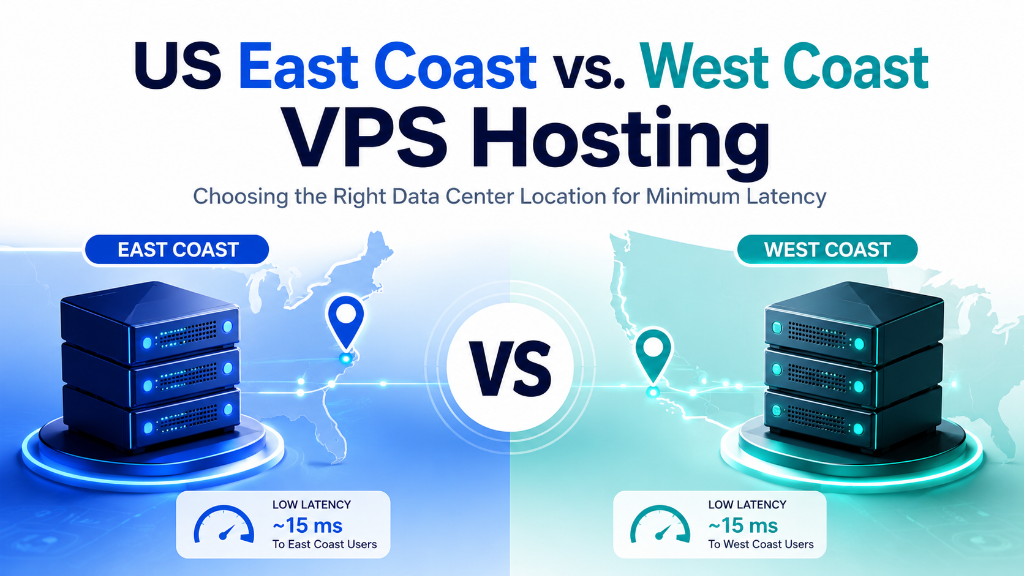
US Data Center Latency: East Coast vs West Coast VPS
Your server location can affect network latency, but the right US data center depends on where your users are located and how your application communicates with its origin server.
US East Coast locations are generally better positioned for traffic between the eastern United States and Europe, while West Coast locations can provide shorter network paths toward western North America and parts of Asia-Pacific. Actual latency varies by user location, ISP, carrier routing, peering and congestion. For verified technical specifications and deployment parameters, consult the official Linux Kernel Documentation.
Choosing between US East Coast and West Coast VPS datacenters depends directly on user demographics: East Coast facilities offer transatlantic sub-75ms routing to European and Latin American markets, while West Coast datacenters minimize latency to Asia-Pacific and Transpacific networks.
How Does US Data Center Location Affect Latency?
Network latency is partly determined by physical distance. Data travelling between a visitor and a server must cross multiple network links, routers and carrier systems before the response reaches the user’s device.
Because of this, choosing a server region close to a large portion of your users can reduce network round-trip time. It does not, however, guarantee a specific TTFB or page-load result. Application processing, DNS, TLS, database queries, caching and network routing also contribute to the final response time.
For businesses targeting US customers, a USA VPS hosting environment can provide a regional origin for websites, applications, APIs and databases.
US East Coast vs West Coast Data Centers
The choice between East and West Coast hosting should start with audience geography rather than a generic assumption that one region is always faster.
US East Coast
Locations in areas such as Northern Virginia and the New York region can be useful for businesses serving the eastern United States, Europe and parts of Latin America.
- Strong position for Eastern US users
- Useful for transatlantic traffic
- Suitable for Europe-facing applications
- Good option when users are concentrated in the East
US West Coast
Locations around Los Angeles and the San Francisco Bay Area can be useful for Western US audiences and applications serving traffic toward the Pacific region.
- Strong position for Western US users
- Useful for Pacific-facing traffic
- Suitable for West Coast applications
- Can reduce the distance to some Asia-Pacific users
What Determines Network Latency?
Data center location is only one part of the latency equation. The following factors can change the measured RTT between a visitor and your server.
Physical Distance
Longer physical routes generally require more time for packets to travel between the client and server.
Network Routing
Internet traffic can take different paths depending on the ISP, transit provider and routing decisions.
Carrier and Peering
Interconnection between networks affects the number and quality of network hops between users and the origin.
Congestion
Network congestion can increase latency and packet variation even when the physical distance remains the same.
US East vs West Coast Hosting Comparison
The following comparison provides a practical starting point when deciding which US region matches your audience.
| Audience / Workload | US East Coast | US West Coast | What to Consider |
|---|---|---|---|
| Eastern US | Shorter regional path | Longer cross-country path | East Coast is generally the natural starting point |
| Western US | Longer cross-country path | Shorter regional path | West Coast may reduce network distance |
| Western Europe | Generally favorable transatlantic position | Additional US transit may be involved | Test from actual customer locations |
| Asia-Pacific | Longer path across the US | Generally closer to Pacific routes | West Coast can be useful for Pacific-facing traffic |
| Nationwide US | Strong for East/Central users | Strong for West users | Consider CDN or multi-region architecture |
These comparisons describe geographic and architectural tendencies, not guaranteed latency values. Test the actual server IP from representative user locations before making a production decision.
Which US Server Location Fits Your Workload?
US and Europe-Focused Websites
An East Coast location can be a practical choice when most users are in the eastern United States or Europe.
Western US Applications
Applications serving California, Washington, Oregon and nearby markets can benefit from a West Coast origin.
Asia-Pacific Traffic
A West Coast location can reduce geographic distance for applications whose users are concentrated across Pacific markets.
Nationwide Ecommerce
If customers are distributed across the entire country, consider the origin location together with CDN caching, application architecture and database placement.
How to Choose the Right US Data Center
Do not choose a server region based only on the city name. Start with measurable information about your users and application.
- Identify your main user regions. Review analytics and customer data to understand where important traffic originates.
- Map your application dependencies. Check where your database, APIs, payment systems and third-party services are located.
- Test the actual network path. Use ping and MTR from representative networks instead of relying only on published latency tables.
- Measure application response time. TTFB includes more than network RTT, so test the actual website or API as well.
Can a CDN Reduce the Impact of Server Location?
Yes. A CDN can cache eligible static content at distributed edge locations, reducing the distance between users and cacheable resources such as images, CSS, JavaScript and fonts.
The origin server still matters for dynamic requests. Database operations, authenticated requests and uncached application responses normally need to reach the origin.
Origin Server
Hosts the application, database and other dynamic workloads that require persistent server resources.
CDN Edge
Serves cacheable content from geographically distributed points of presence.
End User
Requests are handled by the nearest suitable edge when the requested content is available in cache.
A CDN does not remove the need for a well-positioned origin server. It works alongside origin optimization rather than replacing it.
How to Test VPS Latency Before Deployment
Testing the actual server is more useful than relying on a generic location-based estimate. The following Linux commands can help evaluate RTT, routing and application response time.
Step 1: Test Round-Trip Time With Ping
Ping sends ICMP packets to the destination and reports the measured round-trip time. Run several probes rather than judging the connection from a single result.
ping -c 30 SERVER_IPStep 2: Inspect the Network Route With MTR
MTR combines route tracing with repeated measurements. It can help identify where latency or packet loss appears along the network path.
sudo apt update
sudo apt install mtr -y

mtr -rw -c 50 SERVER_IP
Step 3: Measure Website TTFB With cURL
Network RTT is not the same as TTFB. A website can have a reasonable network path but still respond slowly because of PHP execution, database queries, application processing or server configuration.
curl -o /dev/null -s -w \
'DNS: %{time_namelookup}s
Connect: %{time_connect}s
TLS: %{time_appconnect}s
TTFB: %{time_starttransfer}s
Total: %{time_total}s
' \
https://yourdomain.com/
Common Server Location Mistakes
- Choosing a location based only on the provider’s advertised latency figure.
- Ignoring where the application’s database is hosted.
- Treating RTT and TTFB as the same performance metric.
- Assuming a CDN will automatically accelerate every dynamic request.
- Using one global latency number without considering ISP, routing and network conditions.
- Moving the origin server without testing the new network path from real customer regions.
Frequently Asked Questions
Does US server location affect website latency?
Yes. Physical distance and network routing between the visitor and server can affect network latency. However, actual response time also depends on DNS, TLS, application processing, database queries, caching and network congestion.
Is US East Coast hosting better for Europe?
East Coast locations are generally geographically positioned closer to Europe than West Coast locations. The actual latency depends on the user’s location, ISP, carrier route and server network.
Is US West Coast hosting suitable for Asia-Pacific users?
It can be. West Coast locations provide a shorter geographic path toward the Pacific compared with many East Coast locations. Actual performance should be verified from the target countries and networks.
What is the difference between RTT and TTFB?
RTT measures the time for network communication to make a round trip. TTFB measures how long it takes for the browser or client to receive the first byte of the response. TTFB can therefore include DNS, connection, TLS and server-side processing time.
Does server location directly affect Google rankings?
Server location by itself should not be treated as a direct ranking shortcut. Location can affect network performance and user experience, but search visibility depends on many other technical and content factors.
How can I test latency to a US VPS?
You can use tools such as ping and MTR to examine round-trip time and network routing. For website performance, cURL can help measure DNS, connection, TLS, TTFB and total response time.
Conclusion: Choosing Your US Server Location Based on Users
US data center latency depends fundamentally on user geography and network peering rather than city names alone. East Coast infrastructure provides the lowest latency for Eastern US and European audiences (~70–90ms transatlantic transit), while West Coast infrastructure is optimal for Western US and Pacific-facing/Asian workloads (~100–140ms trans-Pacific).
The most reliable deployment strategy combines user geography with live ping/MTR route verification and TTFB application benchmarking before moving production traffic. Deploy your mission-critical applications on Onlive Server’s high-performance US cloud infrastructure today.
