

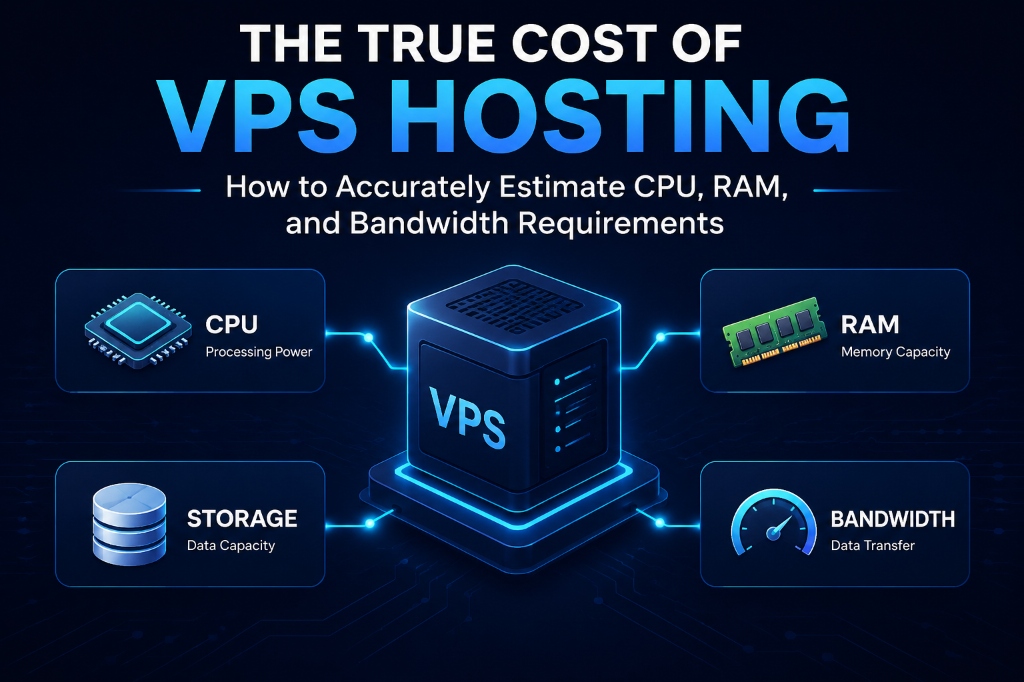
The right VPS size depends on your workload rather than visitor numbers alone. Check CPU utilization, memory consumption, concurrent application workers, database activity and monthly data transfer before selecting a plan. For verified technical specifications and deployment parameters, consult the official Linux Kernel Documentation.
CPU
Determines how quickly application tasks can be processed.
RAM
Supports databases, PHP workers, caches and system processes.
Bandwidth
Determines how much data your server can deliver over time.
What Does VPS Hosting Really Cost?
A low VPS headline price does not necessarily represent the final hosting cost. The actual expense depends on the resources your workload needs and on additional services such as backups, storage, IP addresses, control panels and data transfer.
Buying too few resources can lead to slow applications, memory pressure and CPU contention. Buying substantially more capacity than your application needs can leave resources unused while increasing the monthly bill.
The practical approach is to measure your current workload first and then select a VPS with enough headroom for normal traffic and expected growth.
How to Estimate VPS Resource Requirements
VPS resource sizing should start with four questions: how much CPU does the application consume, how much RAM do its services require, how much data does it transfer, and how much storage does it need?
Required RAM = OS + Database + Application Workers + Cache + Safety Margin
Monthly Bandwidth ≈ Average Data per Visit × Monthly Visits
These are planning formulas rather than universal server specifications. Actual requirements vary according to the application, caching strategy, database size, traffic pattern and configuration.
How Many CPU Cores Does a VPS Need?
CPU requirements depend on the type of workload. A simple cached website may use very little compute capacity, while dynamic PHP applications, APIs, ecommerce platforms and background jobs can generate much higher CPU demand.
Single-threaded vs. concurrent workloads
Some application tasks depend heavily on single-thread performance. Other workloads benefit from multiple CPU cores because several requests, workers or background tasks can execute at the same time.
Monitoring CPU utilization during normal and peak traffic is more useful than choosing a CPU size solely from the number of monthly visitors.
CPU Sizing: Under-Provisioned vs. Right-Sized VPS
Under-Provisioned VPS
- CPU remains close to saturation during peak traffic.
- Application requests spend longer waiting for compute resources.
- Background jobs compete with website traffic.
- Database operations may experience higher latency.
Right-Sized VPS
- Normal traffic leaves reasonable CPU headroom.
- Peak requests can be handled without sustained saturation.
- Background processes have dedicated capacity.
- Resources can be increased when monitoring shows sustained growth.
How Much RAM Does a VPS Need?
RAM is shared by the operating system, web server, database, application runtime, caching services and other processes. A VPS therefore needs enough memory for the entire software stack rather than the website alone.
Common RAM consumers
How to Calculate VPS Bandwidth Requirements
Bandwidth requirements are primarily determined by the amount of data your server sends and receives. Page size, image delivery, downloads, video, API responses and visitor volume can all affect monthly transfer.
Monthly Transfer ≈ Average Page/Data Size × Number of Visits
For example, if an average visit transfers 2 MB of content and the website receives 500,000 visits in a month, the estimated transfer is approximately 1,000,000 MB, or about 1 TB, before accounting for caching, repeat requests and other traffic.
Port speed also matters
Monthly bandwidth and network port speed are different measurements. A server can have a large monthly transfer allowance while still being limited by the speed of its network port during traffic bursts.
VPS Resource Requirements by Workload
The following matrix provides a starting point for planning. Actual resource requirements should be validated with monitoring because application configurations can vary significantly.
| Workload | Typical Traffic | Concurrency | Starting VPS Profile |
|---|---|---|---|
| Blog / Corporate Website | Up to 50K visits | Low | 2 vCPU / 4 GB RAM / NVMe |
| Growing Ecommerce | 50K–250K visits | Medium | 4 vCPU / 8 GB RAM / NVMe |
| SaaS / API Application | 250K–1M visits | High | 8 vCPU / 16 GB RAM / NVMe |
| Multi-Site Agency | 20–50 websites | High | 16 vCPU / 32 GB RAM / NVMe |
Hidden VPS Hosting Costs to Check Before Buying
Comparing only the advertised VPS price can produce an incomplete cost estimate. Review the provider’s complete pricing structure before choosing a server.
A VPS with a slightly higher base price can sometimes have a lower total cost when bandwidth, backups and software licensing are included in the plan.
How to Check VPS Resource Usage on Linux
Before upgrading a VPS, check what is actually consuming resources. These Linux commands can help identify CPU, RAM and memory-pressure issues.
Check CPU and Memory Usage
Use top to inspect active processes and overall CPU and memory usage.
root@vps:~# top
Check Available Memory
Use free -m to review available memory and swap usage.
root@vps:~# free -m
Check CPU Steal Time
CPU steal time can help identify contention on a virtualized host. Sustained elevated values should be investigated rather than treated as automatic proof of provider overselling.
root@vps:~# sudo apt install sysstat -y
root@vps:~# mpstat -P ALL 1 5
Check for OOM Events
If applications are unexpectedly terminated, check the kernel logs for out-of-memory events.
root@vps:~# sudo dmesg -T | grep -i -E "oom|killed process"
When Should You Upgrade Your VPS?
An upgrade makes sense when monitoring shows that the current resource allocation remains consistently close to its limits during normal or peak workloads.
VPS vs Dedicated Server: When Should You Upgrade?
Frequently Asked Questions About VPS Resource Requirements
How much RAM does a WordPress website need on a VPS?
There is no single RAM requirement for every WordPress website. A basic site may use considerably less memory than a WooCommerce store with multiple plugins, database queries and concurrent PHP workers. Monitoring actual memory usage is the better way to size the VPS.
How many CPU cores does my VPS need?
CPU requirements depend on application complexity and concurrency. Start by monitoring CPU utilization during normal and peak traffic. Dynamic ecommerce, APIs and background processing generally require more compute capacity than simple cached websites.
How do I calculate VPS bandwidth requirements?
Estimate monthly bandwidth by multiplying the average amount of data transferred per visit by expected monthly visits. Add downloads, APIs, media delivery and other server-generated traffic to make the estimate more realistic.
What causes VPS hosting costs to increase?
Additional bandwidth, backups, storage, IPv4 addresses, control-panel licenses and managed services can increase the total monthly cost. Always compare the complete plan rather than only the advertised base VPS price.
How can I tell whether I need more RAM or CPU?
Check both resources separately. Persistent CPU saturation with available memory suggests a compute limitation, while low available memory, increasing swap usage or OOM events point toward memory pressure.
Can VPS resources be upgraded later?
Resource upgrades depend on the hosting provider and virtualization platform. Many VPS environments support increasing CPU, RAM or storage, but the exact process and any required downtime should be confirmed with the provider.
For developers and organizations scaling web applications or requiring dedicated virtual environments, exploring high-performance Linux VPS hosting delivers guaranteed NVMe storage, KVM hypervisor isolation, and full root access for production workloads.
Conclusion: Choose VPS Resources Based on Real Usage
The true cost of VPS hosting is not determined by the advertised monthly price alone. CPU, RAM, bandwidth, storage, backups and software licenses all contribute to the overall hosting requirement.
The most reliable way to choose a VPS is to measure your current workload, identify the resource that is becoming a bottleneck and leave reasonable capacity for expected growth. Regular monitoring also makes it easier to decide when a VPS upgrade is actually necessary.
For production websites, ecommerce applications, APIs and multi-site environments, resource planning should be based on measured workload rather than visitor numbers or a generic VPS size.
