

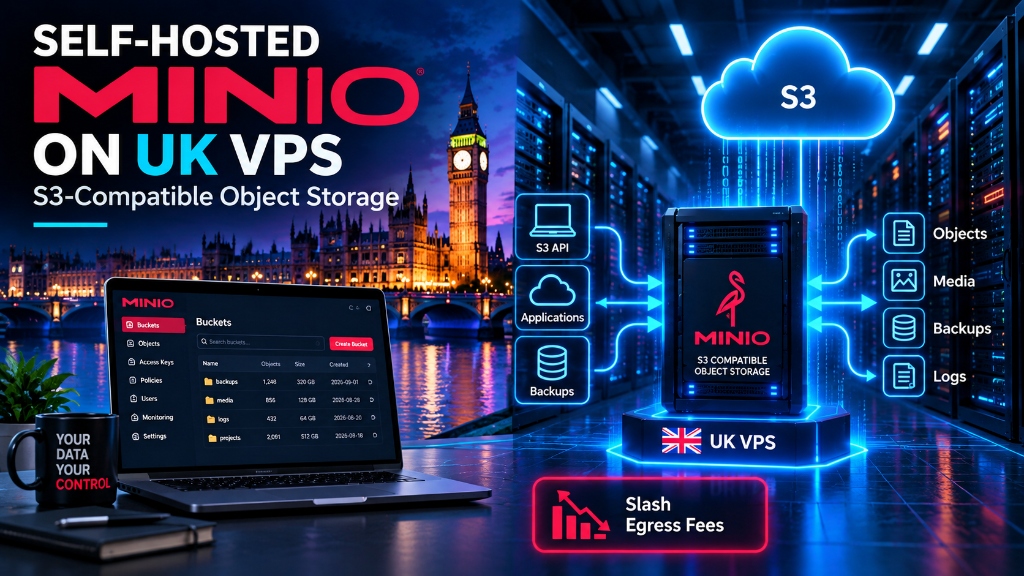
Deploying MinIO on a Linux VPS provides a high-performance, AWS S3 API-compatible object storage layer that stores media, assets, and database backups on local NVMe drives with zero bandwidth egress fees. Production setups require running MinIO as a non-root systemd service behind an NGINX reverse proxy terminating TLS 1.3, enforcing HTTPS and strict IAM access keys, and configuring automated asynchronous replication using mc mirror to offsite storage.
SRE
Public cloud object storage services (such as Amazon S3, Google Cloud Storage, and Azure Blob) offer convenient scalability, but their pricing models penalize data-intensive applications through punishing outbound data transfer (egress) fees. Organizations streaming rich media, distributing software installers, or maintaining massive automated database backup archives frequently discover that cloud egress fees far exceed the cost of raw storage capacity. MinIO provides a high-performance, Kubernetes-native, S3-compatible object storage server engineered in Go. This technical deployment blueprint explores deploying self-hosted S3 object storage using MinIO on a Linux VPS, configuring erasure coding bitrot protection, enabling TLS encryption, managing IAM access keys, and slashing egress costs to zero. For verified technical specifications and deployment parameters, consult the official OpenSSL Documentation.
- The Economics of Cloud Storage: Analyzing the Egress Fee Trap
- MinIO Architecture: Single-Node Multi-Drive vs. Distributed Clusters
- Production MinIO Deployment and Systemd Service Unit
- Securing MinIO: Nginx Reverse Proxy with TLS 1.3 & Subnet
- Automated Bucket Synchronization & Offsite Disaster Recovery with mc mirror
- MinIO Performance Tuning: Direct I/O, Network Sockets & Memory Buffers
- Event Notifications and Asynchronous Webhook Pipelines
- Lifecycle Management, Object Versioning & Immutable WORM Storage
- High-Speed Object Storage Benchmarking with warp
- Cold Storage Archiving with Rclone & Server-Side Encryption (KMS)
- Frequently Asked Questions (FAQ)
The Economics of Cloud Storage: Analyzing the Egress Fee Trap
Hyperscale cloud providers operate on an asymmetrical pricing model: ingesting data into cloud storage buckets is completely free, while transferring data out of the bucket to the public internet costs between $0.05 and $0.09 per gigabyte.
For a digital media platform or SaaS application distributing 50 Terabytes of monthly asset downloads, AWS S3 egress charges alone total $4,500 every single month—excluding request fees and baseline storage rates.
Deploying MinIO on an affordable UK VPS hosting plan equipped with unmetered 1 Gbps or 10 Gbps network interfaces provides predictable fixed-cost storage, reducing multi-thousand-dollar monthly cloud bills down to a modest, flat infrastructure fee. For multi-platform operational architectures, examine our guide on Windows VPS server hosting options.
MinIO Architecture: Single-Node Multi-Drive vs Distributed Clusters
MinIO operates in two primary deployment topologies:
- Single-Node Single-Drive (SNSD): Suitable for basic local caching and staging environments, but lacks hardware redundancy.
- Single-Node Multi-Drive (SNMD) / Distributed: Directs MinIO to partition storage across multiple physical drives or partitions using advanced Erasure Coding and Bitrot Protection.
Erasure coding divides objects into data and parity blocks using Reed-Solomon algebraic algorithms. In a 4-drive configuration with 2 parity blocks, MinIO can lose up to two complete physical storage drives simultaneously without suffering data loss or service disruption.
Additionally, MinIO utilizes the HighwayHash hashing algorithm to calculate cryptographic checksums on every read and write operation, actively detecting and repairing silent bitrot (magnetic flux decay or SSD block degradation) during background automated scrubs.
Production MinIO Deployment and Systemd Service Unit
To deploy MinIO natively on Ubuntu 22.04/24.04, download the official static binary and establish a dedicated unprivileged service user:
Create the environment configuration file /etc/default/minio:
Encapsulate MinIO in a hardened systemd unit file at /etc/systemd/system/minio.service:
Securing MinIO: Nginx Reverse Proxy with TLS 1.3 and Subnet Whitelisting
MinIO provides two distinct network interfaces: the S3 API endpoint (port 9000) and the web management console (port 9001). For production deployments, terminate SSL via an Nginx reverse proxy and restrict administrative console access to trusted VPN subnets:
Setting client_max_body_size 0 and proxy_buffering off ensures that multi-gigabyte video or database backup uploads stream directly to MinIO disk storage without Nginx buffering chunks in temporary local files. For infrastructure cost comparisons, check our breakdown of cheap web hosting vs VPS infrastructure performance.
Automated Bucket Synchronization and Offsite Disaster Recovery with mc mirror
Deploying on-premise or VPS-hosted storage requires reliable offsite replication to survive datacenter failures. The MinIO Client (mc) utility provides continuous asynchronous bucket mirroring across independent storage clusters.
The --watch flag directs the MinIO client to monitor the local bucket for write, update, and delete events via filesystem inotify and S3 event notifications, replicating objects to the secondary datacenter within seconds of ingestion.
MinIO Performance Tuning: Direct I/O, Network Sockets, and Memory Buffers
When serving thousands of parallel client requests or ingesting multi-gigabyte media streams, default Linux operating system caching policies can introduce memory thrashing. To achieve line-rate throughput, configure MinIO with Direct I/O (O_DIRECT) by ensuring that storage volumes are formatted with XFS or Ext4 and mounted with optimized flags:
Additionally, optimize kernel network socket limits in /etc/sysctl.d/99-minio.conf:
Event Notifications and Asynchronous Webhook Pipelines
Modern cloud architectures rely heavily on event-driven automation. When a user uploads a profile avatar, product photo, or raw video asset, the application should process the file asynchronously out-of-band without blocking the HTTP upload connection. MinIO supports automated S3 event notifications to webhooks, Redis queues, and message brokers:
Lifecycle Management, Object Versioning, and Immutable WORM Storage
Regulatory standards (such as SEC Rule 17a-4, FINRA, and GDPR) mandate that critical financial audit records and legal documents be stored in an immutable Write Once, Read Many (WORM) format. MinIO provides enterprise Object Locking and Versioning controls:
High-Speed Object Storage Benchmarking with warp
Before directing mission-critical production workloads to a newly provisioned MinIO instance, storage engineers must benchmark maximum read and write IOPS and network throughput using MinIO’s official benchmarking utility, warp:
Cold Storage Archiving with Rclone & Server-Side Encryption (KMS)
For long-term compliance archiving, MinIO buckets can be synchronized to cold encrypted offsite storage using rclone, and protected with automated Server-Side Encryption (SSE-KMS):
📌 Frequently Asked Questions (FAQ)
Q1 What is MinIO and how does it replace AWS S3?
Q2 How much money does self-hosting S3 storage save on bandwidth egress?
Q3 What hardware specs are recommended for deploying MinIO on VPS?
Q4 How do you configure TLS/HTTPS encryption for a self-hosted MinIO server?
public.crt and private.key directly in MinIO’s ~/.minio/certs/ directory, ensuring all S3 API requests are encrypted in transit.
Q5 Can MinIO replicate stored objects across multiple servers for redundancy?
Conclusion: Liberate Your Infrastructure from Hyperscaler Egress Taxes
By deploying MinIO on high-performance virtual private servers, organizations liberate themselves from unpredictable public cloud data transfer tariffs while maintaining 100% S3 API compatibility. Leveraging native erasure coding, real-time asynchronous multi-datacenter bucket mirroring, automated lifecycle policies, and immutable WORM retention empowers development teams to scale storage infrastructure cost-effectively without sacrificing operational security, enterprise compliance, regulatory governance, or long-term data durability.
Scale your cloud storage reliably with Onlive Server’s UK VPS hosting solutions, featuring unmetered 1 Gbps / 10 Gbps network ports, enterprise PCIe NVMe storage arrays, and 24/7 server infrastructure assistance.
