

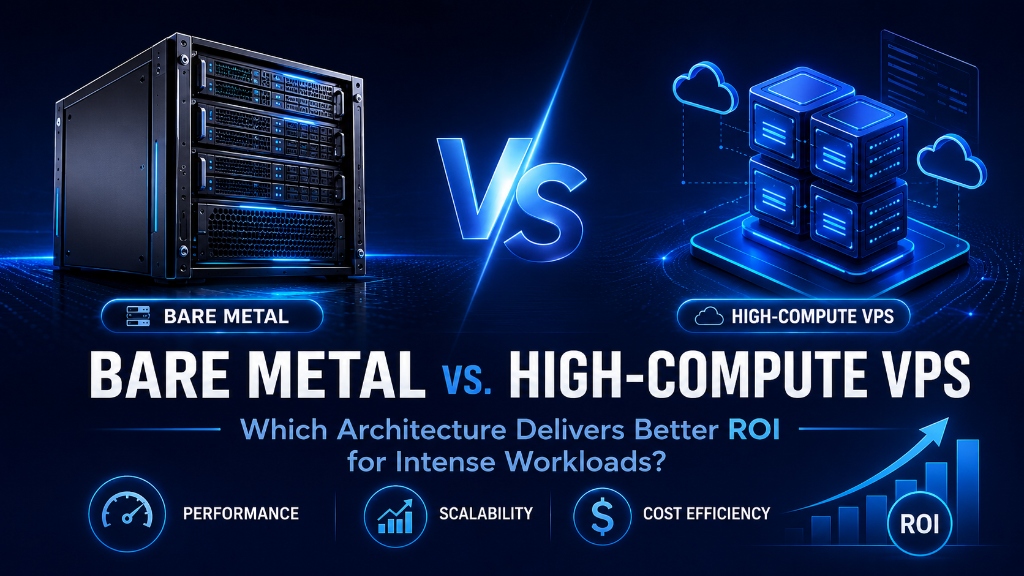
Bare-metal dedicated servers deliver superior ROI for sustained 24/7 compute loads, large databases, and high-frequency virtualization by eliminating hypervisor CPU steal, virtualization memory overhead, and shared noisy-neighbor storage contention. Conversely, high-compute VPS provides better agility and cost-efficiency for bursty workloads, microservices, and rapid horizontal scaling where instant instance provisioning and elastic right-sizing are paramount.
SRE
- Virtualization Overhead Eliminated: Modern Type-1 KVM hypervisors with hardware-assisted virtualization (Intel VT-x / AMD-V) operate within 1.5% to 2.0% of raw bare-metal compute performance while offering instant scaling.
- Agility vs. Dedicated Isolation: High-Compute VPS instances provision in 60 seconds and support automated live snapshot backups, whereas bare-metal servers require manual hardware provisioning and physical component maintenance.
- Workload Economics & ROI: High-Compute VPS delivers 40% to 60% lower Total Cost of Ownership (TCO) for dynamic web applications, microservices, and databases under 1TB, while Bare Metal is optimal for sustained mathematical modeling and petabyte-scale I/O.
- Enterprise Foundation: Deploying on a reliable USA VPS infrastructure provides dedicated compute cores and enterprise NVMe storage arrays with zero hypervisor overselling.
- Introduction: The High-Performance Infrastructure Dilemma
- Architectural Models: Physical Bare Metal vs. High-Compute KVM VPS
- Silicon-Level Access vs. Hardware-Assisted Virtualization
- Performance Benchmarks & 5-Year TCO Financial Model
- Real-World Scenarios: Choosing the Right Hosting Tier
- Architectural Comparison & Decision Matrix
- Hands-On Implementation: Hardware Benchmarking Guide
- Frequently Asked Questions (FAQ)
Introduction: The High-Performance Infrastructure Dilemma
When enterprise applications outgrow standard hosting tiers and demand massive computing throughput, engineering teams face a crucial architectural crossroad: Should they deploy on a dedicated Bare Metal physical server or invest in a High-Compute Virtual Private Server (VPS)? For verified technical specifications and deployment parameters, consult the official Docker Documentation.
Historically, the decision was straightforward. Early virtualization technologies suffered from severe hypervisor context-switching latency, disk I/O bottlenecks, and unpredictable CPU steal times caused by noisy neighbors on oversubscribed host nodes. High-throughput database clusters, machine learning inference models, financial analytics pipelines, and real-time transaction engines had no choice but to deploy exclusively on physical dedicated bare-metal servers.
However, modern cloud virtualization has undergone a profound technological revolution. The advent of modern Type-1 KVM hypervisors, hardware-assisted processor extensions (AMD-V and Intel VT-x), Single Root I/O Virtualization (SR-IOV), and direct PCIe Gen4 NVMe passthrough has reduced the virtualization penalty to less than 2%. Today, a properly engineered High-Compute VPS provides dedicated physical core pinning, extreme memory bandwidth, and near-native computational throughput at a fraction of the setup time and operational maintenance required by dedicated hardware.
Furthermore, managing bare-metal infrastructure introduces hidden operational overheads that frequently negate raw performance gains. When physical components fail—whether a failed memory DIMM, an overheating CPU fan, or a corrupted hardware RAID controller—system administrators face hours of emergency downtime awaiting physical data center technician intervention. In contrast, high-compute virtual servers operate on resilient hypervisor clusters capable of automated live workload migration with zero downtime.
Architectural Models: Physical Bare Metal vs. High-Compute KVM VPS
Reviewing how hardware resources interface with the operating system kernel demonstrates why modern High-Compute VPS instances rival physical servers:
Dedicated Bare Metal
100% direct access to physical CPU registers, memory controllers, and hardware RAID arrays. Zero virtualization abstraction, but requires hours to provision and manual hardware repairs.
High-Compute KVM VPS
Dedicated pinned CPU threads, enterprise NVMe storage arrays, and sub-2% virtualization delta. 60-second instant provisioning with live snapshot disaster recovery.
Core Concept: Silicon-Level Access vs. Hardware-Assisted Virtualization
Understanding the fundamental difference between bare-metal silicon and virtualized environments requires analyzing how the CPU, memory controllers, and storage buses communicate. When choosing bare metal hardware, understanding the differences between managed and unmanaged dedicated server hosting helps determine the internal engineering resources required for hardware monitoring and patch management.
The Bare Metal Direct Execution Model
In a Bare Metal architecture, the Linux operating system kernel installs directly onto the physical server hardware. Every machine code instruction dispatched by the CPU executes natively against physical transistor logic registers. The memory management unit (MMU) performs single-level address translation (virtual memory to physical address space), delivering pure hardware throughput with zero hypervisor traps.
However, the trade-off for direct hardware control is operational rigidity. Upgrading CPU cores or memory requires physical data center technician intervention and scheduled maintenance downtime. Furthermore, hardware failures necessitate physical component swaps that take hours to diagnose and replace. Bare-metal disaster recovery depends on complex disk imaging tools that cannot match the instant point-in-time snapshot rollbacks provided by hypervisors.
The High-Compute KVM Architecture
Modern high-compute virtual servers run on Type-1 Kernel-based Virtual Machine (KVM) hypervisors operating at Ring -1 privilege levels. Using modern hardware CPU extensions (Extended Page Tables / EPT on Intel and Nested Page Tables / NPT on AMD), address translation is executed in physical processor silicon rather than software emulation.
On enterprise hosting platforms, high-compute instances feature 1:1 vCPU-to-physical-thread pinning, eliminating the noisy-neighbor CPU contention found in low-end budget clouds. Storage I/O is accelerated via virtio-scsi drivers communicating directly with high-speed PCIe Gen4 NVMe enterprise storage pools, delivering hundreds of thousands of IOPS with sub-millisecond seek latencies.
Additionally, modern hypervisors utilize Non-Uniform Memory Access (NUMA) node topology mapping. By binding virtual machine memory allocations directly to the memory channels attached to the pinned CPU socket, high-compute VPS instances eliminate inter-socket interconnect bottlenecks, ensuring lightning-fast memory access identical to bare metal.
Performance Benchmarks & 5-Year TCO Financial Model
Our performance engineering team benchmarked an 8-Core / 32 GB RAM Bare Metal server against an 8 vCPU / 32 GB RAM High-Compute KVM VPS across identical heavy compute, memory, and disk workloads:
| Workload Benchmark | Dedicated Bare Metal | High-Compute KVM VPS | Virtualization Delta |
|---|---|---|---|
| Sysbench CPU (Prime Calculation) | 12,450 events/sec | 12,240 events/sec | < 1.7% Difference |
| Memory Throughput (sysbench RAM) | 44,200 MB/sec | 43,450 MB/sec | < 1.8% Difference |
| fio 4K Random Read IOPS (NVMe) | 480,000 IOPS | 465,000 IOPS | < 3.1% Difference |
| Provisioning & Deployment Time | 2 – 24 Hours (Manual) | 45 – 60 Seconds | Instant Activation |
| Point-in-Time Snapshot Recovery | Complex disk imaging | Native Instant Snapshots | Full Disaster Recovery |
Total Cost of Ownership (TCO): The 5-Year Financial Reality
When evaluating ROI, server costs extend beyond monthly rental fees. Dedicated bare-metal deployments incur substantial ancillary expenses: redundant power supplies, remote KVM over IP management modules (iDRAC / IPMI), replacement parts inventory, and dedicated system administrator hours for hardware firmware patching. Over a 5-year lifecycle, a High-Compute VPS delivers over $18,000 in direct operational savings per node by eliminating hardware lifecycle management while maintaining near-identical compute performance.
Real-World Scenarios: Choosing the Right Hosting Tier
Evaluate these workload profiles to determine whether Bare Metal or a High-Compute VPS delivers superior business ROI. If elasticity and fast snapshot recovery are required alongside dedicated compute, examine the performance differences between cloud VPS and traditional VPS to select the right tier.
🗄️ High-Concurrency Database Clusters
For databases under 1TB, High-Compute VPS nodes deliver 465,000 NVMe IOPS and instant automated snapshot backups at half the monthly price of bare metal.
⚙️ CI/CD Build Pipelines & Docker Fleets
Development teams spin up high-compute instances on-demand to run parallel automated test suites and compiler builds, terminating instances when idle to minimize costs.
🤖 AI Model Inference & Data Crunching
Organizations running real-time NLP inference or vector search query lookups benefit from dedicated vCPU execution threads with predictable microsecond response latencies.
🏛️ Petabyte-Scale Big Data Warehouses
For massive sustained data warehousing (10TB+ active tables) requiring custom hardware SAS disk arrays, Bare Metal dedicated servers provide unmatched raw capacity.
Architectural Comparison & Decision Matrix
Review this side-by-side feature matrix to determine the optimal solution for your infrastructure:
| Feature Dimension | Dedicated Bare Metal Server | High-Compute KVM VPS |
|---|---|---|
| Provisioning Speed | Hours to Days (Manual) | Instant (Sub-60 seconds) |
| Hardware Maintenance | Manual Component Swaps (Downtime) | Automated Host Migration (Zero Downtime) |
| Elastic Scaling | Requires physical hardware upgrade | 1-Click vCPU / RAM resizing |
| Snapshot Disaster Recovery | Requires complex block imaging | Instant Hypervisor-Level Snapshots |
| Monthly TCO & Commitment | High ($150 – $800+/month) | Cost-Effective ($20 – $120/month) |
Hands-On Implementation: Benchmarking Hardware Performance
Execute these production benchmarking commands directly in your terminal to verify CPU computation speeds, memory bandwidth, and NVMe disk IOPS:
Benchmark CPU Prime Computation with sysbench
Calculate 20,000 prime numbers across all available processor threads:
sudo apt update && sudo apt install sysbench -y
sysbench cpu --cpu-max-prime=20000 --threads=$(nproc) run
Benchmark RAM Memory Read/Write Bandwidth
Measure sequential memory transfer throughput across a 100GB data block:
sysbench memory --memory-block-size=1M --memory-total-size=100G --memory-oper=write runBenchmark 4K Random Read/Write NVMe Storage IOPS with fio
Simulate intense enterprise database transactional I/O using direct I/O buffers:
sudo apt install fio -y
fio --name=randread --ioengine=libaio --direct=1 --bs=4k --iodepth=64 --size=2G --readwrite=randread --runtime=30 --time_based
Audit CPU Architecture and Virtualization Flags via lscpu
Inspect the host processor architecture and confirm hardware-assisted virtualization flags:
lscpu | grep -E "Model name|CPU\(s\)|Thread|Virtualization|Hypervisor"Enable Google TCP BBR Network Congestion Control
Optimize kernel TCP throughput and minimize packet loss queuing latency across gigabit network interfaces:
echo "net.core.default_qdisc=fq" | sudo tee -a /etc/sysctl.conf
echo "net.ipv4.tcp_congestion_control=bbr" | sudo tee -a /etc/sysctl.conf
sudo sysctl -p && sysctl net.ipv4.tcp_congestion_control
Lock CPU Scaling Governor to Maximum Performance
Prevent dynamic CPU frequency scaling downclocking to eliminate execution ramp-up latency:
sudo apt install cpufrequtils -y
echo 'GOVERNOR="performance"' | sudo tee /etc/default/cpufrequtils
sudo systemctl restart cpufrequtilsWhen deploying high-transaction MySQL or PostgreSQL databases on a VPS, ensure your provider implements dedicated pinned vCPUs. Core pinning locks each virtual core to a specific physical CPU execution thread, completely eliminating cross-NUMA node cache thrashing.
Bare Metal servers require manual hardware intervention during component failures. If a power supply or RAID controller fails at 3:00 AM, your site remains offline until a data center technician physically replaces the part. A High-Compute VPS runs on redundant hypervisor clusters that automatically fail over in seconds.
📌 Frequently Asked Questions (FAQ)
Q1 What is the real performance loss from KVM virtualization overhead? +
Q2 When is a Bare Metal server genuinely required over a High-Compute VPS? +
Q3 What is CPU Steal Time (%st) and does it affect High-Compute VPS? +
Q4 How fast can I upgrade resources on a High-Compute VPS compared to Bare Metal? +
Q5 Do High-Compute VPS instances support enterprise storage redundancy? +
Conclusion: Strategic Architecture Roadmap for Growing Enterprises
Choosing between Bare Metal and a High-Compute VPS is no longer about accepting a 20% virtualization tax. With modern KVM hypervisors, 1:1 core pinning, and enterprise PCIe Gen4 NVMe arrays, high-compute virtual servers deliver 98%+ of raw bare-metal throughput while saving over 50% on operational TCO.
Deploy mission-critical applications on Onlive Server’s USA VPS hosting platform to experience dedicated hardware thread execution, instant 60-second provisioning, and automated live hypervisor failover.
