

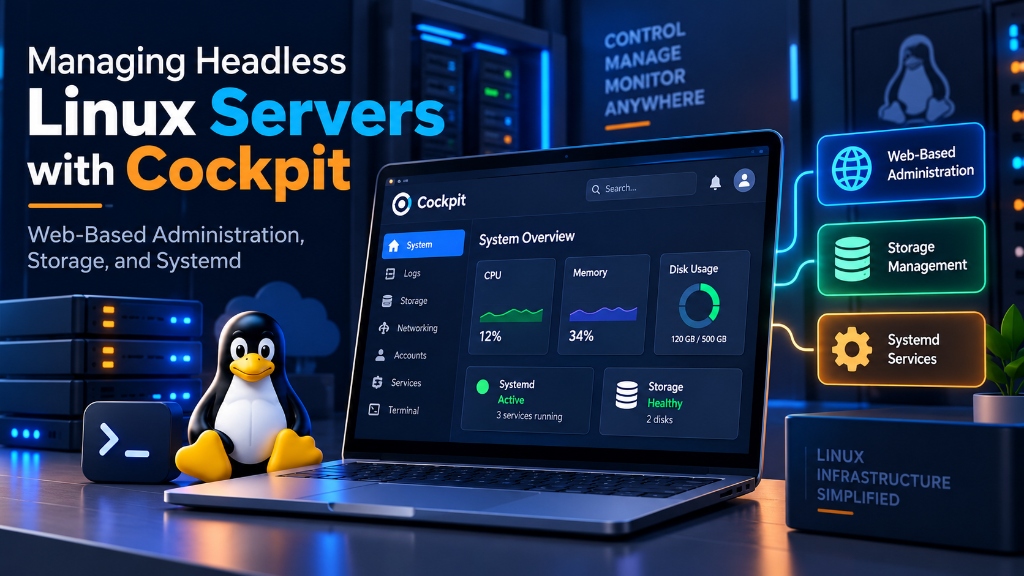
Cockpit provides a lightweight, zero-abstraction web-based management console that directly communicates with systemd APIs without installing intrusive daemons or proprietary configuration layers. It enables real-time visual tracking of CPU, RAM, LVM storage pools, network interfaces, and container workloads, and should be secured in production by binding it behind an NGINX reverse proxy with TLS 1.3 encryption, enabling 2FA, and restricting port 9090 access to trusted VPN IP addresses.
SRE
Traditional control panels impose rigid proprietary configuration layers on Linux. For example, they rewrite configs, alter system users, and obscure standard command-line tools. In contrast, Red Hat’s open-source Cockpit project introduces a zero-abstraction web interface. It connects directly to native system APIs. As a result, you manage headless Linux servers through a browser with complete CLI parity. This guide explains how to install the Cockpit Linux web console, manage LVM storage, troubleshoot systemd services, and secure administrative access. For verified technical specifications and deployment parameters, consult the official NGINX Documentation.
- Zero-Abstraction Architecture: Why Cockpit Respects Native Linux
- Installing Cockpit and Modular Extension Packages
- Visual Storage Management: LVM, RAID Arrays, and Volume Expansion
- Systemd Service Troubleshooting and Journalctl Log Analysis
- Securing Cockpit: Custom Port Hardening, TLS, and Nginx Reverse Proxy
- Automating System Updates and Kernel Patching via PackageKit
- Multi-Server Orchestration: Centralizing Cluster Dashboards
- Network Configuration: Bonding, VLANs, and Bridge Interfaces
- Managing Linux KVM Virtual Machines with Cockpit Machines
- Performance Telemetry, Metrics History, and PCP Integration
- Firewall Configuration, Remote Mounts, and SMART Health Alerts
- Frequently Asked Questions (FAQ)
Zero-Abstraction Architecture: Why Cockpit Respects Native Linux
Cockpit differs fundamentally from traditional control panels like cPanel or Webmin. Specifically, it does not use a proprietary database or custom background daemon. Instead, it interacts directly with native system APIs.
When an administrator creates a partition or restarts a service, Cockpit triggers standard D-Bus and systemd calls. Furthermore, it relies on systemd socket activation. As a result, Cockpit consumes zero RAM when your browser tab is closed. Additionally, changes made in the bash CLI appear instantly inside the browser.
Deploying Cockpit on managed UK VPS hosting provides intuitive visual monitoring. Moreover, it leaves your native terminal workflows completely intact. For larger business workloads, explore our budget dedicated server ecommerce hosting solutions.
Installing Cockpit and Modular Extension Packages
Major enterprise Linux distributions include Cockpit in their official package repositories. Therefore, you do not need third-party repositories. You can install Cockpit quickly on Ubuntu 22.04 or 24.04 using standard APT commands:
After enabling the socket, open your browser at https://your-server-ip:9090. Next, log in using your existing Linux PAM credentials. Because Cockpit uses native PAM authentication, it never stores separate panel passwords.
Visual Storage Management: LVM, RAID Arrays, and Volume Expansion
Resizing partitions using terminal commands can feel risky in production. For instance, a single syntax error during volume resizing might corrupt filesystems. Fortunately, the cockpit-storage module provides clear visual management:
- Physical Volume Inspection: It shows disk health, SMART data, and real-time read/write throughput.
- Volume Group Resizing: It detects unallocated virtual disk space and expands volumes safely.
- Thin Provisioning & Snapshots: In addition, it lets you create instant partition snapshots before major updates.
For broader server administration guidance, review our server management and migration guide.
Systemd Service Troubleshooting and Journalctl Log Analysis
Diagnosing failed services in a terminal often requires juggling multiple commands. For example, administrators frequently run systemctl status and scroll through long journalctl outputs.
Cockpit simplifies this task by organizing all systemd units into a clear visual dashboard. Consequently, you can inspect active services, timers, and sockets in one place. Furthermore, the integrated log viewer lets you filter journal logs by severity, service name, or time window. Therefore, you can isolate crashed daemons in seconds.
Securing Cockpit: Custom Port Hardening, TLS, and Nginx Reverse Proxy
Because Cockpit grants administrative system access, leaving port 9090 exposed publicly invites brute-force attempts. Therefore, administrators must implement defensive safeguards.
First, restrict proxy origins inside /etc/cockpit/cockpit.conf:
Next, deploy an Nginx reverse proxy with SSL termination and IP allowlisting:
Automating System Updates and Kernel Patching via PackageKit
Regular security patching protects your infrastructure from known exploits. The cockpit-packagekit module makes software maintenance visual and straightforward.
Specifically, Cockpit integrates directly with your system package manager. It categorizes updates into Security, Bug Fixes, and Enhancements. As a result, you can apply critical patches without taking the entire server offline. Furthermore, you can schedule automated reboots during low-traffic maintenance windows.
Multi-Server Orchestration: Centralizing Cluster Dashboards
Managing several VPS nodes across separate terminal windows can become inconvenient. However, Cockpit solves this through an SSH bastion topology.
From one primary Cockpit dashboard, you can connect secondary Linux nodes:
After registering nodes, you monitor your fleet from a unified sidebar. Therefore, switching between servers requires only a single click.
Network Configuration: Bonding, VLANs, and Bridge Interfaces
Configuring Link Aggregation (LACP) or VLAN tags via SSH can risk network disconnects. However, the cockpit-networkmanager module provides real-time visual control.
For instance, it includes an automatic rollback safety mechanism. If an applied network change breaks connectivity, Cockpit reverts the change automatically after 30 seconds. Consequently, you avoid costly remote lockouts.
Managing Linux KVM Virtual Machines with Cockpit Machines
Engineers managing KVM hypervisors often prefer lightweight tools over heavy platforms like OpenStack. In this case, cockpit-machines offers a practical alternative:
Using this module, you can provision guest virtual machines easily. In addition, you can allocate vCPUs, attach VirtIO disks, and access guest desktops through an HTML5 VNC console.
Performance Telemetry, Metrics History, and PCP Integration
Real-time CPU gauges are insufficient when diagnosing past performance incidents. Instead, system administrators require historical telemetry recorded prior to the event.
Cockpit integrates natively with Performance Co-Pilot (PCP) to maintain metric archives:
Once enabled, the Metrics screen graphs historical CPU, memory, and disk latency. Thus, you can zoom into incident windows and identify resource spikes accurately.
Firewall Configuration, Remote Mounts, and SMART Health Alerts
Securing network ingress and monitoring storage are critical server duties. Cockpit integrates with both UFW and Firewalld to simplify firewall rule management:
Similarly, you can monitor physical drives using SMART telemetry. In addition, you can mount NFS or iSCSI targets directly through Cockpit:
📌 Frequently Asked Questions (FAQ)
Q1 What is Cockpit and how does it differ from traditional control panels?
Q2 How do you access Cockpit securely after installing it on Ubuntu?
https://your-server-ip:9090. Next, log in using your standard Linux PAM user credentials. For higher security, place Cockpit behind an Nginx reverse proxy with IP allowlisting.
Q3 What storage administration features does Cockpit provide?
cockpit-storage module manages physical drives, partitions, and LVM volume groups. Furthermore, it lets you configure software RAID and format filesystems. In addition, it displays SMART telemetry to catch drive degradation early.
Q4 Can you manage systemd services and inspect journalctl logs in Cockpit?
Q5 Is Cockpit safe to expose on a public server IP address?
Conclusion: Streamlined Linux Administration with Cockpit on Onlive Server VPS
Cockpit represents the ideal management console for modern DevOps engineers. It provides an intuitive browser interface without hiding standard Linux configurations. As a result, you retain complete control over your servers.
Deploy your Linux workloads on Onlive Server’s UK VPS hosting. You will benefit from dedicated KVM compute cores, enterprise NVMe storage arrays, and 24/7 technical support.
