

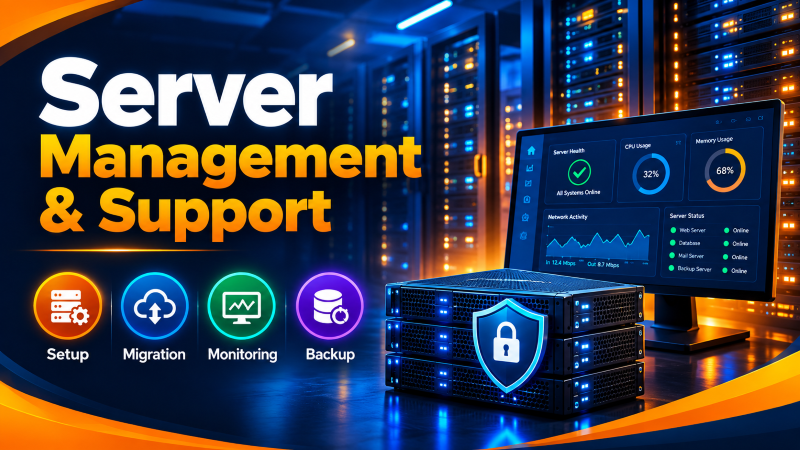
Comprehensive server management support encompasses 4 core operational pillars: hardened initial OS provisioning (firewall, SSH, service isolation), zero-downtime data migration using incremental synchronization, proactive 24/7/365 infrastructure monitoring (CPU, RAM, disk I/O, service daemons), and automated, verified offsite backup rotation following the 3-2-1 rule to guarantee business continuity.
📑 Table of Contents
Quick NavigationServer is the backbone of any website, application, or online business and without proper management, its performance, security, and reliability is compromised. Not only does using a server suffice but one must also monitor, update it at regular intervals, backup as needed, and troubleshoot in order to ensure smooth functionality.
This is where Server Management & Support comes in. Whether you run a small business website or a large enterprise application, server management guarantees low downtime, high security, and better server performance.
What Is Server Management & Support
Server management and support involve ensuring that your server operates at its optimum capacity through its installation, setup, maintenance, and security. Server management and support involve activities such as setting up the operating system, ensuring security on the server by patching vulnerabilities, conducting backups, and ensuring server performance.
Proper server management enables companies to ensure their servers have maximum uptime and are secure from any threats that could harm them while ensuring that their websites and applications work normally. This applies to all servers, including Linux servers, Windows servers, VPS servers, or even dedicated servers.
Why Is Server Management Important
The significance of good server management cannot be overemphasized since it assists in ensuring that your server remains protected, efficient, and operational all the time. The bad server management will cause problems such as downtime, poor performance, data loss, and makes the server more vulnerable to cyber-attacks. Updating software, maintaining the server and securing it from any form of attacks are some of the things that should be done to improve the performance of the server.
Server Setup: The First Step to a Stable Server
The process of creating a server starts by “server set-up.” Server set-up involves installation of operating system, network configuration, creation of users, control panel installation (cPanel or Plesk), remote access (SSH or Remote Desktop) and operating system installation. Set-up server serves as the foundation for building an outstanding web site, application and database hosting. Effort in making a well-configured server architecture will lower the chances of facing problems in the future.
Server Migration: Moving Data Without Downtime
Migration to a server is moving sites, applications, databases or entire server environments from one server to another. A successful migration means that there is little downtime, data integrity is maintained and there is no disruption of service during the migration process. Typical migration steps involve data transfer, configuring applications, updating DNS and testing after the migration. Proper planning and execution are crucial to ensure no data loss, compatibility issues, or service disruptions during migration.
Server Monitoring: Keeping Your Server Healthy
Monitoring A Server is the ongoing process of checking the health, performance, and availability of a server. It includes tracking various metrics like CPU utilization, memory usage, disk space, network traffic, uptime, and application performance. Administered monitoring tools can alert administrators to unusual behavior, to performance issues, and to alert the admin before any minor problems become big outages. Continuous monitoring allows for quick problem resolution, and keeps the server reliable for users.
Server Backup: Protecting Your Critical Data
Server backup is among the most important server management tasks that save the business data from accidental deletion, hardware failure, cybersecurity attacks, or system failures. Regular backups mean that administrators can recover a site, application, database, and system configuration rapidly in the event that they lose their data. One of the most common fail-safe measures that businesses take is to have a backup schedule, whether daily, weekly or automatic, and keep backup copies held in safe locations to ensure business continuity and disaster recovery.
Server Troubleshooting: Solving Common Server Issues
If a server goes down or slows, the first thing you need to do is reduce downtime. There are three main reasons for most server problems: either the server runs out of resources, or the configuration of the network is flawed, or there is some problem with the hardware. One of the first steps to address a high CPU or memory load is to determine which process is the culprit.
On a Linux system, the top or hop command can present you with real-time statistics on system resources for hung operations, so you can kill them nicely. When there is no response to the web requests at all, but the server is still pingable, it is likely that the web server service daemon (usually Apache or nginx) is crashed and can be restarted via typical service management commands, such as systems restart nginx.
Managed vs Unmanaged Server: What’s the Difference?
Choosing between a managed and an unmanaged server is a choice between convenience and complete control. The right choice depends entirely on your team’s technical expertise and budget.
| Feature | Managed Server | Unmanaged Server |
| Core Concept | The hosting provider handles technical operations. | You get a blank operating system; you run everything. |
| Technical Requirement | Low. Perfect for businesses without dedicated sysadmins. | High. Requires advanced command-line and network knowledge. |
| Security & Patching | Automated and managed by the provider’s security team. | Manual. You must track and patch flaws yourself. |
| Cost Structure | Higher monthly fee due to bundled engineering support. | Lower baseline cost; you only pay for raw infrastructure. |
Best Practices for Effective Server Management
Proactive management ensures your infrastructure remains resilient, secure, and performant as your traffic scales.
- Enforce Centralized Automated Backups: Implement a strict 3-2-1 backup strategy. Keep three total copies of your data, store them across two different types of media, and keep at least one copy entirely offsite or in an isolated cloud bucket.
- Establish Real-Time Monitoring and Alerting: Deploy platform utilities like Prometheus, Grafana, or Datadog to continuously monitor baseline health. Configure immediate alerts for critical thresholds, such as storage volumes exceeding 85% capacity.
- Automate Patch Management Lifecycle: Vulnerabilities emerge daily. Use orchestration frameworks like Ansible or SaltStack to schedule and test security updates inside a staging environment before rolling them out to production hardware.
Common Server Management Mistakes to Avoid
One misconfiguration may put an enterprise network at risk of malicious intrusion or accidental data loss. The common error is the principle of least privilege is not followed, for example, when a developer or an automated script logs in directly as root. Rather, set up individual user accounts with scoped sudo privileges and require SSH keys and do not use insecure password-based authentication.
Another risky thing to do is not to periodically test your backup restore. Having a backup file is very useful if it can actually be used – if it can’t, because it is corrupted, or if it lacks database schemas, it can be a major business catastrophe when you need it for a live system recovery.
Benefits of Professional Server Management Services
By leaving your infrastructure to the hands of skilled professionals who manage your system, you will take off the load from your software development personnel, which includes guaranteeing service level agreements that ensure that there are always certified systems engineers who triage hardware issues or server crashes on a 24/7/365 basis.
Professional management also means that there will be enterprise-level security architecture that comes with managed firewalls and active intrusion detection systems to mitigate any DDoS attack immediately.
Conclusion: Ensuring Long-Term Stability with Proactive Server Management
Proper server management calls for finding a balance between optimization and security hygiene. Depending on whether you opt to handle your own servers with the help of automated tools or outsource the task to a managed service provider, consistency will prevent any downtime. The lack of excessive access permissions, testing of backup recovery plans and observing the baselines of resource consumption are surefire ways to keep your system safe and healthy.
To ensure round-the-clock infrastructure availability, proactive security hardening, and rapid vulnerability patching, partnering with proactive server management and security support safeguards servers against unauthorized access and operational downtime.
Frequently Asked Questions (FAQs)
How often should a business restart its production servers?
Modern enterprise servers do not need to schedule “reboot maintenance” to clear memory junk. You should only restart a production server when applying critical kernel updates that require a reboot to take effect.
What is the difference between horizontal and vertical server scaling?
Vertical scaling means upgrading the existing machine’s physical hardware, such as adding more RAM or a faster CPU. Horizontal scaling means connecting multiple independent servers together to share the incoming traffic load.
How do I know if my server slowness is a network issue or a hardware issue?
Check the server’s internal resource metrics. If CPU, memory, and disk read/write speeds are sitting low, but pages still load incredibly slowly, the bottleneck is likely network congestion or a routing issue.
How does server resource allocation impact the performance of server management and support?
Adequate CPU core allocation, dedicated RAM, and high-speed NVMe storage ensure fast query responses, eliminate I/O wait times, and guarantee stable uptime under concurrent traffic.
What backup frequency is recommended for production environments?
We recommend daily automated off-site backups with point-in-time snapshot recovery to guarantee that critical website databases and configuration files can be restored instantly.