Thailand Dedicated Server Hosting in Bangkok
Onlive Server provides physical dedicated servers hosted in Bangkok, Thailand for businesses that need full hardware control, predictable performance, and a local network location for Thai and Southeast Asian users. Choose from AMD Ryzen, Intel Core, and Intel Xeon configurations with NVMe, SSD, or high-capacity SATA storage, 100 Mbps or 1 Gbps ports, root access, and managed or self-managed support.
Plans start at $99 per month before any live promotional discount. Check the plan table for current stock, specifications, and pricing.
What is a Thailand dedicated server?
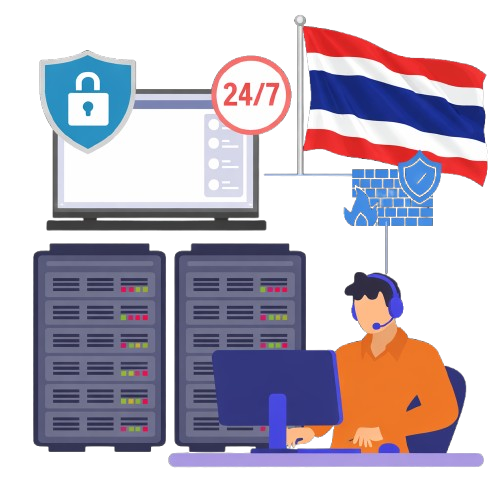
A Thailand dedicated server is a physical machine located in Thailand and assigned to one customer. Unlike shared hosting or a VPS, its processor, memory, storage, and operating system are not shared with unrelated customers. You can install your preferred software, tune the server for your workload, and control security at the operating-system and application layers.
Dedicated hardware is a good fit when a workload needs steady CPU performance, large memory, fast storage, custom networking, isolation, or administrative access that a shared platform cannot provide.
Deploy Your Cheap Dedicated Server Hosting today !
Why host a dedicated server in Bangkok?
Choose Bangkok when most users, staff, or connected systems are in Thailand. A local server can shorten the network path, reduce reliance on an overseas route for domestic traffic, and make interactive applications feel more responsive. It can also give an organization a clearer data-location choice when designing its privacy and risk controls.
Bangkok can also serve users across mainland Southeast Asia, including Cambodia, Laos, Myanmar, Vietnam, and Malaysia. Results vary by carrier and destination, so compare real routes before choosing Bangkok over Singapore, Hong Kong, or Tokyo.
Low latency for Thailand and Southeast Asia
Latency is the time a request takes to travel to the server and back. Hosting in Bangkok usually gives Thai users a shorter path than hosting in Europe or North America, but the exact result depends on the user’s internet provider and the data-center network.
For games, voice, remote desktops, and real-time APIs, measure median and P95 latency, jitter, and packet loss – not only a single ping. For websites and e-commerce, also measure DNS, TCP/TLS connection time, time to first byte, database response, and full-page performance.
Thailand’s internet exchanges also matter. BKNIX describes neutral peering as a way to keep local traffic local and improve the quality and resilience of internet service in Bangkok. A provider should claim direct peering only when it can document the connection.

How to choose the right hardware
| Workload | Prioritize | Why |
| eCommerce Websites | Modern high-clock CPU; 16-64 GB RAM; NVMe SSD; RAID and external backups | Fast database and checkout response during campaigns and flash sales |
| Game servers | High single-core speed; enough RAM per instance; NVMe; 1 Gbps option; documented DDoS protection | Stable tick rate, low jitter, quick map/mod loading, attack resilience |
| SaaS, APIs, containers | Modern multi-core CPU; 32-128 GB RAM; NVMe; monitoring; optional secondary node | Concurrent requests, background jobs, logs, and predictable API response |
| Agency or reseller hosting | Multi-core CPU; 32 GB+ RAM; RAID SSD/NVMe; control panel; isolated backups | Many sites, mailboxes, databases, and customer accounts on one server |
| Databases and analytics | More RAM; high-endurance NVMe; RAID 1/10; tested backups | Working set stays in memory and storage latency remains consistent |
| Media origin or file delivery | High-capacity disks or mixed SSD/HDD; 1 Gbps; clear transfer allowance | Large files and sustained outbound traffic |
| Virtualization or private cloud | Many cores; 96-256 GB+ RAM; multiple disks; IPMI/KVM if available | Several isolated VMs with predictable resource allocation |
Build the service around these controls

Access
Use SSH keys or strong administrator passwords, multi-factor authentication where supported, separate user accounts, and IP restrictions for management ports.

Patching
Set an owner and schedule for operating-system, control-panel, database, and application updates.

Firewall
Open only required ports. Review outbound as well as inbound traffic and document emergency access.
DDoS
Confirm included capacity, protected protocols, detection method, scrubbing location, response path, and null-route policy. ‘DDoS protected’ is not enough detail for a game or public API.

RAID
Use RAID 1 or RAID 10 when disk redundancy is needed. RAID can help a service continue after a drive failure; it cannot recover deleted, corrupted, encrypted, or compromised data.

Backup
Keep versioned backups outside the production server. Confirm schedule, retention, encryption, storage location, restore time, restore fee, and regular restore testing.

Monitoring
Track availability, CPU, memory, disk health, filesystem use, network traffic, certificate expiry, and suspicious access. Define who is alerted and who responds.
Related Resources
-
Host your website on a scalable Thailand Dedicated Server
In today’s rapidly evolving digital landscape. The performance, security, and scalability of your web hosting environment can make a significant difference in the success of…
-
OnliveServer Offering Thailand Dedicated Server at an Affordable Price
In today’s digital era, businesses of all sizes constantly seek reliable hosting solutions that provide robust performance, high security, and scalability without breaking the bank….
-
Get Thailand Dedicated Server Hosting for Just $149/month
Dedicated server hosting is the backbone of reliable and high-performing online services, offering unparalleled resources, control, and security. Thailand has become a prominent destination for…