

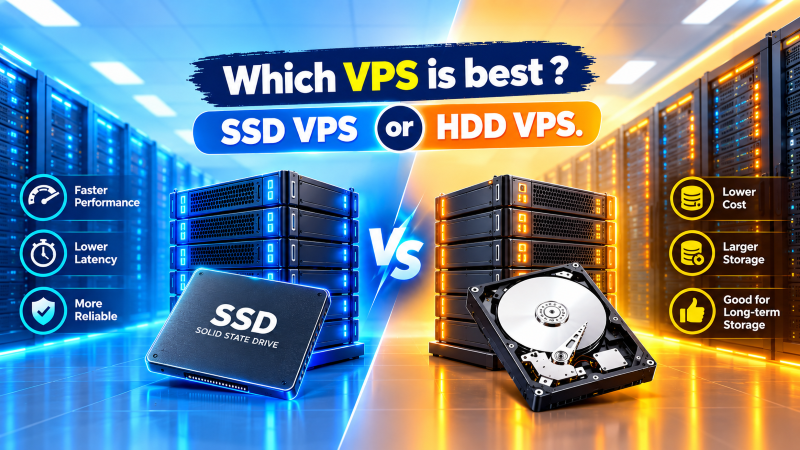
Which VPS is Best: SSD VPS or HDD VPS?
For virtually all production websites, databases, web applications, and e-commerce portals, an SSD VPS (or NVMe SSD VPS) is vastly superior to an HDD VPS. Solid-state storage delivers between 50x to 300x higher random read/write IOPS (50,000+ IOPS vs. 75–150 IOPS on HDDs), virtually eliminates microsecond disk access latency, accelerates server Time to First Byte (TTFB), and prevents concurrent database query locks.
- Choose SSD/NVMe VPS: For production websites, dynamic CMSs (WordPress, Magento), transactional SQL databases, REST APIs, and SaaS applications.
- Choose HDD VPS: Strictly for cold data archiving, secondary off-site backups, log file retention, or media bulk storage where high capacity at minimum cost overrides I/O performance.
Selecting the optimal virtualization environment for your infrastructure requires evaluating not just virtual CPU allocations and RAM capacities, but the foundational underlying storage subsystem. In modern server architecture, the storage drive represents either the engine of lightning-fast throughput or the most debilitating input/output bottleneck on the system. When provisioning a cheap VPS, engineers frequently confront the decision between Solid-State Drives (SSD) and Hard Disk Drives (HDD).
While mechanical hard drives dominated the enterprise hosting landscape for decades due to their unmatched cost-per-gigabyte advantage, the massive computational demands of modern web workloads have shifted the baseline firmly toward solid-state flash memory. This comprehensive technical guide analyzes the mechanical, architectural, and operational disparities between SSD VPS and HDD VPS deployments, detailing IOPS dynamics, database latency impacts, hardware reliability, and workload-specific deployment criteria.
Underlying Storage Architectures: Solid-State NAND Flash vs Mechanical Platters
To grasp why SSD and HDD virtual private servers behave so fundamentally differently under concurrent traffic spikes, one must understand how their underlying physical media store, locate, and retrieve binary data.
A conventional Hard Disk Drive (HDD) is an electromechanical data storage device. It relies on rapidly spinning circular platters coated with magnetic material—typically rotating at 7,200 or 10,000 revolutions per minute (RPM) in enterprise server chasses. A mechanical actuator arm moves precision read/write heads radially across the spinning platters to interact with data tracks. Because reading random sectors requires physical repositioning of the actuator arm (seek time) and waiting for the platter to rotate beneath the head (rotational latency), mechanical latency sits between 5 to 15 milliseconds per transaction.
Conversely, a Solid-State Drive (SSD) contains zero moving parts. It stores data on interconnected non-volatile NAND flash memory chips managed by a micro-controller. Flash cells store electrical charges within floating-gate or charge-trap transistors. When the operating system issues a read request, the controller accesses the target memory address purely through electrical circuitry, resulting in access latencies measured in fractions of a millisecond (<0.1 ms). Furthermore, advanced wear-leveling algorithms, over-provisioning blocks, and the operating system’s TRIM command maintain write endurance across continuous server operations.
IOPS, Latency, and Throughput: The Critical Performance Divide
When assessing server performance, webmasters often fixate on sequential throughput (megabytes transferred per second during large file transfers). However, in a multi-tenant or multi-process VPS environment, the true operational metric that dictates responsiveness is IOPS (Input/Output Operations Per Second).
Every time a web server receives an HTTP request, checks an authentication cookie, parses a PHP template, or reads a row from a MySQL database, it issues small, random 4KB read/write operations. In this arena, the performance gulf between mechanical platters and flash memory is astronomical:
- Enterprise 7.2K/10K RPM HDD: Capable of delivering between 75 to 150 random IOPS. Even in high-end RAID 10 configurations across multiple spindles, mechanical seek limits restrict total random I/O output.
- Enterprise SATA III SSD: Typically outputs between 50,000 to 95,000 random IOPS, providing instantaneous read access regardless of where the data blocks reside on the flash NAND arrays.
- Enterprise NVMe SSD (PCIe Gen 4): Transcends legacy SATA interfaces to deliver 500,000 to 1,000,000+ random IOPS directly across PCI Express bus lanes, as codified by NVM Express architectural standards.
| Performance Metric | Standard HDD VPS | SATA SSD VPS | Enterprise NVMe SSD VPS |
|---|---|---|---|
| Storage Medium | Magnetic platters & actuator head | Solid-State NAND Flash | Direct PCIe 3.0/4.0/5.0 NVMe Flash |
| Random Read/Write IOPS | 75 – 150 IOPS | 50,000 – 95,000 IOPS | 500,000 – 1,000,000+ IOPS |
| Disk Access Latency | 10 – 15 ms (mechanical seek) | 0.05 – 0.1 ms | 0.01 – 0.03 ms (ultra-low) |
| Sequential Throughput | 120 – 200 MB/s | 500 – 550 MB/s (SATA cap) | 3,500 – 7,000+ MB/s |
| Database Query Handling | Prone to I/O wait thread locks | Instantaneous index lookups | Massive parallel transaction capability |
| Moving Mechanical Parts | Yes (High physical wear risk) | None (Zero mechanical wear) | None (Zero mechanical wear) |
| Ideal Production Workload | Cold backups & archival logs | Standard production web servers | E-commerce, SaaS, High-Traffic DBs |
| Relative Cost per GB | Lowest ($) | Moderate ($$) | Premium ($$$) |
Impact on Web Server Response Times, TTFB, and Database Workloads
The practical repercussion of disk latency is directly visible in web server metrics such as Time to First Byte (TTFB) and page rendering speed. Modern content management systems like WordPress, Drupal, and Magento do not serve pre-compiled static files; each page view triggers dozens of PHP file includes, theme asset reads, and SQL queries against database tables.
When multiple visitors hit an HDD VPS simultaneously, the operating system’s I/O queue fills up. The mechanical actuator head must physically bounce across the magnetic platters to retrieve fragmented files and update transactional log tables. As described in the official MySQL InnoDB storage engine documentation, heavy random write activities against the `ibdata1` tablespace and binary redo logs quickly saturate storage I/O, driving the server CPU into an idle %iowait state. During this condition, computational cores sit paralyzed waiting for storage disks to respond, causing severe page lag, timeout errors (504 Gateway Timeout), and degraded user experience.
On an SSD VPS, random index traversals occur with near-zero latency. InnoDB buffer pools flush dirty pages seamlessly, Redis caching services persist snapshots rapidly, and TTFB remains consistently below 100 milliseconds even during high concurrent traffic spikes. For websites relying on search visibility, this speed enhancement directly contributes to superior Core Web Vitals (LCP and INP) scores, boosting organic Google rankings.
Hardware Reliability, Mechanical Wear, and Data Recovery Dynamics
Reliability considerations differ significantly between mechanical platters and silicon cells. The Storage Networking Industry Association (SNIA) notes that mechanical hard drives exhibit distinct vulnerability profiles compared to enterprise solid-state media:
- Mechanical Wear & Motor Fatigue: Hard drives feature electric spindle motors, magnetic head assemblies, and bearings that operate under continuous physical friction and thermal stress. Over multi-year deployment cycles, mechanical vibration within high-density server racks increases the Annualized Failure Rate (AFR). Head crashes, where the read head physically strikes the spinning platter, cause irrecoverable sector destruction.
- Flash Cell Endurance: SSDs do not suffer from physical head crashes or mechanical friction. However, NAND flash cells possess a finite number of program/erase (P/E) cycles before cell insulation degrades. Enterprise-grade SSD arrays counter this via sophisticated flash controllers employing dynamic wear leveling, bad block retirement, and generous over-provisioning pools to guarantee petabyte-scale write endurance over many years of production service.
- Vibrational Immunity: Because SSDs are solid-state circuit boards, they remain impervious to acoustic vibration and thermal turbulence created by high-RPM chassis cooling fans in enterprise data centers.
Modern NVMe VPS: The Architectural Evolution Beyond Traditional SATA SSDs
While the transition from HDD to SSD was a monumental technological leap, the solid-state landscape has undergone its own internal revolution with the advent of NVMe (Non-Volatile Memory Express).
First-generation enterprise SSDs connected to servers via legacy SATA III (Serial ATA) or SAS (Serial Attached SCSI) interfaces. These interfaces were originally engineered decades ago specifically for slow mechanical hard drives. The SATA III standard caps throughput at 600 MB/s (6.0 Gbps) and supports a legacy AHCI protocol featuring a single command queue restricted to 32 commands.
In contrast, NVMe VPS instances bypass the SATA bus entirely, connecting flash storage directly to the host CPU via high-speed PCIe (Peripheral Component Interconnect Express) lanes. NVMe features up to 64,000 parallel queues, each capable of executing 64,000 commands concurrently. This eliminates protocol bottlenecks, drops access latency below 20 microseconds, and unlocks sequential read speeds exceeding 7,000 MB/s. When provisioning on cheap dedicated server hosting or modern cloud VPS nodes, NVMe represents the undisputed gold standard for performance.
Cost-to-Capacity Economics: When Does HDD Storage Still Make Sense?
Given the overwhelming performance advantages of solid-state storage, is there any remaining justification for deploying an HDD VPS in modern IT infrastructure? The answer lies strictly in cost-to-capacity economics.
The manufacturing cost per gigabyte of high-density magnetic storage remains significantly lower than enterprise TLC or QLC NAND flash memory. For organizations managing vast volumes of non-transactional data, HDD VPS instances or hybrid storage nodes provide immense utility in specific architectures:
- Disaster Recovery & Off-Site Backups: Automated daily backups, cPanel account archives, and secondary snapshot targets do not require rapid IOPS; they prioritize massive storage capacity at low ongoing hosting overhead.
- Cold Log Aggregation: Centralized log storage (Syslog, Elasticsearch cold tiers) where logs are sequentially appended and rarely queried in real time.
- Static Media Warehousing: Archiving raw video footage, audio archives, or uncompressed file libraries that are processed through content delivery networks (CDNs) rather than served directly from origin disk.
Outside of these specific cold-storage applications, hosting production environments on HDD VPS is a false economy. The marginal monthly cost savings are rapidly erased by lost sales conversions, search ranking degradation, and server administrator troubleshooting hours spent diagnosing disk I/O lockups.
Frequently Asked Questions: SSD VPS vs HDD VPS
Storage Selection Framework: Choosing the Right VPS Hosting Tier
To maximize hosting ROI and user experience, align your storage architecture with your operational workload profile. Deploying on Linux web hosting or dedicated cloud virtual instances powered by pure solid-state storage guarantees enterprise responsiveness, high availability, and long-term infrastructure stability.
Upgrade to Blazing-Fast Pure SSD & NVMe Cloud VPS Hosting
Eliminate I/O wait bottlenecks and accelerate website delivery with Onlive Server’s high-performance SSD and NVMe VPS hosting solutions.
Pure SSD & NVMe Cloud VPS
Optimized for production websites, WordPress instances, WooCommerce stores, and SaaS backends requiring instant random IOPS and sub-millisecond database lookups.
- Enterprise NVMe & SATA SSD Storage Arrays
- Dedicated vCPU & High-Bandwidth Port Speeds
- Full Root Access with Instant OS Reinstallations
Enterprise Dedicated Storage
Designed for massive data warehousing, secondary backup repositories, big data analytics, and multi-terabyte cold media archives at optimal cost efficiency.
- High-Density Enterprise SAS/SATA HDD RAID Arrays
- Unmetered High-Speed Network Uplinks
- Custom Hardware Firewalls & 100% Dedicated Resources