

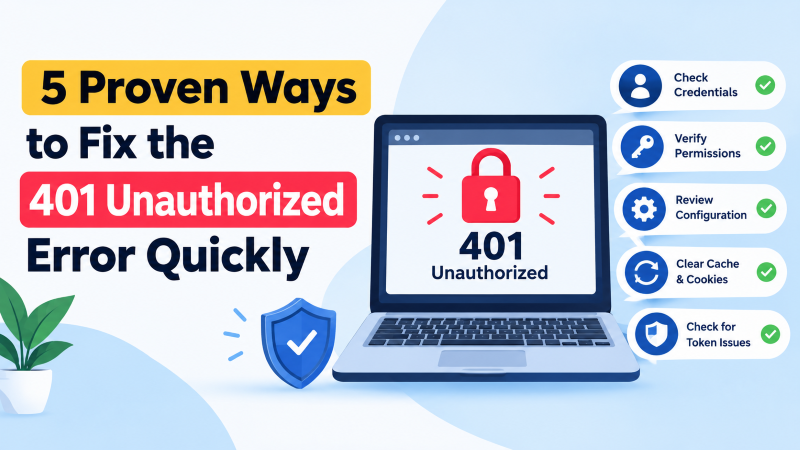
The HTTP 401 Unauthorized error indicates that a web request cannot be fulfilled because it lacks valid authentication credentials. To fix it quickly, clear your browser cache and authentication cookies, verify the target URL, check server-side .htaccess or Nginx authentication directives (such as auth_basic), flush DNS cache records, and deactivate misconfigured security plugins or API authorization tokens.
Understanding the HTTP 401 Unauthorized Status Code
When an HTTP client attempts to request a restricted web resource, the server requires authentication credentials to verify identity. If the request lacks an Authorization header or supplies invalid credentials, the server responds with status code 401 Unauthorized.
Importantly, the response must include a WWW-Authenticate response header detailing the authentication scheme (such as Basic, Digest, or Bearer token). Unlike HTTP 403 Forbidden—where the server understands the user’s identity but refuses access—a 401 error explicitly invites the client to authenticate.
Diagnosing 401 errors on a flexible cloud VPS requires systematically testing client-side credentials, browser session caching, and web server configuration files.
Step 1: Check the Requested URL and Clear Browser Cache
A frequent cause of unexpected 401 errors is visiting a stale or mistyped bookmark pointing directly to a protected administrative endpoint or secure subdirectory. Confirm that the URL matches the intended public landing page rather than an internal API hook.
Additionally, modern web browsers aggressively cache authentication headers and session tokens. If server credentials changed recently, your browser may continuously transmit stale Basic Auth strings.
Perform a hard browser refresh using Ctrl + Shift + R (or Cmd + Shift + R on macOS). Alternatively, test the page inside a clean Incognito/Private window or clear your browser’s cached cookies and saved credentials under Settings.
Step 2: Flush Local DNS and Operating System Cache
If your web application recently migrated between hosting nodes, outdated DNS records can route authentication requests to the previous server IP. This misdirection causes authentication tokens to be rejected by the legacy host.
Flush your local operating system DNS resolver cache to enforce fresh record queries across authoritative nameservers. On Windows, launch PowerShell or Command Prompt and execute:
ipconfig /flushdnsOn Linux systems utilizing systemd-resolved, run the equivalent terminal command:
sudo systemd-resolve --flush-cachesOnce flushed, test the domain again to ensure requests route directly to the active web cluster.
Step 3: Review Server .htaccess and Nginx Authentication Directives
Misconfigured server configuration files represent the most common backend origin of unintended 401 errors. On Apache or LiteSpeed servers, inspect the root .htaccess file for errant AuthType definitions:
# Problematic Basic Auth Directive
AuthType Basic
AuthName "Restricted Admin Area"
AuthUserFile /etc/apache2/.htpasswd
Require valid-user
If the path specified in AuthUserFile is corrupted, unreadable, or missing, Apache immediately returns a 401 error to every incoming request. Rename .htaccess temporarily to .htaccess.bak to test if normal site access restores.
For Nginx installations, inspect your server block configurations located in /etc/nginx/sites-available/. Ensure directives like auth_basic and auth_basic_user_file point to an existing, accessible password hash file.
Enterprises running multi-tier applications on an enterprise dedicated server should also check reverse proxy headers to ensure the Authorization header passes cleanly through upstream reverse proxies.
Step 4: Troubleshoot CMS Plugins and Security Modules
Content management systems like WordPress often generate 401 errors through third-party security firewalls, two-factor authentication (2FA) plugins, or membership restriction suites. These plugins frequently intercept REST API queries and external webhook notifications.
To identify the culpable extension, access your server via SSH or SFTP and navigate to the wp-content/plugins directory. Temporarily rename the folder to plugins_disabled to bypass active plugin logic.
If the 401 error disappears immediately, restore the folder name and reactivate plugins one by one until the error reappears. This isolation technique quickly pinpoints conflicting security rules.
Step 5: Verify API Bearer Tokens and Web Service Headers
In headless web applications and microservice architectures, 401 errors typically stem from expired JSON Web Tokens (JWT) or malformed OAuth Bearer tokens transmitted in the request header.
Use curl from the command line to inspect exact HTTP response headers and diagnose token rejections:
curl -I -X GET https://example.com/api/v1/resource \
  -H "Authorization: Bearer your_access_token_here"
Review the WWW-Authenticate response header. It frequently provides detailed diagnostic messages, such as error="invalid_token" or error_description="The token expired".
If custom API gateway rules or token signature validations continue to fail unexpectedly, having an experienced server administrator audit your web server SSL termination and reverse proxy configuration will quickly isolate the root cause.
Deep Dive into the `WWW-Authenticate` Header and Authentication Handshakes
The HTTP 401 Unauthorized status code is fundamentally governed by the RFC 9110 HTTP standard, which dictates that the server must return a WWW-Authenticate response header. This header specifies the cryptographic challenge and authentication scheme that the client must fulfill before access is granted.
When an API client or web browser receives a 401 response without an authorization header, it prompts the user for credentials or resubmits the request with an Authorization: Basic or Authorization: Bearer token. If there is a slight mismatch in token formatting, clock skew on JWT validation, or an expired OAuth secret, the server immediately rejects the transaction.
In modern decoupled architectures, single sign-on (SSO) gateways and reverse proxies frequently sit in front of web applications. Misconfigurations in header forwarding between Nginx, Cloudflare, and application backends can strip out valid authorization tokens, causing persistent 401 errors even when credentials are accurate.
Resolving Web Server Header Stripping in Nginx and Apache
By default, certain web server configurations strip out custom or standard Authorization headers when passing requests to upstream FastCGI handlers. Explicitly instructing your web server to pass through authentication headers resolves phantom 401 errors across REST APIs.
- Apache
HTTP_AUTHORIZATIONDirective: AddSetEnvIf Authorization "(.*)" HTTP_AUTHORIZATION=$1to.htaccessto pass tokens to PHP. - Nginx FastCGI Header Forwarding: Ensure
fastcgi_param HTTP_AUTHORIZATION $http_authorization;is present in your PHP-FPM location block. - Repairing Corrupted
.htpasswdFiles: Re-generate corrupted Apache password files usinghtpasswd -nb username passwordto verify bcrypt hash integrity. - JWT Clock Drift Tolerances: Configure a 60-second leeway in API token validators to account for minor time synchronization discrepancies between servers.
Debugging WordPress REST API and Security Plugin Authentication Conflicts
WordPress administrative portals and REST API endpoints frequently suffer from 401 errors after installing security plugins like Wordfence, iThemes Security, or Cloudflare Turnstile. These security plugins often intercept administrative Ajax calls or mobile app connections, treating them as unauthorized requests.
Diagnosing these plugin conflicts requires methodically isolating security layers. Checking server error logs and utilizing WP-CLI allows administrators to identify the exact filter hook or firewall rule terminating the authenticated user session.
- Clear Browser and DNS Auth Caches: Flush cached basic authentication credentials in Google Chrome via
chrome://settings/clearBrowserData. - WP-CLI Application Passwords: Generate dedicated, non-session application passwords for automated remote API integrations via
wp user application-password create. - Audit Security Plugin Whitelists: Whitelist known administrative IP addresses and authorized API webhooks inside firewall plugin dashboards.
- Disable Conflicting Mu-Plugins: Temporarily rename the
wp-content/mu-pluginsfolder to verify if must-use caching scripts are breaking auth handshakes.
Managing OAuth 2.0 and JWT Token Lifecycles Across Microservices
In modern microservice architectures, HTTP 401 Unauthorized errors frequently arise when JSON Web Tokens (JWT) expire mid-session. Mobile applications and frontend single-page applications must implement silent token refresh routines using secure OAuth 2.0 refresh token grants.
When API gateways receive requests with expired access tokens, returning a structured 401 response containing token_expired error codes allows client SDKs to refresh tokens seamlessly. This automated refresh handshake prevents user session interruptions while maintaining rigorous token expiration policies.
Conclusion: Restoring Seamless Access and Secure API Workflows
Encountering an HTTP 401 Unauthorized error can halt user workflows and break mission-critical API integrations, but systematic diagnosis quickly uncovers the underlying authentication breakdown. Whether the cause is a stripped server header, expired bearer token, or overzealous security rule, the path to resolution is methodical.
By configuring web servers to preserve authorization tokens, verifying cryptographic header handshakes, and harmonizing application security policies, web engineers maintain airtight security while ensuring seamless user journeys.
Frequently Asked Questions
What is the difference between HTTP 401 Unauthorized and HTTP 403 Forbidden?
HTTP 401 Unauthorized means the user has not provided valid authentication credentials, but can re-authenticate. HTTP 403 Forbidden means the server recognizes the user’s identity, but explicitly forbids them from accessing the requested resource regardless of authentication.
Can a corrupt browser cookie trigger an HTTP 401 error?
Yes. If a session cookie contains an invalid or expired authentication token, the server will reject the request with a 401 status. Deleting the specific domain cookies in browser settings resolves this issue.
Why does the WordPress REST API return 401 Unauthorized?
The WordPress REST API returns 401 if security plugins block unauthenticated REST calls, if cookie nonces have expired, or if custom authorization headers are stripped by Apache or Nginx reverse proxies.
How do I pass the Authorization header through Apache to PHP?
Add the directive SetEnvIf Authorization “(.*)” HTTP_AUTHORIZATION=$1 to your virtual host configuration or .htaccess file to prevent Apache from stripping the header before passing requests to PHP-FPM.
Does an HTTP 401 error harm my website’s SEO rankings?
If public search crawlers like Googlebot encounter 401 errors on pages intended for public indexing, search engines will de-index those pages over time. Ensuring public pages never prompt for authentication prevents search visibility loss.