

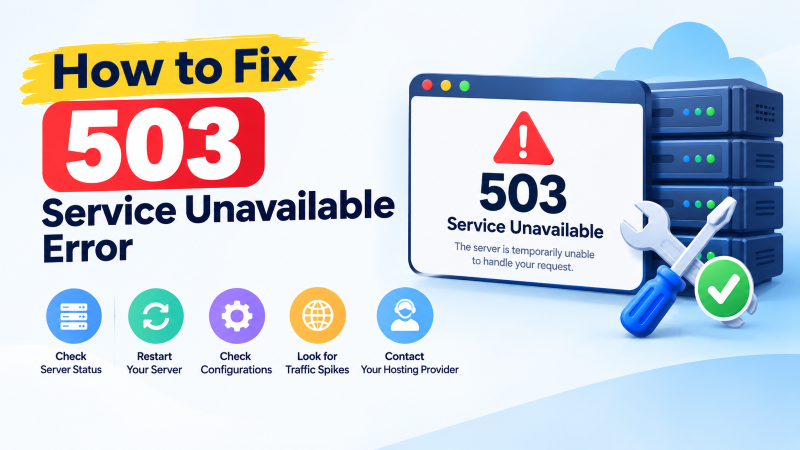
The HTTP 503 Service Unavailable error indicates that the web server is temporarily unable to handle incoming requests due to backend resource exhaustion, scheduled maintenance, or upstream application pool crashes. To fix it, check active server CPU/RAM usage with htop, restart the web server or PHP-FPM service, inspect web application error logs, deactivate hung maintenance flags, and scale underlying server resources if traffic exceeds current server capacity.
What Does the HTTP 503 Service Unavailable Status Mean?
An HTTP status code 503 Service Unavailable is a server-side response informing clients that the target web server is operational, but currently incapable of handling the incoming request. Unlike status 500 or 502, a 503 implies a temporary condition that should alleviate after a short duration.
Servers often return a Retry-After header alongside 503 responses, suggesting when the client should reattempt connection. Common triggers include PHP worker starvation, database connection pool exhaustion, or an active CMS maintenance lock.
Running high-traffic websites on a scalable cloud VPS requires active monitoring to prevent temporary traffic spikes from knocking web workers offline.
Diagnostic Step 1: Check System Resource Consumption (CPU, RAM, Disk)
The most frequent culprit behind unexpected 503 errors is complete hardware resource exhaustion. When physical memory fills up, the Linux kernel begins swapping memory to disk or invokes the Out-Of-Memory (OOM) killer to terminate web processes.
Establish an SSH connection to your server and run htop or top to inspect real-time system metrics:
htopObserve the load average across 1, 5, and 15-minute intervals. If CPU utilization stays near 100% or memory usage exceeds 95%, backend worker threads cannot spawn to service incoming HTTP handshakes, causing the reverse proxy (like Nginx) to return 503.
For applications experiencing persistent traffic bottlenecks, upgrading to a high-performance dedicated server provides dedicated physical RAM and multi-core Xeon/EPYC processing to handle massive traffic surges smoothly.
Diagnostic Step 2: Restart Web Server and PHP Application Pools
If memory consumption is reasonable but the web server refuses connections, PHP worker daemons or backend Node.js processes may be stalled in infinite execution loops.
Restart your web server and corresponding application runtime daemons to flush frozen execution queues. On Ubuntu/Debian systems running Nginx with PHP-FPM, execute:
sudo systemctl restart php8.2-fpm
sudo systemctl restart nginx
For servers running Apache, execute:
sudo systemctl restart apache2After cycling the services, check their operational status using systemctl status php8.2-fpm to verify that backend master processes are actively accepting connections.
Diagnostic Step 3: Remove CMS Maintenance Lock Files
Content management systems automatically generate temporary maintenance lock files during core software, plugin, or theme updates. If an update process is interrupted or times out, the lock file remains trapped on disk, locking visitors out with a 503 screen.
In WordPress, check the web root directory for a hidden file named .maintenance. You can inspect and delete this lock file via command line:
cd /var/www/html
ls -la
rm -f .maintenance
Similarly, for Joomla check for configuration.php offline flags, and for Drupal verify maintenance settings. Removing the orphaned lock file instantly restores normal visitor browsing.
Diagnostic Step 4: Inspect Application and Web Server Error Logs
System error logs pinpoint the exact file, script, or database query causing backend crashes. Rather than guessing, review the tail end of your server logs:
# Nginx error log
sudo tail -n 50 /var/log/nginx/error.log

# Apache error log
sudo tail -n 50 /var/log/apache2/error.log

# PHP-FPM error log
sudo tail -n 50 /var/log/php8.2-fpm.log
Look specifically for errors indicating “server reached pm.max_children setting,” “connection refused while connecting to upstream,” or “MySQL server has gone away.”
Diagnostic Step 5: Tune PHP-FPM Process Manager Settings
When high concurrency overwhelms default PHP configurations, PHP-FPM exhausts its pool of worker processes. Additional visitors are placed in a backlog queue until timeouts occur, generating 503 responses.
Open your PHP-FPM pool configuration file (e.g., /etc/php/8.2/fpm/pool.d/www.conf) and adjust worker parameters based on available RAM:
pm = dynamic
pm.max_children = 50
pm.start_servers = 10
pm.min_spare_servers = 5
pm.max_spare_servers = 15
pm.max_requests = 500
Setting pm.max_requests ensures worker processes recycle periodically, preventing memory leaks from accumulating over time. This configuration setting stabilizes PHP execution under sustained load.
Additionally, adjust MySQL connection limits in /etc/mysql/my.cnf by increasing max_connections = 250. When web workers exceed database connection pools, queries stall and trigger 503 errors. If tuning concurrency thresholds causes configuration instability, consulting an expert Linux administrator will help establish optimal kernel and web service limits.
PHP-FPM Worker Pool Tuning: Eliminating `pm.max_children` Exhaustion
The HTTP 503 Service Unavailable error signifies that the web server is temporarily unable to handle incoming requests due to sudden overload, resource exhaustion, or scheduled maintenance. In modern LEMP hosting stacks (Linux, Nginx, MariaDB, PHP-FPM), the most common root cause is the total exhaustion of PHP-FPM child processes.
When high-traffic spikes hit a web application, incoming HTTP requests quickly saturate the available PHP-FPM worker pool. If the number of concurrent PHP requests exceeds the configured pm.max_children threshold, subsequent requests are placed into a backlog queue until the queue overflows, prompting Nginx to serve an immediate 503 error.
Diagnosing this condition requires inspecting PHP-FPM error logs (typically located at /var/log/php-fpm.log or /var/log/php8.2-fpm.log) for warnings such as [pool www] server reached pm.max_children setting, consider raising it. Calculating the optimal worker limit based on available physical RAM permanently resolves these traffic bottlenecks.
Mathematical Formula for Tuning PHP-FPM Worker Pools
Properly sizing PHP-FPM child processes prevents server crashing while maximizing the concurrent capacity of your available hardware. Allocating too many workers will cause memory swapping, while allocating too few triggers premature 503 service outages.
- Calculate Average PHP Process Size: Run
ps --no-headers -o rss -C php-fpm | awk '{ sum+=$1 } END { printf ("%d MB
", sum/NR/1024) }'
to determine average memory usage (usually 40MB – 80MB). - Dedicated RAM Calculation: Reserve 25% of total server RAM for operating system daemons and database buffers, dedicating the remaining 75% to PHP.
- Formulate
pm.max_children: Divide dedicated PHP memory by average process size (e.g., 6,000MB dedicated RAM / 60MB per worker = 100 max children). - Set Dynamic Pool Parameters: Configure
pm = dynamic, settingpm.start_serversto 25% of max children andpm.max_spare_serversto 50%.
Clearing Stuck WordPress Maintenance Mode and Database Connection Pools
Another frequent cause of 503 errors in WordPress hosting environments is an interrupted core or plugin update that leaves behind a temporary lock file. When WordPress begins an update routine, it creates a file named .maintenance in the site document root; if a timeout occurs mid-update, the file remains indefinitely, trapping the site in maintenance mode.
Similarly, database connection pool exhaustion can force web applications to throw 503 errors when MariaDB or MySQL rejects new connection requests. Tuning database parameters such as max_connections and enabling wait timeout pruning guarantees that dormant connections are recycled swiftly.
- Remove Stuck Maintenance File: Delete the lock file instantly via command line using
rm -f /var/www/html/.maintenance. - Tune MySQL Connection Limits: Increase
max_connections = 250inside/etc/mysql/my.cnfto handle concurrent database query spikes. - Prune Dormant Connections: Reduce
wait_timeout = 60andinteractive_timeout = 60to terminate idle MySQL sleep connections. - Deploy Nginx Rate Limiting: Use
limit_req_zonedirectives to throttle malicious scraping bots and protect application backends from artificial overload.
Deploying Redis In-Memory Caching to Reduce PHP-FPM Concurrency Load
Eliminating recurring HTTP 503 errors during traffic surges requires offloading repetitive database queries and dynamic page rendering from PHP-FPM worker pools. Deploying an in-memory Redis object cache allows web applications to serve cached database objects and user sessions directly from lightning-fast RAM.
Caching database query results reduces PHP execution times from hundreds of milliseconds to under five milliseconds, freeing up PHP-FPM child workers almost instantaneously. This dramatic reduction in worker execution duration enables a single server to handle ten times more concurrent visitors without triggering 503 service exhaustion.
Conclusion: Building Resilient Web Architectures Against 503 Downtime
An HTTP 503 Service Unavailable error can damage customer trust and erode search engine rankings if left unaddressed during critical shopping or traffic surges. Understanding the intricate relationships between server worker pools, database thresholds, and lock files is essential for maintaining enterprise availability.
By mathematically tuning PHP-FPM process pools, optimizing database concurrency limits, and implementing intelligent server-side caching, system administrators ensure their web platforms remain fast, responsive, and available under any traffic load.
Frequently Asked Questions
Why does Googlebot treat a 503 error differently than a 500 or 404 error?
Googlebot understands that a 503 status code represents temporary unavailability. If accompanied by a Retry-After header, Googlebot pauses crawling and returns later without immediately dropping the page from search index results.
Can a rogue WordPress plugin trigger an HTTP 503 error?
Yes. Badly coded plugins can consume excessive CPU or enter infinite execution loops, exhausting PHP worker threads. Renaming the plugins directory via FTP or SSH isolates and disables offending plugins.
What does “server reached pm.max_children” mean in PHP-FPM logs?
This log warning indicates that all available PHP worker processes are busy processing requests. Subsequent visitors must wait in the listen queue or receive a 503 error if the queue overflows.
How does a CDN like Cloudflare handle a backend 503 error?
If your origin server returns a 503, Cloudflare displays an error page (Error 503 Service Temporarily Unavailable) or serves a stale cached version of the page if the “Always Online” feature is enabled.
Can a DDoS attack cause an HTTP 503 error?
Yes. Volumetric or application-layer (Layer 7) DDoS attacks flood server sockets and web workers, depleting connection capacity and causing legitimate user requests to fail with 503 errors.