

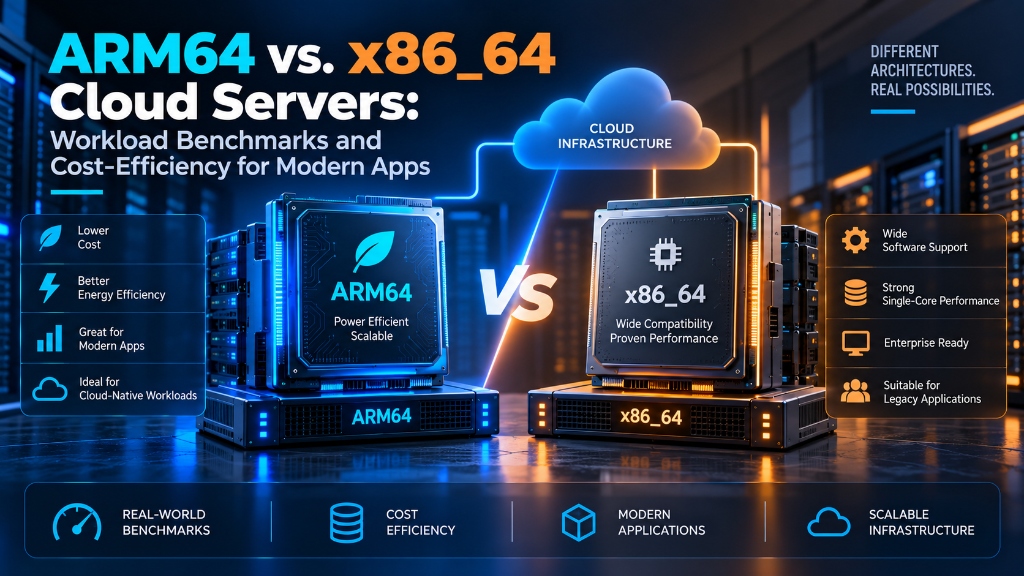
ARM64 cloud servers (such as AWS Graviton and Ampere Altra) deliver 20% to 40% superior price-to-performance efficiency compared to legacy x86_64 architectures for containerized microservices, web servers, and distributed databases (Redis, PostgreSQL). However, x86_64 remains superior for legacy proprietary binaries, AVX-512 vector mathematical calculations, and workloads reliant on x86-specific kernel modules without native ARM compilation.
ARM64 vs. x86_64 Cloud Servers: Workload Benchmarks and Cost-Efficiency for Modern Apps
Compare ARM64 and x86_64 cloud servers across performance, software compatibility, Docker deployment, databases, scalability, and cost-efficiency. For verified technical specifications and deployment parameters, consult the official Linux Kernel Documentation.
ARM64 and x86_64 can both provide strong performance for modern cloud applications. ARM64 is increasingly used for cloud-native and containerized workloads, while x86_64 continues to provide broad compatibility with existing software and enterprise applications. The right choice depends on workload requirements, compatibility, performance, and total cost.
1ARM64 vs. x86_64: What Is the Difference?
ARM64 and x86_64 are different CPU instruction set architectures used by modern servers and cloud platforms. They define how processors execute instructions and interact with software.
ARM64, also called AArch64, is widely used in mobile devices, embedded systems, and increasingly in cloud and server environments. Modern cloud providers offer ARM-based server instances designed for scalable workloads.
x86_64, also known as AMD64, is a long-established server architecture used by Intel and AMD processors. It has a large ecosystem covering operating systems, enterprise applications, development tools, and legacy software.
The difference is not simply about which architecture is faster. Processor design, core configuration, instruction support, software optimization, virtualization, and workload behavior can all affect the final result.
Key differences include:
- CPU instruction set architecture
- Core and thread configuration
- Software and binary compatibility
- Compiler and application optimization
- Cloud instance pricing
- Application performance
- Power and resource efficiency
- Support for specialized CPU instructions
2ARM64 Cloud Servers: Architecture and Advantages
ARM64 server processors use the ARM instruction set and are increasingly available in cloud environments. Modern ARM-based server CPUs can provide high core counts and efficient performance for workloads that can use multiple CPU cores.
ARM64 can be useful for modern applications built with open-source technologies and containerized deployment models. Native ARM64 support is important when selecting this type of cloud server.
Common ARM64 Workloads
- Web applications
- API servers
- Node.js applications
- Python applications
- Java applications
- Go applications
Additional Use Cases
- Microservices
- Caching systems
- Container workloads
- Development environments
- Horizontally scaled services
- Linux-based applications
One important requirement is software compatibility. An application should have a native ARM64 build or use a deployment method that supports ARM64.
3x86_64 Cloud Servers: Why They Remain Widely Used
x86_64 has been used in servers and data centers for many years, creating a mature software ecosystem. A large number of operating systems, commercial applications, drivers, monitoring tools, and enterprise platforms support x86_64.
This makes x86_64 especially relevant for applications that depend on specific binaries, third-party packages, or proprietary software.
x86_64 is commonly used for:
- Enterprise applications
- Legacy software
- Windows Server workloads
- Proprietary applications
- Virtualization environments
- Existing x86 application stacks
- CPU-intensive workloads optimized for x86
- Software requiring specific x86 instruction sets
Organizations with existing x86-based development and deployment pipelines may also have fewer compatibility changes to manage when continuing with x86_64.
4ARM64 vs. x86_64 Workload Performance
There is no single benchmark result that applies to every application. CPU architecture performance depends on the workload, processor model, compiler, application version, memory requirements, storage, networking, and cloud instance configuration.
A web API handling many independent requests can behave very differently from a database running complex queries or a scientific application using vector instructions.
Workload Comparison
| Workload | ARM64 Considerations | x86_64 Considerations |
|---|---|---|
| Web Servers | Efficient for many modern Linux workloads with native ARM64 support. | Mature ecosystem and broad application support. |
| Node.js | Modern Node.js releases support ARM64. | Extensive package and deployment ecosystem. |
| Python | Good support on modern ARM64 distributions. | Very broad package compatibility. |
| Java | Modern JDKs provide ARM64 support. | Mature JVM ecosystem and tooling. |
| Databases | Suitable for many database workloads. | Strong compatibility and established optimization. |
| Redis / Valkey | Works with native ARM64 builds. | Widely deployed across x86_64 infrastructure. |
| Docker | Well suited to multi-architecture deployments. | Extensive image availability. |
| Legacy Software | Compatibility should be checked carefully. | Existing x86 binaries are often easier to deploy. |
| Specialized CPU Workloads | Results depend on supported ARM instructions. | Some workloads benefit from x86-specific extensions. |
The most reliable approach is to benchmark the actual application instead of assuming that one CPU architecture will always perform better.
5ARM64 vs. x86_64 for Web Applications and APIs
Modern web applications commonly run on Linux with technologies such as Nginx, Apache, Node.js, PHP, Python, Go, and Java. Many of these technologies support both ARM64 and x86_64.
For web applications and APIs, CPU speed is only one part of overall performance. Response latency, concurrency, memory usage, network throughput, and database response times can also affect user experience.
What should be tested?
6ARM64 vs. x86_64 for Databases and Caching
Database performance can vary depending on query patterns, CPU configuration, memory capacity, storage performance, indexing, and concurrency.
Popular database systems such as PostgreSQL and MySQL support ARM64 on modern operating systems. However, individual extensions, plugins, or third-party tools should be checked before migration.
Important database performance factors:
- CPU cores
- RAM capacity
- Storage IOPS
- Disk latency
- Buffer and cache size
- Query optimization
- Database indexing
- Concurrent connections
Caching systems such as Redis and Valkey are also influenced by memory capacity, network performance, CPU resources, and application access patterns.
Database benchmarking should measure:
- Query latency
- Transactions per second
- Concurrent connections
- CPU utilization
- Memory usage
- Storage latency
- Read and write performance
- P95 and P99 response times
7Docker and Multi-Architecture Application Deployment
Docker makes it easier to deploy applications across different CPU architectures. However, container images still need architecture-compatible binaries.
A Docker image built only for linux/amd64 may not
run natively on an ARM64 server. Applications intended to run
on both architectures can use multi-platform Docker images.
docker buildx build \
  --platform linux/amd64,linux/arm64 \
  -t registry.example.com/myapp:latest \
  --push .
This allows a registry to store architecture-specific images under the same tag. Docker can then select a compatible image when the application is deployed.
Before using multi-architecture images:
- Check base image support
- Check third-party binaries
- Check compiled dependencies
- Test application startup
- Test database drivers
- Test monitoring agents
- Test production workloads
8Software Compatibility and Migration Considerations
Compatibility is one of the most important considerations when moving an application from x86_64 to ARM64.
A programming language may support ARM64 while a specific library, extension, binary, or third-party dependency used by the application may require additional testing.
The same consideration applies to PHP extensions, native Python packages, Java libraries containing native components, monitoring agents, database extensions, security software, and proprietary applications.
Before migrating, check:
- Operating system support
- Application runtime support
- Package availability
- Native libraries
- Docker images
- Monitoring tools
- Security software
- Backup agents
- Control panels
- Database extensions
- Proprietary applications
For older applications, x86_64 may simplify deployment when existing binaries and third-party dependencies are already compiled for that architecture.
9ARM64 vs. x86_64 Cloud Server Cost-Efficiency
Cloud server cost should not be measured only by the hourly or monthly instance price. A more useful approach is to measure the cost required to complete a specific amount of useful work.
For example, businesses can compare the cost per one million API requests or the cost per 1,000 database transactions. This combines infrastructure pricing with application performance.
Total cloud cost can include:
- Compute instance cost
- RAM
- SSD or block storage
- Backup storage
- Network traffic
- Public IP resources
- Monitoring services
- Additional managed services
- Operational overhead
ARM64 instances can provide attractive price-performance for workloads that run efficiently on the architecture. However, migration effort should also be included when calculating the overall cost.
10How to Choose Between ARM64 and x86_64 Cloud Servers
The final decision should be based on the application’s requirements rather than choosing an architecture only because it appears faster or cheaper.
Consider ARM64 When
- Your application has native ARM64 support
- You use modern Linux distributions
- Your containers support ARM64
- Your workload scales across multiple CPU cores
- Compatible software is readily available
- You are optimizing infrastructure cost
- You can benchmark the migration before production
Consider x86_64 When
- Your application depends on x86 binaries
- You use proprietary software with limited ARM64 support
- Your workload requires specific x86 instruction sets
- Your infrastructure is heavily optimized for x86
- Required dependencies are unavailable for ARM64
- You want to minimize compatibility changes
For uncertain workloads
Run the same application on comparable ARM64 and x86_64 cloud instances and compare real production-style metrics.
- CPU utilization
- Memory usage
- Requests per second
- P95 latency
- P99 latency
- Database performance
- Network throughput
- Monthly infrastructure cost
Conclusion
ARM64 and x86_64 cloud servers can both provide strong performance for modern applications. The practical difference depends on the processor model, cloud instance, application architecture, software compatibility, and workload characteristics.
ARM64 can be an efficient option for cloud-native applications, containers, APIs, microservices, and other workloads with native ARM64 support. x86_64 remains widely useful for legacy applications, proprietary software, specialized workloads, and environments that depend on established x86 binaries.
Instead of choosing an architecture based only on CPU specifications or advertised pricing, evaluate real application performance, compatibility, scalability, and total cost of ownership.
For production deployments, a controlled benchmark using the actual workload provides a practical way to compare ARM64 vs. x86_64 cloud servers.
For developers and organizations scaling web applications or requiring dedicated virtual environments, exploring high-performance Linux VPS hosting delivers guaranteed NVMe storage, KVM hypervisor isolation, and full root access for production workloads.
Frequently Asked Questions
Is ARM64 better than x86_64 for cloud servers?
Neither architecture is universally better. The appropriate choice depends on application compatibility, workload characteristics, processor configuration, cloud pricing, and performance requirements.
Is ARM64 cheaper than x86_64 cloud servers?
ARM64 instances can offer attractive price-performance for compatible workloads, but pricing varies by cloud provider, instance type, region, and resource configuration. Total cost should also include migration and software costs.
Can Docker applications run on ARM64 servers?
Yes. Docker supports ARM64, but container images and their dependencies must support the target architecture. Multi-platform images can be used when an application needs to run on both ARM64 and x86_64.
Will Node.js and Python work on ARM64?
Modern Node.js and Python environments support ARM64. However, individual packages containing native binaries or architecture-specific dependencies should be checked before deployment.
Is x86_64 better for legacy applications?
Existing legacy applications may be easier to deploy on x86_64 when their binaries, libraries, or third-party dependencies were originally built for that architecture.
How should I benchmark ARM64 vs. x86_64?
Run the same application with comparable CPU, memory, storage, and network resources. Measure throughput, average latency, P95 and P99 latency, CPU utilization, memory usage, database performance, and total cost.
Conclusion: Driving Business Growth with Enterprise VPS Hosting
Deploying mission-critical applications on high-performance Enterprise VPS Hosting infrastructure provides the dedicated processing power, network speed, and reliability demanded by modern web users.
Whether managing high-traffic e-commerce portals, streaming media, or corporate databases, Onlive Server delivers enterprise-grade hardware, 24/7 technical support, and competitive pricing for global success.
For optimal speed and reliable uptime, deploy your projects on Onlive Server high-performance Linux VPS powered by NVMe Gen4 storage and KVM virtualization.
