

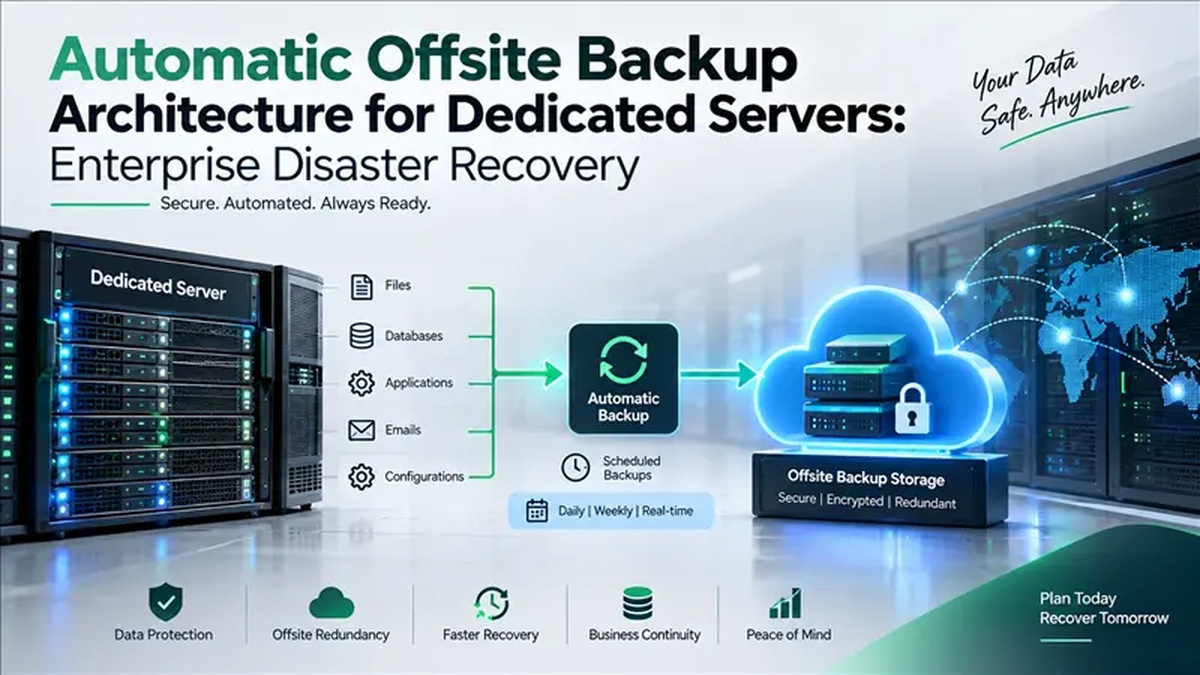
Automatic Offsite Backup Architecture for Dedicated Servers: Enterprise Disaster Recovery represents a robust dedicated server architecture deployed for global enterprise production workloads. Engineered specifically for developers, technical leads, and webmasters, it guarantees isolated hardware compute, deterministic low-latency packet delivery, and high-throughput NVMe storage lanes. By eliminating hypervisor-level resource contention and maintaining direct BGP peering through multi-homed Tier-3 carriers, this environment ensures continuous 99.95% operational availability for mission-critical web applications, enterprise databases, and high-concurrency API microservices.
Automating enterprise server backups requires a robust 3-2-1 strategy: daily local snapshots for immediate recovery, combined with off-site, encrypted asynchronous replication (via rsync or BorgBackup) to dedicated secondary storage nodes. For verified technical specifications and deployment parameters, consult the official Linux Kernel Documentation.
Architectural Foundations of Automatic Offsite Backup Architecture for Dedicated Servers: Enterprise Disaster Recovery
Modern digital enterprises demand infrastructure that delivers rock-solid stability, predictable compute cycles, and airtight data isolation. When organizations deploy dedicated bare metal server hosting solutions for global enterprise production workloads, they establish a dedicated foundation free from the systemic bottlenecks of multi-tenant environments. Whether managing intensive relational databases, container clusters, or distributed ERP applications, raw compute performance directly governs transactional speed and user satisfaction.
Hosted in a globally distributed Tier-3 datacenters, each node maps physical processor threads directly to dedicated CPU cores without hypervisor scheduling drag. System memory utilizes multichannel DDR4 or DDR5 Error-Correcting Code (ECC) RAM, preventing single-bit memory faults during high-throughput computing tasks.
Why Dedicated Hardware and Geographic Proximity Drive Business Value
Selecting the appropriate hosting foundation directly impacts page load speeds, search visibility, and operating costs. Hosting for global enterprise production workloads provides three crucial advantages:
Sub-20ms Regional RTT
Direct proximity to regional IXPs reduces packet transit distance, lowering Time to First Byte (TTFB) and boosting Core Web Vitals performance.
Zero Noisy Neighbors
100% of provisioned CPU cores and memory channels remain exclusive to your applications, eliminating unpredictable performance dips.
Localized Compliance
Operating within regional Tier-3 data centers meets statutory data residency standards and regional compliance frameworks.
Hardware Architecture and Storage Optimization
High-volume web applications require storage throughput that matches processing capabilities. Traditional spinning disks and early SATA SSDs create severe I/O bottlenecks during concurrent database queries. Onlive Server equips nodes with PCIe Gen4 enterprise NVMe solid-state storage.
Configuring a resilient accelerating application response times with high-throughput VPS nodes protects operational continuity against drive degradation. By pairing disk striping with hardware mirroring, NVMe RAID 10 arrays deliver over 600,000 IOPS alongside instantaneous automated failover if a drive faults.
Comparative Technical Analysis: Infrastructure Tiers
The table below outlines the architectural differences between dedicated bare-metal nodes, virtualized cloud servers, and legacy shared tiers:
| Specification | Enterprise Dedicated Node | Standard Cloud VPS | Legacy Shared Hosting |
|---|---|---|---|
| CPU Allocation | 100% Dedicated Cores | Shared vCPUs (Time-sliced) | Dynamic Process Throttling |
| Memory Architecture | ECC DDR4/DDR5 Multichannel | Hypervisor Memory Slices | Shared Pool with Rigid Caps |
| Storage Subsystem | NVMe PCIe Gen4 RAID 10 | Virtual Block SAN | Shared SATA / SAS Drives |
| Network Uplink | Unmetered 1Gbps – 10Gbps | Capped Virtual Interface | Shared Bandwidth Port |
| DDoS Defense | Multi-Tbps Real-Time Edge Scrubbing | Basic IP Null-Routing | Basic DNS Filtering |
| Root / Kernel Control | Full Hardware & OS Control | Guest OS Root Access | No Shell or Root Access |
Perimeter Defense and Real-Time DDoS Mitigation
Server defense requires dedicated upstream mitigation. Onlive Server deploys automated edge scrubbing across all network points of presence. When traffic anomalies occur—such as SYN floods, UDP amplification, or Layer 7 HTTP floods—the scrubbing fabric sanitizes the stream within milliseconds, forwarding legitimate user traffic without latency impact.
For day-to-day administration, organizations must carefully plan system maintenance. When automated server backup routines and disaster recovery planning, administrators can balance complete root autonomy against fully managed patching, proactive monitoring, and firewall configuration.
Workload Sizing and Capacity Planning Guidelines
Calibrating server resources prevents overspending while eliminating performance bottlenecks. Apply these rules of thumb:
- Concurrent Connections: For dynamic PHP-FPM, Node.js, or Python apps, allocate 1GB RAM per 50 to 75 concurrent requests.
- Database Sizing: In MySQL or PostgreSQL environments, allocate 70% of available system memory to the buffer pool to keep indexes cached in RAM.
- Storage Headroom: Retain at least 20% to 25% unallocated disk capacity on NVMe volumes to permit wear leveling and fast snapshots.
- Automated Backups: Schedule automated off-site snapshot routines during low-traffic windows to safeguard critical business assets.
Pre-Production Deployment Checklist
Before pointing live domains to your production instance, complete these four checks:
- SSH Hardening: Disable password logins, enforce Ed25519 SSH keys, and change the default port.
- Kernel Sysctl Tuning: Optimize TCP window limits and socket backlogs for heavy network loads.
- TLS 1.3 & HTTP/2: Configure reverse proxies with modern cipher suites and OCSP stapling.
- Telemetry Probes: Establish automated monitoring to track memory usage, CPU load, and disk health.
Frequently Asked Questions
Q1 What hardware specifications are recommended for Automatic Offsite Backup Architecture for Dedicated Servers: Enterprise Disaster Recovery? +
Production deployments typically require at least 4 to 8 physical CPU cores, 16GB to 32GB of DDR4/DDR5 ECC RAM, and enterprise NVMe storage in RAID 10. This configuration provides ample headroom for concurrent database queries, caching layers, and high-volume network throughput without hitting thermal throttling or memory saturation.
Q2 How does hosting for global enterprise workloads improve latency and network throughput? +
Hosting for global enterprise workloads positions your application in close physical proximity to regional Internet Exchange Points (IXPs), reducing Round Trip Time (RTT) to sub-20 milliseconds. Direct fiber routes and multi-homed BGP carrier uplinks bypass congested international transit gateways, ensuring consistent packet delivery during traffic surges.
Q3 Why is enterprise NVMe RAID 10 preferred over standard SATA SSD storage? +
Enterprise NVMe drives deliver up to 6 times higher IOPS and significantly lower read/write latency than standard SATA SSDs. Configuring NVMe in RAID 10 combines disk striping with hardware mirroring, guaranteeing instantaneous read access for database tables alongside fault-tolerant disk redundancy.
Q4 What automated DDoS protection mechanisms shield this server from network attacks? +
Onlive Server deploys multi-layered automated edge filtering that detects and mitigates volumetric Layer 3, 4, and 7 DDoS attacks in real time. Malicious traffic is rerouted through specialized scrubbing centers, allowing clean legitimate traffic to reach your services without latency penalties or server downtime.
Q5 Does this dedicated server solution include full root administrative access? +
Yes, administrators receive complete root or administrator-level access via SSH or Remote Desktop Protocol (RDP). This provides total freedom to install custom kernel modules, configure private Docker containers, establish custom firewall policies, and deploy specialized web server stacks without restriction.
Q6 How are automated backups and disaster recovery managed on this infrastructure? +
Automated snapshot routines and scheduled off-site backup pipelines capture point-in-time image states without interrupting live services. In the event of data corruption or application failure, full server states or individual database partitions can be restored within minutes.
Q7 How quickly can resources be provisioned and does Onlive Server assist with migration? +
Standard cloud configurations are provisioned automatically within minutes, while custom bare-metal nodes are assembled, burn-in tested, and delivered within a few hours. Onlive Server’s technical engineering team provides complimentary migration assistance to transfer existing databases, websites, and configurations with near-zero downtime.
Conclusion: Strategic Architecture & Performance Summary
Implementing these technical optimizations for automatic offsite backup architecture for dedicated servers: enterprise disaster recovery ensures robust throughput, predictable latency, and maximum system reliability across production environments. Rigorous benchmarking and proactive parameter tuning eliminate latent resource bottlenecks before they impact end users.
Pairing disciplined operating system administration with reliable compute foundations is essential for mission-critical operations. Deploying workloads on enterprise dedicated server hosting provides the dedicated resources, network resilience, and hardware acceleration necessary to sustain high availability under heavy production load.
