

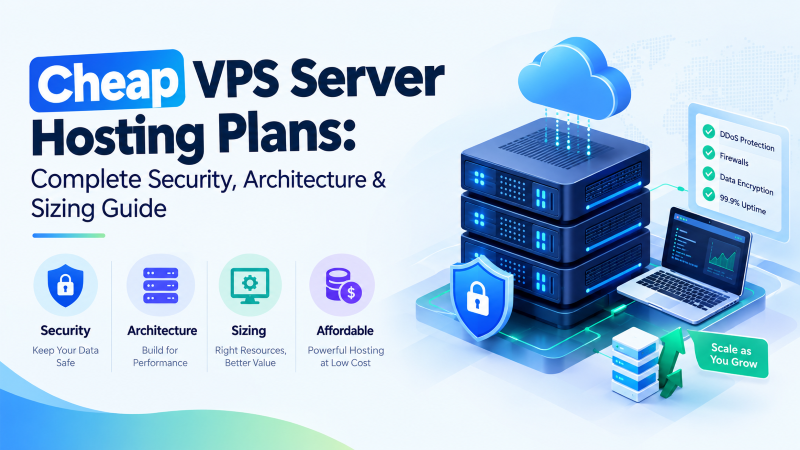
Quick Architectural Answer: Cheap VPS Server Hosting Plans
Evaluating cheap VPS server hosting plans requires balancing physical silicon isolation, dedicated ECC memory, and enterprise-grade firewall protection. Low-cost hosting plans often compromise on security by deploying on overcommitted container virtualization without native firewall controls. An engineered cheap VPS server hosting plan delivers hardware-assisted KVM hypervisor isolation, direct PCIe NVMe RAID-10 storage pools, stateful Linux host firewalls (NFTables / UFW), and automated upstream edge DDoS mitigation at predictable, fixed monthly rates.
Selecting an entry-level or budget-friendly server hosting plan is one of the most consequential decisions for developers, e-commerce administrators, and growing businesses. Inexperienced buyers frequently evaluate hosting services purely on surface price tags, only to discover post-deployment that their instances suffer from high CPU steal, throttled disk I/O, and zero network perimeter defenses against automated malicious traffic.
This technical evaluation guide establishes an architectural blueprint for selecting, sizing, and securing modern cheap VPS server hosting plans. We examine the structural differences between hardware-assisted KVM virtualization and legacy container platforms, break down workload sizing across 4 distinct deployment tiers, provide copy-paste production firewall runbooks, and illustrate how automated DDoS mitigation eliminates downtime without inflating operating costs.
Executive Chapter Index
8 Technical Modules • Verified Runbooks
1. Core Architecture: KVM Hypervisor Isolation vs. Container Virtualization
The primary technical parameter distinguishing high-reliability servers from unreliable budget hosts is the underlying virtualization hypervisor. Low-cost providers routinely reduce infrastructure capital expenditures by deploying container technologies such as OpenVZ or shared LXC templates. Under container virtualization, all tenant instances share a single monolithic host operating system kernel. If a neighboring tenant triggers an aggressive memory allocation or suffers a Denial of Service attack, the host kernel’s Out-Of-Memory (OOM) killer indiscriminately terminates processes across all tenant containers.
In contrast, production-grade cheap VPS server hosting plans deploy Kernel-based Virtual Machine (KVM) technology. KVM utilizes hardware virtualization extensions (Intel VT-x and AMD-V) built into modern server silicon. As recognized by enterprise architecture standards published by the Linux Foundation, KVM presents virtual CPUs and memory addresses directly to an independent guest kernel. Each virtual instance operates as an autonomous system process, ensuring deterministic thread execution, private memory space, and unrestricted root access to load custom firewall modules.
| Architectural Parameter | Shared Container (OpenVZ / LXC) | Generic Budget VPS | KVM-Isolated Cheap VPS Hosting |
|---|---|---|---|
| Operating System Kernel | Shared host kernel (Restricted) | Emulated virtualization layer | 100% Autonomous, Dedicated Guest Kernel |
| Memory Allocation Model | Burstable RAM (Subject to ballooning) | Dynamic allocation with swapping | Dedicated, Unshared Physical ECC RAM |
| CPU Thread Scheduling | Oversubscribed host scheduler | Shared CPU with variable contention | Dedicated vCPU execution mapping |
| Firewall & Packet Filtering | Restricted iptables modules | Basic interface rate limits | Full Netfilter, NFTables & eBPF support |
| Kernel Parameter Tuning | Locked sysctl configuration | Partial sysctl access | Complete root-level sysctl / BBR tuning |
Deploying on hardware-assisted KVM virtualization ensures that your instances operate with sub-millisecond execution predictability. To understand how hypervisor isolation interacts with direct-attached NVMe storage controllers, consult our foundational cheap VPS server hosting solution architecture.
2. Hardware Resource Sizing & Tier Evaluation Matrix
Accurate compute sizing prevents service degradation while avoiding the financial waste of over-provisioning. When evaluating commercial tiers across our cheap VPS server hosting plans, system administrators must align vCPU core allocations, ECC memory buffers, and storage throughput with their application workload profiles:
| Hosting Plan Tier | Compute (vCPU) | ECC Memory (RAM) | NVMe RAID-10 Storage | Optimal Production Workload Profile |
|---|---|---|---|---|
| Entry Compute Plan | 1 vCPU (Dedicated Thread) | 2 GB DDR4 ECC | 30 GB NVMe Gen4 | Static websites, lightweight microservices, DNS resolvers, VPN nodes |
| Standard Production Plan | 2 vCPU (Dedicated Cores) | 4 GB DDR4 ECC | 60 GB NVMe Gen4 | WordPress / WooCommerce blogs, REST API backends, development staging |
| Business Scaler Plan | 4 vCPU (High-IPC Cores) | 8 GB DDR4 ECC | 120 GB NVMe Gen4 | High-traffic e-commerce, transactional databases (MariaDB), CRM stacks |
| Enterprise Pro Plan | 8 vCPU (High-IPC Cores) | 16 GB DDR4/DDR5 ECC | 250 GB+ NVMe Gen4 | Redis caching clusters, SaaS platforms, high-concurrency Node.js APIs |
All tiers utilize enterprise Non-Volatile Memory Express (NVMe) solid-state storage organized in hardware RAID-10 (striped and mirrored) arrays. By bypassing legacy SATA controller interfaces, PCIe NVMe storage delivers random read/write speeds exceeding 350,000 IOPS with sub-250 microsecond access latencies, eliminating database query deadlocks during peak customer traffic.
3. Multi-Layer Security Architecture: Edge Scrubbing vs. Stateful Host Firewalls
Securing low-cost virtual private servers requires a defense-in-depth model that segments perimeter volumetric traffic from local host application filtering. A stateful host firewall cannot withstand a 40 Gbps volumetric DDoS attack alone; conversely, upstream scrubbers cannot protect against unauthenticated application brute-force attempts. Modern cheap VPS server hosting plans bridge this gap by deploying multi-tiered mitigation fabrics:
- Layer 1: Upstream Carrier Edge Scrubbing (BGP Anycast): Ingress network traffic traverses automated scrubbing centers deployed across Tier-1 transit providers. Volumetric anomalies—such as UDP amplification, DNS reflection, and ICMP floods—are identified and dropped at the network edge before malicious packets ever reach the datacenter top-of-rack switches.
- Layer 2: In-Kernel Packet Filtering (Netfilter / NFTables): Legitimate packets passing edge scrubbing arrive at your virtual network interface (vNIC). Here, Linux Netfilter hooks process stateful connection tracking, dropping invalid TCP packet flags, enforcing strict port whitelisting, and rate-limiting connection requests.
- Layer 3: Application Security & Fail2ban: Log-parsing intrusion prevention daemons continuously monitor authentication logs, dynamically generating transient firewall rules to block IPs conducting credential brute-force attacks against SSH, FTP, or administrative web portals.
| Defense Mechanism | Carrier Edge Scrubbing | Stateful Host Firewall (NFTables / UFW) | Application Log Defense (Fail2ban) |
|---|---|---|---|
| OSI Protection Layer | Layer 3 (Network) & Layer 4 (Transport) | Layer 4 (Stateful TCP/UDP/ICMP) | Layer 7 (Application & Auth) |
| Mitigation Location | Carrier Transit Edge / Scrubbing Center | Local Linux Host Kernel Space | Local Linux Host User Space |
| Target Threats | Volumetric UDP floods, SYN floods (>10Gbps) | Port scans, unwhitelisted port probing, TCP anomalies | SSH brute-force, wp-login attacks, API scraping |
| VPS Resource Overhead | 0.00% Host CPU / RAM Impact | < 0.5% CPU (Kernel Netfilter hook) | < 1.0% CPU (Log polling daemon) |
For detailed architectural frameworks on enterprise firewall integration across geographic deployments, review our analysis on enterprise VPS firewall security infrastructure.
4. Production NFTables & UFW Network Hardening Runbook
Deploying a clean, stateful firewall is the first administrative action required upon provisioning a virtual server. Modern Linux distributions have replaced legacy iptables with NFTables, which provides a unified syntax, atomic rule updates, and significantly reduced CPU overhead when processing thousands of concurrent socket states.
Production NFTables Rulebook: Drop Invalid Packets & Rate-Limit Connections
Deploy a hardened NFTables ruleset conforming to Netfilter Project security standards.
BASH // NFTABLES_CONFIG
# Flush existing rules and load hardened base policy
cat << 'EOF' > /etc/nftables.conf
#!/usr/sbin/nft -f
flush ruleset

table inet filter {
    chain input {
        type filter hook input priority filter; policy drop;

        # Accept loopback and established connections
        iif "lo" accept
        ct state established,related accept

        # Drop invalid packet states immediately
        ct state invalid drop

        # Rate-limit ICMP ping requests to prevent flood exhaustion
        ip protocol icmp icmp type echo-request limit rate 5/second accept

        # Allow hardened SSH on port 22 with connection rate limiting
        tcp dport 22 ct state new limit rate 10/minute accept

        # Allow HTTP and HTTPS web traffic
        tcp dport { 80, 443 } ct state new accept
    }

    chain forward {
        type filter hook forward priority filter; policy drop;
    }

    chain output {
        type filter hook output priority filter; policy accept;
    }
}
EOF

# Test and enable NFTables service
nft -c -f /etc/nftables.conf
systemctl enable --now nftables
5. Linux Kernel TCP Stack Optimization for High-Concurrency Traffic
When high-concurrency traffic surges, default Linux kernel socket parameters can cause connection timeouts or dropped packets. By tuning connection tracking table limits (nf_conntrack) and loading Google’s BBR (Bottleneck Bandwidth and RTT) congestion control algorithm, your virtual private server can process tens of thousands of simultaneous web requests without kernel socket exhaustion.
Production Sysctl Hardening Runbook
Apply optimized network parameters to /etc/sysctl.d/99-vps-security.conf.
BASH // SYSCTL_SECURITY
cat << 'EOF' > /etc/sysctl.d/99-vps-security.conf
# Protect against SYN flood attacks
net.ipv4.tcp_syncookies = 1
net.ipv4.tcp_max_syn_backlog = 8192
net.ipv4.tcp_synack_retries = 2

# Increase connection tracking table capacity
net.netfilter.nf_conntrack_max = 262144
net.netfilter.nf_conntrack_tcp_timeout_established = 7200

# Prevent IP source routing and redirect attacks
net.ipv4.conf.all.accept_source_route = 0
net.ipv4.conf.all.accept_redirects = 0
net.ipv4.conf.all.send_redirects = 0

# Enable TCP BBR Congestion Control
net.core.default_qdisc = fq
net.ipv4.tcp_congestion_control = bbr
EOF

# Load sysctl configuration
sysctl -p /etc/sysctl.d/99-vps-security.conf
Configuring these parameters prevents connection tracking exhaustion during traffic spikes, ensuring that your cheap VPS server hosting plans maintain wire-speed network throughput under heavy transactional query loads.
6. Operating System & Web Stack Ecosystem Compatibility
A major advantage of deploying an autonomous KVM virtual machine is universal software and operating system compatibility. Because our hosting plans provide full root SSH access and dedicated virtual hardware maps, you are never restricted by vendor-locked operating environments:
- Enterprise Linux Distributions: Deploy Ubuntu Server (22.04 / 24.04 LTS), Debian (11 / 12), AlmaLinux, Rocky Linux, or Alpine Linux with zero hypervisor constraints.
- Windows Server Environments: Selected multi-core budget VPS hosting configurations support Windows Server 2019 / 2022 with native Remote Desktop Protocol (RDP) access for enterprise .NET and ASP applications.
- Control Panel Ecosystems: Install enterprise commercial web management panels (cPanel/WHM, Plesk) or lightweight, modern open-source control panels including CloudPanel, CyberPanel, and aaPanel.
- Container Stacks: Full root privileges allow direct deployment of Docker Engine, Docker Compose, and lightweight Kubernetes (k3s) clusters for modern microservices architectures.
For cost comparison models when deploying scaled control panels and database applications, review our guide on affordable VPS hosting services.
7. Total Cost of Ownership (TCO): Budget VPS Plans vs. Public Hyperscalers
Public hyperscalers—such as Amazon Web Services (AWS EC2), Microsoft Azure, and Google Cloud Platform (GCP)—charge steep hourly premiums for compute while penalizing businesses with punitive egress bandwidth surcharges ($0.08 to $0.12 per gigabyte). For consistent, predictable production workloads, hyperscale cloud architectures frequently lead to budget overruns. In contrast, engineered cheap VPS server hosting plans offer predictable, flat-rate billing:
| Cost Element | Public Hyperscale Cloud (AWS EC2) | Unmanaged Budget VPS (Overcommitted) | Onlive Server Cheap VPS Hosting Plans |
|---|---|---|---|
| Base Compute (4 vCPU / 8 GB RAM) | $140 – $180 / month | $12 – $20 / month | Predictable, Flat Monthly Billing |
| Bandwidth Egress (5 TB Transfer) | $425.00+ (Opaque per-GB metered fees) | Throttled port with overage surcharges | Generous / Unmetered High-Speed Port |
| Automated Edge DDoS Mitigation | AWS Shield Advanced ($3,000/mo minimum) | Null-routed IP during volumetric floods | Included Automated Carrier Edge Scrubbing |
| Storage Subsystems (PCIe NVMe) | Provisioned IOPS EBS volumes ($0.065/IOPS) | Shared SATA or legacy mechanical drives | High-Speed PCIe NVMe RAID-10 Included |
| 3-Year Projected TCO | $20,000 – $25,000+ | $600 – $1,000 (Severe downtime risk) | $1,200 – $2,200 (65%–85% TCO Savings) |
8. Security Verification & Port Auditing Runbook
Prior to migrating production data or commercial domains, administrators should verify that perimeter firewalls correctly filter unauthorized connection attempts across their production virtual server environments.
Runbook: External Nmap Port Audit & Firewall Verification
Execute an external TCP SYN scan from an administrative workstation to confirm that closed ports report as filtered rather than closed.
BASH // SECURITY_AUDIT
# Execute TCP SYN Stealth Scan against your VPS IP
nmap -sS -p 1-1024 -T4 your-vps-ip

# Expected output for hardened firewall:
# PORT    STATE    SERVICE
# 22/tcp  open     ssh
# 80/tcp  open     http
# 443/tcp open     https
# All other 1021 scanned ports report: filtered (no-response)❓Frequently Asked Questions
Strategic Architecture Takeaways: Cheap VPS Hosting Plans
Dedicated vCPU execution mappings and private memory boundaries eliminate noisy-neighbor compute contention and memory ballooning.
Combining upstream carrier-grade edge DDoS scrubbing with in-kernel NFTables and UFW rules protects against volumetric floods and port exploits.
Direct silicon bus interfaces deliver over 350,000 IOPS and sub-250µs access latencies, eliminating transactional database deadlocks.
Flat-rate monthly billing with bundled bandwidth and security eliminates unpredictable egress surcharges, lowering 3-year TCO by up to 85%.
Instant automated provisioning with KVM hypervisor isolation, PCIe NVMe storage arrays, and automated edge firewall defenses.
