

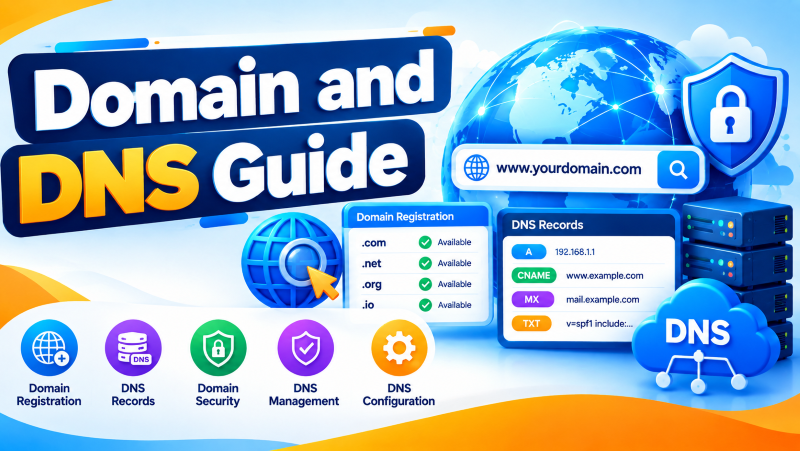
Managing corporate domains and DNS infrastructure requires configuring fundamental resource records: A/AAAA records (IP mapping), CNAME (canonical aliases), MX (mail exchange routing), and TXT records for email security (SPF, DKIM, DMARC). Production security demands enabling DNSSEC to prevent cache poisoning, locking domain registrar transfers via Registry Lock, and using Anycast DNS for sub-second global resolution.
📑 Table of Contents
Quick NavigationThere are two things that are vital to every website on the internet a domain name and the Domain Name System (DNS). A domain name provides your site with a web server identity and DNS helps direct visitors to the right web server when they type your domain name into your browser. From building your own blog to setting up an eCommerce store to establishing your business website, knowing what domains and DNS are and how they operate is crucial to creating a safe and reliable online presence. For verified technical specifications and deployment parameters, consult the official IETF RFC Standards.
What Is a Domain Name
A domain name is an Internet address that can be easily read by human beings and enables easy access to the website without the need to memorize the complex Internet protocol number. For instance, when users type a numerical IP address, e.g., 192.168.1.1, they can enter a domain name, e.g., example.com. Each domain name is different and acts as a website’s identification. Domains can be registered with a domain registrar that is accredited by any country and may have a variety of extensions like .com, .net, .org, or country-specific extensions like .in, .uk etc.
What Is DNS (Domain Name System)
The DNS system can be described as the internet phonebook, where human-readable names are changed to numeric machine-addresses. Once a user enters a particular domain name in their web browser, DNS finds an associated IP address and then connects the browser to the appropriate web server. In the absence of DNS, the user would be required to remember IP addresses of all websites they visited.
How DNS Resolution Works
DNS resolution involves translating domain names to the corresponding IP address. When a web page is requested by the user, the browser searches for the DNS details in the local cache. If no details can be found, then the request is sent to the recursive DNS server, which contacts the root, TLD, and authoritative DNS servers to find the IP address. After locating the IP address, it is sent back to the browser, allowing the web page to be loaded quickly.
What Is Domain Registration
Domain registration is the process of securing a unique domain name through a domain registrar for a certain period of time, which typically ranges from one year up to ten years. Prior to domain registration, the user needs to ensure the availability of the required domain name. Upon successful completion of domain registration, the registered user is then considered as the legal owner of that particular domain so long as it is kept renewed prior to its expiration date.
What Are DNS Records
These records contain information about the domain’s behavior and tell where certain services need to point. DNS records can assist in connecting your domain to servers, whether those servers host websites or handle other Internet services. There are different types of DNS records, each used for a different reason like mapping domains to an IP address, managing email traffic, proving domain ownership, and setting up security options.
Types of DNS Records
DNS includes several record types, each serving a different purpose. The A Record maps a domain to an IPv4 address, while the AAAA Record points to an IPv6 address. A CNAME Record creates an alias for another domain, making it easier to manage multiple hostnames. The MX Record directs email traffic to the appropriate mail server, and the TXT Record stores text information used for domain verification and email security technologies such as SPF, DKIM, and DMARC.
Other important records include NS Records, which identify authoritative name servers, SOA Records, which contain administrative information about the DNS zone, and CAA Records, which specify which certificate authorities are allowed to issue SSL/TLS certificates for a domain.
What Is DNS Propagation
DNS Propagation is the time taken by updated DNS entries to spread all around the world to various DNS servers. Anytime there are changes in DNS settings like updating the IP address or the Name server, it takes some time for these changes to propagate to internet service providers all over the world. The time taken by DNS propagation depends upon the TTL values assigned to these DNS records and varies between few minutes to 48 hours.
DNS Security Best Practices
The Domain Name System (DNS) is essentially the phonebook of the internet, translating human-readable names like example.com into machine-readable IP addresses. Because it was designed decades ago without security in mind, securing your DNS is crucial to prevent cybercriminals from intercepting your traffic.
Implement Access Control
Restrict who can modify your DNS records. Use strong, unique passwords and enforce Multi-Factor Authentication (MFA) on your domain registrar and DNS hosting accounts.
Use Redundant DNS Providers
Relying on a single DNS provider leaves you vulnerable to Distributed Denial of Service (DDoS) attacks. Secondary or Anycast DNS setups distribute your DNS load across multiple global servers, keeping your site online even during an attack.
Audit Your DNS Records Regularly
Clean up stale or unused records (like old CNAME or TXT pointers). Leaving dead records active can expose you to “subdomain takeover” attacks, where a hacker claims the abandoned third-party service, your subdomain still points to.
Monitor DNS Logs
Track anomalies like a sudden spike in queries or unauthorized changes to your zone files.
What Is DNSSEC and Why Is It Important
DNSSEC stands for Domain Name System Security Extensions. Think of it as a digital signature for your DNS records.
By default, when a browser asks for a website’s IP address, it blindly trusts the answer it gets back. Hackers exploit this via DNS spoofing (or cache poisoning), intercepting the request and sending the user to a fake, malicious website that looks exactly like the real thing.
[ Your Browser] —> (Asks for IP) —> [ DNS Resolver]
|
(Intercepted by Hacker!)
v
[ Fake Website] <— (Gives Fake IP) <— [Attacker]
DNSSEC fixes this loophole. It adds cryptographic signatures to your DNS records. When your browser queries a DNSSEC-protected domain, the DNS resolver verifies the digital signature against a trusted key. If the signature matches, the traffic goes through; if someone tries to tamper with the data, the verification fails, and the fake response is rejected.
Tips for Choosing the Right Domain Name
Your domain name is your digital storefront. It impacts your brand identity, user trust, and search engine optimization (SEO).
Keep It Short and Easy to Spell
If you have to spell it out over the phone, it’s too complicated. Avoid double letters (like bakingingredients.com), which lead to typos.
Stick to .com When Possible
Even with hundreds of new extensions (like .app).com remains the most trusted and instinctively typed extension by users. If .com isn’t available, look at reputable alternatives like .net, .co, or country-specific codes (like .uk or .in) if your business is local.
Avoid Hyphens and Numbers
People easily forget hyphens, and numbers lead to confusion (is it 3 or three?).
Make It Brandable
Choose a name that stands out and reflects your identity rather than a generic string of keywords.
Common Domain Registration Mistakes to Avoid
A few oversights during registration can cost you your brand, your money, or your privacy down the road.
Registering Under an Employee’s Personal Account
Always register your domain using a generic company email (like admin@yourcompany.com) or an account owned directly by the business founder. If an employee leaves on bad terms and the domain is in their personal account, you could lose access to your website.
Skipping WHOIS Privacy Protection
When you register a domain, ICANN (the governing body) requires your name, email, phone number, and address to be public. Skipping privacy protection means spammers, scammers, and telemarketers will scrape your info immediately. Most good registrars now include this for free.
Forgetting to Set Up Auto-Renew
Letting a domain expire by accident is a nightmare. Domain Name Registration squatters use bots to instantly snap up expired domains and will try to sell yours back to you for thousands of dollars. Always turn on auto-renew and keep your payment methods updated.
Not Buying Close Variations
If your brand takes off, copycats might buy the .net version or common typos of your name to steal your traffic. Consider buying the most obvious variations early on.
Conclusion: Building a Resilient & Scalable Domain & DNS Infrastructure
Creating a safe DNS and picking the correct domain is the first building block for your company’s internet identity. Protecting yourself through security tools such as DNSSEC and MFA ensures your clients are not redirected to a malicious website. On the other hand, picking the correct domain will ensure that your business is professional and scalable.
To ensure round-the-clock infrastructure availability, proactive security hardening, and rapid vulnerability patching, partnering with proactive server management and security support safeguards servers against unauthorized access and operational downtime.
Frequently Asked Questions (FAQs)
Can I change my domain name later?
Yes, but it’s a headache. You’ll have to buy the new domain, set up 301 redirects from the old pages to the new ones, and temporarily risk losing some SEO ranking while search engines re-index your new site. It’s best to get it right the first time.
Does DNSSEC protect my website content from being hacked?
No. DNSSEC only ensures that users are directed to your actual server. It does not protect your website from malware, database hacks, or server vulnerabilities. You still need an SSL certificate (HTTPS) and good website security practices.
What is the difference between a domain registrar and a web host?
A domain registrar is the company you pay to reserve your website address (like the street name). A web host is the company where your website’s actual files, images, and code live (like the house built on that street).
What security benefits do DNSSEC records provide for business domains?
DNSSEC adds cryptographic signatures to DNS records, preventing DNS spoofing and cache poisoning attacks to ensure visitors always reach your genuine server.
How does TTL configuration affect DNS record changes and propagation?
Lowering TTL (Time to Live) values before scheduled migrations ensures that global resolvers fetch updated server IP addresses quickly without lingering stale cache.