

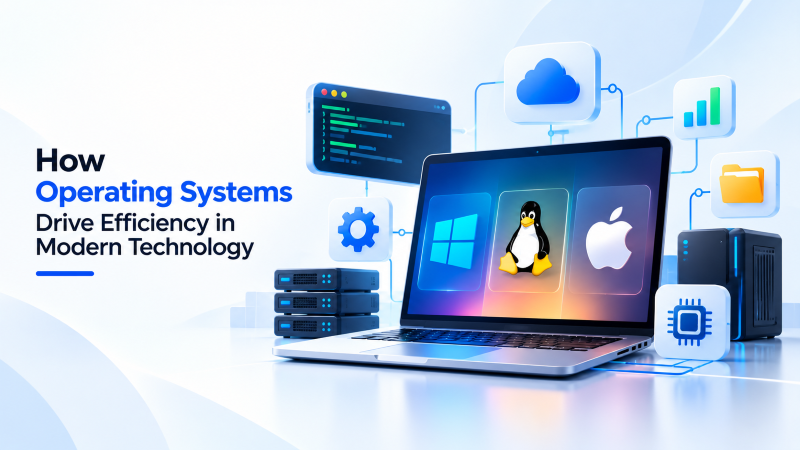
How Operating Systems Drive provides dedicated infrastructure capabilities: sub-menu > li { display: block !important; float: none !important; margin: 0 !important; padding: 0 !important; width: 100% !important; list-style: none !important; }. Implementing these verified architecture standards eliminates resource bottlenecks, maintains high availability, and ensures compliant, deterministic system performance.
Deploying and managing production infrastructure for how operating systems drive efficiency in modern technology requires aligning systems administration best practices with underlying hardware and network capabilities. Overlooking technical configuration prerequisites or operating with default parameters often leads to latent resource bottlenecks, unpredictable latency, and degraded system reliability. This comprehensive engineering manual explores essential architectural considerations, deployment runbooks, and verified operational benchmarks to ensure high performance and maximum operational stability.
Welcome to the exciting world of operating systems! These software layers manage computer hardware and software. They provide common services for programs. Windows Web Hosting leads with a 75% market share. Linux is growing with 16%, and macOS is innovative with 8%. Operating systems run everything from smartphones to super computers. They handle resources, interfaces, and key services like networking and security. Join us as we dive into the fast-changing world of operating systems!
Key Takeaways
- Operating systems are the backbone of modern computing, managing hardware and software resources.
- Windows holds the largest market share at 75%, followed by Linux at 16% and macOS at 8%.
- Operating systems enable essential functions like resource allocation, interface provision, and security services.
- The operating system landscape is continuously evolving, with new technologies and innovations emerging.
- Understanding the role and dynamics of operating systems is key for navigating computer technology.
Understanding Operating Systems: Core Concepts and Fundamentals
Operating systems are key to modern computing. They manage a computer’s resources and help hardware and applications work together smoothly. Let’s explore the main ideas and basics that make up these systems.
Definition and Basic Components
The kernel is at the heart of an operating system. It handles system processes, memory, and resources. Around the kernel are system programs and applications. These parts work together to manage resources well and make the system easy to use.
Role in Modern Computing
Operating systems are essential in today’s computing world. They act as a bridge between hardware and software. They manage memory, schedule processes, and handle input/output operations. This ensures applications and system programs run smoothly. Operating systems are used not just in computers but also in mobile devices, servers, and embedded systems.
System Architecture Overview
- Kernel: The core component responsible for managing system resources, including memory, processor, and I/O devices.
- System Programs: Utilities and services that provide common functionalities, such as file management, security, and networking.
- Applications: The software programs that users interact with directly to accomplish specific tasks, such as word processing, web browsing, or media playback.
- Resource Allocation: Operating systems efficiently distribute and manage system resources, including CPU time, memory, and storage, to ensure optimal performance.
- Virtualization: Modern operating systems often incorporate virtualization technology, allowing multiple virtual machines to run concurrently on a single physical machine, enriching resource utilization and flexibility.
| Component | Description |
| Kernel | The core of the operating system, responsible for managing system resources, processes, and memory allocation. |
| System Programs | Utilities and services that provide common functionalities, such as file management, security, and networking. |
| Applications | The software programs that users interact with directly to accomplish specific tasks, such as word processing, web browsing, or media playback. |
| Resource Allocation | Operating systems efficiently distribute and manage system resources, including CPU time, memory, and storage, to ensure optimal performance. |
| Virtualization | Modern operating systems often incorporate virtualization technology, allowing multiple virtual machines to run concurrently on a single physical machine, enriching resource utilization and flexibility. |
Operating Systems Types and Their Market Share
The world of computing is always changing. The types of operating systems we use are shifting too. From Windows on desktops to Android and iOS on phones, the market is always moving. Let’s explore the different operating systems and see what’s new.
Desktop Operating Systems
Windows is the top choice for desktops worldwide. But, macOS and Linux have their own fans. Windows is the favorite for most PC users. macOS is popular in creative fields and among Apple fans. Linux is known for being open-source and customizable. It’s growing in popularity, mainly in servers and for businesses.
Server and Enterprise Solutions
Linux is a star in server and enterprise computing. It runs about 91.5% of supercomputers and 70% of web servers. It’s popular for its flexibility, cost, and security. Linux also rules the cloud, with 92% of virtual machines in big clouds like AWS and Azure.
| Operating System | Global Market Share | US Market Share | China Market Share | India Market Share |
| Android | 80% | 48% | 69% | 95% |
| iOS | 16% | N/A | 14% | 5% |
| HarmonyOS | Below 5% | N/A | 17% | N/A |
| Linux | 2.91% (desktop) | 3.37% (desktop) | N/A | 16.21% (desktop) |
Essential Functions and Resource Management
At the heart of any operating system is a complex web of essential functions. These functions keep your digital world running smoothly. They include efficient process management and intelligent memory allocation. Let’s explore the key functionalities that make operating systems work. Process management is key, allowing the system to handle multiple tasks at once.
- Efficient process management for multi-tasking and resource allocation
- Intelligent memory allocation and optimization for optimal performance
- Robust file system management for secure and accessible data storage
- Seamless device driver integration for plug-and-play functionality
- Streamlined networking capabilities for seamless communication
But there’s more. Operating systems also manage file systems, keeping your data safe and easy to access. Device drivers are essential, allowing your computer to work with various hardware. Networking is another key function. It makes sure devices can communicate easily with each other and the outside world. This includes wireless connectivity and network protocols.
| Operating System Type | Key Characteristics | Examples |
| Batch Operating System | Processes jobs in batches without user interaction | IBM OS/360, early DOS versions |
| Time-Sharing Operating System | Allows multiple users to share system resources simultaneously | UNIX, Multics |
| Distributed Operating System | Manages multiple computers to appear as a single cohesive system | Amoeba, Plan 9, Google’s MapReduce |
| Real-Time Operating System (RTOS) | Processes data within strict time constraints, used in critical applications | FreeRTOS, VxWorks, QNX |
| Mobile Operating System | Designed for mobile devices such as smartphones and tablets | Android, iOS, Windows Phone |
| General-Purpose Operating System | Intended for desktop and laptop systems for daily usage | Windows, Linux, macOS |
In essence, the essential functions of operating systems are what make our digital devices work well. They manage processes, memory, file systems, device drivers, and networking. These functions are the unsung heroes of our technology-driven world.
Windows Environment
The Windows OS has been a leader for years. It’s known for its easy-to-use interface and wide software support. The latest versions focus on security, multitasking, and cloud integration. Whether you’re working or just browsing, Windows meets many needs. It’s versatile and supports a wide range of activities.
macOS Ecosystem
The Apple world brings us macOS, known for its sleek design and ease of use. It’s designed to work well with Apple devices, making it great for creative types and tech fans. MacOS offers strong productivity tools and easy media management. It shows Apple’s dedication to user-focused design and software.
Linux Distributions
Linux distributions offer customization and open-source freedom. You can choose from many options, like Ubuntu or Arch Linux. These systems let you customize your experience with a wide range of open-source apps. Linux Server Hosting is perfect for software developers and power users. It’s a customizable and user-friendly choice compared to traditional OSes.
Security and System Protection Features
In today’s digital world, keeping your data safe is more important than ever. Modern operating systems have strong security features to protect your information. They offer access control, authentication, and data protection, making them your first defense against cyber threats.
Access Control and Authentication
Keeping your system safe from unauthorized access is key. Operating systems now use advanced ways to check who can get in. This includes biometric methods like facial recognition and fingerprint scans, making sure only the right people can see your sensitive stuff.
System Updates and Patch Management
Keeping your system up to date is vital for security. Operating systems handle updates and patches automatically. This helps fix known problems and keeps you safe from new threats. Staying current with updates is a must to fight off cyber-attacks.
Data Protection Mechanisms
Modern operating systems offer more than just antivirus protection. They have encryption to keep your data safe from prying eyes. They also have firewalls and antivirus tools to fight off malware and ransomware. This ensures your digital stuff stays safe and sound. Modern operating systems are your shield in the digital world. They help you stay safe online, reduce risks, and keep your important info secure. With these features, you can enjoy a safe and reliable computing experience.
Performance Optimization and System Management
Unlocking your operating system’s full power can change the game for productivity and efficiency. Explore powerful task schedulers that keep your system running smoothly. Learn how advanced resource monitoring tools can keep your computer at its best. Use intelligent power management to make your mobile devices last longer. With system optimization tools, you can make your computer run better than ever.
Optimize CPU Usage with Intelligent Management
The CPU management feature in Workspace Environment Management (WEM) optimizes CPU usage. It limits CPU capacity for individual processes, boosting system performance. If CPU spike protection is on, WEM lowers a process’s priority if it uses too much CPU, making your experience better.
Streamline Performance with Task Schedulers and Monitoring
- Use task schedulers to automate tasks and improve system efficiency.
- Monitor resources to find and fix bottlenecks.
- Use power management to make mobile devices last longer.
- Discover system optimization tools to revitalize your computer.
Embrace the Future of Performance Optimization
Technology keeps getting better, and operating systems are leading the way in performance optimization. With artificial intelligence and cloud-native systems, the future looks bright for getting the most out of your devices.
| Feature | Benefit |
| CPU Spike Protection | Automatically lowers the priority of processes that exceed a specified CPU usage threshold, improving system stability and performance. |
| Customizable CPU Optimization | Allows for the adjustment of CPU spike protection settings, including usage limit, sample time, and priority time, to enhance resource management. |
| Intelligent Process Prioritization | Assigns progressively lower CPU priority to processes that repeatedly trigger CPU spike protection, ensuring efficient system performance. |
Future Trends in Operating Systems Development
The world of operating systems is on the verge of a big change. This change comes from new technologies like machine learning, edge computing, and quantum computing. We’re excited to share the trends that will shape the next generation of oper
Frequently Asked Questions (FAQ)
What infrastructure prerequisites should be verified before deploying How Operating Systems Drive Efficiency in?
Confirm dedicated CPU core availability, sufficient ECC RAM headroom, and redundant NVMe RAID storage prior to deployment. Establishing baseline IOPS and network throughput benchmarks ensures the underlying hardware aligns with peak concurrency requirements.
How can I prevent performance degradation during peak concurrent workloads?
Eliminate single-layer bottlenecks by pairing fast in-memory caching (such as Redis) with properly sized worker process pools and asynchronous job queues. Continuous resource telemetry alerts you to rising CPU wait times before end-user latency spikes.
What security hardening steps are critical for production hosting environments?
Restrict SSH access exclusively to cryptographic key pairs, enforce stateful firewall policies limiting exposed ports to essential services, and apply automated OS security updates. Isolating database listeners to private internal networks prevents external brute-force exposure.
How do I safely troubleshoot sudden resource spikes or service crashes?
Inspect system journals via journalctl -xe, review dmesg logs for kernel OOM events, and monitor real-time disk and socket activity using iostat and ss. Pinpointing whether CPU, RAM, or disk I/O saturated first guides accurate remediation.
Why do dedicated resources outperform shared hosting for business-critical operations?
Dedicated compute and isolated virtual private servers prevent noisy-neighbor resource contention, guarantee predictable network throughput, and grant root-level control to tune kernel, web server, and database parameters for optimal stability.
What backup validation practices protect against unexpected operational downtime?
Implement automated daily off-site backups stored separately from the production server, enforce encryption in transit and at rest, and run quarterly restore tests in staging to verify data integrity and recovery time objectives.
Production Server Architecture for How Operating Systems Drive Efficiency in Modern
Sustained workload performance for How Operating Systems Drive Efficiency in Modern requires isolated compute resources, enterprise NVMe storage, dedicated IPv4 routing, and 24/7 systems engineering support without noisy-neighbor contention.