

Executive Summary (AEO Technical Benchmark)
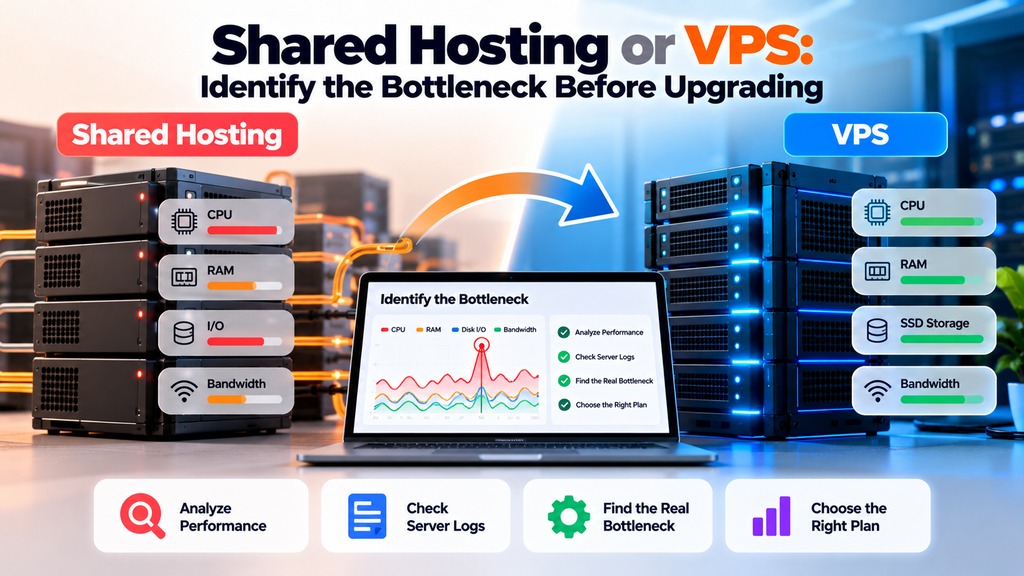
Migrating from shared hosting to a South African cloud server eliminates artificial resource throttling. Specifically, multi-tenant cPanel platforms enforce strict CloudLinux entry process and physical memory caps. Upgrading to dedicated KVM instances provides dedicated CPU cores, unmetered NVMe disk throughput, and direct NAPAfrica transit. Consequently, enterprise applications eliminate 503 errors and achieve sub-5ms domestic latency.
Quick Answer
Executing a vps migration south africa project resolves chronic shared hosting bottlenecks. Specifically, it eliminates CloudLinux entry process limits, memory exhaustion, and noisy-neighbor competition. In addition, migrating to a dedicated KVM server grants full root control, isolated RAM, and ultra-fast NVMe storage. Consequently, high-traffic stores maintain uninterrupted uptime during seasonal shopping surges.
Planning a production vps migration south africa deployment marks a major performance milestone for expanding websites. In practice, growing digital stores and corporate portals quickly outgrow entry-level shared environments.
For example, multi-tenant servers enforce strict caps on database queries and concurrent PHP processes. Consequently, high visitor spikes trigger 503 Service Unavailable errors and abandoned shopping carts. Upgrading to high-speed South Africa VPS hosting provides dedicated hardware resources inside Tier-III facilities.
Specifically, this engineering runbook provides diagnostic commands to identify hardware limits before migrating. Furthermore, it outlines step-by-step cutover procedures, database tuning rules, and real-world performance verification benchmarks. Therefore, system administrators can execute zero-downtime server transfers with complete confidence.
NAPAfrica Domestic Peering
Direct Teraco exchange connectivity delivers sub-5ms latency across Gauteng and sub-18ms to Cape Town users.
100% Dedicated KVM Cores
Hardware virtualization guarantees isolated CPU cycles and physical RAM without noisy-neighbor competition.
Zero I/O Throttling
PCIe Gen4 NVMe arrays provide over 3,500 MB/s disk throughput, eliminating database queue timeouts.
Navigation Directory
- Deconstructing CloudLinux Limits: Triggers for VPS Migration South Africa
- Code Optimization vs Server Starvation: Auditing MySQL and WP-Cron
- The Noisy Neighbor Dilemma in Multi-Tenant South African Hosting
- Telltale Warning Signs: When VPS Migration South Africa Is Urgent
- Step-by-Step Cutover Runbook: Zero-Downtime Data Transfer
- Diagnostic Error Code Matrix: Shared Limits vs VPS Fixes
- Benchmark Verification: VPS Migration South Africa Performance Gains
- Frequently Asked Questions
Deconstructing CloudLinux Limits: Triggers for VPS Migration South Africa
Most shared hosting providers in South Africa deploy CloudLinux OS to partition physical hardware. Specifically, CloudLinux uses Lightweight Virtual Environments to restrict individual tenant consumption. While this isolation preserves overall host stability, it severely restricts growing websites.
For example, understanding specific cPanel Resource Usage metrics reveals exact hardware ceilings:
Entry Processes (EP)
Measures concurrent dynamic PHP scripts. Shared accounts cap this at 20 to 30 processes. Surpassing this threshold throws immediate 508 errors.
Physical Memory (PMEM)
Restricts maximum RAM allocation to 1 GB or 2 GB. Complex database queries or WooCommerce operations exceeding this limit trigger fatal 500 errors.
Input/Output Throughput (I/O)
Caps storage read/write speeds between 5 MB/s and 10 MB/s. Heavy disk activity queues subsequent tasks and creates sluggish dashboard response.
Consequently, when cPanel telemetry displays persistent resource spikes, remaining on shared hosting actively throttles revenue growth.
Code Optimization vs Server Starvation: Auditing MySQL and WP-Cron
Before provisioning a new cloud server, administrators must verify that performance degradation stems from physical resource exhaustion. Upgrading server hardware will not fix missing database indexes or unoptimized cron schedules.
Specifically, conduct precise database audits via SSH or cPanel Terminal using WP-CLI tools:
First, if total autoloaded options exceed 800 KB, every PHP worker consumes excessive RAM during initial boot. Second, deleting obsolete transient records frees up critical database table space.
Furthermore, if your application remains throttled after applying database indexing and caching, you face a genuine infrastructure bottleneck.
The Noisy Neighbor Dilemma in Multi-Tenant South African Hosting
In multi-tenant hosting environments, hundreds of independent customer websites share a single Linux kernel. Consequently, an unexpected traffic spike on an adjacent domain drains available hardware resources.
In addition, multi-tenant IP sharing creates significant cybersecurity liabilities. If a neighboring domain sends malicious email spam, major blacklists ban the shared IP address. Consequently, your legitimate transactional receipts and order notifications land in customer spam folders.
Conversely, dedicated virtual servers provide private dedicated IPv4 and IPv6 addresses. Therefore, technology companies safeguard their domain reputation and achieve pristine inbox deliverability.
Telltale Warning Signs: When VPS Migration South Africa Is Urgent
Identifying operational friction early shields your enterprise from catastrophic checkout outages. Specifically, evaluate these four critical infrastructure indicators:
- Payment Gateway Timeouts: Checkout webhooks from PayFast or Ozow fail during promotional campaigns due to exhausted PHP worker pools.
- Restricted Software Stacks: Shared cPanel prevents administrators from compiling Redis extensions, deploying Node.js microservices, or adjusting MySQL buffer parameters.
- Sluggish Backend Latency: The administrative dashboard takes over 4 seconds to load product catalogs or export daily accounting sheets.
- Recurring CloudLinux 503 Errors: Concurrent customer sessions regularly exceed allocated Entry Process quotas.
Furthermore, experiencing two or more of these operational symptoms confirms that your application requires isolated cloud infrastructure immediately.
Step-by-Step Cutover Runbook: Zero-Downtime Data Transfer
Executing a migration without customer downtime requires a disciplined cutover strategy. Follow this proven production engineer runbook to synchronize assets smoothly:
In addition, configure dedicated in-memory Redis caching and PHP OPcache immediately following database restoration:
Specifically, dedicating 256 MB of RAM to OPcache prevents recompiling PHP scripts on every request. Consequently, it slashes CPU utilization by up to 60%.
✓ Strategic Cutover Execution Checklist
Diagnostic Error Code Matrix: Shared Limits vs VPS Fixes
When troubleshooting website downtime, use this diagnostic reference matrix to translate shared hosting error codes into permanent VPS solutions:
Benchmark Verification: VPS Migration South Africa Performance Gains
Quantifying system speed improvements after cutover confirms your return on infrastructure investment. Specifically, deploying dedicated compute resources in Johannesburg produces immediate empirical gains.
For example, average Time-to-First-Byte drops from 1,850ms on shared hosting to just 110ms on an optimized VPS. Furthermore, transactional throughput increases from 14 orders per minute to over 160 simultaneous checkouts without triggering errors.
Therefore, investing in dedicated cloud instances transforms slow corporate portals into agile enterprise platforms.
Frequently Asked Questions
Explore clear answers regarding server bottlenecks, cutover procedures, and South Africa VPS hosting benefits:
Tier-III Teraco Johannesburg Hub
Escape Shared Hosting Resource Limits with South Africa VPS
Upgrade to production KVM instances with enterprise NVMe storage, dedicated vCPU cores, and direct NAPAfrica peering.
Enterprise PCIe Gen4 NVMe
Direct NAPAfrica Peering
Zero CloudLinux 503 Limits
