

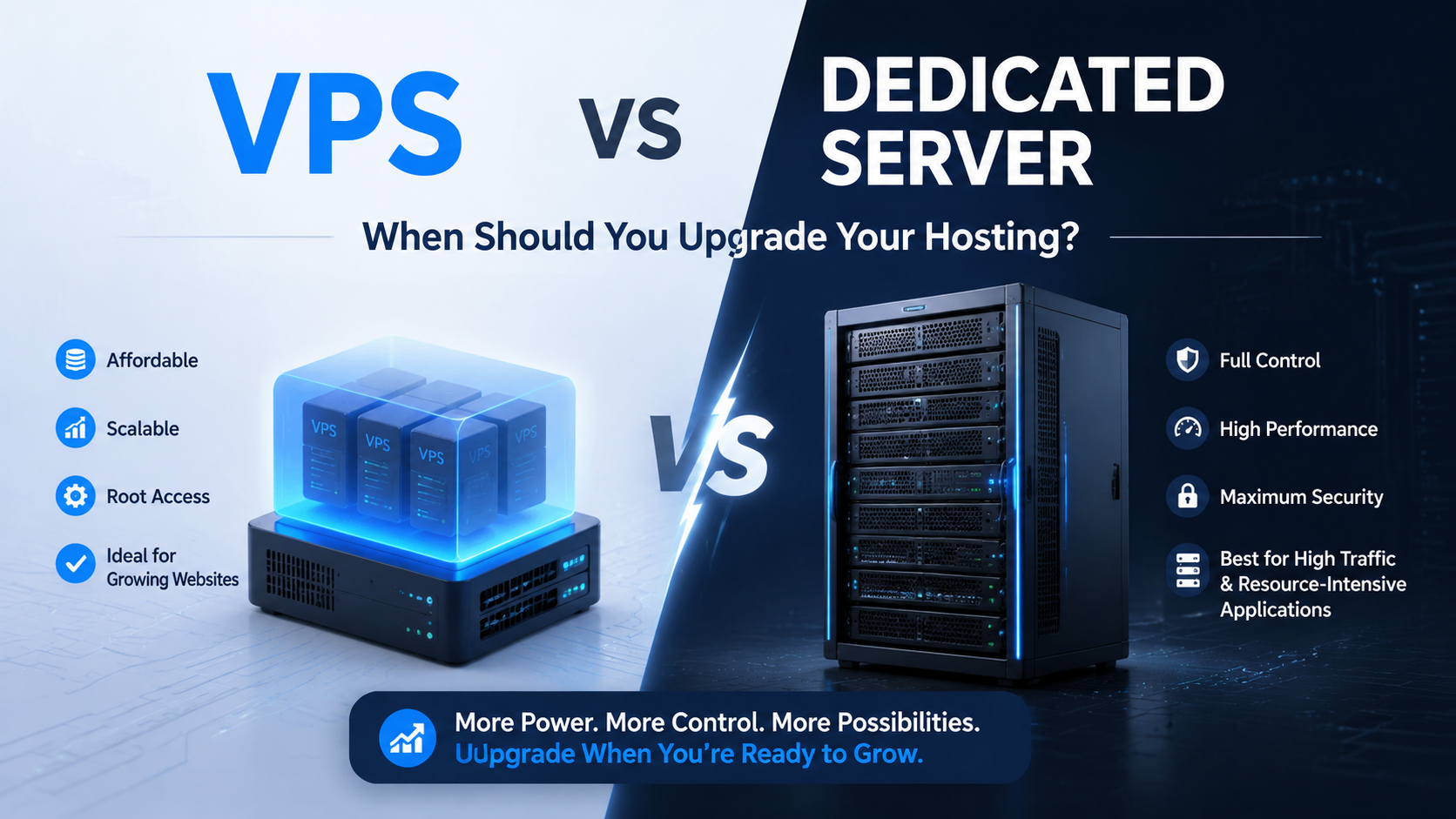
You should upgrade from a VPS to a Dedicated Server when: 1) Monthly traffic exceeds 500,000 visitors or dynamic database concurrency causes frequent %iowait bottlenecks, 2) CPU steal from neighboring virtual machines causes unpredictable API latency spikes above 200ms, 3) Regulatory compliance (HIPAA, PCI-DSS Level 1, SOC 2) mandates physical single-tenant isolation, or 4) Scaling virtual cloud resources costs more than leasing a flat-rate bare-metal server with unmetered bandwidth.
Virtual private servers (VPS) provide an exceptional hosting tier for growing startups, dynamic blogs, and medium-scale web applications. They offer dedicated virtual CPU cores, customizable RAM allotments, and isolated operating system environments—all at budget-friendly monthly rates that make enterprise-grade hosting accessible to businesses of every size.
However, every virtual server operates within the boundaries of a shared hypervisor layer. As your online business expands—handling more concurrent users, processing larger databases, and serving richer media—the physical limits of virtualization inevitably manifest as intermittent performance bottlenecks, disk I/O queuing, and noisy-neighbor resource contention.
Transitioning to bare-metal dedicated server infrastructure eliminates shared hypervisor overhead entirely, unlocking 100% of physical processor cycles, memory buses, and NVMe storage pipelines exclusively for your application stack.
What Is the Difference Between VPS and Dedicated Server Hosting?
Before diving into upgrade signals, it is essential to understand the fundamental architectural differences between VPS and dedicated server hosting. A VPS (Virtual Private Server) is a virtualized partition on a physical machine shared with other tenants. Each VPS receives allocated CPU cores, RAM, and storage, but the underlying hardware—processors, memory buses, and NVMe controllers—is physically shared through a hypervisor layer like KVM, Xen, or VMware ESXi.
A Dedicated Server, on the other hand, provides an entire physical machine exclusively for your use. There is no hypervisor overhead, no noisy neighbors, and no shared hardware resources. You get direct, unfiltered access to every CPU cycle, every byte of RAM, and every IOPS from the storage subsystem.
📊 VPS vs Dedicated Server: Infrastructure Decision Framework
5 Warning Signs Your Website Has Outgrown VPS Hosting
Recognizing the operational indicators that signal it is time to upgrade from VPS to dedicated server hosting prevents catastrophic downtime during peak revenue events. Here are five clear warning signs every system administrator, DevOps engineer, and business owner should monitor:
1. Persistent Storage I/O Queuing and High %iowait
When relational database transactions (MySQL, PostgreSQL, MariaDB) queue waiting for disk reads and writes, the %iowait metric in Linux climbs above 15%. This directly impacts page load times, database query response, and overall user experience. Dedicated bare-metal servers provide direct PCIe-attached NVMe arrays delivering over 800,000 IOPS without any virtualized storage lag or shared controller bottlenecks.
2. CPU Steal and Multi-Tenant Noisy Neighbor Jitter
Even if your application CPU usage is moderate, neighboring tenants on a shared hypervisor can cause CPU steal spikes. When CPU steal consistently exceeds 2-3%, your API response latency increases dramatically, WooCommerce checkout processes slow down, and real-time features like live chat or WebSocket connections become unreliable. Dedicated servers eliminate this problem entirely by providing exclusive access to every physical CPU core.
3. Escalating Bandwidth Egress Costs
As outbound data transfer climbs into tens of terabytes monthly—especially for media-heavy sites, CDN origin servers, or API-driven platforms—public cloud and VPS hosting bandwidth overage fees multiply rapidly. Dedicated servers from providers like Onlive Server include unmetered 1Gbps or 10Gbps ports at predictable flat monthly rates, eliminating surprise bandwidth bills.
4. Compliance and Data Privacy Requirements
If your business handles sensitive financial transactions (PCI-DSS), healthcare records (HIPAA), or operates under GDPR/SOC 2 frameworks, regulators and auditors increasingly require single-tenant physical isolation. Multi-tenant VPS architectures share physical CPUs and RAM buses, complicating strict audit attestations. A dedicated server provides the physical separation auditors need to validate your compliance posture.
5. VPS Resource Ceiling Reached: Scaling Costs More Than Dedicated
When you have maxed out your VPS at 8+ vCPUs, 32GB+ RAM, and 500GB+ NVMe storage, the monthly cost often surpasses $150-$250 on major cloud providers. At this price point, an entry-level dedicated server delivers double the physical resources—with guaranteed performance, no hypervisor tax, and unmetered bandwidth included. The economics tip decisively in favor of bare metal.
Pro Tip: For organizations maintaining agile microservice architectures alongside primary production platforms, retaining cost-effective VPS hosting for auxiliary staging, development, and testing environments maintains an optimal cost-to-performance balance while keeping production workloads on dedicated hardware.
Hardware Isolation vs Virtualization Overhead: A Technical Deep Dive
Virtual private servers share physical CPU execution pipelines, PCIe lanes, and memory buses through hypervisor layers like KVM, Xen, or VMware ESXi. While modern virtualization overhead is remarkably low (typically 3-8% for compute-bound tasks), high-concurrency enterprise workloads eventually encounter architectural throughput bottlenecks that no amount of VPS vertical scaling can resolve.
A dedicated bare-metal server eliminates the hypervisor abstraction layer completely, granting your operating system direct, unfiltered access to physical silicon. This architectural shift provides absolute performance determinism—ensuring processing cycles are never delayed by virtualization context switching, memory balloon operations, or shared I/O scheduling.
Why Bare-Metal Performance Wins for Production Workloads
When multiple virtual instances request compute cycles simultaneously, the hypervisor scheduler must queue execution threads, generating measurable CPU steal latency. Dedicated servers bypass scheduling queues entirely, ensuring every clock cycle serves your workloads exclusively.
- Direct Memory Bus Access: Dedicated hardware avoids hypervisor page table translations, maximizing memory bandwidth for in-memory databases like Redis, Memcached, and Apache Ignite.
- Unthrottled NVMe Throughput: Direct PCIe 4.0/5.0 attachment delivers hundreds of thousands of sustained IOPS without hypervisor rate-limiting or synthetic I/O queuing.
- Predictable Task Scheduling: Real-time computing tasks, high-frequency transactions, and live streaming encoders maintain rock-solid, jitter-free execution cadences.
- Custom Hardware Tuning: Bare-metal access enables custom BIOS configurations, NUMA balancing adjustments, CPU governor policies, and hardware watchdog activations tailored to your specific application requirements.
How to Migrate from VPS to Dedicated Server (Step-by-Step)
Upgrading to dedicated hardware does not require operational disruption or extended maintenance windows. With proper planning and modern migration tools, the transition executes with zero customer-facing downtime. Here is a proven migration workflow:
Document your current server stack, installed packages, cron jobs, SSL certificates, and database sizes. Lower DNS TTL to 300 seconds at least 48 hours before migration.
Set up your dedicated server OS, web server (Nginx/Apache/LiteSpeed), PHP version, database engine, and security hardening—mirroring your VPS environment.
Use rsync for file transfer and MySQL/PostgreSQL replication for live database synchronization. This ensures near-zero data loss during the final cutover.
Update DNS records to point to your new dedicated server IP. Monitor error logs, run performance benchmarks, and verify SSL certificates. The entire cutover completes in minutes.
Partnering with proactive Linux server management professionals ensures database schemas, web server caching rules, and firewall security configurations are tailored directly to the new dedicated server architecture—eliminating post-migration performance issues.
Custom Hardware Configurations and Bare-Metal Storage Topologies
One of the most transformative advantages of dedicated server hosting is the ability to specify custom physical hardware configurations that simply cannot exist in multi-tenant VPS environments. From customized hardware RAID arrays to enterprise-grade PCIe accelerator cards, bare metal adapts directly to your software architecture and workload demands.
Large relational databases frequently require hardware RAID 10 configurations across multiple enterprise U.3 NVMe drives to achieve both absolute fault tolerance and blistering sequential write speeds. Having dedicated hardware RAID controllers with battery-backed write caches (BBU) guarantees zero data loss even during sudden power disruptions—a level of protection impossible to guarantee on shared VPS infrastructure.
Enterprise Hardware Customization Capabilities
- Dedicated IPMI/iDRAC Out-of-Band Management: Manage physical servers at the firmware level, reboot frozen kernels, and mount ISO images remotely via dedicated management interfaces—even when the primary OS is unresponsive.
- Dual Multi-Socket Configurations: Scale compute capacity with dual AMD EPYC 9004 or Intel Xeon Scalable processors providing up to 256 physical execution threads for massively parallel workloads.
- Hardware Security Modules (HSM): Integrate dedicated cryptographic PCIe accelerator cards to handle high-volume SSL/TLS termination, banking-grade tokenization, and FIPS 140-2 validated key management.
- Private Cluster Interconnects: Build private cluster backbones linking multiple dedicated nodes over redundant 25Gbps/40Gbps QSFP+ direct-attach copper cables for sub-microsecond inter-node latency.
PCI-DSS, HIPAA, and SOC 2 Compliance on Dedicated Servers
For organizations processing credit card transactions, personal healthcare data, or sensitive financial contracts, hosting security extends beyond software firewalls into physical regulatory compliance. Multi-tenant VPS architectures share physical CPUs and RAM buses, complicating strict audit attestations and introducing cross-tenant data leakage risks—however theoretical.
Dedicated bare-metal servers eliminate shared hardware risks entirely, providing single-tenant physical tenancy that dramatically simplifies PCI-DSS Level 1 certification, HIPAA compliance audits, and SOC 2 Type II attestations. With complete physical isolation, security auditors can verify that no unauthorized software or co-tenant processes can compromise hardware memory buffers.
- Full Hardware Auditing: Access hardware-level logs, verify motherboard firmware integrity, and inspect TPM attestation chains directly—without virtualization black boxes obscuring the audit trail.
- Encrypted Root and Swap Filesystems: Implement full-disk LUKS encryption with TPM 2.0-backed hardware keys to protect data at rest, meeting NIST 800-171 and GDPR requirements.
- Isolated Network Uplinks: Route payment gateway and PHI (Protected Health Information) communications through dedicated, non-shared physical network switch ports with VLAN segmentation.
- Simplified Audit Reports: Eliminate multi-tenancy risk assessments during annual SOC 2 Type II, ISO 27001, and HITRUST CSF third-party security audits—reducing audit scope and cost significantly.
Watch: VPS vs Dedicated Server Explained
For a detailed visual breakdown of VPS versus Dedicated Server hosting—including real-world performance benchmarks and use-case recommendations—watch this comprehensive video guide:
Frequently Asked Questions
What is the difference between VPS and Dedicated Server hosting?
A VPS is a virtualized partition on a shared physical machine, where multiple tenants share CPU, RAM, and storage through a hypervisor. A dedicated server gives you an entire physical machine exclusively—no hypervisor overhead, no shared resources, and full hardware control. Dedicated servers are ideal when you need guaranteed performance, regulatory compliance, or custom hardware configurations.
How long does it take to migrate from VPS to a dedicated server?
With proper planning—including lowered DNS TTL, pre-synced files via rsync, and live database replication—the physical migration takes between 2 and 4 hours. The final DNS cutover completes in minutes without any customer-facing downtime. Managed hosting providers like Onlive Server can handle the entire migration process for you.
Is a dedicated server always faster than a high-end cloud VPS?
For intensive, sustained, and latency-sensitive workloads—yes. A dedicated server eliminates hypervisor scheduling overhead, memory overcommitment, and storage network latency, delivering superior sustained throughput. For bursty or auto-scaling workloads with unpredictable traffic patterns, a cloud VPS with auto-scaling can complement a dedicated server in a hybrid architecture.
Do I need advanced sysadmin knowledge to manage a dedicated server?
Not if you choose a managed dedicated server plan. Providers like Onlive Server offer fully managed packages where hosting engineers handle hardware provisioning, OS installation, security patches, firewall configuration, performance tuning, and 24/7 monitoring—so you can focus on your business while experts manage the infrastructure.
What is the cost difference between a large VPS and a dedicated server?
The gap is surprisingly small at scale. When scaling a VPS to 8+ vCPUs and 32GB RAM on major cloud providers, monthly costs often surpass $150-$250 with bandwidth overage charges on top. An entry-level dedicated server from Onlive Server frequently costs comparable or less, while providing double the resources, guaranteed performance, and unmetered bandwidth.
Can I run virtualization on my dedicated server to create private VPS instances?
Absolutely! You can install hypervisors like Proxmox VE, VMware ESXi, or KVM on your dedicated server, allowing your business to partition physical hardware into isolated private virtual machines. This gives you the best of both worlds—dedicated hardware performance with the flexibility of virtual machine management.
Which industries benefit most from dedicated server hosting?
Industries with high-performance, compliance, or security requirements benefit the most—including eCommerce platforms processing payments (PCI-DSS), healthcare applications handling patient data (HIPAA), financial services (SOX, SOC 2), gaming servers requiring low latency, SaaS platforms with enterprise SLAs, and media companies serving high-bandwidth video content.
