

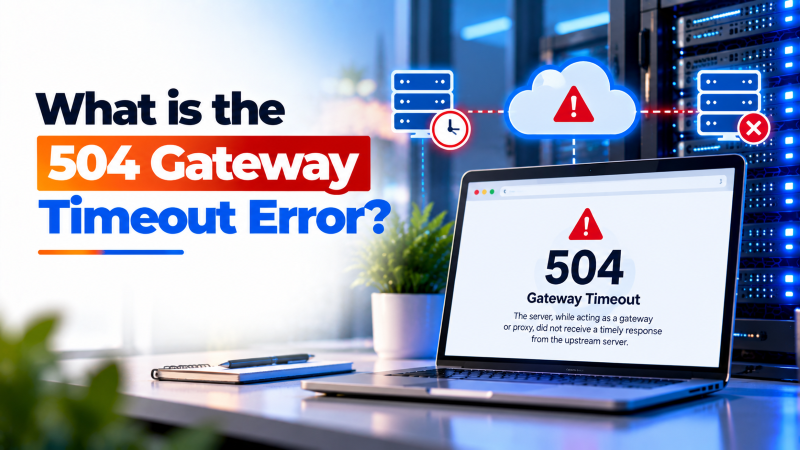
The HTTP 504 Gateway Timeout error occurs when an intermediary proxy or edge web server (such as Cloudflare, Nginx, or an AWS load balancer) fails to receive a timely response from an upstream backend server (such as PHP-FPM, Python WSGI, or a database server) within its configured timeout limit. To fix it, optimize slow database queries, increase proxy timeout directives (such as proxy_read_timeout), restart backend daemons, and scale server compute resources.
Understanding the 504 Gateway Timeout Architecture
In modern multi-tiered web architectures, visitor requests rarely hit an application runtime directly. Instead, requests flow through edge CDNs, reverse proxies (like Nginx), and finally reach backend application processors or database engines. For verified technical specifications and deployment parameters, consult the official Linux Kernel Documentation.
When a client initiates a request, the reverse proxy opens a socket to the upstream daemon. If that upstream daemon takes longer to process the request than the proxy’s configured timeout window (often 60 seconds), the proxy terminates the connection and returns 504 Gateway Timeout.
Operating high-throughput platforms on a high-speed cloud VPS requires aligning timeout thresholds across every tier of your web stack to prevent premature connection drops.
Core Causes of HTTP 504 Gateway Timeouts
Identifying the root cause requires understanding where the communication pipeline stalled:
- Unindexed, Slow Database Queries: A complex SQL query joining millions of rows can lock database tables for minutes, exceeding upstream PHP execution thresholds.
- External API Call Delays: If your web application connects to third-party payment gateways, CRM webhooks, or social APIs that are experiencing latency, PHP threads hang while awaiting responses.
- Resource Starvation: High visitor concurrency can exhaust physical CPU cores and RAM, causing backend worker daemons to queue incoming jobs until proxy timers expire.
- Mismatched Proxy Configuration: If Nginx is set to time out after 30 seconds while PHP-FPM is permitted to execute for 120 seconds, Nginx drops the connection prematurely.
Step 1: Check and Increase Reverse Proxy Timeout Directives
If your application performs legitimate long-running tasks—such as batch data imports, PDF generation, or video rendering—you must increase proxy timeout parameters.
For Nginx acting as a reverse proxy, open your virtual host configuration file and expand the timeout settings:
location / {
    proxy_pass http://127.0.0.1:8080;
    proxy_connect_timeout 300s;
    proxy_send_timeout 300s;
    proxy_read_timeout 300s;
    send_timeout 300s;
}
If Nginx communicates with PHP-FPM via FastCGI, configure FastCGI timeout directives instead:
fastcgi_connect_timeout 300s;
fastcgi_send_timeout 300s;
fastcgi_read_timeout 300s;
Always test syntax with sudo nginx -t before running sudo systemctl reload nginx.
Step 2: Adjust PHP Execution and Memory Limits
Increasing proxy timeouts is only effective if PHP’s internal execution timer matches. Open your php.ini configuration file (e.g., /etc/php/8.2/fpm/php.ini) and adjust:
max_execution_time = 300
max_input_time = 300
memory_limit = 512M
Additionally, open /etc/php/8.2/fpm/pool.d/www.conf and verify that request_terminate_timeout = 300s is set to prevent the master PHP-FPM process from terminating long-running worker threads.
Heavy data warehousing applications running on an enterprise dedicated server benefit from these expanded thresholds, ensuring complex computational jobs complete without triggering timeout errors.
Step 3: Analyze Slow Database Queries in MySQL / MariaDB
Slow database queries are the single most common cause of 504 timeouts in dynamic web applications. Enable the MySQL Slow Query Log to identify problematic SQL statements.
Open /etc/mysql/my.cnf and add the following directives under the [mysqld] section:
slow_query_log = 1
slow_query_log_file = /var/log/mysql/mysql-slow.log
long_query_time = 2
Restart MySQL with sudo systemctl restart mysql. Any query that takes longer than two seconds to execute will be logged with its full query string and execution duration, allowing you to add necessary table indexes or optimize query logic.
Step 4: Audit Web Server and Application Error Logs
Inspect server access and error logs to identify the exact request URI generating timeouts:
sudo tail -n 50 /var/log/nginx/error.logLook specifically for entries reading: upstream timed out (110: Connection timed out) while reading response header from upstream. The logged URI reveals which script or controller endpoint is hanging.
Implementing an in-memory object caching layer like Redis or Memcached can offload repetitive database lookups, preventing PHP queues from stacking up during peak traffic. If persistent database deadlocks or network routing bottlenecks continue to generate 504 timeouts across your infrastructure, engaging a Linux systems administrator will help optimize database indexes, caching layers, and kernel network queues.
Establishing automated alert thresholds through server monitoring agents enables DevOps teams to detect early signs of worker starvation before gateway timeouts cascade into widespread user downtime.
Tuning FastCGI and Proxy Read Timeouts in Nginx and Apache
An HTTP 504 Gateway Timeout error occurs when an edge proxy or web server attempts to receive data from an upstream application worker but the request exceeds the configured timeout threshold. In LEMP stacks, Nginx default timeout directives are frequently set to 60 seconds.
If an extensive database migration, report generation script, or large WooCommerce checkout process takes 65 seconds to execute, Nginx cuts the connection and presents the visitor with a 504 Gateway Timeout screen. The underlying PHP-FPM script may continue executing in the background, consuming server resources while the user experiences a failed request.
Aligning web server proxy timeouts with PHP’s max_execution_time ensures that long-running administrative scripts can complete their processing safely without premature gateway terminations.
Key Configuration Directives to Increase Timeout Limits
Adjusting timeout parameters across both your web server and PHP configuration eliminates false-positive 504 errors on resource-heavy endpoints.
fastcgi_read_timeout 300;: Instructs Nginx to wait up to 300 seconds for FastCGI backends to respond.proxy_read_timeout 300;: Extends upstream response thresholds when reverse-proxying traffic to Node.js or Python daemons.max_execution_time = 300: Increases PHP script execution limits insidephp.inito match Nginx proxy wait times.request_terminate_timeout = 300: Prevents PHP-FPM worker pools from prematurely terminating child processes.
Optimizing Slow Database Queries and External API Deadlocks
While increasing timeout thresholds temporarily alleviates 504 errors, treating the root cause requires identifying why upstream processes take so long to respond. Unindexed database tables and unoptimized SQL queries are the most frequent causes of delayed backend execution.
Enabling the MySQL Slow Query Log allows administrators to capture any database query that exceeds two seconds. Adding missing database indexes or optimizing table joins reduces query execution times from dozens of seconds to a few milliseconds.
- Enable MySQL Slow Query Logging: Add
slow_query_log = 1andlong_query_time = 2inside/etc/mysql/my.cnf. - Audit External API Webhooks: Wrap third-party REST API calls in strict timeout wrappers to prevent external service delays from locking PHP workers.
- Tune MariaDB Buffer Pools: Allocate 60-70% of available server RAM to
innodb_buffer_pool_sizeto keep active databases in memory. - Implement Asynchronous Task Queues: Offload heavy background tasks (like email dispatching or PDF generation) to Celery or Redis queues.
Configuring Cloudflare Edge Timeouts and Origin Keepalive Intervals
When operating behind reverse proxy content delivery networks like Cloudflare, 504 Gateway Timeout errors frequently originate at the CDN edge. Cloudflare enforces a strict 100-second HTTP response timeout for enterprise and free tiers alike.
If your origin server fails to return HTTP headers within this window, Cloudflare drops the client connection with a branded 504 error screen. Tuning keepalive parameters and offloading intensive report exports to background worker processes prevents edge timeout limits from being breached.
- Asynchronous Celery Task Queues: Offload long-running report generation scripts to background task workers.
- MySQL Long Query Tracing: Capture slow queries automatically to identify missing database column indexes.
- Dynamic Gateway Timeout Tuning: Match edge proxy timeout directives with application runtime limits.
Conclusion: Eliminating 504 Gateway Timeouts for High Availability
The HTTP 504 Gateway Timeout error is a clear signal that your upstream application stack cannot keep pace with incoming processing demands. By harmonizing proxy timeout configurations and resolving underlying database bottlenecks, administrators eliminate gateway timeouts and protect user journeys.
Pairing optimized timeout directives with background task queues and proactive database indexing ensures your web infrastructure maintains exceptional responsiveness even under intense transactional loads.
Frequently Asked Questions
What is the difference between a 502 Bad Gateway and a 504 Gateway Timeout?
A 502 Bad Gateway means the upstream server returned an invalid or corrupted response immediately (often due to an application crash). A 504 Gateway Timeout means the upstream server took too long to respond before the proxy timer expired.
Why does Cloudflare show Error 504 Gateway Timeout?
Cloudflare imposes a strict 100-second HTTP timeout on Free and Pro plans. If your origin web server fails to return HTTP headers within 100 seconds, Cloudflare returns a 504 Gateway Timeout page to the visitor.
Can a heavy WordPress cron job cause 504 errors?
Yes. WordPress default cron jobs execute on page visits (via wp-cron.php). If a heavy backup or email sync task triggers during a visit, it can consume worker threads and cause timeouts. Disabling WP-Cron and using system crontab resolves this.
How do I test if an external API is causing my 504 timeout?
Use curl -w “%{time_total}\n” -o /dev/null -s “https://api.thirdparty.com/endpoint” to measure the round-trip latency of external endpoints directly from your server command line.
Does a 504 error affect SEO rankings?
Yes. If Googlebot repeatedly encounters 504 errors when attempting to crawl your pages, it flags the website as unstable and reduces crawl rate, potentially lowering search rankings over time.