

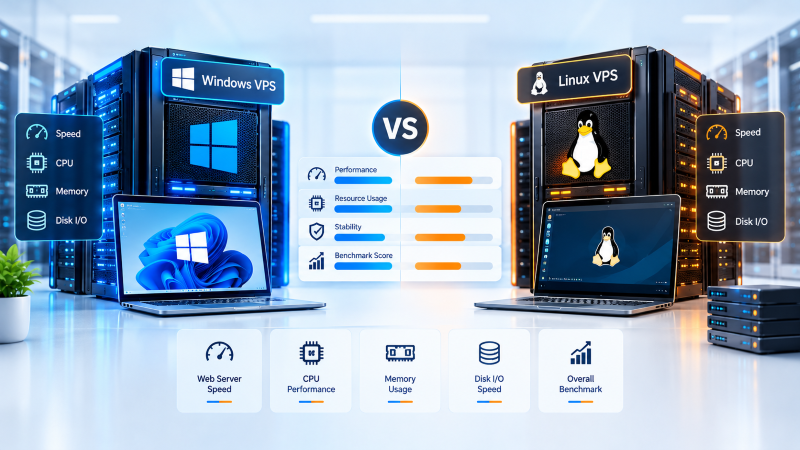
Quick Answer: Windows vs Linux VPS Performance
On identical physical hardware, a Linux VPS consistently outperforms a Windows VPS in raw speed, resource efficiency, and I/O throughput. Headless Linux requires only 150 MB to 280 MB of RAM and negligible background CPU, leaving over 90% of provisioned resources for your applications. Windows Server requires 1.2 GB to 2.5 GB of RAM just to run its graphical subsystem and background services. Choose Linux for WordPress, PHP, Node.js, Python, and Docker containers; choose Windows strictly when required for native .NET Framework, MS SQL Server, or Remote Desktop (RDP) workflows.
Systems Architecture: The Operating System Compute Factor
Core Principle
Selecting an operating system for your virtual private server is not merely a matter of administrative preference or user interface familiarity—it is an architectural decision that directly governs your application’s compute density, latency, and hardware utilization. Every megabyte of memory and every CPU clock cycle consumed by the base operating system is compute capacity deducted from your live database, API endpoints, or web applications.
Direct Compute Deduction
Base OS background processes directly reduce RAM and vCPU cycles available for production code.
KVM & Storage Isolation
Hardware virtualization delivers deterministic I/O, but kernel process models dictate usable throughput.
While both Windows Server and enterprise Linux distributions (such as Ubuntu, Debian, AlmaLinux, and Rocky Linux) run on modern Kernel-based Virtual Machine (KVM) hypervisors with high-throughput NVMe storage, their internal kernel architectures, process models, and graphical demands produce radically different performance characteristics. Deploying certified high-performance VPS hosting establishes a deterministic operational foundation, allowing engineering teams to maximize hardware throughput and eliminate operational bottlenecks.
Baseline Resource Overhead: Idle RAM and Background CPU Utilization
The most visible performance divergence between Linux and Windows virtual private servers appears the moment the operating system completes its boot sequence:
| Resource Metric | Linux VPS (Ubuntu / AlmaLinux Headless) | Windows Server VPS (2022 Desktop Experience) | Performance Winner |
|---|---|---|---|
| Idle RAM Allocation | 150 MB – 280 MB | 1,200 MB – 2,500 MB | Linux (8x–10x Lighter) |
| Idle CPU Usage | 0.1% – 0.5% | 1.5% – 4.0% | Linux |
| Usable RAM on 2 GB Plan | ~1,820 MB (89% Free) | ~380 MB (Severe Memory Pressure) | Linux |
| Recommended Min. Plan | 1 GB – 2 GB RAM | 4 GB – 8 GB RAM | Linux (Lower Entry Cost) |
Linux Headless Architecture
CLI Daemon Core
150 – 280 MB (89% Free)
systemd, sshd, and journald; zero display servers (X11/Wayland) or compositors.
Windows Server Footprint
Desktop Shell Cost
1,200 – 2,500 MB (High Load)
dwm.exe), explorer.exe, csrss.exe, WMI, and Defender.
pagefile.sys, degrading random I/O throughput.
CPU Compute, Multithreading, and Kernel Context Switching
Architectural Principle: While host hypervisor silicon (AMD EPYC or Intel Xeon Scalable) dictates raw physical clock speed, the actual efficiency with which virtual cores (vCPUs) execute code is governed by kernel task scheduling.
Monolithic Linux Kernel Scheduling vs Windows NT Hybrid Kernel
Task Scheduling
Monolithic Linux Kernel (Unified Space)
Drivers, memory management, and process schedulers run inside a single, high-privilege kernel space. The Completely Fair Scheduler (CFS) and modern EEVDF scheduler allocate vCPU execution slices with negligible latency. Process creation via fork() and thread context switching execute in minimal CPU clock cycles.
Windows NT Hybrid Kernel (Layered Space)
Subsystems, graphical drivers, and user-mode abstraction layers communicate across boundaries using Local Procedure Calls (LPC). Each user-to-kernel mode shift requires register state saving, CPU cache line invalidations, and context reconstruction, increasing scheduling overhead.
Disk I/O & Storage Fabric: NVMe Performance Across ext4/XFS vs NTFS
Storage Fabric Reality: High-throughput NVMe solid-state storage provides massive raw hardware bandwidth. However, transaction write speeds and read latencies are directly governed by file system caching algorithms, extent trees, and metadata locking mechanisms:
| Storage Metric | Linux (ext4 / XFS) | Windows (NTFS / ReFS) | Performance Winner |
|---|---|---|---|
| Random 4K Read IOPS | Higher sustained IOPS | Moderate sustained IOPS | Linux |
| Random 4K Write IOPS | Lower latency (delayed allocation) | Higher write amplification | Linux |
| Small File Creation / Deletion | Extremely fast (inode-based) | Slower (MFT locking overhead) | Linux |
| Cold Boot Duration | 12 – 20 seconds | 35 – 60 seconds | Linux (Up to 3x Faster) |
Linux ext4 & XFS (Delayed Allocation)
Utilize efficient extent trees and deferred block allocation (delalloc). Write bursts buffer in the page cache, enabling sequential block placement on NVMe storage to minimize drive write amplification.
Windows NTFS (Master File Table Overhead)
Relies on the Master File Table (MFT). While feature-rich with granular ACLs, MFT serialization and file locking introduce measurable latency during rapid creation or deletion of small files (e.g. node_modules or WordPress thumbnails).
Web Server & Concurrency Throughput: NGINX vs Microsoft IIS
Web server throughput is defined by how many concurrent requests an instance can process per second (RPS) and the resulting Time to First Byte (TTFB):
Linux: NGINX / LiteSpeed (Event-Driven)
Utilizes the non-blocking, event-driven epoll() system call. A single master process with worker threads handles tens of thousands of simultaneous client connections inside an asynchronous loop, consuming minimal RAM with zero thread context switching.
Windows: IIS & HTTP.sys (Thread-Pool Model)
Uses a worker thread-pool architecture (w3wp.exe) coupled with the kernel driver HTTP.sys. While fast for cached responses, active concurrent connections allocate dedicated thread stacks, driving up CPU and RAM overhead under high traffic bursts.
Application & Software Stack Execution Benchmarks
Operating system performance cannot be divorced from the software ecosystem running on top of it. Certain runtimes run natively and efficiently on Linux, while others are purpose-built for Windows:
PHP, Python, Node.js & Docker
Linux is the native habitat for WordPress web hosting, LAMP/LEMP stacks, Python, and Node.js. Docker containers run directly on host kernel namespaces and cgroups with zero virtualization penalty—unlike Windows which requires nested WSL2 or Hyper-V VM memory reservations.
Modern .NET vs Legacy Framework & SQL
Legacy .NET Framework (4.x) and enterprise Microsoft SQL Server clustering strictly mandate Windows Server. However, modern cross-platform .NET (6/7/8/9) on Linux Kestrel frequently delivers equivalent or superior requests per second with substantially lower OS memory overhead.
Administrative Latency & Remote Management: SSH vs RDP Overhead
How systems engineers connect to and administer a virtual server also imposes continuous background resource costs:
Linux SSH Management
Pure plain-text terminal stream with encrypted cryptographic handshakes over port 22. Zero graphics rendering, negligible latency over slow connections, and scriptable via automated bash pipelines.
Windows Remote Desktop (RDP)
Initializes full virtual display sessions, font smoothing, and streaming compressed bitmap frames over port 3389. While user-friendly, active sessions create continuous memory and processor overhead.
Comprehensive Performance & Resource Benchmark Scorecard
| Performance & Engineering Dimension | Linux VPS (Ubuntu / AlmaLinux) | Windows Server VPS (2022 / 2025) | Performance Advantage |
|---|---|---|---|
| Idle Memory (Base OS Footprint) | 150 MB – 280 MB | 1,200 MB – 2,500 MB | Linux (8x–10x Lighter) |
| Idle CPU Utilization | 0.1% – 0.5% | 1.5% – 4.0% | Linux |
| Cold Boot Duration | 12 – 20 seconds | 35 – 60 seconds | Linux (Up to 3x Faster) |
| Kernel Context Switching Overhead | Low (Monolithic CFS/EEVDF) | Moderate to High (NT Hybrid LPC) | Linux |
| Storage File System Efficiency | ext4 / XFS (Optimized extent tree) | NTFS / ReFS (MFT overhead) | Linux |
| Static Web Concurrency (RPS) | Very High (NGINX epoll event-loop) | Moderate to High (IIS thread pool) | Linux (30–50% Higher RPS) |
| WordPress / PHP / MySQL Throughput | Native, ultra-fast Unix sockets | FastCGI emulation, slower file locks | Linux |
| Native Docker Containerization | Native kernel namespaces & cgroups | Nested VM (WSL2) or heavy containers | Linux |
| Legacy .NET & MS SQL Optimization | Not supported (.NET Framework 4.8) | Native, deeply integrated runtime | Windows |
| GUI & Remote Desktop Experience | CLI default (GUI adds bloat) | Built-in, high-definition RDP | Windows |
| System Update & Reboot Frequency | Minimal reboots (In-place patches) | Mandatory reboots for cumulative updates | Linux (Higher Uptime) |
| Operating System Licensing Cost | $0 (Open Source / Free) | Monthly SPLA license fee per core | Linux (Significant Savings) |
Total Cost of Performance (TCOP): Usable Hardware Per Dollar
When evaluating performance, experienced systems architects evaluate Usable Hardware Per Dollar rather than raw server specifications. Because Microsoft Windows Server requires commercial licensing (billed via Microsoft SPLA), hosting providers must factor licensing fees into the base price of every Windows VPS. Open-source Linux distributions incur zero licensing cost.
On a 4 GB RAM Linux VPS, approximately 3.75 GB of physical memory is available for user code, delivering a cost per usable GB of roughly $3.20 to $4.80/month. On a 4 GB RAM Windows VPS, the operating system absorbs approximately 2 GB of RAM, leaving only 2 GB for applications while carrying a higher subscription price. This results in an effective compute cost that is 2x to 3x higher per usable unit of performance on Windows for generic web workloads.
Decision Framework: Choosing the Right OS for Your Workload
Align your operating system selection with your exact application requirements:
| Application / Use Case | Recommended OS | Key Architectural Rationale |
|---|---|---|
| WordPress, WooCommerce, Magento | Linux VPS | Native PHP-FPM socket communication, NGINX microcaching, zero file-locking latency. |
| Node.js, Python, Go, Ruby APIs | Linux VPS | Non-blocking epoll event loops, POSIX thread efficiency, lightweight process spawning. |
| Docker Containers & Microservices | Linux VPS | Native kernel namespaces and cgroups; zero nested virtualization RAM overhead. |
| Legacy .NET Framework & ASP.NET | Windows VPS | Native execution in IIS application pools with full support for legacy Win32 APIs. |
| Microsoft SQL Server Enterprise | Windows VPS | Native Active Directory authentication, SSIS/SSAS/SSRS tooling, and optimized storage indexing. |
| Forex Trading Bots (MetaTrader 4/5) | Windows VPS | 24/7 stable MT4/MT5 desktop terminal execution with native RDP remote access. |
Production Optimization Runbook: Tuning Linux & Windows for Maximum Throughput
To extract maximum throughput from your virtual private server, apply these kernel-level optimization parameters to /etc/sysctl.conf on Linux:
# 1. Elevate file descriptor and connection queue limits
fs.file-max = 2097152
net.core.somaxconn = 65535
net.ipv4.tcp_max_syn_backlog = 8192

# 2. Optimize TCP buffers for high-bandwidth web traffic
net.ipv4.tcp_rmem = 4096 87380 16777216
net.ipv4.tcp_wmem = 4096 65536 16777216

# 3. Minimize virtual memory swap aggression (Preserve physical RAM)
vm.swappiness = 10
vm.vfs_cache_pressure = 50
On Windows Server, run PowerShell as Administrator to disable background telemetry and optimize TCP stack window sizing:
# 1. Enable CTCP (Compound TCP) congestion provider for lower latency
Set-NetTCPSetting -SettingName InternetCustom -CongestionProvider CTCP

# 2. Disable unnecessary background visual effects and consumer services
Set-ItemProperty -Path "HKCU:\Software\Microsoft\Windows\CurrentVersion\Explorer\VisualEffects" -Name VisualFXSetting -Value 2

# 3. Optimize network adapter throughput
netsh int tcp set global autotuninglevel=normal
Frequently Asked Questions (FAQ)
Quick Guidance
Q1
Is a Linux VPS definitively faster than a Windows VPS?
Is a Linux VPS definitively faster than a Windows VPS?
Yes, for the vast majority of web, database, and container workloads, Linux is noticeably faster. Headless Linux server distributions do not load a graphical interface or desktop services, consuming roughly 80% less idle RAM and fewer background CPU cycles than Windows Server. This delivers faster boot times, lower process latency, and higher requests per second on identical hardware.
Q2
Can I run a Windows VPS smoothly with only 1 GB or 2 GB of RAM?
Can I run a Windows VPS smoothly with only 1 GB or 2 GB of RAM?
Running Windows Server with 1 GB of RAM is strongly discouraged; the operating system will struggle to boot and will constantly thrash virtual memory on disk. While 2 GB of RAM can boot Windows Server, the OS itself will consume 1.2 GB to 1.8 GB, leaving virtually no headroom for applications. For a responsive Windows VPS, a minimum of 4 GB of RAM is strongly recommended.
Q3
Which operating system is better for hosting WordPress?
Which operating system is better for hosting WordPress?
Linux is the definitive choice for WordPress. WordPress is built with PHP and MySQL/MariaDB, stacks that achieve optimal performance when communicating through native Unix domain sockets, NGINX event loops, and Linux page caching. Running WordPress on Windows IIS introduces file-locking latency and FastCGI overhead, resulting in higher Time to First Byte (TTFB).
Q4
Can I run modern .NET applications on a Linux VPS?
Can I run modern .NET applications on a Linux VPS?
Yes. Modern .NET (versions 6, 7, 8, and 9) is fully cross-platform and runs natively on Linux distributions using Microsoft’s high-speed Kestrel web server. In many independent benchmarks, modern .NET Core microservices deliver equal or superior requests-per-second on Linux compared to Windows Server. You only require Windows Server if your codebase relies on legacy .NET Framework (4.x or earlier).
Q5
Why is Windows VPS hosting typically more expensive than Linux VPS?
Why is Windows VPS hosting typically more expensive than Linux VPS?
Windows VPS hosting carries higher operational costs due to proprietary Microsoft SPLA licensing fees billed per virtual core. Additionally, Windows Server requires higher baseline hardware specifications (at least 4 GB RAM and larger SSD footprints) to deliver equivalent application headroom compared to open-source Linux distributions.
Q6
Does Remote Desktop (RDP) consume more server resources than SSH?
Does Remote Desktop (RDP) consume more server resources than SSH?
Yes, significantly more. An active RDP session on Windows Server consumes between 100 MB and 350 MB of RAM plus measurable CPU cycles to render graphical frames, process desktop window composition, and stream bitmap display data. In contrast, an SSH connection on Linux operates entirely in plain text, consuming less than 5 MB of memory and virtually 0% CPU.
Q7
Can I switch my existing VPS between Linux and Windows without data loss?
Can I switch my existing VPS between Linux and Windows without data loss?
Yes, but switching operating systems requires a complete server re-image through your hosting control panel. Because Windows and Linux utilize incompatible file systems (NTFS vs ext4/XFS) and executable architectures, re-imaging will erase all data on the disk. You must export your databases, files, and configuration scripts before initiating an OS rebuild.
Architectural Verdict: Selecting Your Optimal VPS
Executive Summary
The choice between a Linux and Windows virtual private server is fundamentally a software compatibility question rather than a personal OS preference. If your stack relies on modern open-source web technologies—WordPress, PHP, Python, Node.js, Go, or containerized Docker microservices—a Linux VPS delivers substantially superior hardware throughput, 80%+ lower idle memory consumption, and unbeatable cost-to-performance metrics.
Conversely, if your enterprise requires legacy .NET Framework 4.x, Microsoft SQL Server clustering, Active Directory domain controllers, or continuous GUI automation like Forex MetaTrader, a Windows VPS with certified high-clock vCPUs and NVMe storage provides a robust, native, and vendor-supported production environment.
