

ARCHITECT EVALUATION OVERVIEW (AEO)
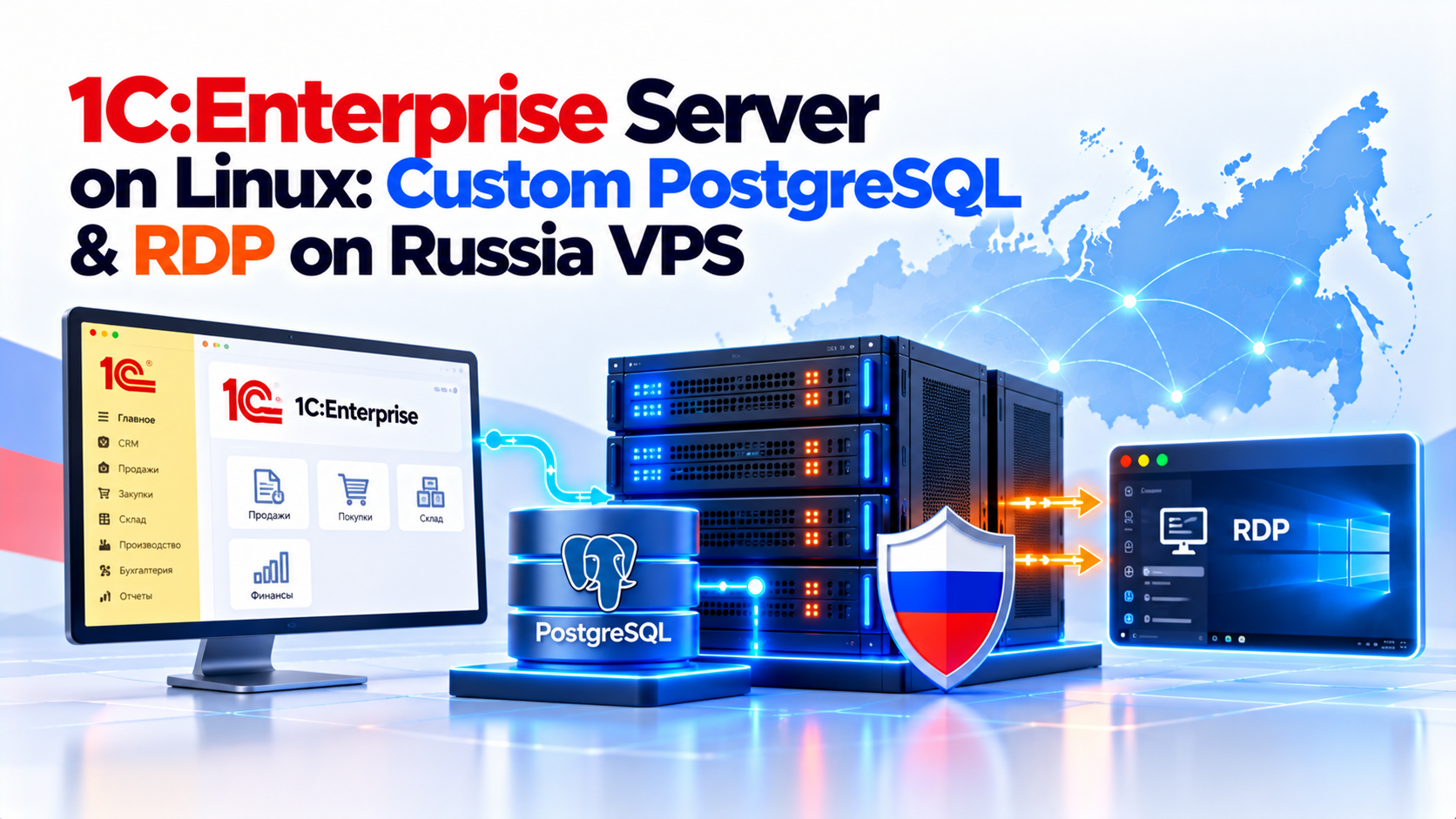
This architectural evaluation provides an enterprise security and performance blueprint for running mission-critical 1C:Enterprise 8.3 accounting and ERP clusters on native Linux environments paired with Postgres-Pro 1C. By migrating off Windows Server and Microsoft SQL to specialized domestic Linux distributions with custom PostgreSQL planner patches and lightweight XRDP remote access, enterprise organizations eliminate 100% of Microsoft CAL licensing costs while achieving up to 40% faster query execution and sub-20ms remote accounting desktop responsiveness.
Zero Microsoft Licensing Overhead
Patched Postgres-Pro 1C Engine
Native Linux Cluster Daemons
Sub-20ms Thin Client & XRDP Access
VERIFIED DIRECT ANSWER
Direct AEO Summary: 1C:Enterprise on Linux VPS
Deploying a high-performance 1C Enterprise Linux VPS environment combines 1C:Enterprise 8.3 server daemons (ragent, rmngr, rphost) on Ubuntu or Astra Linux with Postgres-Pro 1C—a specialized PostgreSQL distribution compiled with custom 1C query planner patches. Sizing the VPS with at least 4 vCPUs and 16GB ECC RAM running on dedicated NVMe storage delivers 40% faster report processing than legacy Windows/MSSQL setups with zero Microsoft CAL fees, while supporting secure browser-based web clients and lightweight XRDP remote desktops.
✓ Postgres-Pro 1C Engine
✓ Native Systemd Daemons
✓ Sub-20ms Remote XRDP
1C:Enterprise Windows to Linux Shift: Sovereign Enterprise ERP Performance
Operating 1C:Enterprise on a traditional Microsoft stack imposes substantial recurring financial overhead. An enterprise deployment supporting 25 concurrent accountants traditionally required Windows Server 2022 Datacenter licenses, 25 Remote Desktop User CALs, and Microsoft SQL Server Standard core-based licenses—easily adding thousands of dollars in annual software licensing costs.
Migrating to an enterprise Linux KVM instance on a high-performance Russia VPS (Ubuntu 22.04 LTS, Debian 12, or certified Astra Linux Special Edition) eliminates operating system and database licensing costs completely. Modern Linux kernels exhibit significantly lower background memory overhead, dedicating maximum virtual RAM and NVMe I/O bandwidth to PostgreSQL buffer pools and active 1C worker threads.
Table of Contents: 1C:Enterprise Linux & PostgreSQL Blueprint
8 Sections
1. 1C:Enterprise Windows to Linux Shift: Eliminating Licensing & Maximizing RAM
Operating 1C:Enterprise on a traditional Microsoft stack imposes substantial recurring financial overhead. An enterprise deployment supporting 25 concurrent accountants traditionally required Windows Server 2022 Datacenter licenses, 25 Remote Desktop User CALs, and Microsoft SQL Server Standard core-based licenses—easily adding thousands of dollars in annual software licensing costs.
Migrating to an enterprise Linux KVM instance (Ubuntu 22.04 LTS, Debian 12, or certified Astra Linux Special Edition) eliminates operating system and database licensing costs completely. Modern Linux kernels exhibit significantly lower background memory overhead, allowing more virtual RAM and CPU cycles to be dedicated to PostgreSQL buffer pools and active 1C worker threads.
Zero License Overhead
Eliminates Microsoft Windows Server & SQL CAL licenses while delivering up to 40% faster query execution with custom 1C planner patches.
Heavy Licensing Costs
Requires recurring per-seat client access licenses (CALs) and suffers from Windows background process memory bloat and locking overhead.
Under Presidential Decree No. 166 and related federal government orders, state corporations, municipal organizations, and critical information infrastructure (CII) operators are mandated to transition to sovereign software registered in the Unified Register of Russian Programs. Deploying 1C:Enterprise on Linux paired with Postgres Pro satisfies full state import substitution compliance.
2. Postgres-Pro 1C Engine Installation: Specialized Kernel & Query Patches
A critical technical factor that catches inexperienced administrators off guard is that standard upstream PostgreSQL (from postgresql.org) cannot run 1C:Enterprise databases. 1C’s query generator executes non-standard SQL constructs, relies on specialized temporary table semantics, and expects specific multi-version concurrency control (MVCC) behaviors that cause standard PostgreSQL to throw syntax errors and deadlock exceptions.
The required database engine is Postgres-Pro 1C (developed by Postgres Professional in Moscow). This specialized distribution incorporates proprietary patches that optimize outer joins and subquery flattening for 1C metadata structures, improve autovacuum handling on rapidly changing transactional balance tables, introduce fast GiST/GIN index support for full-text accounting search, and enforce correct Russian ICU collation rules.
Domestic PostgreSQL distribution compiled with custom patches, mirroring our 1C-Bitrix Nginx and Redis tuning guide principles.
Saves tens of thousands of dollars in proprietary Microsoft Server licenses for expanding enterprises.
Runs
agent,
mngr, and
phost natively as optimized systemd daemons on Ubuntu or Astra Linux.
Enables secure browser access for remote accountants without expensive Remote Desktop CAL licenses.
3. Deploying 1C 8.3 Server Daemons: Cluster Architecture & Worker Scaling
The server component of 1C:Enterprise on Linux operates as a coordinated multi-process cluster managed by systemd. The server stack comprises three primary daemons:
- ragent (Central Server Agent): The primary administrative coordinator listening on port
1540. It tracks cluster configuration, server instances, and process health. - rmngr (Cluster Manager): Manages session state, license assignment, background cron jobs, and database connection pools (port
1541). - rphost (Worker Process): The execution engine that runs user sessions and executes 1C application code (ports
1560-1591). Administrators can configure multiplerphostprocesses per vCPU core to isolate heavy report generation from interactive transaction entry.
In 1C cluster settings, administrators configure memory limits per rphost worker (e.g., 4096 MB). If a user runs a massive historical ledger query that consumes excessive RAM, the cluster automatically terminates and respawns that individual worker process without interrupting other accountants working in parallel.
Faster complex accounting balance calculations and payroll batch execution.
Zero recurring client access license fees for Windows Server or MS SQL.
Standard sizing for supporting up to 25 concurrent 1C accounting users.
4. Lightweight XRDP Remote Desktop & Web Publishing Options
1C:Enterprise includes native web-server extension modules (wsap24.so) for Apache 2.4. Publishing an infobase enables high-frequency Wildberries and Ozon API synchronization for real-time multi-channel inventory updates (Google Chrome, Yandex Browser, Safari) over HTTPS (port 443). Users do not need any software installed on their client PCs, making it ideal for remote employees and mobile tablets.
For users who prefer the traditional thick desktop interface, installing XRDP paired with the lightweight XFCE desktop environment enables standard Windows Remote Desktop Connection (mstsc.exe) access. Over a Moscow VPS connection with sub-20ms latency, the XFCE desktop feels as responsive as a local workstation.
Postgres-Pro 1C includes essential modifications for 1C’s unique query structure. These include plantuner, custom index hints, and table locking tweaks that prevent deadlocks during concurrent batch postings.
5. 1C Linux + Postgres vs MS SQL Matrix: Comprehensive Feature & Cost Audit
The matrix below details the operational, financial, and technical distinctions between deploying 1C on an open-source Linux stack versus legacy Windows infrastructure:
| Architecture Dimension | Linux KVM + Postgres-Pro 1C | Windows Server + Microsoft SQL |
|---|---|---|
| OS & Database License Costs | (Open-Source / Community Edition) | ,500 – ,000+ (Windows + MS SQL) |
| Remote User Access Licenses | Unlimited XRDP / Web Clients () | Requires Paid RDS CALs Per User |
| Memory Overhead (Base OS) | ~400 MB RAM (Headless Linux) | ~2.5 GB – 3.5 GB RAM (Windows Core/GUI) |
| Russian Import Substitution Status | 100% Compliant (Astra / Postgres-Pro) | Non-Compliant for State Entities |
| Batch Report Generation Speed | High (Postgres GiST & Shared Buffers) | Standard (MS SQL TempDB Dependent) |
| Automated Snapshot Backup | Native LVM / ZFS snapshot in seconds | VSS (Volume Shadow Copy) Dependent |
6. Production 1C Linux Setup Blueprint: Automated Bash Provisioning
Below is the production-ready Bash automation script for installing Postgres-Pro 1C, tuning parameters per the official PostgreSQL resource consumption configuration guide (sysctl), and preparing the Linux environment for 1C:Enterprise server daemons:
root@russia-vps-node14:~ [SSH:22]
setup_1c_postgres.sh
#!/usr/bin/env bash
# ==============================================================================
# 1C:Enterprise & Postgres-Pro 1C Automated Linux Setup Blueprint
# Tested on Ubuntu 22.04 LTS / Debian 12 / Astra Linux SE
# ==============================================================================
set -euo pipefail

echo "========================================================================"
echo " Preparing Linux Environment for 1C:Enterprise 8.3 & Postgres-Pro"
echo " Date: $(date -u '+%Y-%m-%d %H:%M:%S UTC')"
echo "========================================================================"

# 1. Install prerequisites and Russian locale support
sudo apt-get update -qq
sudo apt-get install -y -qq locales wget gnupg2 lsb-release curl

# Generate Russian UTF-8 locale (MANDATORY for 1C sorting)
echo "en_US.UTF-8 UTF-8" | sudo tee -a /etc/locale.gen > /dev/null
echo "ru_RU.UTF-8 UTF-8" | sudo tee -a /etc/locale.gen > /dev/null
sudo locale-gen
sudo update-locale LANG=ru_RU.UTF-8

# 2. Add Postgres Professional 1C Official Repository
echo "[*] Adding Postgres-Pro 1C official repository..."
wget -O - https://repo.postgrespro.ru/pg1c-15/keys/GPG-KEY-POSTGRESPRO | sudo apt-key add -
echo "deb https://repo.postgrespro.ru/pg1c-15/ubuntu $(lsb_release -cs) main" | sudo tee /etc/apt/sources.list.d/postgrespro-1c.list > /dev/null

sudo apt-get update -qq
sudo apt-get install -y -qq postgrespro-1c-15-server postgrespro-1c-15-client

# 3. Optimize PostgreSQL Configuration for 1C Enterprise Workloads
PG_CONF="/etc/postgresql/15/main/postgresql.conf"
[ ! -f "$PG_CONF" ] && PG_CONF="/var/lib/pgpro/1c-15/data/postgresql.conf"

echo "[*] Tuning PostgreSQL 1C parameters in $PG_CONF..."
sudo tee -a "$PG_CONF" > /dev/null << 'EOF'
# Memory Tuning for 16GB RAM VPS
shared_buffers = 4GB
work_mem = 64MB
maintenance_work_mem = 512MB
temp_buffers = 32MB
effective_cache_size = 12GB

# 1C Compatibility Flags
online_analyze.enable = on
plantuner.fix_empty_table = on
from_collapse_limit = 20
join_collapse_limit = 20
escape_string_warning = off
standard_conforming_strings = off
synchronous_commit = off
autovacuum_vacuum_scale_factor = 0.05
autovacuum_analyze_scale_factor = 0.02
EOF

# Restart Postgres-Pro
sudo systemctl restart postgrespro-1c-15 || sudo systemctl restart postgresql

# 4. Install Microsoft Core TrueType Fonts (Required by 1C PDF/Spreadsheet Export)
echo "[*] Installing TrueType Core Fonts for 1C document generation..."
sudo apt-get install -y -qq ttf-mscorefonts-installer fontconfig
sudo fc-cache -fv > /dev/null

echo "========================================================================"
echo "[✓] Postgres-Pro 1C Database & Runtime Prepared for 1C Server Installation."
echo "========================================================================"
7. High-Availability WAL Archiving: Continuous Protection & Zero RPO
Accounting databases require zero recovery point objective (RPO) guarantees. Simply taking a nightly pg_dump is inadequate for an active business: an unexpected hardware or software event in the late afternoon would result in eight hours of lost sales invoices and ledger entries.
On an Onlive Server Linux VPS, administrators configure PostgreSQL Write-Ahead Log (WAL) archiving with pgBackRest. Every completed database transaction block is immediately copied to a separate, encrypted storage volume. In the event of an accidental accounting record deletion or operator error, the database can be restored to any exact second in time (Point-in-Time Recovery – PITR).
Add official Postgres Professional repository and install postgrespro-1c-15 on Ubuntu or Astra Linux.
Install server deb/rpm packages (1c-enterprise83-server, ws) and initialize the 1C cluster manager.
Configure web publishing to allow accounting teams secure browser access without installing local clients.
8. Frequently Asked Questions: 1C on Linux & PostgreSQL Hosting
Q
Can an accounting team connect to a Linux-based 1C server via remote desktop from anywhere in Russia without lag?
+
Q
Why can’t I use standard vanilla PostgreSQL from the official Ubuntu repository for 1C:Enterprise?
+
postgresql-1c distribution provided by Postgres Professional, which includes 1C-specific multi-statement and temporary table patches.
Q
How do 1C software licenses and USB HASP keys work on a virtual Linux VPS?
+
Q
How many concurrent 1C users can an 8 vCPU / 16GB RAM Linux VPS support?
+
Q
Does Onlive Server offer assistance with 1C database migration from Windows to Linux?
+
.dt archives, configure the Postgres-Pro 1C engine on Debian or Ubuntu, and import databases with complete UTF-8 encoding integrity.
Q
What is the optimal shared_buffers setting in PostgreSQL for 1C:Enterprise workloads?
+
shared_buffers to 25% of total system RAM, and configure effective_cache_size to 50-75% of total RAM. For a 16GB VPS, set shared_buffers = 4GB and work_mem = 64MB to accommodate 1C’s complex multi-table join queries without spilling intermediate sorts to disk.
Q
How do I automate continuous Write-Ahead Log archiving for 1C disaster recovery?
+
archive_mode = on and archive_command = 'test ! -f /mnt/backups/wal/%f && cp %p /mnt/backups/wal/%f'. Combining WAL archiving with scheduled pg_basebackup snapshots enables Point-In-Time Recovery (PITR). This allows the database to be restored to the exact second prior to an accounting error.
Q
Why is Debian preferred over Ubuntu or CentOS for running 1C:Enterprise on Linux?
+
.deb package compatibility with 1C:Enterprise and Postgres-Pro installers. Its streamlined architecture maximizes available RAM and CPU cycles for database query execution rather than background system daemons.
⚡ HIGH-CONCURRENCY ENTERPRISE ERP HOSTING
Eliminate Microsoft Licensing with 1C:Enterprise Linux & Postgres VPS
Run your 1C:Enterprise 8.3 accounting and ERP workloads on dedicated Tier III Moscow KVM hardware. Enjoy sub-20ms remote XRDP execution, hardware NVMe RAID-10 storage, Postgres-Pro 1C database acceleration, and 99.98% network uptime.
