

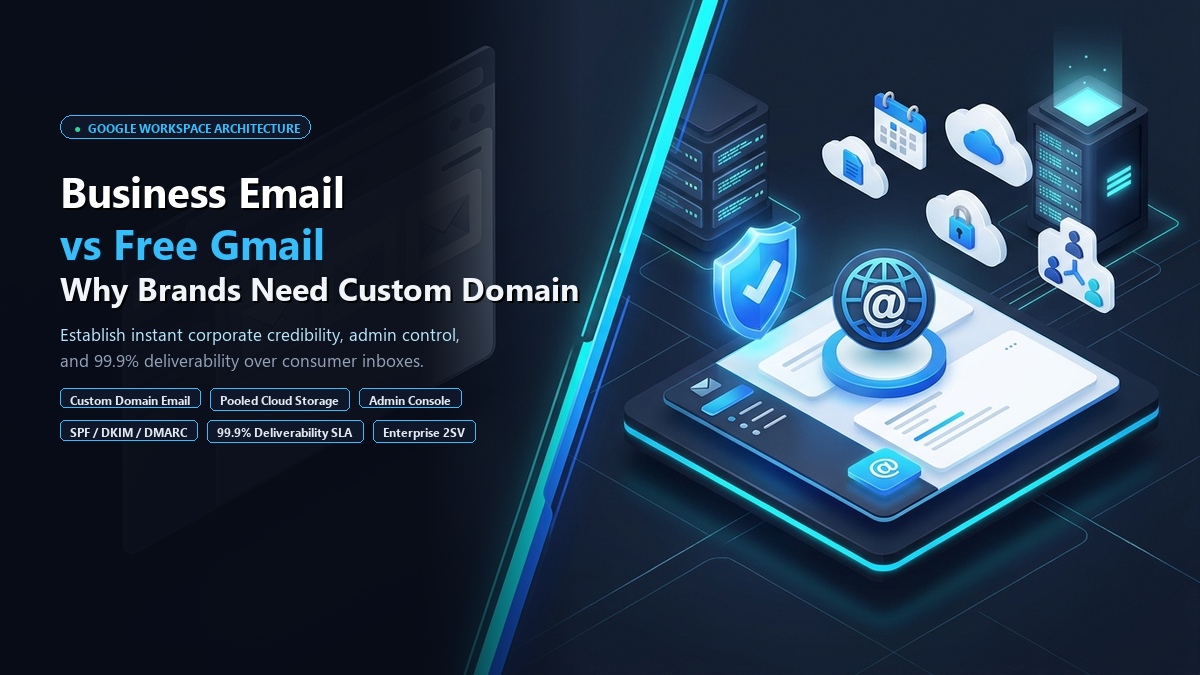
Google Workspace replaces generic @gmail.com addresses with custom domain email ([email protected]), centralized Admin Console ownership, SPF/DKIM/DMARC authentication, and 30 GB to 5 TB of pooled storage per user. By contrast, free Gmail provides 15 GB of personal consumer storage without domain-level security controls.
Sending proposals, invoices, or support replies from a personal @gmail.com address signals temporary freelancing rather than an accountable company. Worse, consumer Gmail lacks centralized admin control when staff depart and misses custom-domain authentication that corporate spam filters expect. Below, we compare branding credibility, deliverability, security ownership, and real-world cost.
Every outbound message reinforces your company domain instead of advertising a free consumer mail provider.
Custom-domain SPF, 2048-bit DKIM, and DMARC alignment keep quotes out of corporate spam filters.
Suspend departing staff, transfer Drive files, and enforce 2-Step Verification from one central console.
Why Free @gmail.com Accounts Hurt Commercial Credibility
First impressions in B2B sales and client services happen inside the recipient’s inbox long before a discovery call takes place. When a procurement manager receives a $25,000 proposal from [email protected], three immediate friction points arise. First, anyone can register a free consumer Gmail address in ninety seconds without proving they represent your registered business entity. Second, modern enterprise email gateways—including Microsoft Defender for Office 365 and Proofpoint—assign higher suspicion scores to commercial solicitations originating from free webmail domains. Third, if your company website is acmedesign.com while your invoices come from @gmail.com, clients cannot easily verify whether a payment request is legitimate or a vendor impersonation scam.
Custom domain email eliminates that ambiguity on every touchpoint. Whether your team sends cold outreach, password resets via smtp-relay.gmail.com, or legal agreements, recipients see a consistent, verifiable domain name. Over a year of sales cycles, the difference in reply rates and invoice approval speed routinely outweighs the modest monthly per-user subscription cost.
Business Email vs Free Gmail: 2026 Comparison Scorecard
To make an objective infrastructure decision, it helps to compare consumer Gmail against Google Workspace across the five operational dimensions that matter most to growing teams: brand identity, email deliverability, storage architecture, administrative control, and AI productivity.
| Evaluation Dimension | Free Consumer Gmail (@gmail.com) | Google Workspace Business Email (@yourdomain.com) |
|---|---|---|
| Sender Identity & Trust | Generic consumer address; zero domain ownership proof | Custom domain addresses plus up to 30 free aliases per user |
| Deliverability & Auth | Controlled solely by Google consumer policies; no custom DMARC | Full control over SPF, 2048-bit DKIM, and staged DMARC policies |
| Storage Architecture | 15 GB fixed per personal account (shared across Gmail, Drive, Photos) | 30 GB (Starter), 2 TB (Standard), or 5 TB (Plus) pooled per license |
| Admin & Offboarding | None; departing employee retains full access and recovery control | Centralized Admin Console: suspend users, reset 2SV, transfer Drive data |
| Gemini AI Capabilities | Basic consumer features; no organization-wide data privacy guarantees | Bundled Gemini AI in Gmail, Docs, Sheets, Meet with enterprise privacy |
| SLA & Support | No uptime SLA; community forums only | 99.9% uptime SLA plus 24/7 Google and partner technical support |
Corporate Data Ownership and Employee Offboarding
The hidden operational catastrophe of free Gmail is not aesthetics—it is custody of business records. When an account manager creates [email protected] on a personal Google profile, John owns that account under Google’s consumer terms of service. His personal phone number and personal recovery email govern password resets. If John resigns abruptly or joins a competitor, your company has no administrative button to revoke his session, archive his client threads, or reassign his Google Drive spreadsheets.
With Google Workspace, the organization owns every mailbox and Drive asset inside the domain tenant. Through the Google Admin Console, an administrator can immediately reset a departing employee’s password, revoke OAuth tokens, transfer ownership of all Google Drive files and Calendar events to a manager, and convert the mailbox into an archive or alias. For a full operational breakdown, review our employee offboarding checklist in Google Workspace.
The Email Authentication and Deliverability Gap
Bulk sender requirements enforced by Gmail, Yahoo, and Microsoft 365 since 2024–2026 heavily penalize unauthenticated domains. Free @gmail.com accounts cannot publish custom DMARC policies (p=quarantine or p=reject) for your brand, nor can they authenticate transactional emails sent from your WordPress site, CRM, or invoicing software on your domain’s behalf.
When you deploy Google Workspace on your own domain, you gain complete DNS control:
- Modern Single MX Record: Route incoming mail cleanly using Google’s modern single MX entry (Priority
1, Host@, Valuesmtp.google.com) without moving your website hosting. - Authorized SPF String: Publish a single TXT record containing
v=spf1 include:_spf.google.com ~allso receiving servers verify Google’s outbound IP ranges. - 2048-bit DKIM Signing: Generate a cryptographic 2048-bit key inside the Admin Console under
google._domainkeyand click “Start authentication” to tamper-proof outbound headers. - Staged DMARC Protection: Roll out DMARC safely from
p=nonemonitoring top=rejectenforcement so spoofers cannot forge your executive emails.
2026 Google Workspace Tiers, Pooled Storage, and Gemini AI
In 2026, Google Workspace no longer forces small businesses to buy a separate $20–$30 AI add-on to use Gemini inside their inbox. Gemini AI capabilities are now bundled directly into the core Business editions, alongside Google’s pooled storage model that shares capacity across your entire user roster. Understanding how these tiers differ ensures you never overpay for unused features—or under-provision compliance tools.
Business Starter (standard list $6/user/month Annual or $7.20 Flexible; available from $3–$4/user/month through authorized partner promotions) provides custom domain email, 30 GB of pooled storage per user, 100-participant Google Meet calls, and Gemini AI assistance directly in Gmail for drafting and summarizing long threads. It is the ideal entry point for teams graduating from free Gmail.
Business Standard ($12–$15/user/month depending on commitment) expands pooled storage to 2 TB per user, unlocks 150-participant meetings with cloud recording and Gemini “Take notes for me,” adds native Appointment Scheduling pages (replacing paid Calendly seats), and embeds Gemini across Docs, Sheets, Slides, and Google Vids.
Business Plus ($18–$23/user/month) increases pooled storage to 5 TB per user, supports 500-participant meetings, and includes Google Vault for mandatory email retention rules, legal holds, and eDiscovery exports—essential for regulated finance, healthcare, and legal firms. For a side-by-side feature matrix, see our Google Workspace editions comparison guide.
Cost-Benefit Analysis: Annual vs Flexible Billing and Partner Value
Hesitating over a $4 to $12 per-user monthly fee is common for bootstrapped startups, yet the total cost of ownership (TCO) calculation strongly favors custom domain email. Suppose a five-person agency spends $30/month on Business Starter. For less than the cost of one client lunch, the agency secures 150 GB of pooled corporate storage, enterprise spam protection, centralized offboarding, and verifiable brand trust on every quote.
Billing structure also affects your annual budget:
- Flexible Plan: Billed month-to-month with the freedom to add or remove user licenses anytime, typically costing ~20% more per seat than annual commitments. Best for seasonal teams or short-term contractors.
- Annual / Fixed-Term Plan: Locks in a lower per-seat rate for 12 months, ideal for core full-time staff whose headcount remains stable.
- Authorized Reseller Partner Billing: Purchasing directly from Google requires an international credit card and often triggers foreign exchange markups without local GST tax invoices. Buying through an authorized partner like Onlive Server provides local currency invoicing, compliant tax documentation, and hands-on DNS setup assistance.
You can model exact seat costs and currency impacts in our 2026 Google Workspace pricing and plans breakdown.
Stretching Your Budget with Free Email Aliases and Google Groups
A common misconception when moving away from free Gmail is assuming every email address requires a paid monthly license. In reality, Google Workspace lets you maintain dozens of professional addresses for the price of a few core user seats.
First, every paid user account supports up to 30 free email aliases. If your founder’s primary account is [email protected], you can attach [email protected], [email protected], and [email protected] as aliases at zero extra cost. Messages arrive in Alex’s inbox, and Alex can configure “Send mail as” to reply from those alias addresses.
Second, role-based team addresses like [email protected], [email protected], or [email protected] should never consume a paid user license. Instead, create a free Google Group Collaborative Inbox. Multiple licensed team members can read, assign, tag, and reply to incoming inquiries from a shared queue without paying for an extra seat.
How to Transition from Free Gmail Without Losing History
Switching to custom domain email does not mean abandoning years of historical emails or contacts stored in your old @gmail.com inbox. Once you register your domain in Google Workspace, verify ownership via a DNS TXT record, and point your MX record to smtp.google.com, you can import your legacy messages cleanly.
Inside the Google Admin Console, use the Data Migration Service (DMS) to pull historical messages from personal Gmail accounts (or cPanel/IMAP webmail) over encrypted connections directly into your new corporate mailboxes. Simultaneously, set up temporary auto-forwarding on your old @gmail.com account with a polite auto-responder notifying contacts of your new @company.com address. Within 30 days, nearly all recurring vendors and clients will update their address books, completing your transition with zero lost correspondence.
Your First 30-Day Custom Domain Rollout Plan
To ensure a smooth cutover with zero bounced client messages, execute your transition in four deliberate stages rather than changing everything at once:
- Days 1–2 (Domain Verification & Seat Provisioning): Register your Workspace tenant, add the
google-site-verification=TXT record at your DNS host, create user accounts, and configure free aliases and Google Groups before pointing MX records. - Days 3–5 (MX Cutover & Authentication): Update your MX record to
1 smtp.google.com, publish your SPF TXT record (v=spf1 include:_spf.google.com ~all), activate 2048-bit DKIM signing, and deploy a monitoring DMARC record (p=none). - Days 6–14 (Historical Import & Website Relay): Run Google’s Data Migration Service to import legacy threads, and configure your WordPress or web app transactional mailers to use
smtp-relay.gmail.comso order confirmations never land in spam. - Days 15–30 (2SV Enforcement & Decommission): Enforce 2-Step Verification across all staff, confirm all client replies are arriving at your custom domain, and retire your old consumer
@gmail.comauto-responder.
Frequently Asked Questions
Can I keep my exact Gmail interface if I switch to business email?
Yes. Google Workspace uses the exact same Gmail web interface, mobile apps (iOS and Android), keyboard shortcuts, and label system as free Gmail, but without consumer ads and with added corporate Admin Console controls and Gemini AI workspace tools.
Do I need to move my website hosting to use Google Workspace?
No. Your website stays on your existing web host (WordPress, VPS, Shopify, or cloud server). You only update your domain’s MX, SPF, DKIM, and DMARC records to point email traffic to Google while leaving your website A and AAAA records untouched.
How much does Google Workspace cost compared to free Gmail?
While free Gmail costs $0, Google Workspace Business Starter lists around $6/user/month on annual plans (and starts from $3–$4/user/month via authorized partners like Onlive Server). Business Standard and Plus range from $12 to $23/user/month depending on storage and Vault compliance needs.
Can I transfer my old @gmail.com emails into my new custom domain inbox?
Yes. You can import existing emails and contacts from a free @gmail.com account into your new Google Workspace mailbox using Google’s built-in Data Migration Service or POP/IMAP import tools without losing folders or labels.
What happens if an employee leaves the company?
With free Gmail, the employee owns the account and can take client emails with them. With Google Workspace, an administrator can immediately reset the password, revoke device access, transfer Drive files to another team member, and forward incoming mail to a replacement.
Are Gemini AI features included in Google Workspace Business plans in 2026?
Yes. Google now bundles Gemini AI capabilities directly into Business Starter, Standard, and Plus subscriptions, including email drafting and summarization in Gmail plus AI assistance across Docs, Sheets, Slides, and Meet on higher tiers.
Switching from free Gmail to custom domain email gives your organization centralized user ownership, domain-level authentication, and shared storage pools. Review available Google Workspace plans to match seat counts and compliance features to your team size.