

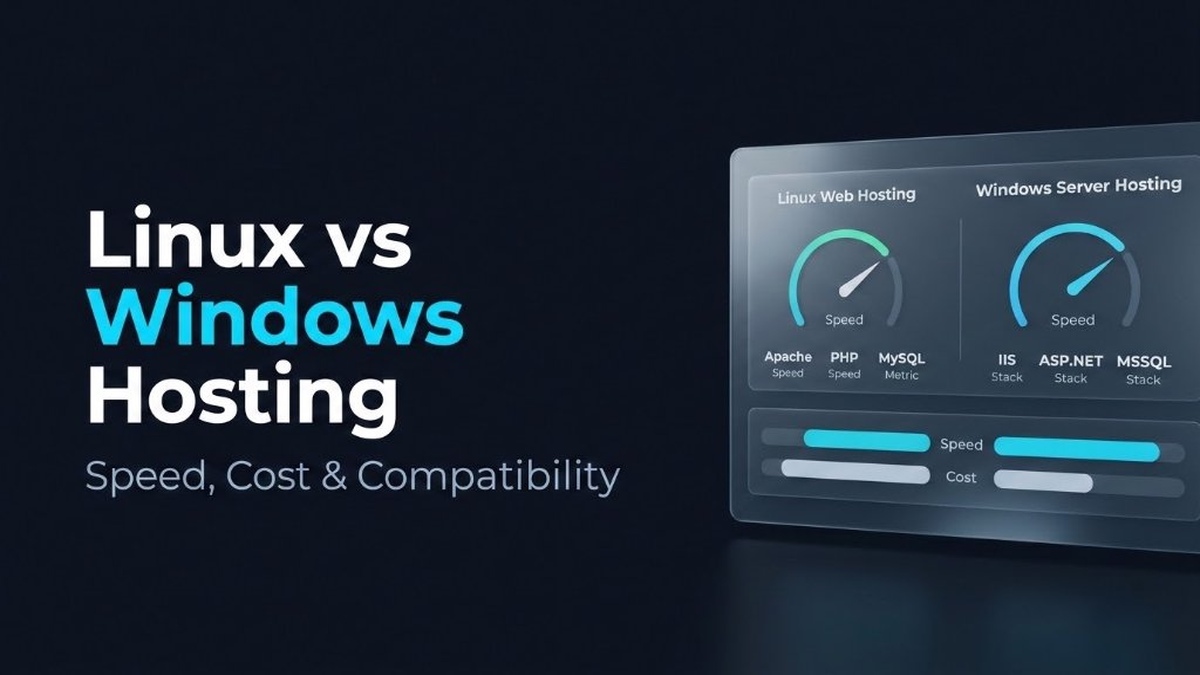
Linux web hosting outperforms Windows hosting for PHP, Python, Node.js, and WordPress workloads because it eliminates OS licensing fees, runs lighter kernel processes, and pairs natively with Apache, Nginx, and MariaDB. Windows hosting is only needed for ASP.NET Framework or MSSQL dependencies.
Evaluating linux vs windows web hosting is the first architectural decision before deploying any website or SaaS backend. Their process models, filesystem rules, and OS licensing create measurable differences in latency, RAM overhead, and stack compatibility—here is how both platforms compare in practice.
Linux distributions eliminate Windows Server CAL fees, dedicating more budget to NVMe I/O and RAM.
Runs PHP-FPM, Nginx, Apache, and MariaDB natively with lighter process memory footprints.
Choose Windows Server only when workloads strictly require ASP.NET Framework or MSSQL.
Kernel & Process Architecture: How Linux and Windows Handle Web Workloads
The fundamental difference between Linux and Windows hosting begins at the operating system kernel level, long before an HTTP request reaches your application code. Linux distributions used in production hosting—most commonly AlmaLinux, Rocky Linux, Ubuntu LTS, and Debian—are engineered around a headless, text-configured architecture. Without a graphical desktop environment consuming RAM and CPU cycles, a minimal Linux web node boots in roughly 300 MB to 450 MB of memory, leaving the vast majority of physical RAM for database buffer pools and PHP worker processes.
Windows Server, even in Server Core mode, carries a heavier baseline footprint due to the Windows Registry, Win32 subsystem services, Active Directory hooks, and .NET runtime assemblies. In multi-tenant or entry-level VPS environments with 2 GB to 4 GB of RAM, that baseline OS overhead directly reduces the memory available for InnoDB caching and concurrent HTTP workers.
Process Isolation vs. Threading Models
Linux web servers rely on lightweight process forking, epoll asynchronous event loops, and kernel-level cgroups (often paired with CloudLinux LVE or systemd slices) to isolate tenants and manage concurrency. When you run Nginx or Apache with MPM Event alongside PHP-FPM, the web server handles thousands of keep-alive TCP connections in a single non-blocking event loop while handing dynamic script execution to a pool of pre-forked PHP workers. Shared memory segments allow OPcache to store precompiled PHP bytecode once in RAM and share it across all child workers in the pool.
Windows Internet Information Services (IIS) relies on http.sys—a kernel-mode HTTP listener—and Application Pools (w3wp.exe) managed by the Windows Process Activation Service (WAS). While http.sys is fast for static content and .NET worker threads, running PHP on IIS requires spinning up FastCGI processes (php-cgi.exe) that historically lack the same shared-memory OPcache efficiency across isolated application pools. Each isolated IIS Application Pool also incurs higher per-process memory overhead than a corresponding Linux PHP-FPM pool.
Filesystem Semantics, Case Sensitivity, and Symlinks
Web developers migrating between local Windows machines and production Linux servers frequently encounter path resolution bugs rooted in filesystem differences:
- Case Sensitivity on ext4 and XFS: Linux filesystems treat
Logo.pngandlogo.pngas two distinct files. Windows NTFS is case-preserving but case-insensitive by default, which hides broken relative links during local Windows development until deployment on Linux triggers HTTP 404 errors. - Path Separators and URL Rewriting: Linux uses forward slashes (
/) natively across both filesystem paths and URI routes, matching Apachemod_rewriteand Nginxlocationblocks without translation layers. - POSIX Symlinks and Atomic Deployments: Zero-downtime deployment tools like Capistrano, Deployer, and Envoyer rely on instantaneous atomic
ln -sfnsymlink swaps on Linux. Windows NTFS directory junctions require elevated privileges or specific Group Policy permissions that shared hosts rarely grant. - Executable Bits vs. ACLs: Linux enforces simple octal permissions (
chmod 755for directories,644for files) and user/group ownership (chown), whereas Windows relies on complex NTFS Access Control Lists (ACLs) inherited across directory trees.
PHP, Python, and .NET Performance Benchmarks on Linux vs. Windows
When comparing which is better linux or windows hosting for speed, the answer depends entirely on the runtime your application executes. Web servers do not generate performance advantages in a vacuum; performance comes from how efficiently the OS kernel, web server, and language runtime pass file descriptors and memory buffers.
PHP-FPM & OPcache on Linux vs. FastCGI on IIS
In real-world php performance linux vs windows hosting tests—such as WordPress 6.x, WooCommerce, and Laravel 11 workloads—Linux consistently delivers 20% to 40% lower Time to First Byte (TTFB) and higher requests-per-second (RPS) on identical vCPU and NVMe hardware. Three technical factors drive this gap:
- Fork vs. CreateProcess Overhead: Linux
fork()with copy-on-write memory pages is orders of magnitude faster than WindowsCreateProcess(), allowing PHP-FPM to scale child workers rapidly during traffic spikes. - OPcache & JIT Memory Mapping: On Linux, PHP-FPM maps a single shared
opcache.memory_consumptionsegment across all workers in a pool. Under IIS FastCGI, separatephp-cgi.exeprocesses often duplicate opcode caches or require WinCache extensions that lag behind upstream PHP 8.2 and 8.3 releases. - File Stat & Realpath Caching: WordPress and Composer-based frameworks execute thousands of
stat()calls per request to resolve autoloaded classes. Linux VFS dentry caching resolves these metadata lookups in memory far faster than NTFS metadata traversal.
If your stack is built on PHP, MySQL/MariaDB, Python (WSGI/ASGI), or Ruby, deploying on a reliable Linux web hosting platform eliminates FastCGI translation bottlenecks and gives you direct access to native package managers and OPcache tuning. For a deeper look at how those four layers interact on every page load, read our breakdown of LAMP stack architecture on Linux hosting.
Where ASP.NET Core and MSSQL Change the Equation
Historically, any Microsoft-stack project required Windows Server. That changed with .NET Core and modern .NET 8/9: ASP.NET Core is now cross-platform, runs natively on Linux via the Kestrel web server behind an Nginx reverse proxy, and often benchmarks faster on Linux than on Windows IIS due to lower syscall overhead.
However, asp net vs php hosting still favors Windows Server in three specific scenarios:
Legacy .NET Framework 4.x
Applications built on ASP.NET WebForms, WCF services, or System.Web assemblies cannot run on Linux and require Windows Server with IIS.
Classic ASP & COM+ Components
Older enterprise portals relying on VBScript, ActiveX, or registered COM+ DLLs are strictly bound to the Windows Win32 subsystem.
Microsoft SQL Server (MSSQL)
While MSSQL runs on Linux containers, managed shared/VPS hosting with SSMS integration, SSRS reporting, and Windows Auth is far smoother on Windows.
Microsoft Access & SharePoint
Legacy Jet/ACE database drivers and SharePoint Server topologies require native Windows Server infrastructure.
Total Cost of Ownership (TCO): Licensing, Control Panels, and Database Fees
Price is the most visible difference between linux and windows hosting, and it extends well beyond the base monthly plan. Every Windows Server host must account for Microsoft Service Provider License Agreement (SPLA) fees—billed per physical or virtual core—plus Client Access Licenses (CALs) when applicable. Hosting providers pass these recurring licensing costs directly to customers.
Database licensing widens the gap even further. Linux hosts bundle MariaDB, MySQL Community Edition, and PostgreSQL at zero software cost. Windows hosts supporting Microsoft SQL Server must pay for SQL Server Web or Standard Edition per-core licenses once an application outgrows the 10 GB database size cap and 1 GB RAM limit of free SQL Server Express.
| Cost & Stack Component | Linux Web Hosting | Windows Web Hosting |
|---|---|---|
| OS Licensing Fee | \$0 (AlmaLinux, Ubuntu, Debian) | \$15–\$45+/mo SPLA per-core surcharge |
| Primary Control Panels | cPanel, DirectAdmin, CyberPanel, Webmin | Plesk Obsidian (Windows Edition), SolidCP |
| Included Databases | MariaDB, MySQL, PostgreSQL (Unlimited) | MSSQL Express (10 GB cap) or paid MSSQL Standard |
| Web Server Engine | Apache MPM Event, Nginx, LiteSpeed | Microsoft IIS 10 + http.sys |
| Best-Fit Languages | PHP 8.x, Python, Node.js, Ruby, Go, .NET 8+ | ASP.NET Framework 4.x, Classic ASP, .NET 8+ |
| Remote Administration | SSH (Key-based, minimal bandwidth) | RDP (GUI overhead, Port 3389 hardening needed) |
| Baseline Idle RAM Usage | 300 MB – 500 MB | 1.4 GB – 2.2 GB |
Inspecting Server Stack & Resource Overhead via CLI
One of the strongest operational advantages of Linux hosting is transparent, scriptable command-line observability over SSH. You can verify kernel version, memory consumption, active web server processes, and PHP OPcache status in seconds without launching a heavy remote desktop session.
Run the following diagnostic commands on a Linux hosting instance to inspect OS overhead and confirm your PHP-FPM and web server configuration:
On a properly tuned Linux server running AlmaLinux 9 with Nginx and PHP 8.3 FPM, free -h typically shows under 450 MB used by the base system, leaving the rest of your memory available for MariaDB InnoDB buffer pools and PHP workers. By contrast, checking baseline memory via PowerShell on a Windows Server 2022 IIS node (Get-CimInstance Win32_OperatingSystem | Select-Object TotalVisibleMemorySize,FreePhysicalMemory) routinely shows 1.5 GB+ consumed before a single site receives traffic.
Decision Matrix: Which Platform Should You Deploy?
To make a final architecture call without guesswork, map your application dependencies against the criteria below:
- Choose Linux Hosting for CMS & Open-Source Apps: WordPress, WooCommerce, Drupal, Joomla, Magento, Laravel, Django, and Express.js all target Linux as their primary production environment. Every major plugin, Composer package, and caching layer (Redis, Memcached, Varnish) is built and tested for Linux first.
- Choose Linux Hosting for Modern .NET 8+ APIs: If you are starting a greenfield C# or ASP.NET Core project with PostgreSQL or MySQL, Linux hosting saves OS licensing fees while delivering equal or superior Kestrel throughput.
- Choose Windows Hosting for Legacy Microsoft Stacks: If you are migrating an existing .NET Framework 4.5–4.8 web portal, relying on Windows Authentication/Active Directory, or querying an existing Microsoft SQL Server database with T-SQL stored procedures, Windows Server with Plesk prevents costly code rewrites.
- Plan Your Scaling Path Early: Even if you start on shared hosting, Linux offers a frictionless upgrade path to an isolated VPS or dedicated node using identical
rsync, SSH, and MariaDB tooling. Review our guide on when to upgrade Linux shared hosting to a VPS to benchmark CPU steal and memory limits before traffic outgrows shared quotas.
Frequently Asked Questions
Is Linux hosting faster than Windows hosting for WordPress?
Yes. WordPress is written in PHP and relies on MySQL or MariaDB. Linux runs PHP-FPM with shared-memory OPcache and native Apache or Nginx event loops, delivering 20%–40% faster TTFB and higher concurrency than running PHP through IIS FastCGI on Windows Server.
Can I switch from Windows hosting to Linux hosting without losing my website?
Yes, provided your site uses cross-platform technologies like PHP, HTML/CSS/JS, Python, or .NET 8+. You will need to export your MySQL database, transfer files via SFTP or rsync, verify case-sensitive file paths, and convert any IIS web.config rewrite rules into Apache .htaccess or Nginx directives.
Does Linux hosting work if my local computer runs Windows 11?
Yes. Your server operating system does not need to match your personal laptop or desktop OS. You can manage a Linux hosting account from Windows 11 using any web browser (for cPanel or DirectAdmin), PowerShell OpenSSH, or SFTP clients like FileZilla and WinSCP.
Why is Windows web hosting more expensive than Linux hosting?
Windows Server requires commercial Microsoft SPLA licensing fees billed per server core, along with paid control panel licenses like Plesk and potential SQL Server licensing costs. Linux distributions such as AlmaLinux, Ubuntu, and Debian are open-source with zero OS licensing fees.
Can I run ASP.NET Core on Linux web hosting?
Yes. Modern .NET (Core, .NET 6, .NET 8, and .NET 9) is fully cross-platform and runs natively on Linux using the Kestrel web server behind Nginx or Apache. Only legacy .NET Framework 4.x applications and Classic ASP require Windows Server.
Which hosting OS is more secure: Linux or Windows?
Both operating systems are secure when properly patched and hardened, but Linux offers stronger multi-tenant isolation out of the box using CloudLinux CageFS, SELinux/AppArmor, and granular POSIX permissions, while avoiding Windows-targeted ransomware and RDP port 3389 brute-force exposure.
Run PHP, Python, and WordPress Workloads on Native Linux Infrastructure
Choosing Linux eliminates Windows Server licensing overhead while giving your applications native Apache, Nginx, MariaDB, and PHP-FPM support. Provisioning on NVMe-backed Linux servers delivers lower latency and cleaner stack compatibility from day one.