

Quick Answer: How to Choose Operating Systems on Cheap VPS
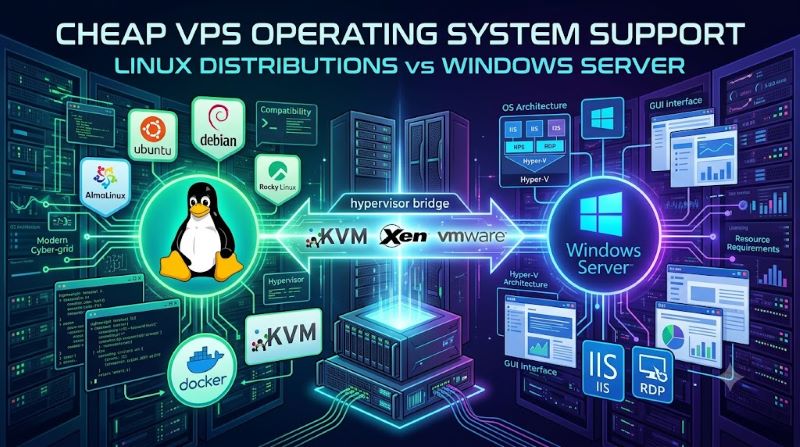
Choosing an operating system on a budget VPS depends on base RAM overhead and application dependencies: Debian 12 and Alpine Linux deliver the lowest idle memory footprint (60MB–110MB RAM), making them optimal for 1GB VPS instances running microservices and lightweight Nginx stacks. Ubuntu 24.04 LTS and AlmaLinux 9 (180MB–260MB RAM) are the enterprise standards for Docker, LEMP, Node.js, and cPanel/Plesk. Windows Server 2022/2025 requires a minimum of 2GB RAM (preferably 4GB+) and a commercial Microsoft SPLA license, making it strictly necessary only for ASP.NET, MSSQL, Active Directory, and GUI-driven Remote Desktop (RDP) workloads.
When procuring a cheap VPS, hardware boundaries are sharply defined. Unlike dedicated bare-metal servers with 64GB+ of physical memory, cost-effective virtual machines typically operate within 1GB to 4GB of vRAM and 1 to 2 vCPUs. Under these constrained resource envelopes, the operating system is not merely a background software layer—it is the foundational consumer of your computing capacity. Selecting an improper OS distribution can easily consume 40% to 70% of your allocated memory before a single application process or database transaction executes.
Operating system support on modern virtualization platforms is fundamentally tied to hypervisor architecture. True full virtualization (KVM) grants complete architectural sovereignty, enabling custom kernel parameters, dedicated swap files, loading specialized security modules, and even running proprietary Windows Server images. Conversely, outdated container virtualization (such as legacy OpenVZ or basic LXC) forces your workload to share the host’s monolithic kernel, severely restricting kernel-level networking, firewall rules, and guest OS diversity.
1. Hypervisor Foundations: Why KVM Dictates Operating System Freedom
The technical viability of any operating system on a budget cloud server depends directly on the underlying hypervisor. Virtualization technologies dictate whether your virtual instance functions as an autonomous machine with its own virtualized BIOS, memory space, and I/O devices, or simply as an isolated chroot jail operating under the host node’s single kernel.
KVM Hardware Virtualization vs. Containerization (LXC / OpenVZ)
Onlive Server provisions all virtual servers on Kernel-based Virtual Machine (KVM) architecture backed by enterprise Intel Xeon and AMD EPYC physical processors. In a KVM topology, hardware virtualization extensions (Intel VT-x or AMD-V) create an isolated virtual hardware layer for each tenant:
- Independent Kernel Space: KVM boots an entirely independent kernel inside the guest OS. You can run upstream Linux kernels (6.x+), compile custom kernel modules (e.g., WireGuard, eBPF, ZFS), or boot Microsoft Windows NT kernels without host interference.
- OpenVZ / LXC Container Limitations: Commodity budget hosts often cut costs by deploying container virtualization. In OpenVZ/LXC, all containers share the host node’s monolithic Linux kernel. As a result, you cannot load custom modules, cannot tune low-level TCP network buffers, cannot deploy Docker with full overlay2 storage drivers, and cannot run Windows Server under any circumstances.
- Dedicated Swap & Memory Isolation: KVM ensures strict physical memory boundaries. If an application encounters a memory spike, KVM allows the guest OS to utilize configured disk swap space rather than instantly killing processes via the host’s out-of-memory (OOM) killer.
Custom ISO Mounting, BIOS Virtualization & NoVNC Console Access
True operating system flexibility requires out-of-band management. Through our enterprise client control panel, KVM virtualization empowers system administrators to mount custom bootable ISO images directly via virtual optical drives. If your workload requires specialized operating systems—such as Alpine Linux, FreeBSD, AlmaLinux Minimal, or custom enterprise corporate images—you can boot directly into the installer. Out-of-band HTML5 NoVNC console access guarantees full graphical control from initial BIOS initialization through post-install network configuration, even if SSH or Windows Remote Desktop is disabled.
2. Linux Distribution Ecosystem: Benchmarking Footprint, Stability & Package Ecosystems
Linux remains the overwhelmingly dominant operating system choice for budget cloud infrastructure, accounting for more than 85% of production web hosting and microservice deployments. However, distinct distributions present wildly divergent memory footprints, lifecycle maintenance models, and binary packaging standards.
Ubuntu Server LTS (22.04 / 24.04): Universal Developer Standard
Ubuntu Server Long-Term Support (LTS), engineered by Canonical, is the most widely adopted server operating system globally. Offering 5 years of standard security maintenance (extendable to 10 years via Ubuntu Pro), Ubuntu provides the broadest native software ecosystem:
- Extensive Repository Support: Most open-source projects—including Docker, Kubernetes, Nginx, Node.js, and Python—treat Ubuntu as their primary first-class release target.
- Automated Cloud-Init: Native integration with cloud-init allows instantaneous post-provisioning customization (SSH key injection, hostname assignment, and automated package installs).
- Resource Tradeoff: Ubuntu boots with systemd services, snapd (which can be disabled), and AppArmor security, resulting in an idle RAM footprint of approximately 180MB–240MB. It performs flawlessly on 2GB+ VPS plans.
Debian 12 (Bookworm): The Minimalist RAM & Rock-Solid Stability Champion
For resource-constrained 1GB VPS environments, Debian 12 represents the gold standard of architectural efficiency. Debian strips away unnecessary background daemons, running a lean, battle-tested systemd implementation:
- Sub-100MB Idle Memory Footprint: A fresh Debian 12 minimal installation typically consumes merely 70MB to 110MB of RAM at idle, leaving over 900MB of unconstrained memory for database caches, PHP-FPM pools, or application logic.
- Uncompromising Package Stability: Debian’s package testing lifecycle prioritizes rock-solid operational reliability over cutting-edge package versions, practically eliminating regressions during routine
apt upgradecycles.
AlmaLinux 9 & Rocky Linux 9: Enterprise RHEL Binary Compatibility
Following the deprecation of traditional CentOS Linux, AlmaLinux and Rocky Linux have stepped forward as the definitive enterprise server distributions. Built as 1:1 binary-compatible clones of Red Hat Enterprise Linux (RHEL 9/10), they provide predictable 10-year support lifecycles:
- Web Hosting Control Panel Standard: Commercial control panels—including cPanel/WHM, DirectAdmin, and Plesk—are deeply integrated into the RHEL/RPM ecosystem. AlmaLinux is the recommended OS for commercial multi-tenant web hosting.
- SELinux Security Framework: Mandatory Access Control (MAC) via Security-Enhanced Linux (SELinux) is enabled by default, enforcing strict isolation boundaries across web servers and system services.
Alpine Linux: Ultra-Lightweight Microservices & Container Host
Built around musl libc and busybox, Alpine Linux represents the extreme frontier of minimal server footprints. With a base install disk footprint of less than 150MB and idle RAM usage between 40MB and 65MB, Alpine is the premier operating system for deploying lightweight Docker container hosts, static file caches, and secure reverse proxy edge gateways on entry-level VPS instances.
3. Windows Server on Cheap VPS: Editions, SPLA Licensing Economics & Overhead
While Linux dominates general web hosting, enterprise business infrastructure frequently demands native Microsoft environments. Running a cheap Windows VPS introduces distinct technical and economic considerations that must be factored into deployment planning.
Windows Server 2019, 2022 & 2025: Standard vs. Datacenter
Modern Windows VPS environments run on 64-bit Windows Server releases (2019, 2022, and 2025). Onlive Server provisions authentic, fully activated editions under the Microsoft Services Provider License Agreement (SPLA). Key structural components include:
- Server Core vs. Desktop Experience (GUI): Server Core strips away the graphical shell, reducing idle RAM consumption to approximately 1.1GB–1.4GB and minimizing the attack surface. However, most hosting clients require the Desktop Experience (GUI) for Remote Desktop (RDP) management, which increases base memory consumption to 1.8GB–2.2GB.
- Native Microsoft Ecosystem Integration: Essential for running ASP.NET Core, legacy .NET Framework applications, Microsoft SQL Server (MSSQL), Internet Information Services (IIS 10.0), Active Directory Domain Services, and Windows-specific commercial software.
Microsoft SPLA Licensing Costs vs. Open-Source Linux Economics
Open-source Linux distributions incur zero licensing surcharges. In contrast, Microsoft Windows Server is commercial proprietary software licensed on a per-core or per-VM monthly subscription model. Providers offering “free” Windows Server licenses are frequently violating Microsoft licensing compliance or deploying unauthorized KMS activators that pose catastrophic security risks. Onlive Server includes authorized SPLA licensing directly within our Windows VPS configurations, ensuring continuous Microsoft Update security patches and enterprise audit compliance. For managed Microsoft environments, consider our fully managed Windows VPS hosting.
Memory & Storage Thresholds: Sizing RAM for Remote Desktop & MSSQL
Due to the architectural overhead of the Windows NT kernel, graphical rendering subsystems, and Windows Defender background processes, a Windows VPS requires a baseline minimum of 2GB RAM simply to operate stably. For production workloads involving MSSQL Express/Standard, IIS web servers, or multi-user Remote Desktop access, 4GB to 8GB of RAM and at least 50GB of NVMe SSD storage is strongly advised to prevent severe memory contention and disk thrashing.
4. Operating System Resource Footprint & Technical Specifications Matrix
The table below compares the idle resource utilization, filesystem overhead, and architectural profiles of major operating systems when deployed on our KVM-virtualized cloud infrastructure:
| Operating System | Kernel Base | Idle RAM Footprint | Base Disk Usage | Package Tool | Licensing Cost | Recommended Workload |
|---|---|---|---|---|---|---|
| Debian 12 Bookworm | Linux 6.1 LTS | 75 MB – 110 MB | 1.2 GB | APT / DPKG | Free (Open Source) | 1GB VPS, Microservices, LEMP, Python |
| Alpine Linux 3.19 | Linux 6.6 (musl) | 45 MB – 65 MB | 150 MB | APK | Free (Open Source) | Docker Host, Edge Proxies, WireGuard |
| Ubuntu 24.04 LTS | Linux 6.8 | 190 MB – 240 MB | 2.8 GB | APT / Snap | Free (Open Source) | General Web Apps, Node.js, Cloud Native |
| AlmaLinux 9.4 | Linux 5.14 (RHEL) | 180 MB – 250 MB | 2.4 GB | DNF / RPM | Free (Open Source) | cPanel/WHM, Plesk, Enterprise Web Stacks |
| Rocky Linux 9.4 | Linux 5.14 (RHEL) | 185 MB – 255 MB | 2.5 GB | DNF / RPM | Free (Open Source) | Corporate Systems, PostgreSQL, DirectAdmin |
| Windows Server 2022 Core | Windows NT 10.0 | 1.1 GB – 1.4 GB | 18 GB | PowerShell / WinGet | SPLA Commercial | Headless .NET Core, Backend MSSQL Nodes |
| Windows Server 2022 GUI | Windows NT 10.0 | 1.8 GB – 2.2 GB | 32 GB | MSI / GUI Setup | SPLA Commercial | RDP Workstations, ASP.NET, Forex Trading |
5. Web Hosting Control Panel & Ecosystem Compatibility Matrix
Deploying a VPS for web hosting typically involves installing a graphical control panel to streamline domain management, DNS routing, database provisioning, and SSL termination. Different control panels enforce strict operating system requirements:
| Control Panel | Supported Operating Systems | Minimum RAM | Web Server Engine | Licensing Model | Primary Use Case |
|---|---|---|---|---|---|
| cPanel / WHM | AlmaLinux 8/9, Rocky Linux 8/9, Ubuntu 20.04/22.04 | 2 GB (4 GB recommended) | Apache / Nginx Reverse Proxy | Commercial Monthly | Multi-tenant Commercial Reseller Hosting |
| Plesk Obsidian | AlmaLinux, Rocky Linux, Ubuntu, Debian, Windows Server | 1.5 GB (2 GB recommended) | Apache / Nginx / IIS | Commercial Monthly | Cross-Platform Agencies & Windows ASP.NET |
| CyberPanel | AlmaLinux 8, Ubuntu 20.04/22.04 | 1 GB (2 GB recommended) | OpenLiteSpeed / LiteSpeed | Free / Open Source | High-Speed WordPress Caching (LSCache) |
| CloudPanel | Debian 11/12, Ubuntu 22.04/24.04 | 1 GB (1 GB recommended) | Nginx + PHP-FPM | Free / Open Source | Ultra-Lean PHP, Node.js & Python Hosting |
| aaPanel | Ubuntu, Debian, AlmaLinux | 512 MB (1 GB recommended) | Nginx / Apache / OpenLiteSpeed | Free / Freemium | Modular LAMP/LNMP Stack Administration |
| HestiaCP | Debian 11/12, Ubuntu 20.04/22.04 | 1 GB (1 GB recommended) | Nginx + Apache / Nginx PHP-FPM | Free / Open Source | Lightweight Self-Hosted Multi-Domain Hosting |
6. Production Terminal Runbook: OS Resource Auditing & Kernel Concurrency Tuning
Once your operating system is provisioned on your budget VPS, execute the following production runbook via SSH to audit your memory footprint, verify hypervisor clock stability, configure swap memory to protect against OOM termination, and optimize kernel socket concurrency limits.
7. Production Workload Sizing & Operating System Allocation Matrix
To guarantee that your applications run smoothly without exhausting hardware limits, align your workload profile with the tested operating system and hardware sizing matrix detailed below:
| Target Workload Profile | Recommended Operating System | Minimum VPS Configuration | Storage Recommendation | Critical Architectural Reason |
|---|---|---|---|---|
| High-Traffic WordPress / WooCommerce | Ubuntu 24.04 LTS or Debian 12 | 2 vCPU / 2GB–4GB RAM | 40 GB PCIe NVMe | Nginx + PHP-FPM + Redis caching stack requires sub-100MB OS overhead to allocate maximum memory to Redis object caches. |
| Commercial Reseller Hosting (cPanel) | AlmaLinux 9 or Rocky Linux 9 | 2 vCPU / 4GB RAM | 60 GB PCIe NVMe | cPanel/WHM strictly mandates RHEL-family architecture; 4GB RAM ensures smooth MySQL InnoDB pool allocation across multiple client accounts. |
| Docker Microservices & API Gateways | Debian 12 or Alpine Linux | 1 vCPU / 1GB–2GB RAM | 25 GB PCIe NVMe | Minimal kernel footprint ensures 90%+ of hardware RAM is dedicated to containerized workloads without OS daemon contention. |
| Enterprise ASP.NET Core & MSSQL | Windows Server 2022 Standard | 4 vCPU / 8GB RAM | 80 GB PCIe NVMe | Microsoft SQL Server requires dedicated buffer pools; Windows Desktop Experience GUI consumes ~2GB RAM at baseline. |
| Forex Automated Trading (MT4 / MT5) | Windows Server 2019 / 2022 GUI | 2 vCPU / 4GB RAM | 40 GB PCIe NVMe | MetaTrader expert advisors (EAs) demand 24/7 unhindered Windows desktop rendering, sub-10ms network transit, and reliable RDP access. |
| VPN Gateway / WireGuard Proxy | Debian 12 or Alpine Linux | 1 vCPU / 1GB RAM | 20 GB PCIe NVMe | Kernel-native WireGuard integration consumes less than 80MB RAM under sustained 1Gbps network throughput. Deployable across regional nodes such as India VPS or USA VPS. |
8. Strategic Operating System Deployment Checklist for Cheap VPS
Before deploying your next virtual private server, follow this systematic engineering checklist to avoid performance bottlenecks, software incompatibilities, and unexpected licensing surcharges:
Frequently Asked Architectural Questions (FAQ)
What is the best Linux distribution for a cheap 1GB RAM VPS?
Debian 12 is the premier choice for a 1GB VPS. It boots with an idle memory footprint of approximately 75MB–110MB, leaving over 900MB of unconstrained RAM for Nginx, PHP, and database services. Alpine Linux is even lighter (under 60MB RAM) for containerized microservices.
Can I run Microsoft Windows Server on a cheap 1GB VPS?
No. Windows Server requires at least 2GB RAM to boot stably, and 4GB+ RAM for responsive Remote Desktop (RDP) management and database operations. Attempting to run Windows Server on a 1GB instance causes severe hypervisor swapping and system freezes.
Why is KVM virtualization required for custom operating systems?
KVM delivers full hardware virtualization with dedicated virtual CPU, RAM, and PCIe devices. This allows users to boot custom ISOs, load arbitrary kernel modules, and run distinct operating systems (like Windows or FreeBSD) that cannot run on shared-kernel container architectures like OpenVZ.
What replaced CentOS for commercial web hosting on VPS?
AlmaLinux and Rocky Linux have replaced CentOS. Both are 1:1 binary-compatible forks of Red Hat Enterprise Linux (RHEL), fully supported by major control panels including cPanel/WHM, Plesk, and DirectAdmin with predictable 10-year support cycles.
How do I connect to a Linux VPS vs. a Windows VPS?
Linux VPS instances are managed securely via SSH (port 22) using OpenSSH terminal keys or PuTTY. Windows VPS instances are accessed graphically via Microsoft Remote Desktop Protocol (RDP, port 3389) or PowerShell Remoting. Out-of-band VNC is also available for both.
Can I change my VPS operating system after deployment?
Yes. Through Onlive Server’s cloud control panel, you can rebuild your VPS with a different Linux distribution or Windows Server edition at any time with a single click. Note that operating system reinstallation wipes the virtual disk, so data backups are required.
Are Windows Server licenses included with budget VPS plans?
Windows Server requires a commercial Microsoft SPLA license, which is added as a transparent monthly subscription. Linux distributions (Ubuntu, Debian, AlmaLinux, Alpine) are open-source and incur zero licensing fees.
How does swap memory protect low-RAM VPS instances?
A swap file allows the Linux kernel to page inactive memory blocks to NVMe disk when physical RAM is exhausted during traffic spikes. This prevents the Linux Out-of-Memory (OOM) killer from abruptly terminating MySQL or Nginx processes.
