

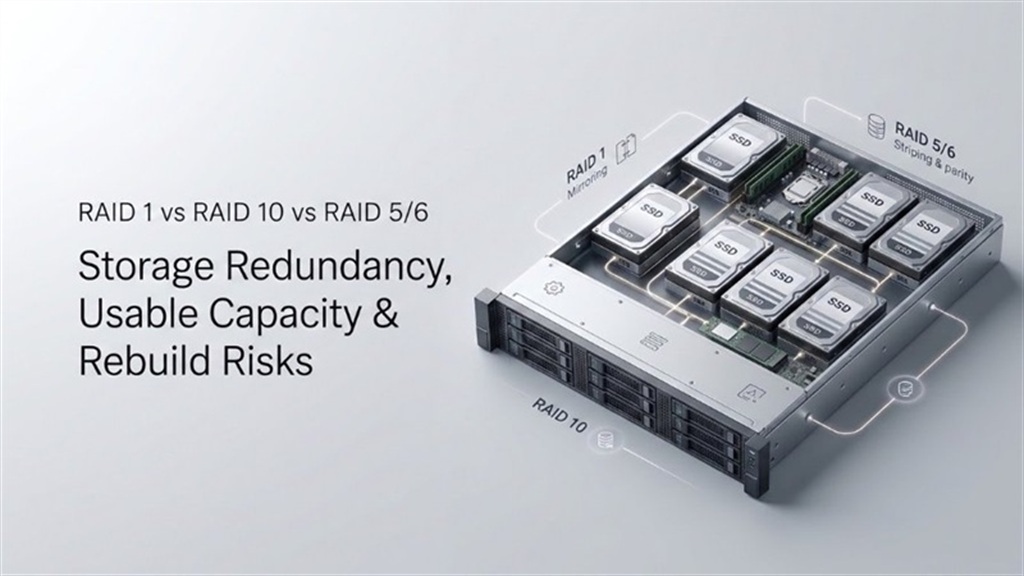
Comparing RAID 1 vs RAID 10 vs RAID 5/6 reveals distinct trade-offs between storage redundancy, usable capacity, write performance, and rebuild risk. RAID 1 provides simple 2-drive mirroring with 50% usable capacity. RAID 10 combines mirroring and striping across 4+ drives, delivering maximum IOPS, fast rebuilds, and zero parity overhead, making it the premier choice for databases. RAID 5 and RAID 6 maximize usable capacity via distributed parity but suffer from write penalties and dangerous Unrecoverable Read Error (URE) risks during multi-terabyte rebuilds.
For enterprise infrastructure architects and systems administrators, evaluating RAID 1 vs RAID 10 vs RAID 5/6 is critical for high-throughput transactional applications. Deploying on USA bare metal dedicated server infrastructure eliminates hypervisor scheduling contention, delivers unthrottled PCIe Gen4 NVMe throughput, and ensures deterministic instruction execution under peak loads.
Hardware Isolation
Single-tenant bare-metal cores with zero noisy-neighbor CPU steal and dedicated DDR5 ECC memory channels.
Ultra-Low Latency
Unmetered 1Gbps to 10Gbps transit with direct coastal peering and sub-millisecond optical backbone routes.
PCIe NVMe Storage
Enterprise NVMe RAID arrays delivering sustained 700K+ random read IOPS for mission-critical database operations.
Table of Contents: Technical Navigation Index 8 Chapters ▾
Navigate directly to detailed architectural analysis, hardware sizing benchmarks, deployment automation scripts, and peer verification resources:
Architectural Breakdown: Mirroring, Striping, and Parity
The fundamental mechanics of Redundant Arrays of Independent Disks (RAID) are built upon three core storage techniques: striping, mirroring, and parity. Striping (RAID 0) interleaves data blocks across multiple physical drives, multiplying sequential read and write throughput by distributing I/O across independent drive controllers, but offers zero fault tolerance. Mirroring (RAID 1) duplicates identical data across two or more physical drives, providing 100% data redundancy and fast read speeds at the expense of cutting usable capacity by 50%.
Parity-based RAID levels (RAID 5 and RAID 6) introduce mathematical redundancy by calculating XOR parity blocks across data disks. RAID 5 distributes single parity blocks across all drives, allowing the array to survive one disk failure with (N-1) usable capacity. RAID 6 calculates dual Reed-Solomon parity blocks, allowing the array to survive two simultaneous disk failures with (N-2) usable capacity, but introduces a heavy write penalty. For foundational architecture context, systems engineers frequently reference our technical analysis on hardware vs software RAID storage implementations to establish baseline compute sizing requirements.
Two drives store identical copies; excellent read throughput, 50% usable capacity, instantaneous failure failover.
Requires 4+ drives; combines RAID 0 speed with RAID 1 redundancy, zero parity calculation write penalties.
Maximizes usable capacity for large arrays; suffers from parity write penalties and prolonged rebuild times.
Operating on unvirtualized silicon ensures deterministic instruction execution cycles, eliminates noisy neighbor memory bus congestion, and delivers guaranteed throughput for demanding enterprise workloads.
The Parity Write Penalty and Rebuild Risk Physics
A critical performance characteristic often overlooked in storage sizing is the parity write penalty. In RAID 5, writing a single small block requires a ‘Read-Modify-Write’ cycle consisting of 2 disk reads and 2 disk writes (a 4x write penalty) to recalculate the XOR parity block. In RAID 6, dual parity calculations require 3 disk reads and 3 disk writes (a 6x write penalty). This makes RAID 5 and RAID 6 poorly suited for write-heavy workloads like database transaction logs or active virtual machine disks.
Furthermore, the rebuild process in large RAID 5 arrays is fraught with existential risk. When an 8TB or 16TB enterprise drive fails in a RAID 5 array, the rebuild process requires reading every single remaining sector across all surviving drives to reconstruct the missing data. Understanding how RAID implementations interact with controller hardware, as detailed in our guide on why storage RAID redundancy does not replace offsite backups reveals why modern high-capacity drive deployments have largely abandoned RAID 5 in favor of RAID 10 or RAID 6.
Comparative Architectural Assessment
Evaluating virtualization overhead against dedicated bare metal involves quantifying hypervisor CPU cycle interception, memory bus saturation, and I/O wait latency across real-world enterprise workloads:
RAID 5 incurs a severe 4-I/O write penalty for parity updates and subjects degraded arrays to multi-day rebuilds, dangerously increasing unrecoverable read error (URE) catastrophic risks.
RAID 10 requires zero parity calculations, delivers 100% read/write striping acceleration, and rebuilds failed member drives in minutes by copying healthy mirror blocks directly.
The URE Math: Why RAID 5 Is Dangerous on Large Drives
The Unrecoverable Read Error (URE) rate defines the statistical frequency of non-recoverable read errors on magnetic or flash storage. Standard enterprise drives typically specify a URE rate of 1 sector error per 10^15 bits read (approximately 1 error every 12.5 terabytes). On consumer drives, the rating drops to 1 in 10^14 bits (1 error every 1.25 terabytes).
When rebuilding a degraded RAID 5 array constructed with large 8TB or 12TB drives, the volume of data read during reconstruction often exceeds the statistical URE threshold. If an unrecoverable read error occurs on any surviving drive during a RAID 5 rebuild, the entire array drops offline with catastrophic data loss. RAID 6 eliminates this vulnerability by maintaining dual parity, allowing the rebuild to proceed even if an unrecoverable read error occurs on a surviving drive. Infrastructure capacity planners systematically evaluate deployment sizing through our guide on high-IOPS NVMe enterprise disk configurations before finalizing dedicated server hardware configurations.
Hardware Architecture Specifications & Core Sizing Matrix
Key hardware infrastructure sizing parameters must be systematically evaluated across the following production architectural components:
- • Statistical URE Threshold: Rebuilding multi-terabyte drives in RAID 5 statistically guarantees read errors that destroy degraded arrays.
- • RAID 6 Dual Parity Safety: Tolerates a secondary drive failure or URE bad sector during active rebuild operations without array collapse.
- • RAID 10 Fast Rebuilds: Rebuilding a RAID 10 array requires copying data from only one mirrored drive, finishing in hours rather than days.
- • SSD/NVMe Rebuild Velocity: Solid-state NVMe drives rebuild exponentially faster than spinning mechanical platters, drastically shortening vulnerability windows.
RAID Capacity and Fault Tolerance Calculator Runbook
To calculate usable storage capacity, fault tolerance ceilings, and parity write penalties across multi-drive dedicated server storage arrays, administrators can execute the diagnostic calculator script below:
Production Implementation & Verification Runbook
Executing automation or configuration changes in a production enterprise environment requires a structured protocol to ensure system continuity, audit logging, and zero unplanned service interruptions:
Confirm active root privileges (whoami), verify available filesystem storage on /tmp and /var/log, and inspect active kernel modules with lsmod before applying configuration deltas.
Deploy changes during scheduled low-traffic windows. Capture real-time diagnostic output using standard redirection (tee -a /var/log/audit-runbook.log) to preserve execution timestamps and return codes for compliance auditing.
Execute immediate regression testing by verifying active service sockets (ss -tulpn), inspecting system error logs (journalctl -xe --since "10 minutes ago"), and checking hardware health sensor telemetry via IPMI.
Maintain validated configuration snapshots (e.g. cp /etc/sysctl.conf /etc/sysctl.conf.bak) and scripted recovery triggers to instantly revert parameters if latency or error rates exceed established SLA thresholds.
Always balance raw storage costs against recovery risks. For databases, choose RAID 10 without hesitation. For archival storage and media streaming, choose RAID 6 or ZFS RAID-Z2 to guard against secondary disk failures. When deploying automation and kernel parameters in enterprise production, sysadmins should cross-reference technical requirements against the Storage Networking Industry Association (SNIA) storage standards.
Why Storage Redundancy Never Replaces Independent Backups
A fundamental rule of enterprise sysadmin engineering is that RAID is redundancy, not a backup. RAID protects your server against physical disk hardware failures; it provides zero protection against accidental file deletion, database corruption, ransomware encryption, or filesystem bugs. Implementing our architectural blueprint on securing storage volumes against unauthorized access ensures that local RAID storage is backed by immutable, isolated offsite backup vaults adhering to strict 3-2-1 enterprise backup rules.
RAID maintains high availability during disk loss; independent backups ensure recovery from disaster and corruption.
Deploy daily filesystem snapshots paired with remote S3-compatible cloud replication vaults.
Establish clear Recovery Time Objectives (RTO) and Recovery Point Objectives (RPO) for enterprise business continuity.
Production Resilience & Failure Domain Hardening
To eliminate single points of failure across bare-metal server infrastructure, systems engineering teams must implement defense-in-depth architectural safeguards:
Maintain independent network routing for IPMI / BMC management interfaces to preserve administrative control during core network saturation or OS kernel panics.
Configure Linux kdump with reserved memory allocations to capture crash dumps (vmcore) for root-cause post-mortem diagnostics following critical system halts.
Configure daemonized SMART and software/hardware RAID monitoring to instantly alert NOC engineers upon drive read retry rate anomalies.
Leverage redundant upstream carrier paths to dynamically route around regional fiber cuts and upstream Autonomous System (AS) routing anomalies.
Hardware Telemetry & Architectural Comparison
Onlive Server configures high-performance redundant storage arrays (RAID 1, RAID 10, RAID 6) across our USA dedicated server fleet in Missouri, New York, California, and Ohio. Featuring multi-drive NVMe PCIe Gen4 and enterprise SATA storage with unmetered 1Gbps/10Gbps ports, our systems provide the foundation for zero-downtime hosting starting at $44/month.
| RAID Level | Minimum Drives | Usable Storage Capacity | Fault Tolerance Limit | Workload Suitability |
|---|---|---|---|---|
| RAID 1 | 2 Drives | 50% of Total Raw Capacity | 1 Drive Failure | |
| RAID 10 | 4 Drives (Even) | 50% of Total Raw Capacity | 1 Drive per Mirror Pair (Up to 50%) | |
| RAID 5 | 3 Drives | (N – 1) x Smallest Drive Capacity | 1 Drive Failure Only (High URE risk) | |
| RAID 6 | 4 Drives | (N – 2) x Smallest Drive Capacity | 2 Concurrent Drive Failures | |
| RAID 0 | 2 Drives | 100% of Total Raw Capacity | 0 (Any drive failure destroys array) |
All Onlive Server USA dedicated hosting nodes include dedicated IPMI 2.0 remote out-of-band management, 24/7 proactive hardware replacement guarantees, and unmetered Tier-1 network uplinks to ensure uncompromising enterprise operational continuity.
Related Technical Deep-Dives
Expand your systems engineering expertise across our interconnected dedicated hosting architecture series:
In-depth hardware analysis, telemetry comparisons, and production benchmarks.
Technical deployment runbook, automated scripts, and system hardening guidelines.
High-performance dedicated server plans across Tier-3 data centers in the United States.
Frequently Asked Questions
Which RAID level is best for dedicated web servers? +
For transactional database servers, e-commerce platforms, and high-concurrency web servers, RAID 10 is the best RAID level because it combines the speed of striping with the redundancy of mirroring without parity write penalties. For simple entry-level servers with two drives, RAID 1 provides excellent redundancy and reliability.
Why is RAID 5 dangerous with large hard drives? +
RAID 5 is dangerous with large hard drives (exceeding 2TB-4TB) because rebuilding a failed drive requires reading every sector on all surviving drives. The statistical probability of encountering an Unrecoverable Read Error (URE) during multi-terabyte rebuilds is extremely high, which causes the entire array to fail and results in total data loss.
What is the difference between RAID 1 and RAID 10? +
RAID 1 uses two drives to create an exact duplicate mirror of data with 50% usable capacity. RAID 10 requires at least four drives and combines striping (RAID 0) across mirrored pairs (RAID 1). RAID 10 delivers significantly higher read and write IOPS than RAID 1 while maintaining the same 50% storage efficiency.
Does RAID 10 improve read and write speeds? +
Yes. RAID 10 multiplies sequential and random read speeds by the total number of drives in the array and multiplies write speeds by half the drive count (N/2). Because RAID 10 calculates no mathematical parity, it experiences zero write penalty, delivering maximum IOPS for databases.
How does RAID 6 protect against dual drive failure? +
RAID 6 calculates two independent parity blocks (P and Q parity) using Reed-Solomon algorithms and distributes them across all drives in the array. This allows a RAID 6 array to lose any two physical drives simultaneously without losing a single byte of data.
Can I hot-swap a failed drive in a RAID array on dedicated nodes? +
Yes, our enterprise server chassis feature front-accessible hot-swap drive caddies. When a drive fails, our datacenter technical team can replace the faulty drive with a new certified drive without powering down the operating system.
Is RAID a substitute for a regular backup strategy? +
No, absolutely not. RAID only protects against physical disk hardware failures. It cannot protect against accidental file deletion, database corruption, malicious attacks, ransomware, or catastrophic datacenter events. An independent 3-2-1 offsite backup strategy remains mandatory.
What storage configurations are available on USA dedicated servers? +
We offer dual-drive NVMe/SSD configurations (2 x 500GB, 2 x 1TB, 2 x 2TB NVMe) configured in RAID 1, and quad-drive enterprise arrays (4 x 2TB, 4 x 4TB NVMe, 4 x 6TB SATA) configured in high-speed RAID 10 or high-capacity RAID 6 across our US data centers.
Deploy Redundant RAID Storage on USA Dedicated Servers
Maximize storage throughput and eliminate drive failure risks. Deploy high-performance RAID 1, RAID 10, or RAID 6 bare-metal dedicated servers in Missouri, New York, California, and Ohio with pure NVMe storage and unmetered port speeds.
Configure Redundant RAID Dedicated Server Hosting in the USA →