

Verified Answer
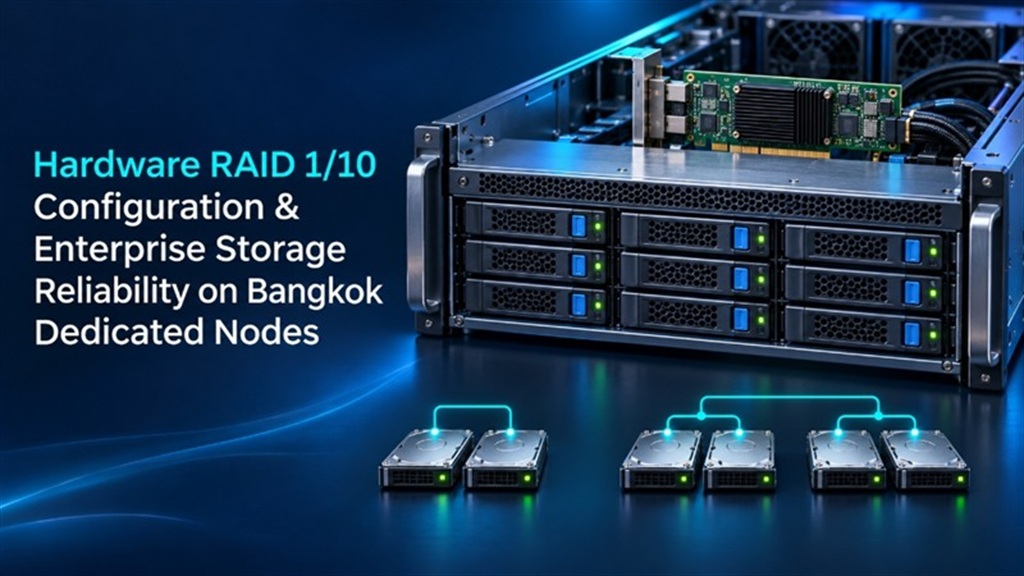
Deploy hardware RAID 10 for write-intensive databases requiring maximum IOPS and dual-fault resilience, or RAID 1 for standard mirrored redundancy. Because entry-tier Bangkok servers ship with a single physical drive, always order a secondary matched drive for hardware RAID or ZFS mirroring. Neither RAID nor ZFS replaces off-host, immutable backups.
Relying on a single physical storage drive in an enterprise server guarantees eventual downtime when electrical fatigue or NAND controller failure strikes. During catastrophic drive failures, the true danger lies not just in the initial fault, but in the grueling rebuild process where secondary drives encounter unrecoverable read errors under intense I/O stress. Operating production workloads in Bangkok datacenters requires implementing disciplined storage redundancy through hardware RAID controllers or OpenZFS mirrored pools.
Reality: Hardware RAID and Linux mdadm software RAID administration pass bad blocks blindly; OpenZFS uses end-to-end 256-bit checksums to detect and self-heal flipped bits.
Takeaway: Deploy OpenZFS on ECC Xeon tiers to guarantee cryptographic filesystem integrity for mission-critical databases.
Reality: Hardware RAID controllers require a Battery Backup Unit (BBU) or Flash-Backed Write Cache (FBWC) to safeguard DRAM caches during outages.
Takeaway: Never enable Write-Back mode without verifying active BBU/FBWC health in StorCLI to prevent catastrophic corruption.
Reality: Entry Bangkok plans ship with a single disk; multi-drive tiers include redundant enterprise disks out-of-the-box.
Takeaway: Single-drive deployments require adding a second matched drive at checkout to configure RAID 1 or ZFS mirrors before launch.
Drive Failure Modes & Why Single-Drive Bangkok Plans Require Pre-Order Mirroring
Storage drives fail through three distinct physical mechanisms: mechanical head crashes on spinning magnetic platters, flash block wear-out on solid-state drives, and sudden NAND controller lockup across NVMe storage devices. When a physical drive experiences a fatal hardware interruption, any operating system running on a single non-redundant block device halts immediately.
In high-capacity mechanical drives, the risk of secondary failure during array rebuilds is magnified by the Unrecoverable Read Error (URE) rate. Standard enterprise SATA hard drives specify a URE rating of 1 in $10^{14}$ bits read. This means that after reading approximately 12.5 terabytes of sequential data, a read error is statistically probable. If you operate a traditional RAID 5 array across four 4 TB drives and one drive fails, rebuilding that array requires reading 12 TB of data from the remaining drives. An encounter with a single unreadable sector during this high-stress rebuild crashes the entire volume.
Addressing Single-Drive Bangkok Server Defaults
[!CAUTION] Drive Configuration Safeguard: In Onlive Server’s verified Bangkok catalog, entry-level and high-frequency plans (DSX1 through DSX3 and DSX10 through DSX21) ship standard with a single physical drive (e.g. DSX10 includes 1x 500 GB NVMe; DSX16 includes 1x 240 GB SSD; DSX21 includes 1x 1 TB SSD). Deploying a production database or corporate portal on a single drive creates an unnecessary operational risk. When configuring your order, always add an identical secondary drive to configure hardware RAID 1 or software OpenZFS mirroring prior to deployment.
For multi-drive tiers out of the box, plans such as DSX4 (2×1 TB SAS), DSX6 (2×240 GB SSD), DSX7 (2×240 GB SSD), DSX22 (4×4 TB SATA), and DSX23–DSX25 include multiple matched disks ready for redundant array provisioning.
For an architectural breakdown of drive interfaces and flash queue depths, read our comparative guide on PCIe NVMe and SSD storage architecture in Bangkok.
Hardware RAID Controllers: Write-Back Cache, BBU & Rebuild Exposure
Dedicated hardware RAID controllers (such as Broadcom / LSI MegaRAID controllers) offload RAID parity calculations from the host processor to a specialized onboard application-specific integrated circuit (ASIC).
Write-Through vs Write-Back Caching
Hardware RAID controllers include onboard DRAM caches (typically 1 GB to 4 GB). The write-cache policy fundamentally dictates disk write throughput:
- Write-Through Mode: The controller commits write operations to physical NAND or magnetic platters before returning an acknowledgment to the operating system. While completely safe against sudden power loss, write throughput is throttled by physical disk write speeds.
- Write-Back Mode: The controller immediately acknowledges write operations the moment data lands in the onboard DRAM cache, before it is physically written to disk. This accelerates random transactional write speeds by up to 500%.
However, Write-Back mode introduces fatal vulnerability without power protection: if datacenter utility power drops unexpectedly, unwritten data resident in controller DRAM vanishes, causing severe database corruption. To prevent this, enterprise hardware RAID cards incorporate a Battery Backup Unit (BBU) or Flash-Backed Write Cache (FBWC). A BBU supplies power to the DRAM for up to 72 hours during an outage, while FBWC flushes DRAM contents to dedicated flash memory using supercapacitors.
OpenZFS Mirrors & RAIDZ2: End-to-End Checksums on ECC Bangkok Nodes
While hardware RAID controllers protect against complete drive failures, they are blind to silent data corruption (bit rot). Cosmic rays, electrical noise on storage backplanes, and firmware microcode bugs can alter stored bits without triggering a hardware controller fault. When the operating system reads the corrupted sector, the hardware RAID controller returns the bad data without warning.
OpenZFS eliminates silent bit rot by implementing self-healing 128-bit file architecture:
Architectural Prerequisite: ECC Memory on Bangkok Xeon Tiers
OpenZFS utilizes an in-memory cache called the Adaptive Replacement Cache (ARC). Because OpenZFS performs all checksum hashing and parity generation inside host system RAM, corrupted RAM bits will cause valid data to be written with bad checksums.
Consequently, OpenZFS requires servers equipped with Error-Correcting Code (ECC) memory. In Onlive Server’s Bangkok catalog, enterprise Intel Xeon tiers—such as DSX6 (128 GB ECC RAM), DSX7 (128 GB ECC RAM), DSX20 (192 GB ECC RAM), and DSX21 (256 GB ECC RAM)—provide ideal platforms for OpenZFS storage pools.
When configuring Proxmox VE private cloud virtualization on Bangkok metal, pairing local ZFS mirrored pools with high-capacity Xeon nodes delivers high consolidation density and verifiable data integrity.
Configuring ashift, LZ4 Compression & zfs_arc_max Safely
When provisioning an OpenZFS pool on Linux (AlmaLinux, Debian, or Ubuntu LTS), incorrect initial pool parameters cannot be altered later without destroying the entire pool. Follow these established rules to maximize I/O throughput.
Safe OpenZFS Pool Creation Runbook
[!WARNING] Data-Loss Warning: Running zpool create formats the targeted block devices immediately. Verify physical drive identifiers using lsblk and /dev/disk/by-id/ before executing pool creation commands to avoid overwriting your primary operating system partition.
Why ashift=12 Is Mandatory
The ashift parameter sets the physical sector size of the underlying storage devices ($2^{\text{ashift}}$). Modern solid-state drives and Advanced Format mechanical drives use 4096-byte (4K) physical sectors. Setting ashift=9 (the legacy 512-byte default) causes write amplification: every 4K write triggers an expensive read-modify-write cycle across the physical NAND blocks, cutting write performance by up to 60%. Setting ashift=12 ($2^{12} = 4096$) ensures native 4K sector alignment.
Why LZ4 Compression Improves I/O Throughput
Enabling compression=lz4 accelerates disk throughput rather than slowing it down. Modern processor cores compress and decompress LZ4 at multiple gigabytes per second with negligible CPU usage. Because less raw data is transferred over physical storage buses, storage I/O bottlenecks are mitigated.
Monitoring SMART & Pool Degradation Before Production Outages
Storage reliability requires continuous health monitoring rather than reacting to catastrophic drive dropouts. Operating system daemons must be configured to detect read retries, media errors, and degraded pool states before complete drive failure.
If Current_Pending_Sector is greater than zero on a drive, the storage firmware has detected sectors that cannot be read successfully. In a redundant array, schedule an immediate drive replacement before secondary sector failures corrupt parity calculations.
Why Neither RAID Nor ZFS Substitutes for Off-Host Backups
A common operational misconception is assuming that a mirrored RAID 1 or dual-parity RAIDZ2 array eliminates the requirement for regular backups. Redundancy protects strictly against physical hardware component failure; it offers zero protection against logical or operational disasters.
RAID and OpenZFS cannot protect against:
- Accidental Deletions & File Corruption: If a systems engineer runs
rm -rfon a production volume, the mirrored drive executes that deletion instruction simultaneously. The mirror replicates data corruption instantly. - Ransomware & Cryptographic Malware: Malicious actors compromising administrative privileges will encrypt filesystem blocks across the entire array.
- Datacenter-Level Disruptions: Physical catastrophic events require restoring operations from separate geographic regions. Note that AWS currently has its Bangkok region (
ap-southeast-7) in development; nearest active regional AWS zones sit in Singapore (ap-southeast-1), Jakarta (ap-southeast-3), and Malaysia (ap-southeast-5). Cross-border latency to Singapore averages 25 to 35 milliseconds, making domestic Bangkok hosting vital for sub-10 ms local response. - Regulatory Mandates under Thailand PDPA (B.E. 2562): Enforceable since June 1, 2022, and supervised by the Personal Data Protection Committee (PDPC), the PDPA mandates technical controls to ensure data availability and recovery under Section 35. Violations carry civil punitive damages up to double actual losses, administrative fines up to THB 5,000,000, and criminal penalties up to one year imprisonment.
True infrastructure resilience demands pairing on-host storage redundancy with air-gapped, immutable off-site backups. Review our complete architecture guide on immutable off-site disaster recovery backups to separate backup trust domains and secure snapshot repositories.
Deploying redundant hardware RAID Thailand dedicated servers backed by battery write caches and automated health alerts ensures maximum data availability for high-concurrency enterprise workloads.
Frequently Asked Questions
Securing Multi-Drive Storage Redundancy?
Individual disk failures should never interrupt live production environments. Hardware RAID controllers equipped with write-back cache and battery backup units preserve transactional write integrity during unplanned node interruptions.

Naveen Rajput
Founder, CEO & Technical Director, Onlive Server
Naveen Rajput oversees enterprise infrastructure architecture, bare-metal server provisioning, and international peering networks across Onlive Server Tier III datacenters in Bangkok and worldwide.
