

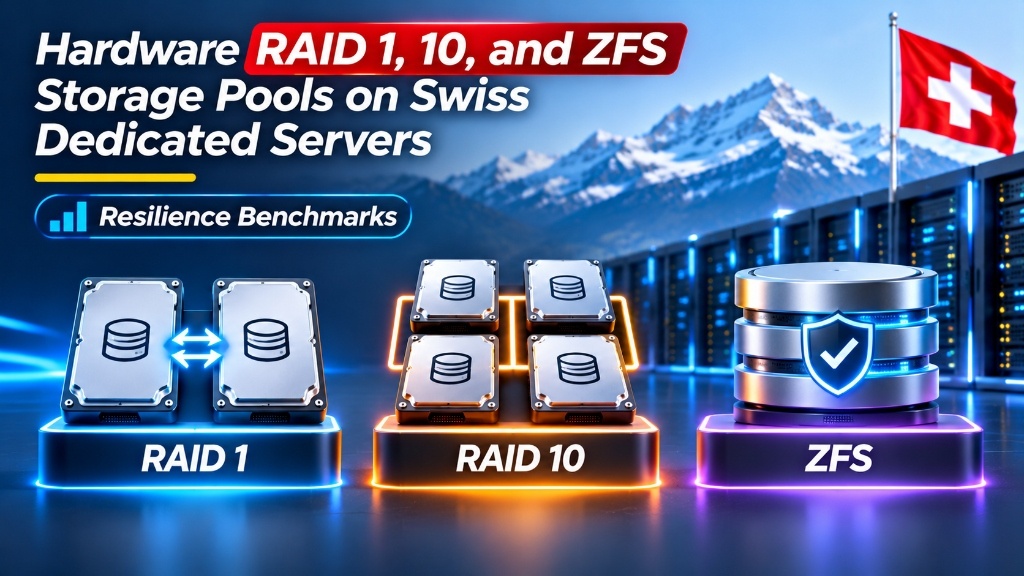
A dead drive controller, a silent bit flip inside an archive volume, or an unreadable sector surfacing mid-rebuild on a surviving disk can take a healthy Zurich server offline for hours. Choosing hardware RAID vs ZFS on a Switzerland dedicated server decides whether your storage array survives drive faults cleanly and catches silent corruption before it reaches backups. Matching redundancy to physical drive bays—and verifying HBA passthrough upfront—prevents avoidable storage outages.
Five verified plans (DSX7, DSX16, DSX18, DSX30, DSX31) ship with 1 drive; other tiers ship with 2 drives (DSX1–DSX5, DSX26–DSX29, DSX32), 3 drives (DSX21), or 8 drives (DSX19).
Hardware RAID hides physical disks behind virtual volumes; OpenZFS requires raw block access via motherboard ports or an HBA in IT/JBOD mode.
Neither Hardware RAID 1/10 nor OpenZFS RAIDZ2 prevents rm -rf, SQL DROP TABLE, ransomware, or chassis failure.
Drive Failure Modes and Why Single-Drive Zurich Plans Need Pre-Order Mirroring
Bare-metal storage fails in three distinct ways, and each redundancy design addresses a different failure mode:
- Abrupt Device Loss: A seized HDD spindle motor or dead NVMe controller removes the entire block device from the bus immediately.
- Unrecoverable Read Errors (UREs): Media sectors degrade quietly until a rebuild attempts to read every block of a surviving disk—turning single-parity RAID 5 degradation into volume loss.
- Silent Data Corruption (Bit Rot / Torn Writes): Firmware bugs, cabling glitches, or unclean power loss corrupt blocks without tripping SMART errors. Standard block-level RAID cannot determine which half of a mirror holds the intact copy.
Before selecting Hardware RAID, Linux mdadm, or OpenZFS, verify physical drive bay count. Most Zurich plans include two matched drives—DSX29 (2x8TB HDD, $78/mo), DSX32 (2x18TB HDD, $130/mo), DSX26 (2x1.92TB SSD, $260/mo), DSX27 (2x2TB NVMe, $375/mo), and DSX28 (2x3.84TB NVMe, $975/mo)—while DSX19 provides eight flash bays (8x1.92TB SSD, $1,683/mo). However, five plans ship with a single drive: DSX30 (1TB NVMe), DSX31 (1TB NVMe), DSX7 (10TB HDD), DSX16 (256GB SSD), and DSX18 (4000 GB HDD).
On a single-drive plan, neither RAID nor ZFS provides redundancy. Add a matched second drive in checkout before provisioning production services. For drive-class sizing, see comparing PCIe NVMe, enterprise SATA SSD, and 18 TB HDD drive tiers in Zurich.
Hardware RAID 1 and RAID 10: Write-Back Cache, BBU Protection, and Rebuild Exposure
Dedicated hardware RAID controllers (such as Broadcom/LSI MegaRAID or Dell PERC cards) handle mirroring, striping, and caching on an independent storage processor with onboard DRAM.
Where Hardware RAID Works Best
- OS-Agnostic Boot Simplicity: Presents one logical volume to Linux ext4/XFS, Windows Server, or commercial appliances without out-of-tree kernel storage modules.
- Protected Write-Back Cache (BBU / CacheVault): Equipped with a healthy Battery Backup Unit (BBU) or supercapacitor CacheVault module, hardware RAID can safely enable write-back caching—absorbing small synchronous writes into controller DRAM before flushing to SATA SSDs or HDDs. Warning: If the battery fails or no BBU is installed, controllers fall back to write-through mode, slashing random write speed. Never force write-back cache enabled without verified battery/capacitor protection.
Matching RAID Levels to Zurich Drive Bays
- RAID 1 (2-Bay Mirrors —
DSX1–DSX5,DSX26–DSX29,DSX32): Yields 50% usable capacity, zero parity write penalty, and 1-drive fault tolerance. On dual-NVMe servers (DSX27,DSX28,DSX11,DSX20), NVMe drives generally connect straight to PCIe lanes rather than a SAS RAID card, makingmdadmRAID 1 or OpenZFS mirrors standard. - RAID 10 (Striped Mirrors —
DSX198x1.92TB SSD): Stripes four mirrored pairs (~7.68 TB usable flash), eliminates parity penalties, and rebuilds solely from the surviving mirror partner rather than stressing all seven other disks. - Why RAID 5 Is Risky on High-Capacity Arrays: Single-parity RAID 5 incurs a 4x write amplification penalty on small random writes and must scan every sector of every surviving drive during reconstruction. On large HDDs, multi-hour or multi-day rebuilds raise the chance of a second disk error destroying the array. For 6–8+ bay capacity arrays, choose RAID 6 or OpenZFS RAIDZ2.
OpenZFS Mirrors and RAIDZ2: End-to-End Checksums on ECC Zurich Nodes
OpenZFS combines volume management and a copy-on-write filesystem into one layer. Every block write stores an end-to-end cryptographic checksum (Fletcher4 or SHA-256) verified on read. When a drive in a mirror or RAIDZ2 vdev returns silently corrupted bytes, ZFS reads the intact copy from the healthy peer or parity blocks and repairs the bad block automatically.
Operational Advantages on Zurich Bare Metal
- Allocated-Block Resilvering: Block RAID rebuilds the entire physical capacity of a replacement disk—even empty sectors. ZFS copies only allocated data blocks, shortening degraded exposure dramatically on partially filled pools.
- Instant Atomic Snapshots & Incremental Replication: Copy-on-write snapshots freeze filesystem state in milliseconds and stream cleanly via
zfs send | zfs receiveto a secondary Zurich storage node (DSX29orDSX32). - Proxmox VE Integration: Proxmox treats ZFS pools as native VM storage with scheduled asynchronous replication—covered in pairing local ZFS storage pools with multi-node Proxmox VE clusters in Zurich.
- ECC Memory Synergy: Deploying ZFS on ECC-equipped Xeon Scalable and EPYC Zurich tiers (
DSX26,DSX22,DSX24,DSX25,DSX28,DSX19) safeguards in-memory ARC metadata before checksums hit disk.
Hardware RAID vs Linux mdadm vs OpenZFS Comparison Matrix
| Evaluation Dimension | Hardware RAID (BBU / CacheVault) | Linux mdadm + ext4/XFS |
OpenZFS (Mirror / RAIDZ2) |
|---|---|---|---|
| Silent Corruption Defense | None (trusts disk sectors) | None at block layer | Full end-to-end checksums + self-healing scrubs |
| Hardware Portability | Requires compatible controller family | Controller-agnostic Linux kernel | Controller-agnostic; requires HBA/IT mode or direct NVMe/SATA |
| Rebuild / Resilver Scope | Full disk physical surface | Full partition (dirty bitmap speeds transient drops) | Allocated blocks only |
| Host RAM Usage | Uses controller DRAM (0 host RAM) | Minimal host RAM | Uses host RAM via ARC (bound zfs_arc_max explicitly) |
2-Bay NVMe (DSX27, DSX28) |
Rare (direct PCIe attachment) | Fast, low CPU overhead (mdadm RAID 1) |
Strong integrity + snapshots; tune recordsize & ARC |
8-Bay Flash (DSX19 8×1.92TB) |
Hardware RAID 10 (best Windows/raw IOPS) | mdadm RAID 10 |
4×2-way Mirrors (max IOPS) or 8-wide RAIDZ2 (~11.5 TB usable, 2-disk tolerance) |
Configuring Sector Alignment, LZ4 Compression, and ARC Memory Ceilings Safely
Four OpenZFS settings prevent the most common bare-metal performance and memory complaints:
- Sector Alignment (
ashift=12): Forces 4,096-byte (2^12) block alignment matching modern 4K HDDs and SSDs, preventing read-modify-write penalties.ashiftis immutable per vdev once created. - Inline LZ4 Compression (
compression=lz4): Minimal CPU cost on modern Zurich cores while cutting physical disk writes on SQL tables, JSON, logs, and VM disks. - Disable Access-Time Writes (
atime=off): Eliminates metadata writes on every file read. - Cap ZFS ARC (
zfs_arc_max): Prevents ZFS from claiming up to 50% of RAM on hosts running PostgreSQL, MySQL, or Proxmox VMs.
Guarded OpenZFS Pool Pattern (Blank Secondary Drives Only)
CRITICAL DATA-LOSS AND ACCESS-LOSS WARNING: zpool create and mdadm --create immediately wipe partition tables and destroy all data on target disks. NEVER run them against active OS disks or mounted partitions. Verify exact serial numbers via /dev/disk/by-id/, maintain verified backups, and confirm out-of-band console access beforehand—see using out-of-band IPMI and HTML5 KVM consoles during RAID recovery before altering boot or storage devices.
On dual-NVMe Linux hosts using mdadm + ext4/XFS instead of ZFS, verify internal write-intent bitmaps (--bitmap=internal) are enabled so brief transient drive resets resync only modified chunks.
Understanding ZFS ZIL/SLOG and When Separate Log Devices Actually Help
One of the most misunderstood OpenZFS topics is the ZFS Intent Log (ZIL) and dedicated Separate Intent Log (SLOG) devices. Every ZFS pool already maintains an on-pool ZIL to guarantee synchronous write (O_SYNC, fsync(), NFS sync) durability across power loss. Adding a dedicated SLOG NVMe device only accelerates synchronous writes—it never speeds up asynchronous bulk writes or reads.
Two strict rules govern SLOG decisions on Zurich dedicated hardware:
- Skip SLOG on Dual-Bay NVMe Servers (
DSX27,DSX28,DSX11,DSX20): When your primary pool already sits on mirrored enterprise NVMe drives, adding a separate SLOG offers no advantage unless the SLOG has dramatically lower write latency and higher endurance than the main NVMe pool—and a 2-bay chassis has no spare bays regardless. - Never Use a Non-PLP Consumer SSD as a SLOG on HDD Pools: On a spinning-disk pool (
DSX29orDSX32if expanded with spare flash bays), a SLOG must feature hardware Power-Loss Protection (PLP) capacitors and high DWPD endurance. A consumer M.2 drive without PLP will stall on every synchronous flush and wear out rapidly under continuous WAL write traffic.
Sizing Rebuild Exposure Across Zurich Storage Topologies
Rebuild duration dictates how long your server runs degraded with zero (or reduced) fault margin. Because block-level rebuilds must copy full raw capacity sequentially while competing with live production I/O, physical media speed governs exposure directly:
- 2x18TB Enterprise HDD Mirror (
DSX32): Rebuilding a full 18 TB spinning drive under active read/write load typically spans well over a full day (often 24–48+ hours depending on array utilization and controller rebuild priority). Keep HDD pools strictly for cold/backup roles where pauseable maintenance windows and ZFS allocated-block resilvering limit exposure. - 2x2TB / 2×3.84TB NVMe Mirrors (
DSX27,DSX28): Direct PCIe sequential throughput cuts mirror resilvering down to a small fraction of HDD rebuild windows, keeping degraded periods tight even on busy database nodes. - 8×1.92TB All-Flash Array (
DSX19): In RAID 10 or 4×2-way ZFS mirrors, replacing one failed 1.92 TB SSD copies data exclusively from its single 1.92 TB mirror partner without reading the other six SSDs—minimizing both rebuild time and production IOPS degradation compared to wide parity arrays.
Monitoring SMART Health, Pool Degradation, and Off-Host Backup Boundaries
A degraded mirror running unnoticed for months has zero redundancy left when the second disk fails. Enable automated alerting on Day 0:
- Monthly ZFS Scrubs: Verify the
zfs-scrub-monthlytimer is enabled and inspect output viazpool status -x. - Degradation Event Daemons: Configure email or webhook alerts in
/etc/zfs/zed.d/zed.rc(ZFS Event Daemon) orMAILADDRin/etc/mdadm/mdadm.confso degraded arrays page on-call staff immediately. - Continuous SMART Polling (
smartd): Monitor all SATA, SAS, and NVMe drives; behind hardware RAID cards, pass-d megaraid,Nand poll controller CLI (storcli/perccli) for BBU/CacheVault health faults.
Off-Host Backup Boundaries: Why Redundancy Is Not Disaster Recovery
Local RAID 1, RAID 10, and OpenZFS RAIDZ2 protect strictly against physical disk failure. They provide zero protection against operator error (DROP DATABASE, rm -rf), compromised root credentials, ransomware encryption, or chassis loss. Pair local redundancy with encrypted, append-only off-host backups in a separate trust domain (such as Borg/Restic on DSX29/DSX32 plus off-site S3 Object Lock) and drill full restores quarterly—detailed in designing 3-2-1-1-0 immutable off-site backups against ransomware and operator error.
Frequently Asked Questions on Hardware RAID vs OpenZFS in Switzerland
Review Verified Zurich Dedicated Server Configurations
Matching your redundancy design—whether Hardware RAID 1/10 with capacitor-backed cache or checksummed OpenZFS pools over HBA passthrough—starts with selecting the right drive bay count and ECC memory platform. Review verified bay layouts across multi-drive Zurich dedicated server configurations and confirm controller mode prior to provisioning.
Explore Zurich Bare-Metal Plans →
