

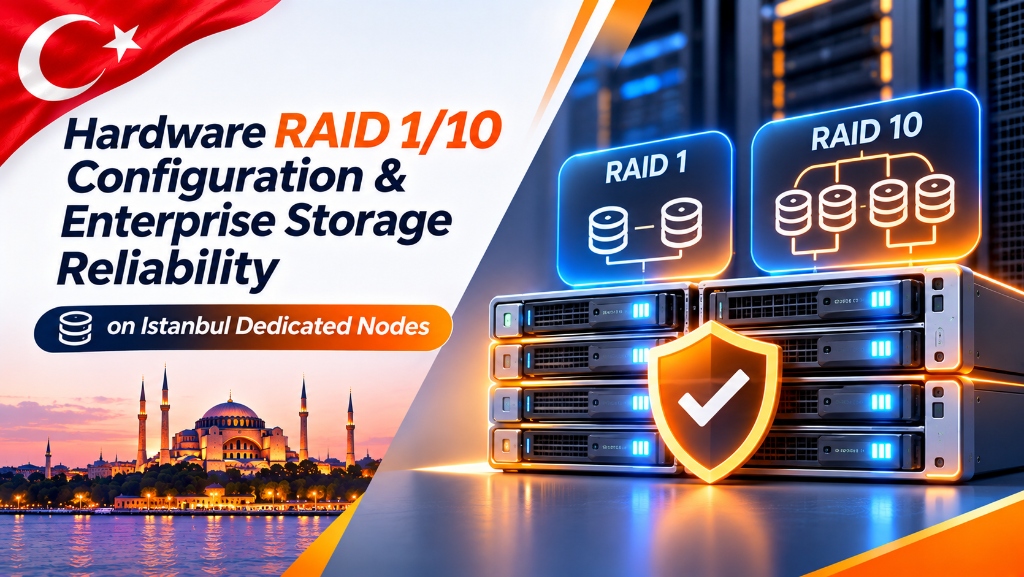
Hardware RAID controllers with dedicated battery-backed cache (BBU) protect against write loss during power interruptions and offload parity calculations from the host CPU. For mission-critical Turkish databases, RAID 10 provides optimal write performance without the severe 4:1 rebuild write penalty and Unrecoverable Read Error risks of RAID 5.
| Dimension | Verified Technical Reality | Operational Takeaway |
|---|---|---|
| Controller Architecture | Dedicated Hardware RAID (MegaRAID/LSI) offloads parity calculations to dedicated IOP silicon with BBU/CacheVault. Software RAID (mdadm) uses host CPU cycles and memory. |
Hardware RAID provides non-volatile write caching (Write-Back mode); software RAID provides hardware-agnostic array portability across chassis. |
| Array Topologies (1 vs 10 vs 5) | RAID 1 mirrors two disks (50% usable). RAID 10 stripes across mirrored pairs (50% usable, high IOPS). RAID 5 uses single parity, introducing a 4-operation write penalty. | Deploy RAID 1 or RAID 10 for relational databases; avoid RAID 5 on high-capacity disks due to unrecoverable read errors (URE) during rebuilds. |
| Drive Health & Rebuild Safety | Enterprise arrays monitor background SMART telemetry, bad block tables, and automated hot-spares. Rebuild stress on degraded arrays risks secondary disk failure. | Always configure automated hot-spare activation and run scheduled periodic array scrubs to detect latent sector decay before disk failure occurs. |
Storage drive failures are inevitable in continuous production environments, making resilient array architecture essential for zero-downtime operations. Systems engineers configuring dedicated servers in Istanbul must choose between RAID 1 mirroring and RAID 10 striped mirroring based on I/O overhead and rebuild risks. This technical analysis explores hardware controller caching, battery backup units, and rebuild penalties, guiding you toward a bulletproof storage subsystem that protects against unrecoverable read errors.
Dedicated PCIe RAID controllers with battery-backed cache handle parity and mirroring without consuming host CPU cycles or RAM.
RAID 10 combines high write performance with dual-drive fault tolerance, eliminating the catastrophic rebuild penalties of RAID 5.
Hot-swappable enterprise drive cages allow immediate physical replacement in Istanbul datacenters without taking production offline.
Table of Contents
6 Sections
02RAID 1 vs RAID 10: Balancing Usable Capacity, Write Penalties & Rebuild Stress›
03URE (Unrecoverable Read Error) Risks During Degraded Array Rebuilds›
04Configuring Out-of-Band Drive Health Telemetry & Automated Hot-Spares›
05Pre-Provisioning Storage Reliability Checklist for Istanbul Production Servers›
FAQFrequently Asked Questions›
Hardware RAID Controllers with Battery Backup vs Software RAID vs ZFS Mirroring
Selecting the optimal storage redundancy mechanism requires evaluating the trade-offs between dedicated controller silicon, operating system block management, and modern copy-on-write filesystems. Each approach serves distinct production requirements.
1. Dedicated Hardware RAID Controllers
Dedicated hardware RAID controllers (such as Broadcom MegaRAID SAS 3108 or 9361 controllers) utilize dedicated RAID-on-Chip (RoC) processors to compute parity and manage data striping. The defining architectural advantage of hardware RAID is its onboard non-volatile cache (typically 1GB to 4GB of DRAM) coupled with a Battery Backup Unit (BBU) or Flash-Backed Cache Protection (CacheVault).
When configured in Write-Back mode, the operating system writes data directly to the controller’s ultra-fast DRAM cache, which acknowledges the write instantly (in microseconds). If datacenter power fails abruptly, the CacheVault supercapacitor supplies emergency current to offload DRAM contents into persistent flash memory.
2. Linux Software RAID (`mdadm`)
Linux Software RAID (mdadm) executes block-level mirroring inside the Linux kernel block layer. It requires no specialized RAID controller card, operating directly over onboard SATA ports or HBA (Host Bus Adapter) pass-through controllers.
– Advantage: Total hardware portability. If a server motherboard or chassis fails, the drives can be moved into any standard Linux system and the mdadm array will assemble and mount immediately without requiring an identical RAID controller card.
– Limitation: Lacks dedicated battery-backed write cache, requiring disks to operate in Write-Through mode to prevent write-hole data corruption during abrupt power loss.
3. OpenZFS Mirroring
According to the official OpenZFS documentation, OpenZFS combines volume management and filesystem layers into a single architecture. ZFS utilizes 256-bit cryptographic checksums for every block. When reading data, ZFS validates checksums; if silent bit rot or sector corruption is detected on one drive, ZFS automatically pulls the correct block from the mirrored drive and repairs the damaged block in place. This makes OpenZFS exceptionally resilient for modern high-speed storage architectures, as detailed in our guide to NVMe SSD vs enterprise HDD storage architecture.
RAID 1 vs RAID 10: Balancing Usable Capacity, Write Penalties & Rebuild Stress
Selecting the appropriate RAID topology depends on the number of available physical drives, performance demands, and acceptable rebuild duration.
RAID 1: Mirrored Pair (2 Drives)
RAID 1 writes identical data to two physical drives simultaneously.
– Usable Capacity: Exactly 50% of aggregate raw capacity (e.g., two 1TB SSDs provide 1TB of usable storage).
– Performance: Read operations can be balanced across both disks, doubling read throughput up to ~1,000 MB/s on SATA SSDs. Write performance matches that of a single drive, as writes must be committed to both disks.
– Operational Alignment: Ideal for entry-level dedicated servers such as Onlive Server’s Turkey Dedicated – DSX2 (2x 240GB SSD at $93/mo) and DSX5 (2x 1TB SSD at $215/mo).
RAID 10: Striped Mirrors (Minimum 4 Drives)
RAID 10 combines RAID 1 mirroring with RAID 0 block striping across mirrored pairs.
– Usable Capacity: 50% of aggregate raw capacity.
– Performance: Multiplies both read and write IOPS by the number of drive pairs. A 4-drive enterprise SSD array provides up to 300,000+ random read IOPS and doubles sequential write throughput.
– Fault Tolerance: Can survive multiple drive failures provided the failed drives belong to different mirrored pairs.
– Operational Alignment: The gold standard for high-concurrency relational databases and virtualization hosts, such as the Turkey Dedicated – DSX24 (4x 3.84TB NVMe at $804/mo).
The Problem with RAID 5 on Enterprise Disks
RAID 5 distributes parity across three or more disks, providing higher usable storage efficiency (N - 1) * Capacity. However, RAID 5 suffers from a severe Write Penalty: every write operation requires reading existing data, reading existing parity, calculating new parity, and writing new data and parity (a 4-to-1 I/O ratio). On transactional database workloads, RAID 5 causes severe write latency stalls.
| RAID Level | Minimum Drives | Usable Capacity Ratio | Random Read Performance | Random Write Performance | Write Penalty Ratio | Fault Tolerance Ceiling |
|---|---|---|---|---|---|---|
| RAID 1 | 2 Disks | 50% | 2x Single Drive | 1x Single Drive | None (1:1) | 1 Disk Failure |
| RAID 10 | 4 Disks | 50% | 4x Single Drive | 2x Single Drive | None (1:1) | Up to 1 Disk per Mirrored Pair |
| RAID 5 | 3 Disks | (N – 1) / N (~67–80%) | High (N-1) | Low (Write Penalty) | 4 : 1 I/O Penalty | 1 Disk Failure |
| RAID 6 | 4 Disks | (N – 2) / N (~50–67%) | High (N-2) | Very Low | 6 : 1 I/O Penalty | 2 Simultaneous Disk Failures |
URE (Unrecoverable Read Error) Risks During Degraded Array Rebuilds
A critical technical concept in storage engineering is the Unrecoverable Read Error (URE) rate. Manufacturers rate enterprise drives for an expected sector read failure probability—typically 1 sector error per 10^14 bits read on consumer disks, and 1 per 10^15 bits read on enterprise-grade SAS/SATA drives.
Mathematical URE Reality During Degraded Array Rebuilds
When a drive fails in a RAID 5 array consisting of large 8TB or 12TB mechanical drives, the replacement drive must rebuild its data by reading every single sector across the remaining surviving drives.
– Rebuilding an 8TB drive requires reading 64 trillion bits (6.4 x 10^13 bits).
– Across three surviving 8TB drives, the controller must read nearly 2 x 10^14 bits without encountering a single bad sector.
– Statistically, the probability of encountering an uncorrectable read error during this rebuild exceeds 50%.
If a single read error occurs while the array is degraded in RAID 5, the rebuild fails completely, the array collapses, and all data is lost. In contrast, RAID 1 and RAID 10 rebuilds are direct block-to-block copies from a single surviving mirror. If a bad sector is encountered on a RAID 10 array, only the file occupying that specific sector is impacted; the array rebuild finishes successfully without destroying the volume.
Configuring Out-of-Band Drive Health Telemetry & Automated Hot-Spares
Maintaining storage reliability in production requires proactive monitoring and automated hot-spare configuration. Infrastructure engineers must detect drive degradation before an actual offline failure occurs.
Diagnostic Runbook: Linux `mdadm` & Hardware `storcli`
The following production runbook provides essential commands to inspect array health, verify synchronization status, and check controller battery states:
Hot-Spare Automation
In enterprise 4-drive and 6-drive deployments, dedicating one drive as an Automated Hot-Spare ensures that if a physical drive registers excessive bad sectors, the RAID controller automatically pulls the hot-spare into the array and initiates background rebuilding immediately.
When hardware maintenance is necessary, administrators utilize remote IPMI and KVM out-of-band management to monitor drive status, inspect chassis sensor LEDs, and coordinate hot-swap drive replacements with datacenter engineers without taking the server offline.
Pre-Provisioning Storage Reliability Checklist for Istanbul Production Servers
Before deploying live database instances, web services, or customer data onto a dedicated server in Istanbul, complete this pre-provisioning storage checklist:
Frequently Asked Questions
Is software RAID (mdadm) as fast as hardware RAID on dedicated servers?▼
For RAID 1 mirroring and RAID 10 striping on modern high-frequency CPUs (like AMD Ryzen 5000), software RAID matches or exceeds hardware RAID throughput because modern processors compute mirrors with negligible CPU overhead. Hardware RAID holds a distinct advantage in RAID 5/6 parity calculations and in write-back DRAM caching with BBU protection.
Can I hot-swap a failed hard drive without powering down the server?▼
Yes. Onlive Server dedicated hardware in Istanbul is housed in enterprise chassis equipped with hot-swappable drive bays. When an array disk fails, datacenter technicians replace the physical drive while the server remains fully powered and online.
Why should I avoid RAID 0 on production servers in Turkey?▼
RAID 0 stripes data across drives with zero parity or mirroring. If a single drive in a RAID 0 array fails, 100% of the data across all drives is permanently lost. RAID 0 should never be deployed for production databases or business-critical applications.
What is the difference between Write-Back and Write-Through caching?▼
Write-Back acknowledges disk writes immediately when data reaches the controller’s fast DRAM cache, delivering massive write performance gains. It requires a Battery Backup Unit (BBU) to prevent data loss during power failure. Write-Through writes directly to physical flash or disk before acknowledging the write, ensuring safety but with slower write speeds.
How do I know if my Onlive Server plan comes with RAID configured?▼
Servers configured with two or more identical drives (such as DSX2 with 2x 240GB SSD) are provisioned in RAID 1 by default during operating system installation. You can verify active status by runningcat /proc/mdstator inspecting controller telemetry via IPMI.
What should I do if my server order includes only one physical drive?▼
If you select a single-drive configuration (such as DSX3 with 1x 480GB SSD), submit a request to the Onlive Server provisioning team at checkout to add a matching secondary drive. The engineering team will install the second drive and configure RAID 1 mirroring prior to OS delivery.
Safeguard Data Integrity With Hardware RAID
Software disk arrays consume host CPU resources and risk volume degradation during intensive rebuild cycles. Deploying dedicated MegaRAID controllers with battery-backed cache guarantees uninterrupted disk availability during individual drive replacements.
