

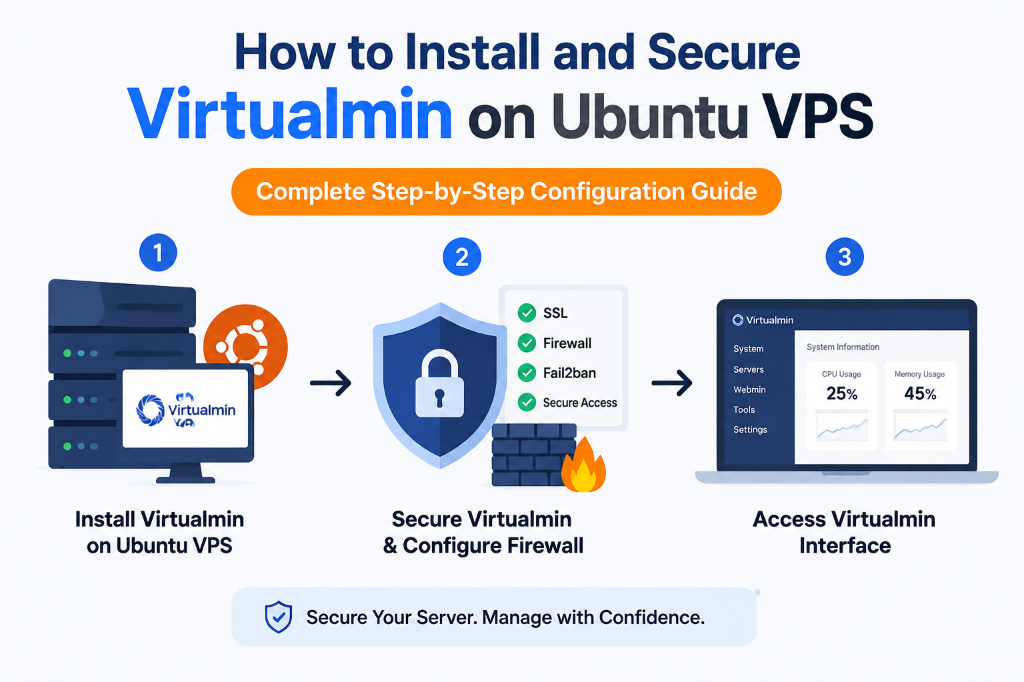
⚡ Virtualmin Server Configuration: Executive Summary
- 100% Free Open-Source Architecture: First, Virtualmin GPL provides powerful multi-domain virtual hosting management on top of Webmin. Furthermore, it operates without any licensing fees or domain limits.
- Native Linux System Integration: Unlike proprietary black-box control panels, Virtualmin writes standard configuration files directly to native services. For example, it integrates natively with Apache/Nginx, Postfix, BIND, and MariaDB.
- Granular Resource Quotas: Additionally, you can enforce strict filesystem quotas and per-domain bandwidth throttling. Consequently, it creates isolated PHP-FPM process pools for each hosted virtual server.
- Enterprise Linux Compute: Finally, deploying on a reliable Linux USA VPS hosting server ensures full root SSH access. Ultimately, it also delivers dedicated NVMe storage and unmetered network throughput.
Table of Contents
- 1. Introduction: The Open-Source Hosting Management Advantage
- 2. Architectural Models: Proprietary Black-Box vs. Native Virtualmin
- 3. Core Concept: Virtual Server Hierarchy & Service Architecture
- 4. Performance & Resource Footprint Matrix
- 5. Real-World Applications: Ideal Virtualmin Deployments
- 6. Hands-On Implementation: Virtualmin Installation & Hardening
- 7. Conclusion & FAQ
1. Introduction: The Open-Source Hosting Management Advantage
As commercial hosting control panel software prices continue to rise, many developers, digital agencies, and enterprise system administrators are actively seeking open-source alternatives. Specifically, per-account monthly pricing structures are forcing businesses to rethink their expenses.
The Demand for Open-Source Alternatives
For organizations demanding complete autonomy over their server configurations without proprietary vendor lock-in, Virtualmin stands out. It is the most established, powerful, and battle-tested open-source hosting control panel available for Linux. Therefore, a solid Virtualmin server configuration provides a robust, self-hosted management foundation that empowers businesses to scale their infrastructure cost-effectively.
Furthermore, built as a comprehensive virtual host management plugin for Webmin, Virtualmin transforms a standard Linux VPS into a multi-tenant hosting powerhouse. It automates the provisioning of virtual hosts, BIND DNS zones, Postfix email servers, Let’s Encrypt SSL certificates, MariaDB databases, and isolated system users. This unified control environment streamlines daily hosting operations. Consequently, it eliminates the need for complex manual shell scripting.
Native Configuration Transparency
A core technical distinction of Virtualmin is its commitment to native configuration transparency. On one hand, proprietary control panels often wrap system services in complex, proprietary abstractions. This makes manual command-line troubleshooting extremely difficult. On the other hand, Virtualmin writes clean, standard Linux configuration files directly to standard directories.
System administrators can modify configuration files via the Webmin web interface or directly via SSH terminal commands. Ultimately, they can do this without risking configuration corruption.
Furthermore, Virtualmin is extraordinarily resource-efficient. Because it operates without heavy proprietary middleware daemons, it can run comfortably on compact 1GB–2GB RAM virtual servers. At the same time, it provides granular control over Linux kernel cgroups, memory limits, and filesystem quotas. This lean resource footprint ensures that maximum hardware resources remain dedicated to processing customer web traffic.
2. Architectural Models: Proprietary Black-Box vs. Native Virtualmin
Understanding the architectural differences between proprietary panels and native open-source management clarifies why DevOps engineers choose Virtualmin for their server setups.
Proprietary Control Panels
Wraps Linux services in proprietary middleware abstractions. However, they introduce expensive monthly per-account licensing, vendor lock-in, and difficult manual CLI troubleshooting.
Virtualmin & Webmin
100% open-source GPL architecture. It interacts directly with standard Linux configuration files. Consequently, it offers zero licensing fees and full command-line transparency.
3. Core Concept: Virtual Server Hierarchy & Service Architecture
Virtualmin manages multi-tenant web hosting through a highly modular and hierarchical structure. Furthermore, before assigning disk limits and CPU shares to virtual domains, you should review how to check VPS RAM, IP address, and disk usage in Virtualizor.
Virtual Server Hierarchy
In a typical Virtualmin server configuration, a Top-Level Virtual Server represents a completely isolated hosting account. This includes its own Linux system user, dedicated home directory, private database user, and isolated mail accounts. Within a top-level server, administrators can create Sub-servers and Alias servers. Consequently, these inherit user permissions while maintaining distinct document roots.
PHP Execution Modes & Process Isolation
Virtualmin supports multiple PHP execution models, with PHP-FPM being the recommended production standard. Each virtual server operates its own dedicated PHP-FPM worker pool. This pool runs under that specific domain’s unique Linux user account. Therefore, this prevents cross-site security breaches and allows custom memory limits per domain.
Mail Stack with Postfix and Dovecot
Additionally, Virtualmin integrates a complete enterprise mail stack combining Postfix for SMTP mail delivery and Dovecot for secure IMAP/POP3 access. It features automated DKIM key generation, SPF record management, and optional SpamAssassin virus scanning.
4. Performance & Resource Footprint Matrix: Virtualmin vs. Competitors
Let’s compare the technical overhead, licensing structure, and capabilities across top hosting control panels.
| Technical Dimension | Virtualmin (GPL) | cPanel & WHM |
|---|---|---|
| Software License Cost | 100% Free (GPLv3) | $17 – $60+/month |
| Idle Memory Footprint | 200 MB – 350 MB RAM | 1,500 MB – 2,500 MB |
| Config File Transparency | 100% Native Linux Files | Proprietary YAML/cPanel |
| Full Root CLI Access | Complete (Webmin integrated) | Restricted to cPanel hooks |
5. Real-World Applications: Ideal Virtualmin Deployments
Discover the operational environments where a proper Virtualmin server configuration delivers exceptional value.
💻 Independent Freelancers & Developers
Host dozens of personal projects and client staging sites on a compact VPS with zero recurring software license fees.
🏢 Multi-Domain Web Agencies
Provide client-specific control panel logins with custom disk quotas, automated daily backups, and isolated PHP-FPM pools.
🔒 Privacy & Open-Source Compliance
Enterprise IT departments requiring strict open-source software auditing deploy Virtualmin GPL to ensure complete code transparency.
⚙️ Custom Linux DevOps Environments
Sysadmins managing custom Python, Ruby, or Node.js services alongside standard PHP websites leverage Webmin’s native system tools.
6. Hands-On Implementation: Virtualmin Installation & Hardening
Execute these production commands directly in your PuTTY terminal to install Virtualmin, optimize system memory, provision virtual servers, and harden security.
Furthermore, if managing low-level Linux daemon configurations requires specialized assistance, choosing fully managed USA VPS hosting with technical support ensures 24/7 expert server maintenance.
Step 1: Set Fully Qualified Hostname & Run Installer
Configure FQDN hostname and execute the official Virtualmin installation script on clean Ubuntu or Debian:
Step 2: Optimize Memory Footprint via CLI
Conserve up to 700MB RAM on compact servers by disabling background email scanner daemons:
Step 3: Provision a New Virtual Server
Create an isolated domain hosting environment with a 10GB disk quota via CLI:
In /etc/mysql/mariadb.conf.d/50-server.cnf, set innodb_buffer_pool_size to 50%–65% of available VPS RAM. This caches entire SQL database tables directly in server memory, thereby accelerating dynamic database queries by over 300%.
7. Conclusion & FAQ
In conclusion, building a high-performance, secure, and scalable cloud infrastructure requires aligning compute resources with application demands. By deploying a robust Virtualmin server configuration on dedicated KVM virtual private servers, organizations ensure maximum operational uptime, seamless scalability, and superior user experiences.
Frequently Asked Questions
Q1: Is Virtualmin GPL completely free for commercial production use?
Yes. Virtualmin GPL is 100% open source under the GNU GPL license with no domain or account limitations. An optional Virtualmin Professional license is available for premium script installers and cloud storage integrations.
Q2: What is the difference between Webmin and Virtualmin?
Webmin is a general-purpose Linux system administration web interface for configuring users, disks, firewalls, and network services. In contrast, Virtualmin is a specialized module built on Webmin designed specifically to manage multi-domain web hosting.
Q3: Can I run Nginx instead of Apache in Virtualmin?
Yes. You can install the LEMP stack during initial setup using sh virtualmin-install.sh --bundle LEMP to deploy Nginx as the primary web server with PHP-FPM.
