

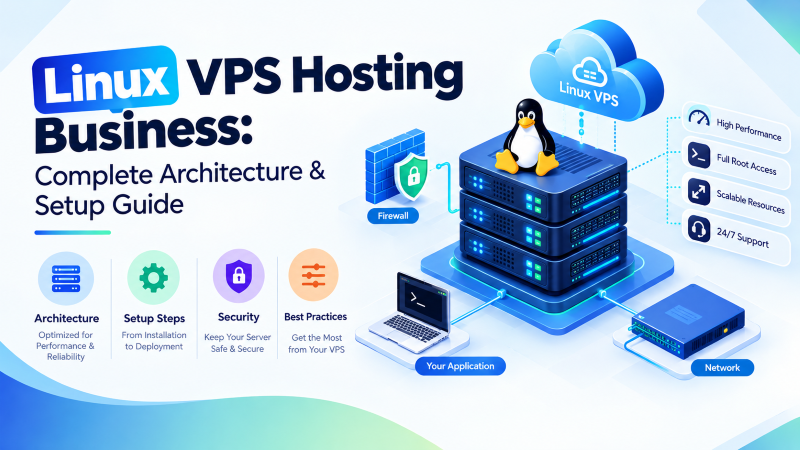
Quick Architectural Answer: Linux VPS Hosting for Business
Deploying linux vps hosting business infrastructure delivers dedicated hardware-isolated compute power, sub-millisecond PCIe NVMe storage throughput, and absolute root administrative control without proprietary per-core operating system licensing surcharges. By leveraging Kernel-based Virtual Machine (KVM) hypervisor isolation, enterprises gain guaranteed vCPU cycles, private RAM memory spaces, and container runtime versatility (Docker, Kubernetes k3s, LEMP stacks), reducing 3-year infrastructure Total Cost of Ownership (TCO) by 60% to 80% compared to legacy shared hosting and public hyperscalers.
Modern commercial enterprises require resilient digital infrastructure capable of supporting mission-critical web applications, high-concurrency transactional databases, API gateways, and microservices architectures. As digital traffic scales, traditional shared hosting environments create unacceptable failure points through multi-tenant resource starvation, CPU steal time, and restricted operating system environments. Conversely, unmanaged public hyperscalers frequently burden growing enterprises with volatile, usage-based bandwidth fees and complex multi-tiered management overhead.
This technical engineering guide examines why establishing robust linux vps hosting business infrastructure is foundational to operational continuity, digital security compliance, and long-term financial scalability. We analyze the underlying silicon virtualization topologies, resource capacity sizing formulas, Linux kernel optimization runbooks, and disaster recovery frameworks required to build an autonomous, enterprise-grade cloud hosting environment.
Executive Architectural Index
1. Core Architecture: KVM Silicon Isolation vs. Shared Containerization
When architecting production cloud infrastructure, the foundational hypervisor virtualization tier dictates data security, application isolation, and performance consistency. Budget-oriented hosting providers frequently rely on operating-system-level containerization technologies—such as OpenVZ or shared LXC—where all virtual private servers share a common, single Linux host kernel.
In shared container environments, a security compromise or denial-of-service attack on an adjacent tenant can destabilize the host kernel, exposing all neighboring containers to kernel panics, memory starvation, and severe I/O degradation. Furthermore, OS-level containers restrict system administrators from compiling custom kernel modules, deploying in-kernel Netfilter hooks, or modifying stateful sysctl networking buffers.
In contrast, production-grade linux vps hosting business deployments utilize Kernel-based Virtual Machine (KVM) hardware virtualization. Under KVM, each virtual machine executes as an autonomous user-space QEMU process directly scheduled by the physical host CPU’s hardware virtualization extensions (Intel VT-x or AMD-V). Each virtual server runs its own completely independent Linux kernel, private memory address maps, and dedicated virtual network interfaces (vNICs):
- Hardware-Level Ring-0 Protection: The guest Linux kernel executes within its own isolated supervisor privilege ring. Even if an unauthenticated attacker executes root-level exploits inside a container, they cannot breach the hypervisor boundary or inspect host memory.
- Guaranteed CPU Scheduling: vCPU execution threads map to dedicated physical CPU cores or hardware execution threads. This architectural separation enforces hard execution limits, eliminating noisy-neighbor compute contention and reducing CPU steal time to 0.0%.
- Deterministic Memory Allocation: KVM allocates physical ECC DDR4/DDR5 RAM blocks directly to the virtual guest. Dynamic memory ballooning and overcommitment are disabled, preventing sudden out-of-memory (OOM) kernel panics during high-traffic transactional spikes.
| Architectural Parameter | Shared Hosting | OS Containers (OpenVZ / Shared LXC) | Dedicated KVM Linux VPS |
|---|---|---|---|
| Hypervisor Isolation | None (Shared Web Server User) | OS Namespace & Cgroups (Shared Kernel) | Hardware Silicon Virtualization (Intel VT-x / AMD-V) |
| Kernel Autonomy | Locked Host Kernel | Shared Host Kernel (Zero Module Loading) | Fully Independent Guest Kernel & Modules |
| RAM Allocation | Dynamic Pool (Contended) | Oversubscribed / Memory Ballooning | Dedicated Physical ECC RAM Allocation |
| Root Privilege (SSH) | No Access (Restricted cPanel) | Constrained Root (No Raw Sockets) | Unrestricted Administrative Root Access |
| Custom Firewall (NFTables) | Disabled | Heavily Restricted by Host Policy | Full Netfilter & Raw Socket Authority |
| Docker & Containerization | Unsupported | Requires Nested Host Privileges | Native Docker Engine & Kubernetes (k3s) Support |
2. Hardware Resource Sizing & Workload Capacity Planning for Business
Accurate hardware capacity sizing is essential to ensure high availability and responsiveness while eliminating the budget waste of over-provisioning. In an enterprise linux vps hosting business environment, systems architects must align vCPU core counts, RAM provisioning, and storage subsystem performance with distinct application workloads.
Storage architecture is often the most critical performance bottleneck in transactional commercial applications. Traditional mechanical SATA hard drives or legacy network-attached SAN arrays introduce high access latencies (5 to 15 milliseconds) and limited random I/O throughput (75 to 200 IOPS). When concurrent visitors execute database read/write queries—such as checking inventory, updating shopping carts, or querying user sessions—disk queue depth surges, causing thread locking and 504 Gateway Timeouts.
To maintain wire-speed database responsiveness, enterprise virtual servers deploy PCIe NVMe Solid-State Drives configured in hardware RAID-10 (Striped & Mirrored) arrays. NVMe drives communicate directly across high-speed PCIe lanes using parallel hardware submission queues, delivering random read/write throughput exceeding 350,000 IOPS and access latencies below 250 microseconds (0.25 ms).
| Workload Category | Target Application Stacks | Recommended vCPU | Dedicated RAM | Storage Subsystem | Bandwidth & Network Port |
|---|---|---|---|---|---|
| Corporate Web & CMS | WordPress, Drupal, Ghost, NGINX Cache | 2 vCPU Cores | 4 GB ECC RAM | 60 GB PCIe NVMe | 5 TB Transfer / 1 Gbps Port |
| High-Traffic eCommerce | WooCommerce, Magento 2, Redis Cache | 4 vCPU Cores | 8 GB ECC RAM | 120 GB NVMe RAID-10 | 10 TB Transfer / 1 Gbps Port |
| SaaS Application Backend | Node.js, Python FastAPI, Go APIs | 4 to 8 vCPU Cores | 16 GB ECC RAM | 240 GB NVMe RAID-10 | Unmetered / 1 Gbps Port |
| Transactional Databases | PostgreSQL, MariaDB Galera Cluster | 8 vCPU Cores | 32 GB ECC RAM | 480 GB NVMe RAID-10 | Unmetered / 1 Gbps Redundant |
| Microservices Cluster | Docker Compose, k3s, CI/CD Runners | 8 to 16 vCPU Cores | 32 to 64 GB RAM | 960 GB NVMe RAID-10 | Unmetered / 10 Gbps Pipeline |
For larger multi-region deployments or distributed enterprise microservices, review our complementary blueprint on scalable enterprise VPS hosting to balance multi-server load balancing with centralized database replication.
3. Total Cost of Ownership (TCO): Linux VPS vs. Windows Server & Hyperscale Cloud
When evaluating commercial server hosting, many organizations focus exclusively on headline compute prices while overlooking the compounding impact of software licensing fees and data egress billing. Over a 3-year production lifecycle, these hidden expenses frequently cause cloud budgets to double or triple.
A major financial advantage of deploying open-source Linux distributions (such as Ubuntu Server LTS, Debian, AlmaLinux, or Rocky Linux) is the total elimination of proprietary operating system licensing surcharges. Proprietary enterprise platforms—most notably Microsoft Windows Server—levy mandatory per-core licensing surcharges ($15 to $35 per core per month), in addition to Client Access Licenses (CALs) and expensive commercial database licensing fees.
Furthermore, public cloud hyperscalers—such as Amazon Web Services (AWS EC2), Microsoft Azure, and Google Cloud Platform (GCP)—charge premium hourly rates for compute while penalizing growing businesses with steep per-gigabyte egress bandwidth fees ($0.08 to $0.12 per GB). In contrast, engineered linux vps hosting business plans provide flat-rate monthly billing with generous unmetered bandwidth allowances:
| Cost Element | Public Hyperscaler (AWS EC2) | Commercial Windows Server VPS | Onlive Server Managed Linux VPS |
|---|---|---|---|
| Base Compute (4 vCPU / 8 GB RAM) | $140 – $180 / month | $85 – $120 / month | Fixed, Low Monthly Rate |
| Operating System Licensing | $0 (Linux) or $45+/mo (Windows) | $30 – $60 / mo (Core-based licensing) | $0.00 (100% Open-Source Freedom) |
| Data Egress Bandwidth (5 TB Transfer) | $425.00+ (Opaque metered egress) | Throttled port with overage surcharges | Included / Unmetered High-Speed Port |
| Enterprise Automated DDoS Mitigation | AWS Shield Advanced ($3,000/mo) | Third-party proxy add-on ($50+/mo) | Included Carrier-Grade Edge Scrubbing |
| High-Speed NVMe RAID-10 Storage | Provisioned IOPS EBS ($0.065/IOPS) | Standard shared cloud block storage | High-Speed PCIe NVMe Included |
| 3-Year Projected Total Expenditure | $21,000 – $26,000+ | $4,500 – $7,200 | $1,200 – $2,200 (75%–85% TCO Savings) |
For cost comparison models when deploying scaled control panels and firewall security across budget-conscious production deployments, review our comprehensive analysis on cheap VPS server hosting plans.
4. Production Security & Compliance Hardening Runbook
Deploying a clean, hardware-isolated virtual machine requires immediate baseline hardening to protect against automated internet-wide port scans, botnet brute-force attacks, and credential stuffing. Because our hosting platform provides unrestricted root administrative privileges, engineers have full authority to execute industry-standard security baselines conforming to CIS (Center for Internet Security) Linux benchmarks.
Production Bash Hardening Runbook: SSH Key Lockdown & Stateful UFW Configuration
Execute these hardening commands immediately following initial virtual server provisioning on Ubuntu or Debian LTS systems.
BASH // SECURITY_HARDENING
# Step 1: Update package indices and apply security patches
sudo apt update && sudo apt upgrade -y

# Step 2: Create a non-root administrative deployer account
adduser deployer --gecos ""
usermod -aG sudo deployer

# Step 3: Install authorized Ed25519 public key
mkdir -p /home/deployer/.ssh
chmod 700 /home/deployer/.ssh
cp /root/.ssh/authorized_keys /home/deployer/.ssh/
chown -R deployer:deployer /home/deployer/.ssh
chmod 600 /home/deployer/.ssh/authorized_keys

# Step 4: Harden OpenSSH daemon configuration
cat << 'EOF' > /etc/ssh/sshd_config.d/99-hardened.conf
Port 2222
PermitRootLogin no
PasswordAuthentication no
PubkeyAuthentication yes
MaxAuthTries 3
X11Forwarding no
EOF

systemctl restart sshd

# Step 5: Configure stateful UFW firewall with rate limiting
ufw default deny incoming
ufw default allow outgoing
ufw limit 2222/tcp comment 'Hardened SSH with rate limiting'
ufw allow 80/tcp comment 'HTTP Web Traffic'
ufw allow 443/tcp comment 'HTTPS Encrypted Web Traffic'
ufw --force enable

# Step 6: Deploy Fail2ban intrusion prevention daemon
sudo apt install fail2ban -y
cat << 'EOF' > /etc/fail2ban/jail.local
[DEFAULT]
bantime  = 1h
findtime = 10m
maxretry = 3

[sshd]
enabled  = true
port     = 2222
EOF

systemctl enable --now fail2ban
For detailed networking security runbooks covering advanced Netfilter packet filtering and SYN-proxy mitigation, review our architectural framework on cheap VPS server hosting solution architecture.
5. Linux Kernel Optimization & Web Stack Concurrency Tuning
Default Linux kernel networking parameters are engineered for generic desktop and low-volume server environments. Under high-concurrency commercial web traffic, default TCP buffer allocations and connection tracking table sizes can lead to socket exhaustion, packet drops, and degraded application responsiveness.
By tuning Linux kernel parameters via /etc/sysctl.d/ and enabling Google’s BBR (Bottleneck Bandwidth and RTT) congestion control algorithm, system administrators optimize packet flow across high-latency WAN connections. BBR models network throughput and round-trip propagation delays dynamically, achieving up to 40% higher bandwidth utilization and significantly lower packet latency compared to legacy TCP Cubic.
Production Sysctl High-Concurrency Optimization Runbook
Deploy high-concurrency kernel socket tuning to /etc/sysctl.d/99-business-vps.conf.
BASH // KERNEL_TUNING
cat << 'EOF' > /etc/sysctl.d/99-business-vps.conf
# Increase max open file descriptors and socket backlog
fs.file-max = 2097152
net.core.somaxconn = 65535
net.ipv4.tcp_max_syn_backlog = 8192

# Expand network interface receive buffers
net.core.netdev_max_backlog = 16384
net.core.rmem_max = 16777216
net.core.wmem_max = 16777216

# Increase ephemeral port range for high-volume API proxying
net.ipv4.ip_local_port_range = 10240 65535

# Enable rapid TCP TIME_WAIT socket recycling
net.ipv4.tcp_tw_reuse = 1
net.ipv4.tcp_fin_timeout = 15

# Protect against SYN flood exhaustion
net.ipv4.tcp_syncookies = 1

# Load Google BBR Congestion Control Algorithm
net.core.default_qdisc = fq
net.ipv4.tcp_congestion_control = bbr
EOF

# Reload sysctl parameters without rebooting
sysctl -p /etc/sysctl.d/99-business-vps.conf
Applying these kernel optimizations ensures that your linux vps hosting business platform handles tens of thousands of concurrent visitor sessions without experiencing socket starvation or kernel-level memory fragmentation.
6. Open-Source Stack Versatility: LEMP, Docker Containers & Microservices
A decisive factor driving enterprise adoption of Linux virtual servers is unmatched software stack flexibility. Unlike locked proprietary hosting architectures that restrict users to vendor-approved software repositories, an autonomous virtual private server running Linux gives engineering teams unrestricted architectural freedom:
- High-Performance LEMP Web Stacks: Deploy NGINX or LiteSpeed web servers alongside PHP-FPM 8.2/8.3 and OPcache, delivering dynamic page load speeds 3x faster than Apache configurations on shared hosting.
- Enterprise Relational & In-Memory Caching: Run dedicated instances of PostgreSQL 16 or MariaDB 10.11 alongside Redis or Memcached object caching, reducing database load by offloading up to 90% of repeated SQL queries directly to RAM.
- Microservices & Container Ecosystems: Full Linux kernel root privileges allow native execution of Docker Engine, Docker Compose, and lightweight Kubernetes distributions (k3s). Development teams can package services into immutable containers, running multiple staging, testing, and production microservices on a single VPS.
- Control Panel Ecosystem Independence: Choose between enterprise commercial control panels (cPanel/WHM, Plesk) or modern, resource-efficient open-source web panels such as CloudPanel, CyberPanel, and aaPanel that consume less than 350 MB of system RAM.
To explore dedicated configurations tailored for enterprise container stacks and custom distribution images, explore our primary hub for enterprise Linux VPS hosting.
7. Disaster Recovery & Business Continuity: Snapshot & Backup Architecture
Unplanned outages resulting from human configuration errors, software corruption, or malicious ransomware can cause catastrophic operational and financial damage to a commercial enterprise. A resilient linux vps hosting business deployment requires a multi-tiered disaster recovery strategy adhering to the established 3-2-1 backup methodology:
- 3 Copies of Business Data: Maintain the live production database, a local snapshot, and an off-site archival replica.
- 2 Different Storage Media Formats: Store local fast-recovery snapshots on high-speed NVMe block storage and secondary archival backups on geographically separated object storage (S3-compatible).
- 1 Off-Site Geographically Remote Location: Ensure at least one full backup copy resides outside the primary datacenter fault domain.
| Backup Tier | Snapshot Frequency | Storage Target | Recovery Point Objective (RPO) | Recovery Time Objective (RTO) |
|---|---|---|---|---|
| Hourly Transaction Logs | Every 60 Minutes | Local Attached NVMe Volume | < 1 Hour Data Loss | < 5 Minutes Point-in-Time Restore |
| Daily Hypervisor Snapshots | Every 24 Hours (Off-Peak) | Primary SAN Backup Tier | < 24 Hours Data Loss | < 15 Minutes Full VM Rollback |
| Weekly Off-Site Replication | Every 7 Days | Remote S3 Object Storage | < 7 Days Historical Archive | < 1 Hour Bare-Metal Reconstruction |
8. Production Deployment Pre-Flight Checklist: 10 Operational Safeguards
Prior to pointing live production DNS records or commercial domains to your linux vps hosting business infrastructure, engineering teams should execute this systematic 10-point operational pre-flight checklist:
| Verification Area | Operational Action | Compliance Standard | Verification Status |
|---|---|---|---|
| 1. User Privileges | Root password login disabled over SSH; non-root sudoer configured. | CIS Linux Benchmark 5.2 | Mandatory Pre-Launch |
| 2. Authentication | Ed25519 cryptographic SSH key authentication enforced on non-standard port. | NIST SP 800-123 | Mandatory Pre-Launch |
| 3. Perimeter Firewall | UFW or NFTables stateful rules active; only ports 80, 443, and hardened SSH open. | PCI-DSS Req. 1.3 | Mandatory Pre-Launch |
| 4. Intrusion Defense | Fail2ban active with automated IP banning for repeated authentication failures. | OWASP Host Defense | Mandatory Pre-Launch |
| 5. Kernel Optimization | Sysctl high-concurrency buffers and BBR congestion algorithm loaded. | RFC 5681 / Linux TCP | Recommended Tuning |
| 6. TLS / SSL Encryption | Automated Let’s Encrypt certificate renewal configured with TLS 1.3 enforced. | IETF RFC 8446 | Mandatory Pre-Launch |
| 7. Database Security | MySQL/PostgreSQL bound exclusively to 127.0.0.1; remote access closed. |
CIS Database Baseline | Mandatory Pre-Launch |
| 8. Automated Backups | Nightly hypervisor snapshot policy active and verified via test restoration. | 3-2-1 Backup Standard | Mandatory Pre-Launch |
| 9. System Monitoring | Resource monitoring agent (Prometheus, Netdata, or Uptime Kuma) deployed. | SLA 99.99% Governance | Recommended Launch |
| 10. Time Synchronization | Network Time Protocol daemon (Chrony or Systemd-Timesyncd) active and synced. | RFC 5905 NTP Standard | Mandatory Pre-Launch |
❓Frequently Asked Questions
Strategic Architecture Takeaways: Linux VPS for Business
Autonomous guest kernels with ring-0 silicon privilege boundaries eliminate noisy-neighbor compute contention and memory ballooning.
Eliminating mandatory per-core proprietary operating system fees reduces 3-year production infrastructure TCO by up to 85%.
Direct silicon bus interfaces deliver over 350,000 IOPS and sub-250µs access latencies, eliminating transactional database deadlocks.
Unrestricted SSH access enables in-kernel Netfilter firewall tuning, custom sysctl optimizations, and native Docker containerization.
Instant automated provisioning with KVM hypervisor isolation, PCIe NVMe storage arrays, and automated edge firewall defenses.
