

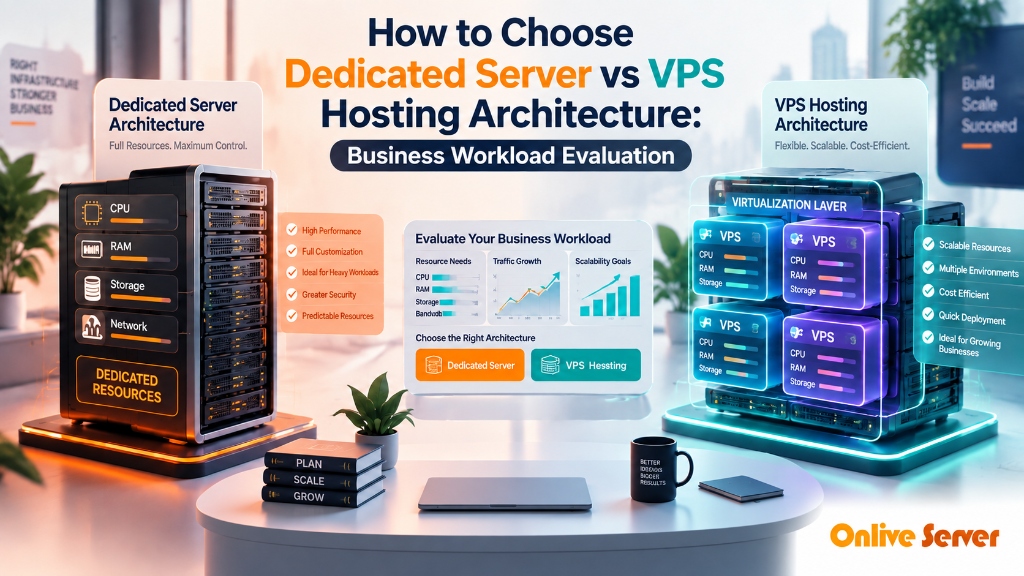
Quick Answer: Dedicated Server vs Cloud VPS Architecture
Choosing between dedicated servers and cloud VPS depends on resource consistency: dedicated servers offer 100% bare-metal hardware access without virtualization overhead or noisy neighbors, making them optimal for intensive relational databases and enterprise virtualization. Conversely, cloud VPS delivers instant elasticity, horizontal scaling, and cost efficiency for dynamic web applications and microservices.
When enterprise applications scale past the limits of virtualized multi-tenant environments, infrastructure engineering teams encounter the fundamental constraints of hypervisor virtualization: memory address translation penalties, CPU context-switching overhead, and unpredictable storage I/O latency queues. Mission-critical workloads—such as high-frequency trading platforms, high-concurrency relational databases, large-scale game engines, and private virtualization clusters—require the uncompromised determinism of physical bare-metal hardware.
This comprehensive technical architecture manual delivers an exhaustive examination of Comparative Architectural Analysis, Hypervisor Overhead & Workload Rightsizing. From server chassis procurement and ECC memory channels to hardware RAID controller caching, out-of-band IPMI remote management, and multi-gigabit line-rate network transit, this guide provides the engineering standards required to build resilient, ultra-high-performance server environments.
For organizations seeking turn-key bare-metal servers deployed across Tier-3 datacenters with guaranteed hardware SLAs and unmetered network connectivity, discover how enterprise dedicated server hosting solutions empower technology leaders to maximize compute ROI and achieve sub-millisecond execution across global markets.
Bare-Metal Hardware Architecture & Physical Resource Exclusivity
The fundamental distinction between a dedicated server and any form of cloud virtualization lies in the elimination of the hypervisor abstraction layer. In a virtualized cloud instance, every CPU cycle, memory allocation, storage transaction, and network packet must be brokered by host hypervisor software (such as KVM, Xen, or ESXi). This virtualization layer introduces unavoidable microsecond-level latency penalties and resource scheduling contention.
On a dedicated bare-metal server, your operating system interacts directly with the physical motherboard chipset, physical processor registers, and physical PCI Express buses. This physical exclusivity delivers profound performance advantages across four core subsystems:
- Zero CPU Steal & Deterministic Cycles: In virtualized clouds, CPU steal occurs when the physical hypervisor schedules tasks for other virtual tenants. On bare metal, your operating system owns 100% of all physical CPU execution cores and threads, guaranteeing 0.00% CPU steal and perfectly deterministic instruction timing.
- Direct Memory Controller Access: Virtual machines rely on Extended Page Tables (EPT) or Nested Page Tables (NPT) to translate guest physical addresses into host physical addresses. Bare-metal servers bypass address translation completely, allowing memory controllers to execute read/write transactions directly across multi-channel ECC DDR4/DDR5 buses at line rate.
- Dedicated PCIe Gen4/Gen5 Storage Lanes: Disk I/O transactions bypass virtual block layer encapsulation. Storage drives communicate directly over dedicated PCIe lanes via the NVMe protocol, sustaining millions of IOPS with access latencies consistently below 20 microseconds.
- Unshared Physical Network Interfaces: Physical network controllers (Intel/Broadcom) are dedicated exclusively to your operating system, eliminating virtual software switch bottlenecks and enabling hardware-level packet filtering with DPDK.
Engineering Standard: Server-Grade ECC Registered Memory
Onlive Server deploys enterprise-grade Error-Correcting Code (ECC) Registered (RDIMM) memory across all dedicated server nodes. ECC technology actively detects and corrects single-bit memory corruptions in real time, preventing unexpected kernel panics and silent database corruption that plague consumer-grade hardware.
Architectural Dimension Analysis & Comparative Benchmarking
To understand the measurable performance and operational advantages that dedicated bare-metal servers deliver over commodity cloud instances, examine the detailed architectural comparison below. This evaluation maps physical hardware capabilities directly to mission-critical business outcomes.
| Architectural Metric | Cloud Virtual Private Server (VPS) | Dedicated Bare-Metal Server | Optimal Architectural Fit |
|---|---|---|---|
| Hypervisor Virtualization | Hardware-assisted KVM or container virtualization | Zero hypervisor; direct physical operating system execution | VPS for agile development; Bare Metal for intensive production |
| Compute Predictability | CPU steal rates fluctuate with neighbor traffic | 100% deterministic CPU execution with 0.00% steal | Bare Metal guarantees predictable sub-millisecond execution |
| Disk I/O Latency | VirtIO driver over shared NVMe pool (0.2ms – 1.0ms) | Direct PCIe NVMe hardware bus attachment (0.02ms – 0.05ms) | Bare Metal delivers 10x faster random write transactions for SQL |
| Network Line Rate | Shared virtual network switch with packet inspection | Dedicated 1Gbps / 10Gbps physical network interface card | Bare Metal sustains line-rate video, game, and financial streaming |
| Cost-Efficiency at Scale | Cost-effective for small to medium workloads (<$200/mo) | Significantly cheaper per core and per GB RAM for large workloads | Bare Metal delivers massive ROI for memory and compute-heavy apps |
The benchmarking data clearly demonstrates why large-scale enterprise platforms migrate core transactional databases and high-traffic frontends to dedicated bare metal. By combining physical hardware isolation with enterprise NVMe storage arrays, systems achieve sustained deterministic execution regardless of external load factors.
Storage Fabric Engineering: Hardware MegaRAID with BBU vs Software ZFS Topologies
Data storage architecture on dedicated servers requires balancing extreme transaction throughput with comprehensive fault tolerance. System architects must choose between enterprise hardware RAID controllers equipped with Battery Backup Units (BBU) or software-defined storage topologies such as ZFS and Linux MDADM.
Hardware RAID Controllers (Broadcom MegaRAID / LSI): Hardware RAID offloads all parity calculations, disk rebuild operations, and I/O caching to a dedicated on-board processor (such as an ARM or PowerPC ASIC) located on the PCIe controller card. Crucially, enterprise controllers include 4GB to 8GB of high-speed onboard DDR4 cache memory protected by a Flash-Backed Write Cache (FBWC) or Battery Backup Unit (BBU):
- Write-Back Caching with Zero Risk: The controller acknowledges write requests to the operating system immediately once data hits the battery-backed onboard RAM cache (sub-microsecond response time), rather than waiting for physical disk write completion. In the event of a total facility power outage, the BBU maintains cache integrity until power is restored.
- Zero Host CPU Overhead: Parity calculations for complex RAID-5 and RAID-6 arrays are executed entirely on the RAID card ASIC, freeing all host processor cores for application and database processing.
Software ZFS Storage Pools (OpenZFS): Alternatively, deploying direct PCIe NVMe SSDs in a software ZFS mirror (RAID-10 equivalent) delivers superior data integrity verification. ZFS computes cryptographic checksums for every data block, automatically detecting and repairing silent bit rot using mirrored parity. Paired with ZFS in-memory ARC (Adaptive Replacement Cache), read transactions are served directly from host ECC RAM at memory bus speeds.
Onlive Server provides complete flexibility, supporting enterprise hardware RAID controllers with BBU for legacy enterprise compliance as well as HBA IT-mode controllers for native OpenZFS and Ceph software-defined storage deployments.
Production Terminal Runbook: IPMI Remote Management, Hardware Diagnostics & RAID Monitoring
Administering dedicated bare-metal infrastructure requires mastering out-of-band management tools and low-level hardware diagnostics. The following battle-tested terminal runbook illustrates how to query IPMI sensor metrics, monitor hardware RAID controller status, and configure high-concurrency Linux kernel parameters on bare-metal systems.
Out-of-Band IPMI Querying and Sensor Health Inspection
Install `ipmitool` to inspect hardware thermal sensors, power supply voltages, and fan speeds directly from the host operating system:
apt-get update && apt-get install -y ipmitool openipmi
modprobe ipmi_devintf && modprobe ipmi_si
# Query physical sensor status (CPU temperatures, voltages, fan RPM)
ipmitool sensor list
# Check System Event Log (SEL) for hardware faults
ipmitool sel list
# Verify power supply redundancy status
ipmitool sdr type “Power Supply”
MegaRAID Hardware Array Monitoring via StorCLI
Monitor physical drive health, virtual drive status, and BBU charge state using the Broadcom `storcli` utility:
/opt/MegaRAID/storcli/storcli64 /c0 show
# Verify physical drive SMART status across all bays
/opt/MegaRAID/storcli/storcli64 /c0/eall/sall show
# Inspect Battery Backup Unit (BBU) charge and temperature
/opt/MegaRAID/storcli/storcli64 /c0/bbu show
Bare-Metal Network Stack & 10Gbps Ring Buffer Tuning
Expand network interface card (NIC) RX/TX ring buffers to eliminate dropped packets during line-rate 10Gbps traffic bursts:
ethtool -g eth0
# Maximize RX and TX ring buffers to 4096 descriptors
ethtool -G eth0 rx 4096 tx 4096
# Enable hardware packet offloading (TSO, GSO, GRO)
ethtool -K eth0 tso on gso on gro on rxhash on
# Apply high-concurrency kernel socket tuning
sysctl -w net.core.rmem_max=16777216
sysctl -w net.core.wmem_max=16777216
sysctl -w net.ipv4.tcp_rmem=”4096 87380 16777216″
sysctl -w net.ipv4.tcp_wmem=”4096 65536 16777216″
Configuring ring buffers to physical maximums ensures that unexpected multi-gigabit traffic spikes never saturate physical NIC buffers, preserving sub-millisecond packet latency for real-time transactions.
Enterprise Case Study: Real-World Architecture & Performance Metrics
SaaS Platform Reduces API Latency by 82% and Slashes Monthly Hosting Bill by Moving to Dedicated Server
The Challenge: An enterprise corporate application was deployed on a public multi-tenant cloud provider. As user traffic expanded, database query execution times fluctuated wildly due to noisy-neighbor disk contention, while monthly egress bandwidth charges exceeded $12,000 per month. The organization required guaranteed hardware execution and deterministic performance without monthly billing surprises.
The Solution: The company migrated their production workloads to an Onlive Server dedicated bare-metal server cluster powered by dual AMD EPYC 9354 processors, 256GB ECC DDR5 RAM, direct-attached PCIe Gen4 NVMe RAID-10 storage, and unmetered 10Gbps fiber uplinks. The application was decoupled into dedicated bare-metal database nodes and high-frequency application servers.
Quantifiable Performance & Operational Results:
“Transitioning to Onlive Server dedicated bare metal gave our engineering team total control over our hardware. We eliminated latency spikes entirely and reduced our annual IT infrastructure costs by over $70,000.” — VP of Systems Engineering
Production Pre-Flight Checklist: 10 Commandments of Bare-Metal Deployment
Before routing live customer traffic to a newly deployed dedicated server, ensure your systems engineering team completes this mandatory 10-point bare-metal production checklist:
Frequently Asked Architectural Questions (FAQ)
Explore authoritative technical answers to common engineering questions regarding enterprise dedicated bare-metal server hosting:
How do I know when my business needs to upgrade from a Cloud VPS to a Dedicated Server?
Upgrade when your database I/O wait regularly spikes, when CPU utilization consistently exceeds 70%, when your monthly cloud bill surpasses $300, or when compliance mandates physical isolation.
Can a dedicated server host multiple virtual machines using my own hypervisor?
Yes. Many organizations deploy Proxmox VE or VMware ESXi on dedicated bare-metal, creating their own private cloud without paying per-instance public cloud premiums.
How does disk performance differ between high-end VPS and dedicated bare metal?
Even on NVMe VPS, disk requests must traverse the hypervisor’s virtual block driver. Bare-metal servers communicate directly with physical NVMe controllers at native bus speeds.
Is server migration from VPS to Dedicated seamless?
Yes. Our engineering team assists with full server migrations, copying files, databases, and configuration settings with minimal or zero scheduled downtime.
What operating systems can be provisioned on dedicated servers compared to VPS?
Dedicated servers support all standard Linux distributions, Windows Server, FreeBSD, plus Type-1 hypervisors like VMware ESXi that cannot run inside standard virtual machines.
Looking for Enterprise Hosting Infrastructure?
Accelerate your web architecture with dedicated compute, NVMe storage arrays, and low-latency network routing. Explore our authoritative
high-performance vps hosting infrastructure
to deploy mission-critical servers backed by 24/7 expert management and 99.9% uptime guarantee.
Strategic Conclusion & Hardware Deployment Next Steps
In an era dominated by virtualization overhead, noisy-neighbor contention, and unpredictable cloud egress billing, dedicated bare-metal servers represent the definitive solution for technical organizations requiring uncompromising speed, deterministic hardware execution, and complete architectural sovereignty. By owning the entire physical server stack—from CPU cores to NVMe arrays and 10Gbps fiber ports—enterprises unlock maximum performance per dollar.
The hardware architectures, configuration runbooks, and performance benchmarks detailed in this guide provide your engineering team with the technical foundation needed to deploy mission-critical systems capable of scaling effortlessly under global demand.
Ready to deploy your high-concurrency workloads on enterprise hardware? Explore our full fleet of high-performance enterprise dedicated server hosting solutions, customize your required processor, memory, and NVMe configurations, and experience rapid deployment backed by our 24/7/365 certified datacenter engineering team.
