

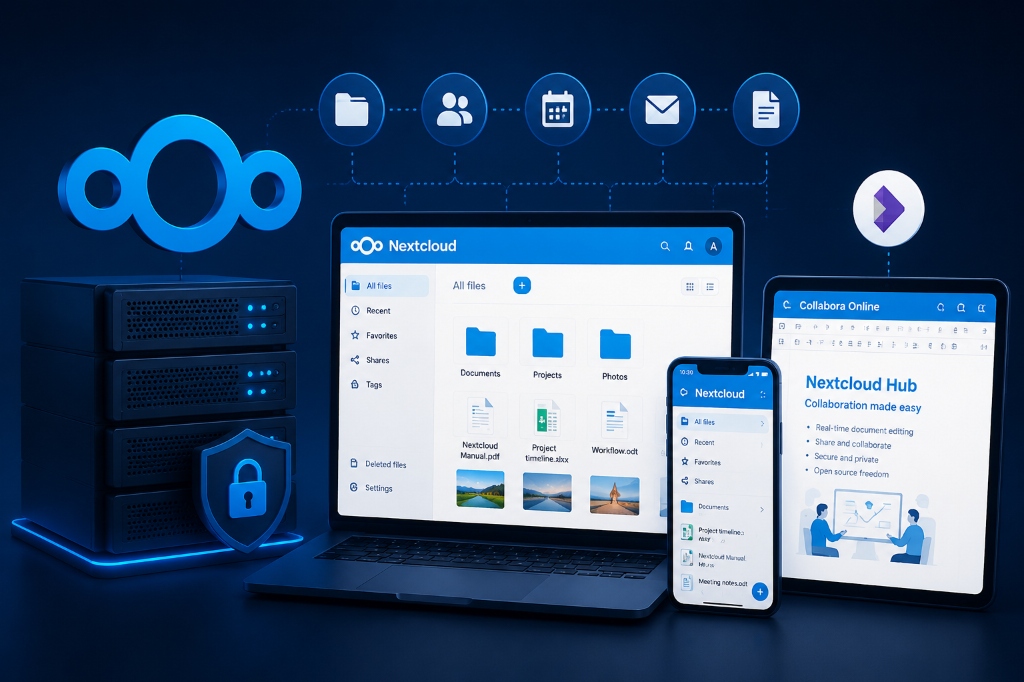
Specifically, when planning an enterprise deployment for private cloud Nextcloud VPS, to deploy Nextcloud Hub, configure an Nginx or Apache web server with PHP 8.2, a dedicated MariaDB database, and Redis memory caching for file locking. Enforce HTTPS with Let’s Encrypt SSL, configure background cron jobs (systemd instead of AJAX), and integrate Collabora Online via Docker or reverse proxy to enable collaborative document editing.
private cloud Nextcloud VPS: Introduction: Reclaiming Corporate Data Sovereignty with Nextcloud Hub
Consequently, aligning these configurations with your private cloud Nextcloud VPS environment ensures optimal uptime and throughput. Relying on public SaaS cloud storage platforms introduces severe enterprise vulnerabilities: subscription fees scale exponentially with user count, third-party telemetry monitors corporate files, and physical data residency remains ambiguous. Self-hosting Nextcloud on a private VPS restores complete data sovereignty.
Strategic Considerations & Architecture Drivers
Furthermore, evaluating production infrastructure requirements highlights three critical operational factors:
- SaaS Data Sovereignty Hazards: Third-party cloud storage giants subject corporate files to algorithmic scanning, compliance risks, and rising seat costs.
- Consequently, Enterprise Self-Hosted Cloud: Nextcloud provides collaborative file syncing, document editing, and mobile access with 100% data ownership on private NVMe.
- In addition, In-Memory Performance Tuning: Pairing Nextcloud with Redis transactional file locking eliminates database stalls during concurrent file syncing.
Consequently, aligning these configurations with your private cloud Nextcloud VPS environment ensures optimal uptime and throughput. This production engineering guide provides a complete, step-by-step walkthrough for deploying Nextcloud Hub paired with Collabora Online Development Edition (CODE), Redis transactional file locking, MariaDB database optimization, and Nginx SSL reverse proxying on an enterprise KVM virtual private server in Ukraine.
In particular, for secure document synchronization and team collaboration, compare our private cloud storage servers and managed cloud hosting platforms.
private cloud Nextcloud VPS: Architectural Blueprint: The High-Concurrency Nextcloud Topology
Therefore, deploying an enterprise-grade private cloud requires harmonizing application runtimes with in-memory caching:
A. Nextcloud PHP 8.2+ Application Tier
Moreover, tuned PHP-FPM processes and expanded OPcache memory allocations deliver instant web interface responsiveness.
B. Redis Transactional File Locking
In fact, manages concurrent file locks in RAM, preventing database deadlocks when multiple team members sync files simultaneously.
C. Optimized MariaDB / PostgreSQL Storage
Similarly, configures dedicated database buffer pools and transaction log buffers to accelerate directory index lookups.
Meanwhile, for secure enterprise private cloud configuration and Redis memory locking setups, consult the official Nextcloud Administration Manual.
| Service Layer | Technology Component | Port / Socket | Operational Function |
|---|---|---|---|
| Ingress & SSL Reverse Proxy | Nginx 1.26+ (Ubuntu) | Port 443 (HTTPS/WSS) | TLS 1.3, HTTP/2, WebDAV upload buffering |
| Application Core | Nextcloud Hub 29+ (PHP 8.3) | /run/php/php8.3-fpm.sock | User authentication, sync engine, API endpoints |
| Document Office Engine | Collabora Online (Docker CODE) | 127.0.0.1:9980 | Live multi-user DOCX, XLSX, PPTX rendering |
| Memory Lock & Cache | Redis Server 7.x | /var/run/redis/redis-server.sock | Sub-0.1ms transactional file locking & distributed cache |
| Metadata Database | MariaDB 10.11 LTS | 127.0.0.1:3306 | ACID metadata storage, file index, permissions |
Step-by-Step Production Deployment Runbook on Ubuntu VPS
Additionally, implement this complete technical deployment on an Ubuntu 24.04 LTS virtual server in Kyiv:
Step 1: Installing Prerequisites, PHP 8.3 & Redis
Step 2: Deploying Collabora Online via Docker Container
Step 3: Configuring Nextcloud config.php for High Performance
Ensure your /var/www/nextcloud/config/config.php contains optimal memory and locking directives:
Enterprise Industry Use Cases for Self-Hosted Nextcloud
Self-hosting Nextcloud on Ukrainian cloud infrastructure delivers critical commercial and compliance advantages across demanding industries:
- As a result, Legal Firms & Financial Consultancies: Exchanging confidential client litigation briefs, merger audits, and tax filings with verifiable end-to-end client-side encryption and strict access logging.
- Specifically, Healthcare & Clinical Research Organizations: Storing patient medical diagnostic scans and clinical research datasets within sovereign European data centers to satisfy GDPR compliance audits.
- Furthermore, Architecture & Engineering Firms: Collaborating on massive multi-gigabyte CAD drawings, 3D architectural models, and engineering blueprints via unthrottled gigabit internal network synchronization.
- Software Development & Tech Startups: Eliminating per-user SaaS license fees while providing distributed remote engineering teams with integrated Kanban boards (Nextcloud Deck) and encrypted password vaults.
Operational Advantages and Strategic Boundaries
Operational Considerations
- Consequently, Background Job Cron Discipline: Never use AJAX cron in production; configure system cron running
occevery 5 minutes. - In addition, Storage Sizing Foresight: Plan for continuous user file growth by attaching dynamic block storage volumes to your VPS instance.
Production Cron Configuration & Database Maintenance
In particular, by default, Nextcloud uses AJAX cron to process background tasks (such as activity stream updates, email notifications, and file index scanning). AJAX cron executes tasks only when a user navigates through the web UI, leading to erratic background processing and sluggish page rendering under heavy load.
Therefore, in a production environment, system administrators must configure the Linux system crontab to execute Nextcloud’s command-line runner (cron.php) every 5 minutes. This ensures that heavy file indexing, garbage collection, and antivirus file scans execute deterministically in the background without affecting active user sessions:
Running these maintenance commands regularly prevents database index fragmentation and maintains lightning-fast search queries across millions of indexed files.
End-to-End Encryption (E2EE) & Server-Side Encryption (SSE)
In fact, for organizations handling highly sensitive data assets (such as intellectual property or confidential client records), Nextcloud provides two distinct cryptographic protection mechanisms. Server-Side Encryption (SSE) encrypts all files at rest on the local VPS storage volume using AES-256-CTR, protecting physical data against unauthorized disk extraction.
Similarly, for extreme security requirements, Nextcloud’s End-to-End Encryption (E2EE) module encrypts files directly on client endpoints (macOS, Windows, iOS, Android) before transmission over the network. Under E2EE, encryption keys never touch the server hypervisor; even server administrators cannot view file contents, providing zero-knowledge security compliance that satisfies the most stringent regulatory audits.
This comprehensive operational architecture transforms your Ukrainian virtual private server into a high-performance, private digital fortress that empowers enterprise collaboration while safeguarding data sovereignty.
Real-Time Malware & Antivirus Scanning with ClamAV
In multi-user corporate environments, employees frequently upload documents, compressed archives, and executable attachments from remote personal devices. To prevent infected files from spreading across the corporate network, Nextcloud integrates natively with the open-source ClamAV antivirus engine.
By configuring Nextcloud’s Antivirus for Files app (files_antivirus) to communicate with the local ClamAV daemon via streaming unix socket (/var/run/clamav/clamd.ctl), every uploaded file is inspected against millions of virus signatures in real time before it is committed to storage. If malware or ransomware is detected, Nextcloud instantly blocks the upload, logs the security event, and dispatches an alert to systems administrators:
Multi-Gigabyte File Chunking & Nginx Timeout Tuning
Synchronizing massive multi-gigabyte video files, database exports, or disk images through web browsers often fails on generic hosting configurations due to default 60-second execution timeouts and upload body limits. Nextcloud desktop and web clients solve this by partitioning large files into 10MB chunks during transit.
To support flawless chunked transfers up to 50GB, Nginx and PHP-FPM must be configured with generous buffer limits and extended proxy read timeouts inside /etc/nginx/conf.d/nextcloud.conf:
S3-Compatible Object Storage Integration for Limitless Expansion
As corporate document archives expand from gigabytes into tens of terabytes, continuously resizing local block storage disks can become financially inefficient. Nextcloud natively supports primary and secondary object storage backends, allowing administrators to attach external S3-compatible object storage pools (such as MinIO or Ceph Object Gateway).
Under this architecture, Nextcloud maintains active database indexing, caching, and thumbnail rendering on the local high-speed PCIe NVMe SSDs of your Ukraine VPS, while long-term file binaries are streamed to distributed object storage buckets. This hybrid storage tiering delivers virtually limitless storage scalability, bulletproof data durability, and dramatic cost savings for enterprise file archiving.
Single Sign-On (SSO) & Enterprise Directory Integration
In enterprise corporate IT ecosystems, managing separate user credentials for file storage creates administrative overhead and password fatigue. Nextcloud Hub integrates seamlessly with corporate directory services via LDAP, Active Directory (AD), and modern Single Sign-On (SSO) protocols like SAML 2.0 and OpenID Connect (OIDC).
Integrating with Keycloak, Okta, or Microsoft Entra ID enables automatic user provisioning, group permission mapping, and centralized Multi-Factor Authentication (MFA) enforcement across all desktop and mobile devices.
This complete collaboration suite provides your enterprise with undeniable strategic sovereignty, rock-solid compliance peace of mind, and significant long-term financial efficiency across all digital workflows.
This ensures complete control over your enterprise data assets now and into the future.
Frequently Asked Questions (FAQ)
Core Technical Specifications
Explore essential questions and architectural best practices for this deployment on Ukraine VPS:
Executive Summary: Self-Hosted Enterprise Nextcloud & Collabora
