

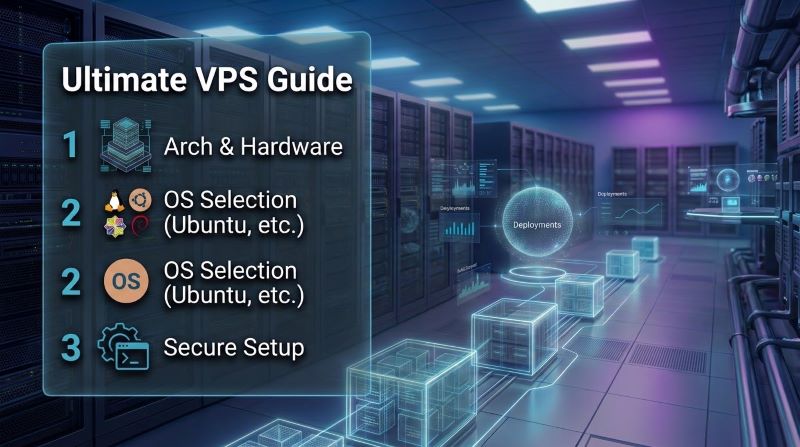
Quick Answer: Why Take Linux VPS Hosting?
To take Linux VPS hosting means deploying a dedicated virtual private server powered by a hardware-assisted KVM hypervisor running an enterprise Linux distribution (such as Ubuntu, Debian, or AlmaLinux). Unlike shared hosting, a Linux VPS delivers guaranteed vCPU allocation with zero CPU steal, dedicated RAM boundaries, direct-attached PCIe NVMe storage, and unrestricted root SSH access. This architecture gives developers and businesses complete autonomy to run modern containerized workloads (Docker), microservices, customized LEMP/LAMP stacks, and background daemons while cutting infrastructure operational costs by up to 70% compared to hyperscale cloud providers.
The modern web development and hosting landscape has outgrown the rigid constraints of traditional shared hosting. As web applications evolve from static HTML scripts to dynamic, API-driven architectures, headless CMS platforms, microservices, and containerized Docker environments, relying on shared hosting environments introduces severe operational liabilities: noisy-neighbor CPU throttling, shared IP blacklist exposure, restrictive memory limits, and zero control over core server daemons.
Choosing to take Linux VPS hosting represents the pivotal engineering step from entry-level hosting to true enterprise-grade infrastructure. By decoupling your applications from shared OS environments and anchoring them to dedicated Kernel-based Virtual Machine (KVM) hardware slices, you unlock raw computational performance, deterministic I/O throughput, and unconstrained administrative freedom.
Whether you are hosting high-traffic e-commerce storefronts, deploying continuous integration and deployment (CI/CD) pipelines, managing client WordPress clusters, or spinning up scalable Python/Node.js backends, this comprehensive take Linux VPS hosting guide details the architectural criteria, distribution benchmarks, hardware sizing frameworks, and step-by-step terminal runbooks required to deploy a production-grade Linux server.
📑 Table of Contents: Architectural Directory
6 Core Sections
1. Core Architectural Advantages: Why Take Linux VPS Hosting?
Understanding the underlying virtualization layers explains why thousands of organizations transition their web infrastructure to Linux virtual private servers every year. Deciding to take Linux VPS hosting resolves the fundamental limitations of shared hosting by replacing resource pooling with dedicated hardware slices.
Hypervisor Silicon Isolation vs. Shared Hosting Containment
In shared hosting, hundreds of user accounts inhabit a single operating system instance. Resources such as CPU cycles, memory buffers, network interfaces, and database threads are pooled dynamically. If an adjacent website suffers a denial-of-service attack, experiences a memory leak, or executes inefficient SQL queries, your site suffers instant performance degradation.
When you take Linux VPS hosting powered by Kernel-based Virtual Machine (KVM) hypervisors:
- Hardware-Assisted Hypervisor Layer: KVM leverages Intel VT-x and AMD-V virtualization processor extensions to carve bare-metal server nodes into autonomous virtual machines.
- Independent Kernel Space: Each Linux VPS runs its own dedicated Linux kernel, separate process scheduler, independent swap space, and dedicated file system.
- Elimination of Resource Contention: Virtual CPUs (vCPUs) are scheduled deterministically, eliminating the “noisy neighbor” syndrome and keeping hypervisor CPU steal (
%stin system monitoring utilities) near zero.
Complete Root Governance, Custom Daemons & Runtime Autonomy
Shared environments severely restrict server configuration: you cannot modify global system libraries, adjust kernel network buffers, or bind custom daemons to privileged network ports.
A Linux VPS provides unconstrained root administrative access:
- Runtime Autonomy: Install and run any runtime environment without permission barriers, including Node.js, Python, Ruby, Go, Rust, Java, or custom C++ microservices.
- Advanced Caching Architecture: Deploy dedicated in-memory Redis instances or Memcached daemons directly over UNIX domain sockets, bypassing database bottlenecks.
- Custom Daemons & Background Workers: Execute long-running background tasks, WebSocket daemons, Celery queues, and automated cron pipelines natively.
2. Linux Distribution Selection Matrix: Debian vs. Ubuntu vs. AlmaLinux
Selecting the right operating system distribution is the most critical architectural decision when you take Linux VPS hosting. While all distributions share the core Linux kernel, their package management philosophies, release lifecycles, and memory footprints vary significantly.
| Distribution | Upstream Pedigree | Idle RAM Footprint | Support Lifecycle | Recommended Workload Profile |
|---|---|---|---|---|
| Debian 12 (Bookworm) | Independent Upstream | ~70 MB – 95 MB | 5 Years (LTS) | Rock-solid production servers, ultra-lean nodes, mission-critical databases. |
| Ubuntu 24.04 LTS (Noble) | Debian-Derived | ~120 MB – 160 MB | 5 Years (10 yrs ESM) | Modern web stacks, Docker, extensive PPA support, cloud-native developer tooling. |
| AlmaLinux 9 / Rocky Linux | RHEL Binary-Compatible | ~140 MB – 180 MB | 10 Years (Full RHEL) | Enterprise ERPs, financial applications, cPanel/Plesk control panels, SELinux enforcement. |
Debian 12 (Bookworm): The Minimalist Stability Gold Standard
Debian is renowned for uncompromising stability. With a clean baseline installation consuming under 100 MB of system RAM, it is the premier choice for engineers who prioritize absolute uptime, minimal background bloat, and conservative, rigorously tested package ecosystems.
Ubuntu 24.04 LTS: Modern Toolchains, Fast Repositories & Cloud Ecosystem
Ubuntu Server represents the most popular cloud distribution globally. It pairs Debian’s package management reliability with Canonical’s regular release cycle, giving developers immediate access to modern compiler versions, cutting-edge Linux kernels (6.8+), native WireGuard interfaces, and the web’s broadest ecosystem of third-party PPAs.
AlmaLinux 9 / Rocky Linux: Enterprise RHEL Binary Compatibility
For organizations transitioning from legacy CentOS or requiring binary compatibility with Red Hat Enterprise Linux (RHEL), AlmaLinux provides an enterprise-hardened environment. Featuring native SELinux mandatory access controls, DNF package management, and 10-year support cycles, it is the enterprise standard for commercial hosting panels and corporate infrastructure.
3. Hardware Resource Sizing Framework for Production Workloads
Properly sizing your server prevents overpaying for idle computing capacity while ensuring your applications never experience out-of-memory (OOM) kernel panics during traffic surges. When searching for the best take linux vps hosting plan, evaluate your infrastructure across these four core metrics:
| Target Workload | Recommended vCPU | RAM Allocation | NVMe Storage Tier | Bandwidth & Port |
|---|---|---|---|---|
| Personal Blog / Static Site / VPN Node | 1 vCPU Core | 1 GB – 2 GB | 20 GB – 30 GB NVMe | 1 TB @ 1 Gbps |
| Production WordPress & WooCommerce | 2 – 4 vCPUs | 4 GB – 8 GB | 60 GB – 100 GB NVMe RAID-10 | 3 TB – 5 TB @ 1 Gbps |
| Docker Container Host / Microservices | 4 – 8 vCPUs | 8 GB – 16 GB | 120 GB – 250 GB NVMe RAID-10 | 5 TB – 10 TB @ 1 Gbps |
| High-Concurrency PostgreSQL / MySQL DB | 8+ vCPUs | 16 GB – 32 GB | 300+ GB Dedicated NVMe Arrays | Unmetered 1 Gbps / 10 Gbps |
Balancing Dedicated vCPU Cores & Eliminating Hypervisor Steal Time
Virtual CPU allocation determines how quickly your server handles concurrent requests. On high-performance infrastructure, vCPUs are pinned to physical AMD EPYC or Intel Xeon scalable processor threads. Onlive Server provides budget-friendly VPS hosting solutions backed by enterprise KVM hypervisors, guaranteeing that your virtual cores never experience artificial clock throttling during peak load.
Direct-Attached PCIe NVMe RAID-10 Storage vs. Shared Cloud SANs
Disk input/output operations per second (IOPS) represent the true bottleneck of modern databases. Legacy cloud providers frequently attach remote Storage Area Networks (SANs) over network switches, introducing high latency spikes (5–20 ms) during write-heavy operations.
In contrast, enterprise Linux VPS nodes leverage direct-attached PCIe Gen4 NVMe solid-state arrays in RAID-10 configurations, delivering sub-100 microsecond latency and over 600,000 random 4K read/write IOPS directly over local PCI Express lanes.
4. Production Step-by-Step Setup Runbook: 4 CLI Terminal Environments
Once your instance is provisioned, executing an immediate security and performance baseline is paramount. Follow this step-by-step production runbook to learn how to configure take linux vps hosting environments on Ubuntu 22.04/24.04 LTS or Debian 12.
Step 1: Baseline OS Provisioning & Unprivileged Sudo User Creation
Never execute daily application tasks directly as the root superuser. Create an isolated administrative operator, update existing system packages, and enforce passwordless sudo permissions.
Step 2: Cryptographic SSH Hardening & Ed25519 Bastion Access
Brute-force SSH attacks begin within minutes of assigning a public IP address. Enforce modern elliptic-curve Ed25519 cryptographic keys, move the SSH listening daemon away from default port 22, and disable password authentication entirely.
Step 3: Stateful Firewall Implementation with NFTables & Fail2ban
Deploy a stateful firewall drop policy to eliminate unsolicited port probes. Combine firewall rules with Fail2ban to automatically blacklist IP addresses exhibiting brute-force behavior.
Step 4: High-Throughput Linux Kernel Sysctl & Google BBR Tuning
To achieve optimal take linux vps hosting optimization, tune the Linux kernel network stack. Google’s BBR (Bottleneck Bandwidth and RTT) congestion control algorithm dramatically accelerates throughput over transcontinental connections by estimating physical link bandwidth rather than waiting for packet loss.
5. Modern Application Stack Deployment: Containerization vs. Native LEMP
With your baseline Linux VPS configured, deploy your application stack using one of two proven deployment architectures:
Deploying Isolated Docker Microservices on KVM Linux Instances
The container revolution has made Docker the standard runtime for modern web development. On a Linux VPS, Docker operates with near-native performance because containers interface directly with the underlying Linux kernel without intermediary virtualization drag:
- Microservice Isolation: Run web servers (Nginx), database engines (PostgreSQL), search indexes (Elasticsearch), and caching layers (Redis) in isolated network namespaces.
- Declarative Orchestration: Manage your entire production environment via declarative
docker-compose.ymlfiles, enabling one-command rollouts and rollbacks. - Environment Parity: Eliminate “works on my machine” bugs by running the identical container image in local development, staging, and production.
Optimizing Native Nginx, PHP-FPM Socket Pools & Redis Object Caching
For monolithic applications like WordPress or Magento, native LEMP (Linux, Nginx, MariaDB, PHP-FPM) deployments deliver raw, unthrottled performance:
- Nginx FastCGI Microcaching: Cache dynamic HTML output in memory, serving up to 5,000 requests per second directly from RAM without touching the PHP execution engine.
- UNIX Domain Sockets: Connect Nginx to PHP-FPM via
/run/php/php-fpm.sockrather than TCP localhost ports (127.0.0.1:9000), reducing network overhead and TCP handshake serialization. - OPcache & Redis Integration: Store precompiled PHP bytecode in shared memory and offload database queries to an in-memory Redis key-value store.
6. Production Pre-Flight Checklist for Linux VPS Go-Live
Before routing commercial production traffic to your newly provisioned Linux instance, verify that each operational benchmark is satisfied:
- ✓ Silicon Pinning & Steal Verification: Execute
lscpuandvmstat 1 10to confirm dedicated vCPU core allocation with 0.0% CPU steal. - ✓ NVMe I/O Benchmarking: Run
fio --name=randwrite --ioengine=libaio --iodepth=64 --rw=randwrite --bs=4k --size=2G --runtime=30to confirm 4K write speeds exceeding 50,000 IOPS. - ✓ Zero Unauthenticated Listening Ports: Execute
ss -tulwnto confirm that only hardened SSH (port 2222) and web traffic (ports 80, 443) are listening publicly. - ✓ Automated Security Patching: Enable
unattended-upgradesto automatically apply critical Linux kernel and OpenSSL CVE security patches. - ✓ Automated Off-Site Backups: Implement encrypted snapshot routines using tools like BorgBackup or Restic, transferring repository archives to geographically separated storage nodes.
7. Frequently Asked Questions
What is the primary architectural difference between shared hosting and a Linux VPS?
Shared hosting forces hundreds of users to share a single operating system, shared IP address, and pooled resources, leading to noisy-neighbor slowdowns and strict configuration limits. A Linux VPS uses KVM hardware virtualization to provide dedicated CPU cores, isolated RAM, private NVMe storage, and full root access to run custom applications without interference.
Which Linux distribution should I choose for my VPS?
For general web applications and modern developer tooling (Docker, Node.js, Python), Ubuntu 24.04 LTS is the most popular and versatile choice. For ultra-lean servers requiring rock-solid stability with minimal memory footprint, Debian 12 is optimal. For enterprise workloads requiring RHEL binary compatibility and SELinux, choose AlmaLinux 9.
Do I need advanced Linux command-line skills to manage a Linux VPS?
While basic command-line knowledge is helpful, modern web-based control panels such as cPanel, Plesk, CloudPanel, or CyberPanel allow you to manage websites, databases, DNS, and SSL certificates through an intuitive graphical dashboard with zero manual configuration files.
Why is NVMe storage superior to SATA SSDs on a Linux VPS?
NVMe (Non-Volatile Memory Express) solid-state drives interface directly with the CPU via high-speed PCIe lanes rather than legacy SATA controller bottlenecks. This delivers random 4K read/write speeds exceeding 600,000 IOPS and sub-100 microsecond response times, accelerating database query processing and high-concurrency traffic handling.
How does Google BBR congestion control improve VPS networking?
Google BBR models the physical network connection to measure bottleneck bandwidth and packet round-trip time directly. Unlike traditional loss-based congestion control algorithms (like CUBIC), BBR prevents artificial throughput throttling over transcontinental connections that experience minor packet jitter.
Can I run Docker containers efficiently on a Linux VPS?
Yes. On a KVM-powered Linux VPS, Docker containers run natively on the guest Linux kernel without any performance penalty or nested virtualization overhead. You can easily deploy multi-container microservice stacks, databases, and reverse proxies using Docker Compose.
How does a Linux VPS reduce cloud computing costs compared to hyperscalers?
Hyperscale cloud providers charge unpredictable, metered fees for bandwidth egress, disk I/O operations, and static IP addresses. Onlive Server offers predictable, flat-rate VPS plans with unmetered bandwidth, enterprise NVMe storage, and dedicated IPv4 addresses starting at flat monthly rates, reducing infrastructure bills by up to 70%.
Executive Strategic Takeaways: Linux VPS Infrastructure Architecture
Eliminate noisy-neighbor CPU steal (%st < 0.5%) and enjoy guaranteed hardware isolation with dedicated processor cores, independent swap, and private memory buffers.
Choose Ubuntu 24.04 LTS for modern Docker and web development, Debian 12 for minimal memory footprints and maximum stability, or AlmaLinux 9 for enterprise RHEL compliance.
Deploy Ed25519 SSH keys, rebind to a non-standard port, implement stateful NFTables packet drop firewalls, and automate Fail2ban brute-force protection immediately upon launch.
Direct-attached PCIe NVMe RAID-10 storage and unmetered 1 Gbps networking deliver predictable performance and slash hosting bills by up to 70% compared to complex cloud hyperscalers.
