

How Does Bandwidth Allocation Actually Work on a Thailand VPS?
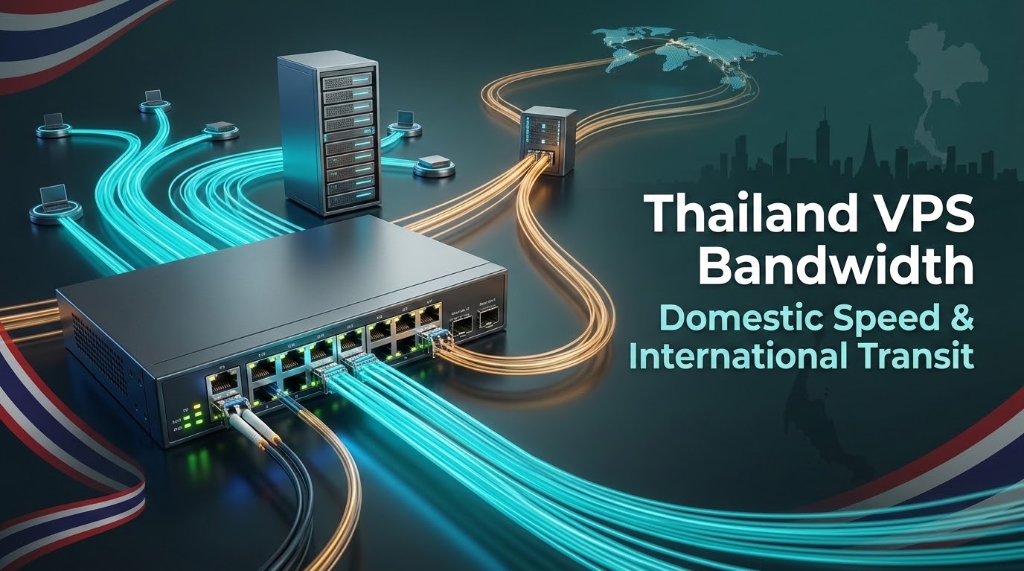
Specifically, when planning an enterprise deployment for Thailand VPS Bandwidth, thailand datacenters bifurcate network bandwidth into unmetered high-speed Domestic Transit (1 Gbps via BKNIX and local telecoms) and metered International Transit (100–300 Mbps via subsea cable routes). Understanding this dual-transit architecture ensures you budget correctly and avoid bandwidth throttling during traffic spikes from overseas visitors.
Furthermore, one of the most persistent sources of buyer confusion in the Southeast Asian hosting market revolves around the marketing term “unlimited bandwidth.” Many international businesses lease a cloud server in Bangkok expecting symmetrical gigabit throughput across the globe, only to discover their file transfers to Europe or North America crawl at dial-up speeds. Understanding the physical economics of Thailand’s telecommunications landscape—specifically the sharp divergence between domestic exchange peering and subsea international transit—is vital for architecting cost-effective, high-throughput digital platforms. Choosing Thailand VPS hosting with high-speed bandwidth guarantees transparent port allocations, generous international transit allowances, and unmetered domestic throughput for mission-critical Thai applications.
Operational Infrastructure Takeaway
- Consequently, The Two-Tier Reality: Domestic traffic inside Thailand is virtually free and unmetered; international egress leaving Thailand carries significant carrier transit costs.
- In addition, The “Unmetered” Trap: Budget providers advertising unmetered bandwidth typically apply severe bandwidth throttling (5–10Mbps) to international connections.
- Subsea Cable Surcharges: Because international transit out of Bangkok depends on consortium submarine cables, international megabits cost hosts up to 25x more than domestic peering.
- In particular, CLI Throughput Audits: Use Speedtest-CLI and iperf3 with explicit geographic target servers to measure domestic vs. international throughput independently.
- Hybrid Optimization Strategies: Offload heavy static media assets and international traffic to global CDNs while anchoring core dynamic transactional data on your Bangkok VPS.
- Therefore, The Truth Behind ‘Unlimited Bandwidth’ in the Thai Hosting Market
- Moreover, Understanding the Two-Tier Network: Domestic Peering vs. International Transit
- In fact, Why Subsea Cables Make International Bandwidth Expensive in Bangkok
- Similarly, Sizing Your Bandwidth Needs: Domestic Thai Audiences vs. Global Visitors
- Meanwhile, Testing Your Throughput: How to Measure Domestic and Global Speeds via CLI
- Additionally, Fair-Use Policies and Throttling: What Happens When You Exceed Your Allocation?
- As a result, Best Practices for Bandwidth Optimization: Reverse Proxies, CDNs & Compression
- Specifically, Frequently Asked Questions (FAQ)
1
Furthermore, the phrase “unlimited bandwidth” is one of the most pervasive marketing tactics in the web hosting industry. To a non-technical buyer, it suggests that a server can transmit infinite volumes of data at full port speed 24 hours a day without restriction. However, in physical reality, networking hardware is strictly bounded by laws of physics, port capacity, and upstream telecommunications wholesale billing.
Consider the mathematical maximum of a standard 1 Gbps (gigabit per second) network port:
A single dedicated 1 Gbps port, saturated at 100% capacity continuously for 30 days, can transfer a theoretical ceiling of approximately 324 Terabytes of data. In Thailand, purchasing 324TB of unthrottled tier-1 international IP transit (from carriers like Telstra, Lumen, or NTT) would cost a hosting datacenter upwards of $3,500 to $6,000 per month. When a budget provider advertises a “1Gbps Unmetered Thailand VPS” for 450 THB ($13/mo), they are mathematically relying on aggressive oversubscription, undisclosed fair-use throttling, or restricting that speed exclusively to local domestic traffic.
2
Consequently, to navigate the Thai hosting market successfully, sysadmins must understand how network traffic is classified and routed inside Bangkok datacenters:
| Network Tier | Physical Route | Exchange Point / Uplink | Wholesale Cost Model | Typical Port Speeds |
|---|---|---|---|---|
| Domestic Bandwidth (Local) | Bangkok ↔ Thai Telcos (AIS, True, 3BB, NT) | BKNIX (Bangkok Internet Exchange), TIX | Zero-settlement / Extremely low port fee | 1 Gbps – 10 Gbps Unmetered |
| International Transit (Global) | Bangkok ↔ Singapore, Hong Kong, USA, Europe | Submarine cables (AAG, APG, SJC2, SEA-ME-WE) | High 95th-percentile commit per Mbps | 100 Mbps – 1 Gbps (Burst / Capped) |
In addition, when a customer in Bangkok browsing on an AIS mobile phone or TrueOnline home fiber visits your website, their requests never leave Thailand. The packets flow through the BKNIX Layer 2 switching fabric in Bangkok, taking less than 5ms. Because domestic peering is essentially free of carrier transit surcharges, OnliveServer provides generous, unmetered domestic bandwidth across all virtual machines.
In particular, conversely, when an administrator in London connects via SSH, or a backup daemon pushes snapshots to an Amazon S3 bucket in Frankfurt, those packets must traverse international subsea optical cables. This data consumes international transit, which is metered by upstream tier-1 telecom consortia.
3
Therefore, why does international bandwidth in Thailand carry a price premium compared to hubs like Frankfurt, London, or New York? The answer is rooted in geography and infrastructure capital expenditure: To bypass congested submarine links for local traffic, ensure your hosting environment connects directly to the BKNIX Internet Exchange peering architecture in central Bangkok. Regulatory frameworks governing international internet gateways (IIG) and national internet exchanges (NIX) are overseen by the National Broadcasting and Telecommunications Commission (NBTC).
- Moreover, Subsea Cable Consortium Costs: Deploying trans-oceanic submarine fiber systems (such as the Asia Direct Cable or Southeast Asia-Japan 2) costs hundreds of millions of dollars. Telecom operators amortize these capital costs by charging premium transit rates for international transit departing Southeast Asian landing stations.
- In fact, National Gateway Licensing: Under Thailand’s National Broadcasting and Telecommunications Commission (NBTC) regulations, international internet gateway (IIG) licenses are strictly regulated. Telecommunications operators must invest in certified secure landing stations in Chonburi and Songkhla, maintaining multi-layer regulatory compliance.
- Similarly, Physical Distance to Western Exchanges: Packets traveling between Bangkok and Europe must navigate thousands of kilometers of terrestrial-maritime routes across the Indian Ocean and the Red Sea, passing through multiple carrier interconnects.
4
Meanwhile, calculating the monthly bandwidth requirements for your Bangkok VPS depends directly on the geographic distribution of your user base and the media profile of your application:
Practical Bandwidth Sizing Scenarios
- Additionally, Scenario A: Domestic Thai E-Commerce / News Portal (95% Local Visitors)
Workload: 300,000 monthly page views with average page weight of 1.8MB.
Total Monthly Transfer: ~540 GB.
Requirement: Standard 1 Gbps unmetered domestic port. 100% of consumer traffic stays local via BKNIX. International transit usage is minimal (under 25GB for remote developer access). - As a result, Scenario B: Regional Indochina SaaS Platform (50% Thai, 50% CLMV/Singapore)
Workload: 1.5 million monthly API calls and dashboard sessions (~1.2 TB transfer).
Requirement: 1 Gbps domestic port with at least 2TB to 5TB of dedicated international transit allocation to ensure snappy responses for users across Cambodia, Vietnam, and Singapore. - Specifically, Scenario C: Automated Forex Trading Terminal / Webhook Gateway
Workload: 24/7 continuous TCP socket communication with overseas broker servers in London or New York.
Requirement: Modest total monthly transfer (under 50GB), but requires a low-latency, unthrottled international port profile to ensure sub-millisecond packet prioritization.
5
Furthermore, do not rely on web-based speed tests that automatically select the closest local server in your browser. To accurately audit your server’s true network capabilities, test domestic and international throughput independently from your Linux terminal using the official Ookla Speedtest CLI: Evaluating symmetric upstream transit links is critical when provisioning unmetered bandwidth cloud VPS for video streaming or large data transfers.
1. Install Official Ookla Speedtest CLI
2. Audit Domestic Speed (Bangkok BKNIX Peer)
Execute a speed test targeting a major domestic Thai carrier (e.g., AIS or True in Bangkok):
3. Audit International Transit Speed (Singapore & Europe)
Test your server’s international uplink by targeting an overseas exchange node in Singapore (Singtel) and Frankfurt (Deutsche Telekom):
6
Budget providers in Bangkok frequently bury strict Fair-Use Policies (FUP) deep within their Terms of Service. In many cases, these policies stipulate that if a virtual server sustains continuous bandwidth consumption exceeding 15% of port capacity for more than two hours, the host’s automated traffic-shaping firewall will silently clamp the server’s port to 10Mbps or 1Mbps until the next billing cycle.
When this occurs, your application suffers immediate packet drops, SSH terminal sessions lag uncontrollably, and customers experience broken images and timeout errors. At OnliveServer, our bandwidth policies are fully transparent: domestic throughput is unmetered, international transit allocations are clearly declared, and should you approach your limits, proactive telemetry notifications allow you to scale allocations seamlessly without sudden port throttling.
7
To maximize the efficiency of your allocated bandwidth on a Bangkok VPS, implement these sysadmin optimization techniques:
1. Enable Brotli and Gzip Compression in NGINX
Modern Brotli compression achieves up to 20%–30% better compression ratios than traditional Gzip for HTML, CSS, JavaScript, and JSON API payloads, drastically reducing outbound bandwidth consumption:
2. Adopt Modern WebP/AVIF Image Formats
Images typically represent 65% to 80% of total transferred page weight. Converting JPEG and PNG assets to WebP or AVIF slashes file sizes by up to 70% with zero perceptual loss in quality. A WooCommerce store transferring 500GB of media monthly can instantly drop bandwidth utilization to 150GB.
3. Deploy a Hybrid Global CDN Architecture
Configure an Anycast CDN layer (such as Cloudflare or Fastly) in front of your Bangkok VPS. The CDN’s global edge nodes cache and serve heavy static media assets (images, stylesheets, fonts) to visitors worldwide, while dynamic database queries and PromptPay payment checkouts pass through directly to your high-speed Bangkok compute origin.
8
Core Technical Specifications
Unmetered Domestic Bandwidth on Thailand Cloud VPS
Stream media, process high API call volumes, and handle peak traffic events effortlessly with 1Gbps network ports and unthrottled domestic BKNIX connectivity in Bangkok.
