

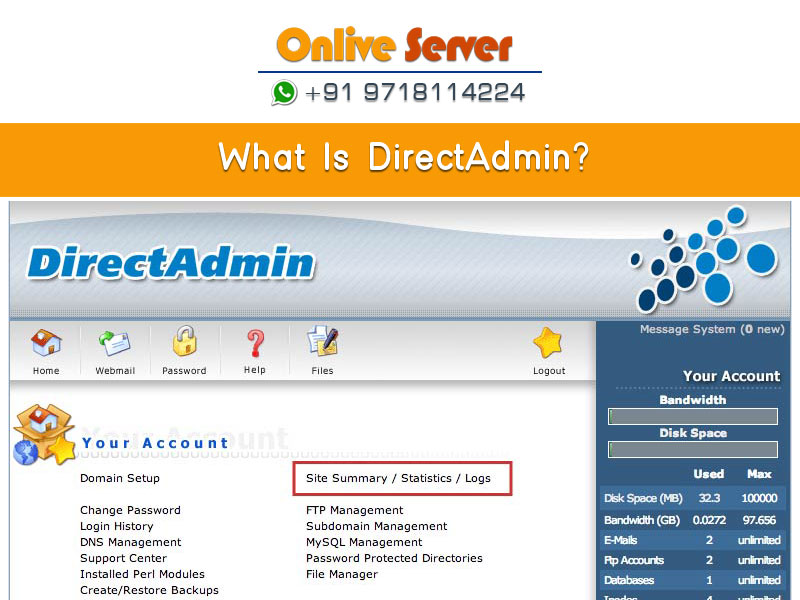
Quick Answer: What Is DirectAdmin?
DirectAdmin is an ultra-fast, lightweight Linux web hosting control panel designed for administrators, resellers, and website owners seeking maximum performance with minimal server resource overhead. Built in compiled C++, DirectAdmin consumes under 50MB of system memory—substantially less than alternative platforms like cPanel or Plesk. It provides a modular web-based interface for managing domains, DNS records, MariaDB databases, SSL certificates, and email accounts on a unmanaged dedicated server hosting for high-density web hosting or virtual machine. Through its powerful CustomBuild 2.0 utility, DirectAdmin allows full customization of web server engines (Apache, Nginx, LiteSpeed, OpenLiteSpeed) and multi-version PHP runtimes.
In modern web hosting administration, server efficiency and operational speed directly impact infrastructure operating costs. While heavy control panels provide broad feature sets, they frequently consume gigabytes of valuable RAM merely to maintain their background daemons. DirectAdmin was architected from inception around a minimalist philosophy: write the core panel logic in compiled, optimized C++ to achieve instantaneous page loads, zero UI bloat, and total resilience against sudden traffic spikes on high-density virtualization nodes.
- 1. Ultra-Lightweight System Footprint: Written natively in compiled C++, DirectAdmin consumes less than 50MB of RAM, reserving maximum compute for tenant sites.
- 2. CustomBuild 2.0 Flexibility: Enables one-command compilation, updating, and tuning of web servers (Nginx, OpenLiteSpeed, Apache) and multi-version PHP runtimes.
- 3. Native cPanel Migration Tooling: Automatically imports and converts cPanel backup archives into active DirectAdmin accounts with zero data loss.
Core Architecture and Lightweight Engine
Unlike control panels that rely on extensive interpreted Python, Perl, or Node.js stacks to run their administrative interface, the core DirectAdmin binary executes as a compact native daemon (directadmin). The panel operates independently on TCP port 2222, completely isolated from customer web server instances (such as Apache or Nginx). If a client’s website experiences a denial-of-service attack or a runaway PHP script locks up server processes, the DirectAdmin control daemon remains fully responsive, allowing administrators to diagnose and remediate issues without needing physical terminal reboots. To eliminate multi-tenant noisy neighbor contention and resource bottlenecks, deploying workloads on unmanaged dedicated server hosting for high-density web hosting guarantees dedicated physical CPU cores and non-throttled NVMe disk I/O.
Furthermore, DirectAdmin maintains an exceptionally clean filesystem structure. System configurations are organized cleanly inside standard Linux directories (/etc/virtual/ for email routing, /etc/httpd/conf/ for web virtual hosts, and /usr/local/directadmin/ for panel assets), avoiding the obfuscated proprietary layouts common in competing commercial panels.
Three-Tier User Hierarchy and Access Control
DirectAdmin implements an intuitive, granular three-tier role-based access model that adapts smoothly across different hosting business workflows:
- Admin Level: The top-level administrative tier. Root administrators configure server-wide DNS settings, IP allocations, software compilations via CustomBuild, system firewall rules, brute force detection policies, automated remote backups, and provisioning of reseller accounts.
- Reseller Level: Tailored for agency operators and hosting resellers. Resellers create customized hosting packages with designated disk and bandwidth limits, onboard individual customer accounts, and monitor usage metrics without access to underlying server configurations.
- User Level: The consumer-facing tier. Domain owners manage their public websites, create MySQL/MariaDB databases, issue Let’s Encrypt SSL certificates, manage FTP/SSH keys, create email accounts, and view graphical traffic analytics.
Administrators can seamlessly toggle between these three tiers with a single click inside the modern Evolution skin, streamlining technical support and account troubleshooting on a understanding open-source hosting architectures in i-MSCP control panel environment.
Technical Comparison: DirectAdmin vs. Alternative Control Panels
Examine how DirectAdmin compares technically against industry alternatives including cPanel, Plesk, and CyberPanel:
CustomBuild 2.0: The Heart of Server Customization
At the center of DirectAdmin’s administrative flexibility lies CustomBuild 2.0, a comprehensive command-line and web-based compilation engine. CustomBuild manages the installation, compilation, optimization, and upgrading of virtually all system services on the server. For comprehensive implementation details and operational workflows, review our guide on understanding open-source hosting architectures in i-MSCP control panel.
Through simple flag toggles in /usr/local/directadmin/custombuild/options.conf, administrators can:
- Swap Web Server Engines on the Fly: Switch from traditional Apache MPM-Event to high-speed OpenLiteSpeed or an Nginx reverse-proxy configuration with a single command without reinstalling customer websites.
- Provision Up to Four Simultaneous PHP Versions: Build PHP 7.4, 8.1, 8.2, and 8.3 concurrently via PHP-FPM, allowing individual domains to select their required runtime from a dropdown in their user dashboard.
- Automate Security Upgrades: CustomBuild checks upstream repositories daily for software updates to Curl, OpenSSL, MariaDB, Exim, Dovecot, and SpamAssassin, deploying patches automatically when configured.
- Deploy ModSecurity & OWASP Core Rule Sets: Integrate hardware-accelerated Web Application Firewalls (WAF) to block SQL injections, cross-site scripting (XSS), and automated bots before malicious requests reach the application backend.
Practical Operations: DirectAdmin CustomBuild Runbook
Sysadmins managing DirectAdmin production servers rely on these essential CustomBuild terminal commands to keep runtime environments optimized and secure:
# Navigate to CustomBuild directory
cd /usr/local/directadmin/custombuild

# 1. Update CustomBuild scripts and check for available component updates
./build update
./build versions

# 2. Recompile and update all outdated packages automatically
./build update_versions

# 3. Configure and compile dual PHP versions (e.g., PHP 8.2 default, PHP 8.1 secondary)
./build set php1_mode php-fpm
./build set php1_release 8.2
./build set php2_mode php-fpm
./build set php2_release 8.1
./build php n

# 4. Rewrite all web server virtual host configurations after updates
./build rewrite_confs

# 5. Check real-time service status of the DirectAdmin control daemon
systemctl status directadmin.service
Built-in Security: BFM, CSF Firewall, and Automated SSL
DirectAdmin includes enterprise-grade security features natively without requiring expensive third-party plugin purchases:
- Brute Force Monitor (BFM): Continuously monitors system log files (Exim, Dovecot, ProFTPd, SSH, and DirectAdmin login attempts) for unauthorized authentication failures. When an attacking IP exceeds thresholds, BFM automatically pushes firewall drop rules to ConfigServer Security & Firewall (CSF).
- Automated Let’s Encrypt ACME Client: Embedded directly into the user dashboard, customers can generate wildcard and multi-SAN SSL certificates with automated 60-day background renewal jobs, ensuring zero expired certificate downtime.
- Two-Factor Authentication (2FA): Supports industry-standard TOTP authentication (Google Authenticator, Authy, 1Password) across all administrative, reseller, and customer accounts to stop credential stuffing attacks.
Seamless Migration: Restoring cPanel Backups into DirectAdmin
One of DirectAdmin’s most commercially valuable capabilities is its native ability to ingest and restore standard cPanel backup archives (backup-*.tar.gz). Hosting providers migrating away from cPanel can transfer full user accounts—including document roots, MySQL databases, database users with assigned privileges, email forwarders, email accounts with passwords, and cron jobs—directly through the DirectAdmin Admin Backup/Restore utility without manual database reconnections, following the proven methodology detailed in our guide to comparing cPanel backup migration workflows into DirectAdmin.
The Evolution Skin: Modern Vue.js Interface and Responsive Design
Historically, DirectAdmin was recognized for its barebones “Enhanced” and “Capri” themes, which favored raw operational speed over modern visual aesthetics. To address modern UI/UX expectations, DirectAdmin introduced the Evolution Skin, a modern, highly responsive interface engineered on Vue.js and Tailwind-inspired modular components. To strengthen overall system reliability and security, explore our technical tutorial on comparing cPanel backup migration workflows into DirectAdmin.
The Evolution skin provides four dynamic layout modes tailored to user experience preferences:
- Standard Layout: A categorized dashboard with modern icons, search filters, and collapsible category accordions ideal for desktop administrators.
- Sidebar Layout: A sleek vertical navigation drawer resembling modern SaaS dashboards, maximizing horizontal workspace for log viewers and database tables.
- Grid / Icon Layout: A streamlined, touch-friendly grid optimized for mobile tablets and smartphones, allowing on-the-go server management.
- Hybrid Dark Mode: Built-in native dark and light themes that adapt automatically to client operating system preferences, reducing visual fatigue during late-night maintenance windows.
Automated Disaster Recovery: S3 & SFTP Off-Site Backup Replication
Data resilience is paramount for production hosting. DirectAdmin includes the enterprise-grade Admin Backup/Transfer utility natively at zero licensing surcharge. Administrators can configure automated cron-driven backup schedules that execute during low-traffic overnight hours:
- Multi-Destination Remote Storage: DirectAdmin natively supports offloading encrypted backup archives directly to external SFTP storage boxes, FTP servers, and Amazon S3-compatible cloud buckets (including AWS S3, Wasabi, Backblaze B2, and MinIO).
- Granular Selection Flags: Operators can selectively include or exclude user mailboxes, spam directories, raw access logs, and large media folders to optimize transfer bandwidth and remote storage consumption.
- Automated Backup Rotation: Configure automated retention policies (e.g., retain 7 daily, 4 weekly, and 3 monthly snapshots) with automatic purging of expired archives to prevent remote storage exhaustion.
Frequently Asked Questions
How much RAM does DirectAdmin require to run smoothly?
DirectAdmin itself requires less than 50MB to 120MB of active memory. A minimal virtual private server with 1GB to 2GB of RAM is more than sufficient to run DirectAdmin alongside Apache, PHP-FPM, MariaDB, and a small collection of production websites.
Can DirectAdmin restore full cPanel backup files?
Yes. DirectAdmin features a built-in cPanel-to-DirectAdmin conversion utility. Administrators can upload uncompressed or gzipped cPanel backup archives into the Admin Backup/Restore tool, and DirectAdmin will automatically recreate users, domains, MySQL databases, email mailboxes, and DNS records.
What operating systems are supported by DirectAdmin?
DirectAdmin officially supports enterprise Linux distributions including AlmaLinux 8 and 9, Rocky Linux 8 and 9, CloudLinux 8 and 9, Debian 11 and 12, as well as Ubuntu 20.04 and 22.04 LTS.
Does DirectAdmin support LiteSpeed and OpenLiteSpeed web servers?
Yes. Through CustomBuild 2.0, administrators can natively deploy enterprise LiteSpeed Web Server (LSWS) or the high-performance open-source OpenLiteSpeed (OLS) engine, providing native LSCache acceleration for WordPress without requiring Apache.
How do I access the DirectAdmin web dashboard?
By default, DirectAdmin listens on TCP port 2222. You can access the interface by browsing to https://your-server-ip:2222 or https://server.yourdomain.com:2222 and authenticating with your assigned administrative, reseller, or customer credentials.
Conclusion: Why DirectAdmin Delivers Peak Web Hosting ROI
DirectAdmin has established itself as the premier web hosting control panel for modern infrastructure teams. With its compiled C++ core consuming under 50MB of RAM, the versatile CustomBuild 2.0 compilation system, and predictable licensing pricing, DirectAdmin delivers unbeatable performance and operating cost efficiency.
