

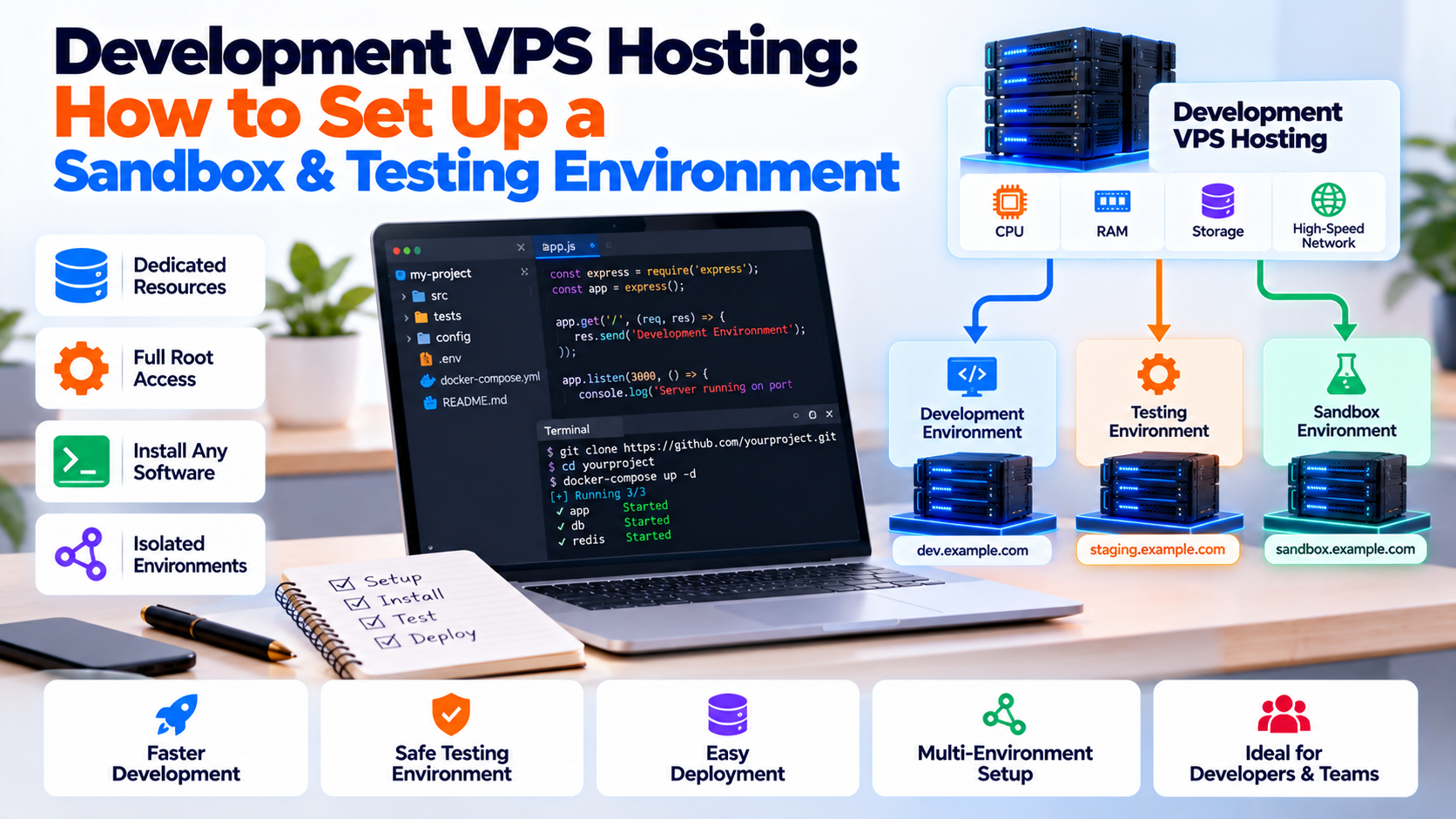
Development VPS hosting provides dedicated virtual server environments configured specifically for sandbox software engineering, pre-production staging, and automated CI/CD pipeline verification. To build an enterprise-grade development server, establish 100% environmental parity with production (matching the Linux kernel, database minor versions, and runtime modules). Isolate testing branches using containerized Docker stacks, route wildcard staging subdomains via an edge reverse proxy (such as Traefik or Nginx), and restrict administrative access through WireGuard or Tailscale VPN tunnels to safeguard pre-release code from the public internet.
Every software engineering team has experienced the friction of environment inconsistency: code that executes flawlessly on a developer’s local laptop suddenly breaks during production deployment. Local workstations run heterogeneous chipsets, divergent operating systems, and varying library versions. When testing complex distributed systems locally, subtle discrepancies in file permissions, SQL collation, and network socket management cause unexpected production bugs. For technical specifications, consult the official GitHub Actions Documentation.
Deploying dedicated development VPS hosting bridges the gap between local code creation and production release across three core operational advantages:
- 1. True Production Parity Eliminate architectural drift by executing code against identical Linux kernels, web servers, and library versions used in live production.
- 2. Public Webhook & API Testing Expose secure public endpoints with valid SSL certificates to test external third-party payment gateways, OAuth redirects, and webhooks.
- 3. Ephemeral Sandbox Isolation Spin up isolated feature branch previews with Docker containers without polluting local developer machines or competing for workstation RAM.
Provisioning workloads on scalable developer cloud VPS hosting environments provides dedicated vCPU allocations, ultra-fast NVMe storage, and complete root administrative access for custom testing stacks.
Why Local Workstations Fail to Replicate Production
While local tools like Docker Desktop are convenient for initial coding, they exhibit fundamental limitations during team-wide integration testing:
- CPU Architecture Discrepancies: Developer laptops often run ARM64 processors (such as Apple Silicon), whereas enterprise cloud servers run x86_64 Intel Xeon or AMD EPYC chips. Running cross-architecture emulation locally can hide compilation issues and memory alignment bugs that only emerge on x86 production servers.
- Resource Contention: Local workstations run browsers, IDEs, and desktop background daemons that directly compete with database fixtures and API containers, preventing realistic latency and throughput profiling.
- Client & Team Collaboration: Sharing a local test build with product managers, QA testers, or clients requires brittle port-forwarding or insecure tunnels. A cloud development VPS delivers persistent, shareable staging URLs on demand.
- Network & Firewall Differences: Local operating systems handle loopbacks, NAT routing, and TLS handshakes differently than cloud Linux hosts. Staging on a real VPS tests realistic WAN latency and live SSL negotiation.
Development Environment Comparison Matrix
| Environment Type | Production Parity | Team Accessibility | CI/CD Integration | Ideal Use Case |
|---|---|---|---|---|
| Local Machine (macOS/Windows) | Low (Divergent OS/Kernels) | None (Single workstation) | Manual scripts only | Initial code drafting & syntax checks |
| Cloud Development VPS | 100% (Identical Linux Stack) | High (Static IP / Private VPN) | Native (Docker, Webhooks, Actions) | Feature branch testing & client staging demos |
| Multi-Node Staging Cluster | 100% (HA Mimic) | Enterprise SSO / RBAC | Full automated orchestration | Enterprise chaos & high-volume load testing |
Modern development infrastructure relies on lightweight containerization. Check our comprehensive guide on running isolated staging containers with Docker on VPS to maximize server resource allocation and prevent parallel branch collisions.
Step-by-Step Runbook: Automated Sandbox Staging Pipeline
Follow this runbook on an Ubuntu instance to establish an automated, branch-aware staging environment using Traefik to dynamically route wildcard domains (e.g., feat-checkout.dev.yourdomain.com):
# 1. Update system dependencies and install Docker Engine
sudo apt update && sudo apt install -y curl git ufw
curl -fsSL https://get.docker.com | sh
sudo usermod -aG docker $USER

# 2. Create the shared internal development proxy network
docker network create dev_proxy_network

# 3. Create folder structure for dynamic routing configurations
mkdir -p ~/dev-server/{traefik,environments}
Deploying Traefik Dynamic Edge Router
Create ~/dev-server/traefik/docker-compose.yml to run Traefik, which dynamically detects Docker container labels and provisions SSL certificates for incoming branch domains:
version: '3.8'

services:
  traefik:
    image: traefik:v3.1
    container_name: dev_traefik_router
    restart: unless-stopped
    command:
      - "--api.insecure=false"
      - "--providers.docker=true"
      - "--providers.docker.exposedbydefault=false"
      - "--entrypoints.web.address=:80"
      - "--entrypoints.websecure.address=:443"
    ports:
      - "80:80"
      - "443:443"
    volumes:
      - /var/run/docker.sock:/var/run/docker.sock:ro
    networks:
      - dev_proxy_network

networks:
  dev_proxy_network:
    external: true
When engineers deploy a new branch container with labels like traefik.http.routers.feature1.rule=Host(`feature1.dev.yourdomain.com`), Traefik immediately maps traffic to the container without manual web server restarts.
Automated CI/CD Integration: GitHub Actions to VPS Deployment
Automating staging deployments directly from Git eliminates manual interventions and ensures that pull requests are always testable in real time:
name: Deploy Staging Branch

on:
  pull_request:
    types: [opened, synchronize]

jobs:
  deploy-sandbox:
    runs-on: ubuntu-latest
    steps:
      - name: Checkout Code
        uses: actions/checkout@v4

      - name: Deploy to Development VPS via SSH
        uses: appleboy/[email protected]
        with:
          host: ${{ secrets.DEV_VPS_HOST }}
          username: deployer
          key: ${{ secrets.DEV_VPS_SSH_KEY }}
          script: |
            BRANCH_NAME="${{ github.head_ref }}"
            cd /opt/staging-apps/$BRANCH_NAME || git clone -b $BRANCH_NAME ${{ github.repositoryUrl }} /opt/staging-apps/$BRANCH_NAME
            cd /opt/staging-apps/$BRANCH_NAME
            git pull origin $BRANCH_NAME
            docker compose -p $BRANCH_NAME up -d --build
Database Branching: Managing Ephemeral Test Data Safely
Running multiple feature branches against a single shared database leads to migration conflicts and broken test state. To prevent database contention, spin up lightweight, ephemeral database containers populated with sanitized test fixtures:
# 1. Spin up an isolated database container for the feature branch
docker run -d --name db_feat_checkout \
  --network dev_proxy_network \
  -e POSTGRES_DB=app_test \
  -e POSTGRES_PASSWORD=SecretTestPass \
  postgres:16-alpine

# 2. Stream sanitized SQL fixture directly into the branch container
cat /opt/db-seeds/sanitized_staging_seed.sql | docker exec -i db_feat_checkout psql -U postgres -d app_test
Securing Developer Sandbox Environments
Development servers house experimental code, API credentials, and pre-release intellectual property. Safeguard your staging environment with these three defensive practices:
- Private Mesh Networking (Tailscale / WireGuard): Bind development web ports and SSH services to internal VPN addresses so only authenticated team members can open staging URLs.
- Automated Resource Pruning: Implement automated cleanup scripts that remove Docker containers and volumes older than 72 hours to prevent disk saturation.
- Strict Data Sanitization: Never seed development databases with unmasked customer data or real payment details. For Node runtime security and package hygiene, consult our tutorial on managing Node.js runtime environments and dependencies.
Storage Topologies: Local ZFS RAID vs. Ceph Distributed Storage
When architecting virtualized infrastructure in Proxmox VE for developer environments, storage performance is paramount:
For standalone nodes, ZFS RAID-10 (striped mirrors) delivers lightning-fast NVMe throughput and automatic bit-rot repair for Docker build caching. When scaling to a multi-node development cluster, Ceph distributed block storage provides high availability and live VM migration with zero workflow interruption.
For teams requiring dedicated performance and full root hypervisor control, deploying on high-performance Linux VPS hosting delivers guaranteed NVMe storage, KVM isolation, and predictable compute power.
Frequently Asked Questions
What is the minimum VPS specification for a development server?
For an individual developer hosting 2 to 3 microservices and a lightweight database, a 2 vCPU and 4GB RAM VPS is sufficient. For teams running multiple concurrent pull-request preview environments with Docker Compose, we recommend a minimum of 4 vCPUs and 8GB to 16GB of RAM.
How do I prevent search engines from indexing our staging sandbox?
Configure your reverse proxy (Traefik or Nginx) to automatically send the HTTP header X-Robots-Tag: noindex, nofollow, noarchive across all staging subdomains. You can also restrict access behind HTTP Basic Auth or a private VPN.
Can multiple developers share a single development VPS simultaneously?
Yes. By configuring non-root user permissions, containerizing microservices with Docker Compose, and mapping branches to dynamic subdomains via reverse proxy labels, multiple developers can build and test in complete isolation on a single VPS.
How does a development VPS integrate with GitHub Actions or GitLab CI?
You can configure self-hosted CI/CD runners or use SSH action keys. On pull request creation, your workflow pushes code to the VPS, launches containers via Docker Compose, runs tests, and posts the live preview URL back to the pull request.
What is the best way to manage persistent database data across branches?
Use named Docker volumes paired with automated database seed scripts. This allows developers to quickly reset, test destructive migrations, and re-seed clean test databases in seconds without affecting other branches.
Standardizing Developer Staging & Testing Workflows
A dedicated development VPS bridges the gap between chaotic local machines and high-stakes production environments. Giving engineering teams isolated staging sandboxes accelerates continuous integration, catches breaking changes before release, and eliminates configuration drift across distributed teams.
