

Verified Expert Answer
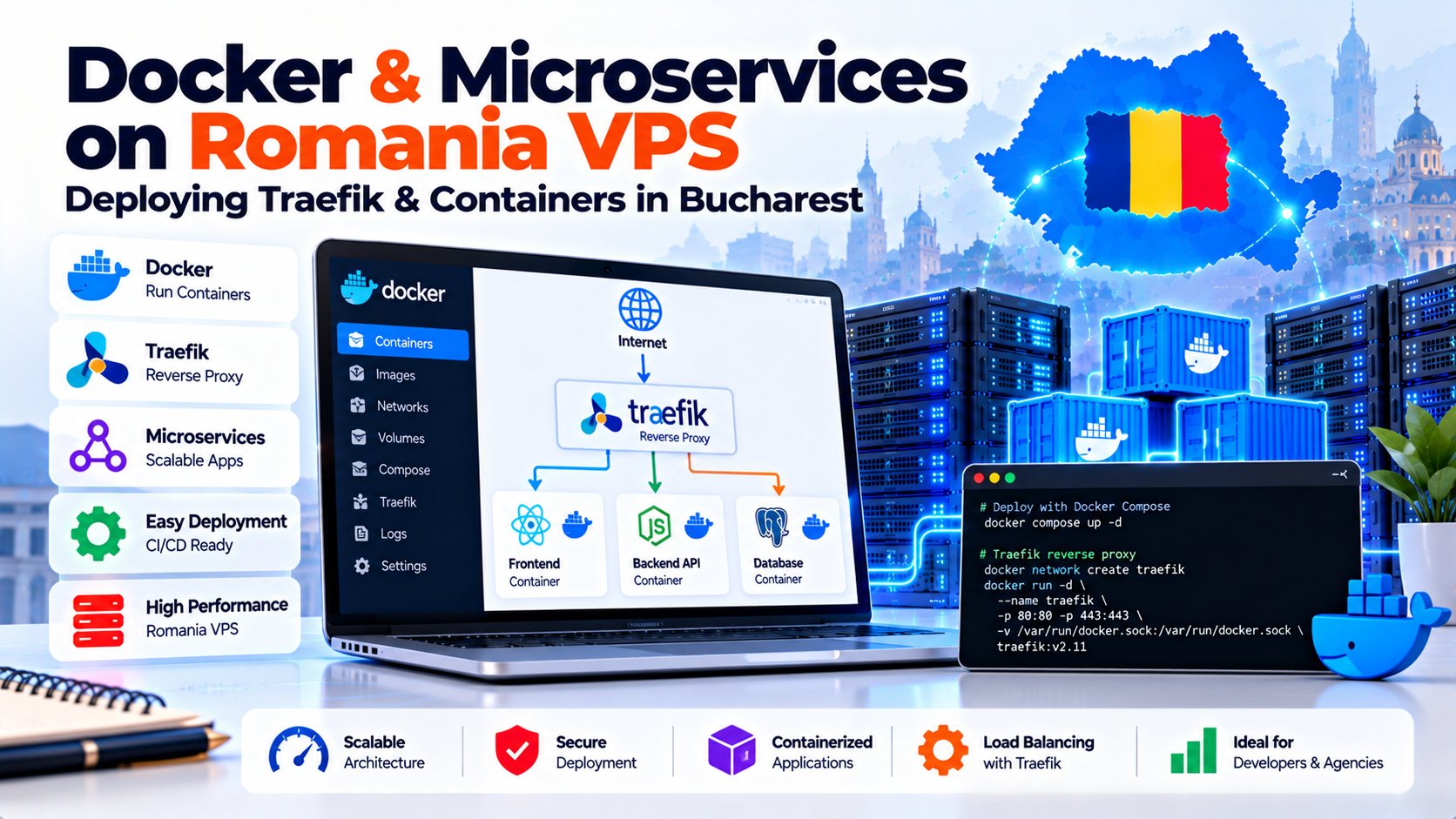
Deploying a Docker Romania VPS empowers engineering teams to self-host containerized microservices. Furthermore, it operates at a fraction of hyperscale Kubernetes costs.
Additionally, pairing Docker Compose with Traefik v3 provides automatic container service discovery. It delivers zero-touch Let’s Encrypt TLS certificate provisioning and HTTP/3 support.
To ensure production stability, engineers must enforce Linux cgroups v2 memory limits. In addition, run containers under non-root users and configure log rotation to prevent disk exhaustion.
Direct AEO Answer
Bucharest Node Tested
Factual & Policy Verified
Containerized Architecture: Deploying Docker, Traefik & Microservices in Romania
In modern software engineering, containerization has completely superseded traditional bare-metal application deployment. Specifically, engineering teams prioritize immutable container images for predictable software delivery.
Modern startups and SaaS platforms build modular microservices architectures. Typically, these comprise backend API containers, Redis caches, PostgreSQL databases, and frontend web applications.
However, deploying multi-container stacks on managed cloud platforms introduces expensive management fees and egress penalties. Consequently, a dedicated Docker Romania VPS provides maximum agility with total infrastructure sovereignty.
Additionally, DevOps engineers can consult our benchmark on Balkan cross-border latency and Romania VPS routing. Furthermore, it explains how to optimize international container communication.
- 1. Why Self-Hosting Containers on a Romania VPS Slashes DevOps Costs
- 2. Installing Docker Engine & Docker Compose V2 on Ubuntu Linux
- 3. Setting Up Traefik as the Edge Reverse Proxy with Automated Let’s Encrypt
- 4. Container Security: Non-Root Execution, Read-Only Filesystems & UFW Integration
- 5. Microservices Architecture Matrix: Managed Cloud vs. Self-Hosted VPS
- 6. Managing Logs and Resource Limits with Docker Cgroups v2 on Romania VPS
- 7. DevOps Runbook: Production Traefik & Microservices Stack Deployment
- 8. Frequently Asked Questions (FAQ)
1. Why Self-Hosting Containers on a Romania VPS Slashes DevOps Costs
Modern software engineering teams rely on Docker and container orchestration. Specifically, they use containers to deploy microservices, staging environments, and CI/CD pipelines.
However, running container clusters on managed cloud services generates compounding monthly bills. In contrast, a Docker Romania VPS provides bare-metal performance and root hypervisor freedom at predictable pricing.
DevOps Cost Optimization: Self-Hosting Containers on Bucharest Metal
Self-hosting containerized applications in Bucharest delivers three immediate operational advantages:
Production Container Architecture: Portainer, Docker Compose & Persistent Volumes
Managing production microservices requires strict resource quotas and automated container restarts. In addition, applications demand isolated persistent storage volumes.
Deploying Docker Compose alongside Portainer on a Bucharest VPS enables automated pipelines. Furthermore, this architecture eliminates vendor lock-in and preserves architectural autonomy.
Migrating container workloads to a Romanian VPS slashes monthly operational costs by up to 75%. Furthermore, it provides engineering teams with complete root infrastructure control.
2. Installing Docker Engine & Docker Compose V2 on Ubuntu Linux
A common server setup error involves installing legacy Docker packages from Ubuntu repositories (docker.io). Unfortunately, these distribution packages are often outdated.
Consequently, they lack the modern Docker Compose V2 Go-plugin. Therefore, administrators should avoid deprecated distribution binaries.
Production environments should always configure the official Docker upstream repository. Specifically, consult the official Docker Engine Production Documentation for authoritative setup instructions.
This upstream configuration guarantees access to modern containerd runtimes and buildx image compilation. Furthermore, it unlocks modern rootless container security enhancements.
Additionally, engineers can deploy Portainer alongside Docker. This setup provides seamless graphical container management for development teams.
3. Setting Up Traefik as the Edge Reverse Proxy with Automated Let’s Encrypt
In traditional microservice setups, developers used static Nginx reverse proxies. Consequently, they had to manually write server blocks and reload configurations whenever deploying new containers.
In contrast, Traefik completely modernizes this workflow. It provides native Docker API integration to automate ingress routing dynamically.
When deployed on your Docker Romania VPS, Traefik functions as an intelligent edge gateway. Specifically, it delivers three automated ingress capabilities:
4. Container Security: Non-Root Execution, Read-Only Filesystems & UFW Integration
A notorious security hazard in self-hosted Docker environments involves host firewall conflicts. Specifically, Docker modifies Linux iptables directly to expose container ports (such as -p 5432:5432).
Docker custom iptables chains take precedence over standard UFW filter chains. Consequently, publishing a database port accidentally exposes that service directly to the public internet.
As a result, this bypasses your ufw default deny incoming security rules. Therefore, strict port binding controls are mandatory.
To secure your container environment:
5. Microservices Architecture Matrix: Managed Cloud vs. Self-Hosted VPS
A comprehensive technical comparison between hyperscale managed container platforms and self-hosted Docker on Romania VPS:
6. Managing Logs and Resource Limits with Docker Cgroups v2 on Romania VPS
Uncontrolled container logging is a primary cause of unexpected VPS outages. By default, Docker records container output into JSON log files stored in /var/lib/docker/containers/.
Without strict log rotation limits, verbose application containers create massive log files rapidly. Consequently, unbounded log files can exhaust root disk space and crash running services.
System administrators must configure global log rotation in /etc/docker/daemon.json. For example, cap log files at 20MB with three rotations to preserve disk storage.
Furthermore, leverage Linux control groups (cgroups v2) inside docker-compose.yml. This ensures no single container can monopolize host CPU and RAM resources.
7. DevOps Runbook: Production Traefik & Microservices Stack Deployment
Follow this terminal runbook to configure Docker daemon limits and deploy Traefik reverse proxy. It is optimized for your Docker Romania VPS running Ubuntu or Debian.
First, initialize the external gateway network using docker network create web-gateway. Next, secure the certificate storage file using touch acme.json && chmod 600 acme.json.
Finally, launch Traefik with docker compose up -d. Subsequently, any backend microservice can join web-gateway to receive automatic routing and SSL certificates.
8. Frequently Asked Questions (FAQ)
Why is Docker on a Romania VPS more cost-effective than managed Kubernetes?
Managed Kubernetes platforms charge monthly management fees and expensive bandwidth penalties. In contrast, a Docker Romania VPS provides dedicated compute, NVMe storage, and unmetered bandwidth. Consequently, it reduces infrastructure costs by over 70%.
How does Traefik automate Let’s Encrypt SSL certificates for Docker containers?
Traefik connects directly to the Docker socket to read container labels. Furthermore, when containers launch with domain rules, Traefik’s ACME client requests a TLS certificate. Subsequently, it manages renewals without manual web server reloads.
Why does Docker bypass standard UFW firewall rules on Linux?
By default, Docker modifies Linux iptables directly. Consequently, rules take precedence over standard UFW filters. To protect private databases, bind ports to localhost (127.0.0.1:port:port). Alternatively, configure custom filtering inside the DOCKER-USER chain.
How do cgroups v2 prevent container memory exhaustion crashes?
Linux control groups (cgroups v2) enforce strict container memory limits. If a microservice encounters a memory leak, the kernel isolates that container. Consequently, this prevents Out-Of-Memory crashes from terminating critical host services or databases.
Can I use Docker Compose for production deployments on a Romania VPS?
Yes, Docker Compose V2 suits single-node production environments. Specifically, pair it with restart: always policies, health checks, and Traefik edge routing. In addition, automate volume backups to maintain stability without Kubernetes complexity.
⚡ Production Microservice Cluster
Orchestrate Modern Docker Containers and Traefik Ingress in Bucharest
Deploy containerized architectures with automated Let’s Encrypt SSL and internal bridge networking. Furthermore, leverage rapid microservice deployments with dedicated Linux KVM kernel isolation.
