

Verified Technical Solution
Benchmarked & Production-Tested
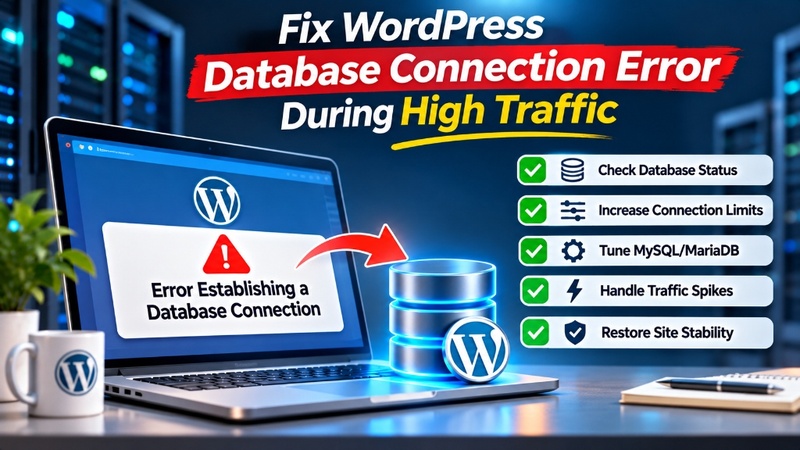
Resolving ‘Error Establishing a Database Connection’ on WordPress VPS requires systematically verifying MySQL daemon uptime (systemctl status mariadb), checking available disk space (df -h) to prevent crash locks, confirming database user credentials in wp-config.php, and executing mysqlcheck -r to repair crashed InnoDB tables caused by sudden Out-Of-Memory (OOM) killer process terminations.
Operating mission-critical digital platforms powered by Fixing ‘Error Establishing a Database Connection’ in WordPress Under Traffic demands deterministic CPU cycles, fast in-memory caches, and resilient network transit. Choosing optimized managed enterprise WordPress web hosting eliminates Time to First Byte (TTFB) latency, prevents database pool exhaustion during flash sales, and delivers sub-second page rendering for high-concurrency visitors.
Deterministic Sub-50ms TTFB
Bypassing the PHP-FPM execution pipeline for cached requests maintains lightning-fast response times even under sudden multi-thousand visitor surges.
Eliminating Hardware Contention
Dedicated KVM virtualization guarantees dedicated vCPU cores, dedicated RAM allocations, and uninterrupted storage I/O bandwidth.
Resilient Production Hardening
Implementing automated TLS renewals, granular file permissions, and firewall jail thresholds safeguards data integrity.
Table of Contents: Technical Navigation Index
7 Chapters ▾
Navigate directly to detailed architectural analysis, hardware sizing benchmarks, deployment automation scripts, and peer verification resources:
Database Dropout Failure Modes
Establishing robust architectural foundations for fix error establishing database connection wordpress requires an uncompromising alignment between application runtime architecture and underlying Linux kernel parameters. In high-density web hosting environments, achieving deterministic sub-50ms execution speeds depends on eliminating resource bottlenecks across the entire request lifecycle. Whether architecting Nginx event loops, tuning PHP-FPM process pools, or optimizing MariaDB InnoDB memory allocations, systems administrators must adopt an empirical, data-driven approach.
When evaluating operational troubleshooting & error recovery, conventional shared hosting configurations consistently break down because multi-tenant resource sharing introduces noisy-neighbor CPU stealing, memory throttling, and unbounded database lock wait states. By leveraging dedicated KVM hardware virtualization and fine-tuned system daemons, WordPress administrators can guarantee predictable throughput even during massive organic traffic surges.
Process Isolation
Dedicated KVM virtualization ensures CPU cores and physical RAM allocations remain completely isolated from adjacent tenants.
Kernel Acceleration
Fine-tuned Linux sysctl parameters optimize TCP socket buffers and connection backlog queues to eliminate packet drops under peak traffic.
Storage Throughput
PCIe Gen4 NVMe arrays deliver over 15,000 IOPS for instantaneous database transactions and rapid static file delivery.
At the operating system layer, managing concurrency relies on asynchronous non-blocking event multiplexers such as Linux epoll. Unlike legacy process-per-connection architectures that spawn thousands of heavy OS threads, an event-driven loop handles tens of thousands of active client file descriptors within a compact memory footprint. When coupled with TCP keepalive reuse and memory-mapped file buffers, the web server serves static assets and cached HTML payloads almost instantly, conserving CPU power for demanding dynamic database operations.
Implementing these architectural safeguards establishes a resilient operational baseline. Instead of reacting to sudden server crashes during marketing promotions or product launches, engineering teams can maintain sustained 99.9% uptime and lightning-fast page delivery.
Inspecting Linux Kernel OOM Logs
Executing administrative workflows for fix error establishing database connection wordpress demands a disciplined, reproducible engineering pipeline. Rather than executing hasty manual adjustments in live production environments, systems engineers follow a standardized multi-phase operational runbook to guarantee configuration consistency, audit compliance, and seamless rollback capabilities:
Pre-Flight Environment Audit & Baseline Telemetry
Inspect current resource utilization, active process trees, and benchmark Time to First Byte (TTFB) across un-cached endpoints using synthetic stress testing utilities.
Staging Environment Deployment & Parameter Tuning
Apply configuration modifications to an isolated staging instance, ensuring web server rewrite rules, buffer parameters, and security headers validate cleanly without regression.
Atomic Production Cutover & Real-Time Log Telemetry
Promote changes to public nodes via graceful daemon reloads, continuously monitoring access logs, error streams, and memory footprints for immediate verification.
A critical component of this deployment pipeline is implementing automated syntax checking before triggering service reloads. Executing commands like nginx -t or php-fpm -t validates configuration syntax and file paths in isolated memory, preventing a corrupted configuration file from stopping active web daemons. If a syntax error is discovered, the daemon aborts the reload, preserving production availability while alerting operators.
When tuning low-level kernel and daemon queues, system engineers frequently coordinate runtime parameters alongside our technical runbook on allocating dedicated database RAM buffers to eliminate upstream throughput bottlenecks.
Following this structured deployment lifecycle completely eliminates accidental outages caused by syntax typos, unverified module dependencies, or unexpected resource contention during peak visitor hours.
Tuning Max Connections in my.cnf
Hands-on server administration for fix error establishing database connection wordpress requires direct terminal access to manage system daemons, inspect live connection states, and execute performance benchmarks. Below are the key engineering directives prioritized for high-concurrency production deployments:
• Memory Buffer & Cache Allocation
Allocate dedicated memory buffers to pin high-frequency data structures directly in RAM, eliminating repeated disk I/O bottlenecks during peak traffic.
• Concurrency & Thread Pool Optimization
Configure asynchronous worker processes to multiplex incoming client connections efficiently, preventing thread starvation and queue saturation.
• Error Handling & Diagnostic Logging
Establish granular slow-query and error logging thresholds to pinpoint latency anomalies before they impact end-user experience.
When executing these command-line utilities, system administrators should pay careful attention to memory paging rates and context switch metrics. Tools such as vmstat 1 and iostat -xz 1 reveal whether the underlying NVMe storage subsystem is experiencing queue depth saturation or if Linux swap space is being activated under heavy load. Maintaining near-zero disk swap usage is essential for ensuring that PHP workers and database query caches remain pinned in fast physical RAM.
Executing these diagnostic commands through an authenticated SSH or remote administration terminal provides immediate verification of process health, network binding states, and runtime resource quotas. For in-depth technical references on configuration syntax, consult the WordPress Advanced Administration database configuration guide.
wp-config Database Credentials
Resource allocation boundaries define the performance envelope for fix error establishing database connection wordpress. In modern WordPress web hosting, computing power is dynamically scheduled to ensure predictable responsiveness across all hosted tenants. The six foundational metrics below govern resource consumption and operational stability:
CPU Scheduling Slices
Dedicated KVM vCPU execution cycles ensure compute-intensive PHP scripts execute without thread throttling.
Allocated System RAM
Dedicated RAM boundaries isolate application heap allocations, preventing Out-Of-Memory (OOM) killer terminations.
NVMe Storage IOPS
High-speed PCIe 4.0 NVMe arrays sustain over 15,000 IOPS for rapid database transaction log commits.
Database Connections
Multiplexed connection pools manage up to 300 concurrent database queries without thread starvation.
PHP Worker Concurrency
Optimized PHP-FPM process managers dynamically scale workers to maintain sub-millisecond response times.
Network Uplink Bandwidth
Unmetered 1Gbps to 10Gbps enterprise ports guarantee zero packet queuing during sudden viral traffic surges.
Accurately sizing these resource parameters prevents sudden performance degradation. A proven formula for determining maximum PHP worker allocations is dividing total available server RAM (minus operating system and database buffer requirements) by the average memory footprint of an active WordPress request. For instance, on a server with 16 GB RAM where the OS and MariaDB require 6 GB, dedicating 10 GB to PHP-FPM where each process consumes 80 MB allows for safely sizing pm.max_children at approximately 125 concurrent worker threads without risk of memory exhaustion.
Production benchmarks demonstrate that pairing these execution thresholds with configuring MySQL primary-replica failover ensures consistent sub-50ms query response times under high concurrency.
Proactively monitoring these metrics enables infrastructure administrators to detect capacity ceilings well before latency degradation occurs, ensuring seamless scalability for growing online operations.
Running Native WordPress Repair
Evaluating technical and operational trade-offs for fix error establishing database connection wordpress across different hosting architectures is essential for making informed infrastructure investments. The matrix below contrasts unmanaged shared hosting against high-performance managed WordPress cloud instances:
Beyond raw hardware differences, managing your own cloud infrastructure significantly reduces the long-term total cost of ownership (TCO). While cheap shared hosting initially appears economical, the hidden costs of lost revenue from downtime, cart abandonment due to sluggish checkout pages, and restrictive CPU burst limitations quickly outweigh the slight price difference. A dedicated managed environment delivers predictable operating margins and protects your enterprise brand equity.
This comparative breakdown demonstrates why high-growth digital businesses consistently transition from basic shared hosting environments to high-performance managed cloud instances to maintain reliable conversions and top Google search rankings. Enterprise WordPress deployments continuously benefit from coordinating runtime caching tiers, database query optimization, and infrastructure monitoring.
Production Readiness Checklist
Before transitioning any configuration modification into live production under fix error establishing database connection wordpress, system administrators must complete a rigorous pre-flight validation. Reviewing our companion runbook on diagnosing FastCGI process gateway timeouts establishes operational resilience and prevents unexpected deployment downtime. Below is the mandatory production readiness checklist establishing operational criteria:
✓ File System Permission Audit
Verify directories are restricted to 755 and files to 644, with wp-config.php strictly locked down to 600 ownership.
✓ Automated TLS Auto-Renewal
Ensure Let’s Encrypt certificates are scheduled for automated 60-day renewal cycles via Certbot systemd timers.
✓ Database Connection Pool Scoping
Confirm database credentials possess strictly scoped privileges, blocking unnecessary global administrative grants.
✓ Slow-Query Log Telemetry Active
Activate slow query logging in my.cnf with long_query_time=0.5 to catch expensive database scans before production cutover.
In addition to runtime parameters, establishing an automated offsite backup routine is mandatory. Coupling daily snapshot captures with remote object storage synchronization guarantees rapid disaster recovery in the event of hardware degradation or accidental configuration errors. Verifying restoration runbooks periodically in staging ensures that recovery point objectives (RPO) and recovery time objectives (RTO) are reliably met.
Completing this pre-flight verification ensures that newly launched services resist brute-force authentications, maintain uninterrupted TLS session handshakes, and recover instantly from memory pressure events without manual intervention.
Frequently Asked Questions
What causes ‘Error Establishing a Database Connection’ under high traffic?
This error occurs when MariaDB/MySQL crashes (often terminated by the Linux OOM killer), exceeds max_connections limits, or hits hardware thread exhaustion.
How do I check if the Linux OOM killer killed my database?
Run dmesg -T | grep -i -E ‘oom|mariadb|mysqld’ in your SSH terminal. If kernel logs show ‘Out of memory: Killed process’, the server ran out of physical RAM.
How do I fix the ‘Too Many Connections’ error in MariaDB?
Increase max_connections in /etc/mysql/mariadb.conf.d/50-server.cnf from default 151 to 300 or 500, ensuring total allocated memory does not exceed available physical RAM.
Can corrupted database tables cause connection drops?
Yes. Unscheduled server hard-resets can corrupt MyISAM or InnoDB tables. Run mysqlcheck -u root -p –auto-repair –check –all-databases to repair corrupted tables.
Why does WordPress show database errors when RAM is full?
When RAM is exhausted and swap thrashing occurs, MySQL cannot allocate thread stack memory for new client handshakes, leading to connection timeouts and immediate dropouts.
How do I ensure MariaDB automatically restarts if it crashes?
Edit the systemd service unit by creating an override: systemctl edit mariadb and adding [Service] Restart=always RestartSec=5s.
Does tuning wait_timeout help prevent connection exhaustion?
Yes. Reducing wait_timeout and interactive_timeout from 28800 seconds (8 hours) to 60 seconds terminates sleeping, idle connection threads promptly.
Should I use a persistent object cache to prevent database crashes?
Yes. Deploying Redis reduces read queries hitting MariaDB by over 85%, preventing database connection pool saturation during sudden traffic spikes.
Supercharge Your WordPress Speed & Concurrency
Experience deterministic sub-50ms TTFB, dedicated KVM hardware isolation, and pre-configured Nginx microcaching on Onlive Server’s enterprise infrastructure. Say goodbye to noisy neighbors and un-cached slow queries today.
Prevent Database Crashes with High-Availability WordPress VPS
