

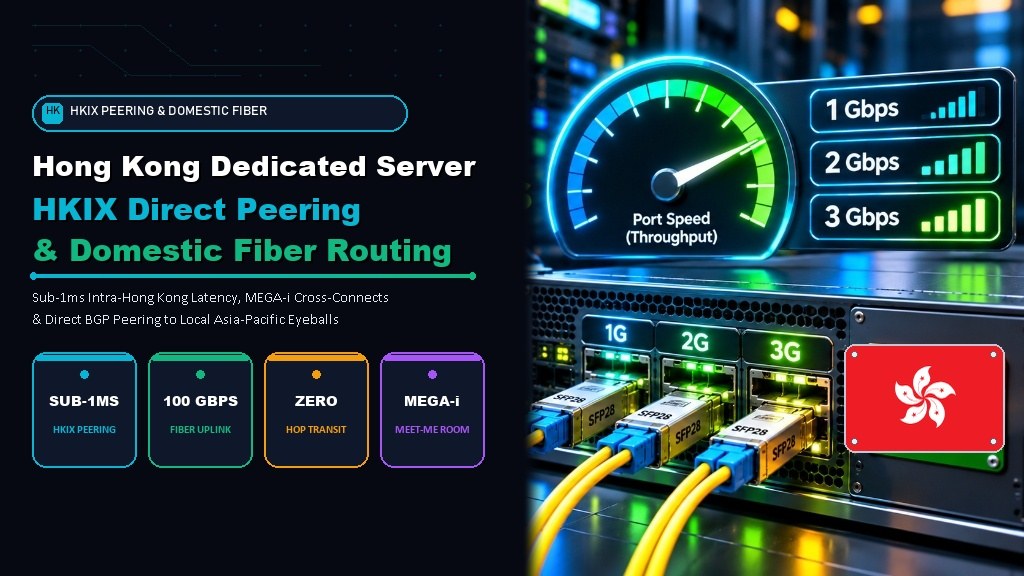
Direct AEO Answer: Leveraging a high-performance hkix peering dedicated server hong kong connects your bare-metal infrastructure directly to the Hong Kong Internet eXchange (HKIX), the premier interconnection nexus of the Asia-Pacific region. By peering with HKIX’s dual route servers across facilities in Fo Tan and Chai Wan (MEGA-i), dedicated servers achieve sub-2ms domestic round-trip latency to major Hong Kong eyeball networks (PCCW/HKT, HKBN, HGC) and bypass congested international transit carriers for superior throughput.
- Traffic Localization: Direct HKIX peering keeps domestic Hong Kong traffic localized within city limits, preventing packets from needlessly hair-pinning through Tokyo, Singapore, or Los Angeles.
- Peering Architecture: Combine Multilateral Peering (MLPA) via HKIX route servers (AS4635) with Bilateral Peering (BLPA) private VLANs to large content networks (Google, Cloudflare, Meta).
- Latency Performance: Deliver deterministic sub-2ms ping times to Hong Kong broadband and mobile subscribers, and sub-10ms transit into the Greater Bay Area (Shenzhen, Guangzhou).
- Route Security: Implement strict RPKI (Resource Public Key Infrastructure) Route Origin Validation (ROV) and IRR prefix filtering to eliminate BGP route hijacks and route leak incidents.
In high-speed digital financial services, high-frequency trading platforms, regional content distribution networks, and enterprise SaaS delivery, routing efficiency dictates commercial success. Without direct local peering, packets sent between two servers located in Hong Kong can easily take erratic international transit paths—detouring thousands of miles across subsea cables to Tokyo or San Jose before returning to Hong Kong. Deploying a dedicated hkix peering dedicated server hong kong hosted in premier facilities like MEGA-i Chai Wan or Tseung Kwan O eliminates transit intermediaries. By establishing direct BGP peering with the Hong Kong Internet eXchange (HKIX), your servers exchange traffic directly with hundreds of regional ISPs, content giants, and educational backbones over low-latency, unmetered optical switching fabrics.
Direct Layer 2 switching across HKIX exchange fabrics delivers sub-2 millisecond latency to PCCW, HKBN, and HGC broadband users.
Connect to Asia’s largest internet exchange point, interconnecting over 380 autonomous systems on high-capacity 10G and 100G optical ports.
BGP sessions to HKIX Route Server 1 (HKIX1/CUHK) and Route Server 2 (HKIX1b/MEGA-i) guarantee uninterrupted route convergence.
Enforce cryptographic RPKI validation at the routing daemon level to reject hijacked prefixes and prevent traffic interception.
Table of Contents
- 1. The Strategic Role of HKIX in the Asia-Pacific Internet Ecosystem
- 2. Physical Fabric Topography: CUHK (HKIX1) vs MEGA-i (HKIX1b) and Satellite Hubs
- 3. Peering Paradigms: Multilateral Peering (MLPA) vs Bilateral Peering (BLPA)
- 4. Domestic Fiber Routing: Interconnecting with PCCW/HKT, HKBN, and HGC
- 5. BGP Routing Security: RPKI Validation, IRR Prefix Filtering & BGP Communities
- 6. Latency Analysis: Hong Kong Domestic, Greater Bay Area & APAC Peering
- 7. Production Linux Runbook: BIRD 2 Configuration for HKIX Dual Route Servers
- 8. Frequently Asked Questions (FAQs)
1. The Strategic Role of HKIX in the Asia-Pacific Internet Ecosystem
Established in April 1995 by the Information Technology Services Centre (ITSC) of The Chinese University of Hong Kong (CUHK), the Hong Kong Internet eXchange (HKIX) is recognized as one of the largest and most successful internet exchange points (IXPs) in the world. Operating as an autonomous, carrier-neutral cooperative fabric under Autonomous System Number AS4635, HKIX was founded to keep domestic internet traffic within Hong Kong rather than routing through international subsea links.
Today, HKIX handles peak traffic volumes exceeding 3.5 Terabits per second (Tbps), interconnecting over 380 member autonomous systems. Participants include all domestic Hong Kong telecommunication operators (PCCW/HKT, Hong Kong Broadband Network – HKBN, HGC Global Communications, SmarTone, China Mobile Hong Kong), global hyperscalers (Amazon, Google, Microsoft, Apple, Meta), international content delivery networks (Cloudflare, Akamai, Fastly), and major regional institutions. For a dedicated server in Hong Kong, peering at HKIX means your server sits exactly one Layer 2 network hop away from virtually every internet user in Hong Kong.
2. Physical Fabric Topography: CUHK (HKIX1) vs MEGA-i (HKIX1b) and Satellite Hubs
HKIX operates a highly resilient, distributed multi-core switching fabric deployed across geographically separated datacenter facilities in Hong Kong. The core architecture consists of:
- HKIX1 / HKIX1a (CUHK Campus, Shatin): The primary historic switching core housed inside the Chinese University of Hong Kong campus. Features massive optical cross-connect density and direct links to academic research networks.
- HKIX1b (MEGA-i, Chai Wan): The commercial carrier core located inside the famous MEGA-i carrier hotel in Chai Wan. Because MEGA-i houses terminating subsea cable landing stations, HKIX1b serves as the primary interconnect point for international Tier-1 telcos, commercial dedicated server providers, and cloud networks.
- Satellite Sites: Additional satellite switching nodes deployed across Tseung Kwan O (TKO Industrial Estate), Fo Tan, and Kwai Chung. All satellite sites are interconnected to the dual cores via high-capacity redundant 100 Gbps and 400 Gbps DWDM dark-fiber rings.
3. Peering Paradigms: Multilateral Peering (MLPA) vs Bilateral Peering (BLPA)
When participating in HKIX, dedicated server networks implement two complementary peering architectures to optimize traffic flows:
| Peering Model | BGP Session Target | Operational Complexity | Route Exchange Capacity | Primary Use Case |
|---|---|---|---|---|
| Multilateral Peering (MLPA) | HKIX Route Servers (RS1 & RS2 under AS4635) | Low (2 BGP sessions only) | Exchanges routes with 300+ participating members simultaneously | Instant domestic route coverage across all mid-size ISPs, universities, and SaaS providers |
| Bilateral Peering (BLPA) | Direct BGP session with a specific member ASN | Moderate (Requires formal peering agreement) | Direct point-to-point prefix announcement | Heavy traffic exchange with high-volume networks (e.g., Google, Cloudflare, Akamai) |
4. Domestic Fiber Routing: Interconnecting with PCCW/HKT, HKBN, and HGC
In Hong Kong, residential and mobile subscriber broadband is dominated by three major eyeball carriers: PCCW/HKT (including Netvigator and csl/1O1O mobile), Hong Kong Broadband Network (HKBN), and HGC Global Communications. Each of these providers maintains massive multiple 100 Gbps port trunks into HKIX.
When your dedicated server announces its public IPv4/IPv6 prefixes to HKIX, incoming requests from a Netvigator fiber subscriber in Central, or an HKBN user in Mong Kok, transit directly across the local switching fabric. Round-trip times consistently measure between 0.8ms and 1.8ms with zero packet loss. This sub-2ms responsiveness is critical for high-frequency financial quote distribution, VoIP telephony, live video streaming, and latency-sensitive web applications.
5. BGP Routing Security: RPKI Validation, IRR Prefix Filtering & BGP Communities
Modern internet exchange security requires rigorous route validation to prevent accidental route leaks or malicious BGP hijacking. HKIX enforces strict routing hygiene across its route servers:
- RPKI Route Origin Validation (ROV): HKIX route servers continuously cross-reference incoming route announcements against APNIC/RIPE/ARIN cryptographic Route Origin Authorizations (ROAs). Any route flagged as “RPKI Invalid” is automatically dropped before it can propagate.
- Internet Routing Registry (IRR) Filtering: Members must register their AS-SETs and route objects in public registries (such as RADB or APNIC-IRR). Prefix lists are dynamically rebuilt every 24 hours to ensure members only announce allocated IP ranges.
- HKIX BGP Communities: Administrators can attach standard BGP communities to control route redistribution. For example, attaching community
0:AS_PEERinstructs HKIX route servers not to advertise your prefix to a specific peer, while4635:AS_PEERannounces exclusively to selected partners.
6. Latency Analysis: Hong Kong Domestic, Greater Bay Area & APAC Peering
Beyond domestic Hong Kong traffic, HKIX serves as a primary regional exchange node for neighboring Asian territories. The empirical latency benchmark table below demonstrates why Hong Kong dedicated servers deliver superior performance across the region:
| Destination Corridor | Round-Trip Latency (RTT) | Routing Path Details | Performance Quality |
|---|---|---|---|
| Domestic Hong Kong (HKBN/PCCW) | 1.0 – 2.0 ms | Direct HKIX Layer 2 switching fabric | Optimal (Near-zero latency) |
| Shenzhen / Guangzhou (GBA) | 6.0 – 12.0 ms | Cross-border terrestrial optical fiber corridors | Exceptional cross-border speed |
| Taipei, Taiwan | 22 – 28 ms | Direct subsea cable (TPE / APG / SJC) | Excellent regional performance |
| Singapore (SG) | 30 – 35 ms | Direct South China Sea subsea routes (APG/SJC2) | Standard ASEAN enterprise baseline |
| Tokyo, Japan | 42 – 48 ms | Direct East Asia subsea express cables (FASTER/JUPITER) | Low latency financial connectivity |
7. Production Linux Runbook: BIRD 2 Configuration for HKIX Dual Route Servers
Deploy this complete BIRD 2 configuration runbook on your Hong Kong dedicated server to establish dual BGP sessions with HKIX Route Server 1 and Route Server 2, apply strict prefix filters, and enforce RPKI validation:
Step 1: Install BIRD 2 and RPKI Validation Validator
Install BIRD 2 internet routing daemon and Routinator (or access local RPKI RTR cache):
Step 2: Deploy Production BIRD 2 Configuration (/etc/bird/bird.conf)
Configure BIRD 2 to establish dual eBGP sessions to HKIX Route Servers (assuming dedicated server on HKIX subnet 123.255.90.0/23 with local IP 123.255.90.150 and own ASN 65100):
Step 3: Validate Syntax, Reload BIRD & Inspect BGP Sessions
Test the configuration file for syntax validity and apply changes to the running routing daemon:
Step 4: Automated Domestic Routing & Latency Audit Script
Deploy an operational bash script that continuously validates sub-2ms domestic transit to major Hong Kong eyeball networks:
8. Frequently Asked Questions (FAQs)
Reaching PCCW, HKBN, and HGC subscribers cleanly requires proper RPKI validation and deliberate MLPA or bilateral peering between CUHK and MEGA-i fabrics. Misconfigured BGP communities can push Greater Bay Area packets onto congested transit links. Inspect Hong Kong bare-metal plans with direct domestic fiber.
HKIX-ready bare metal in Hong Kong