

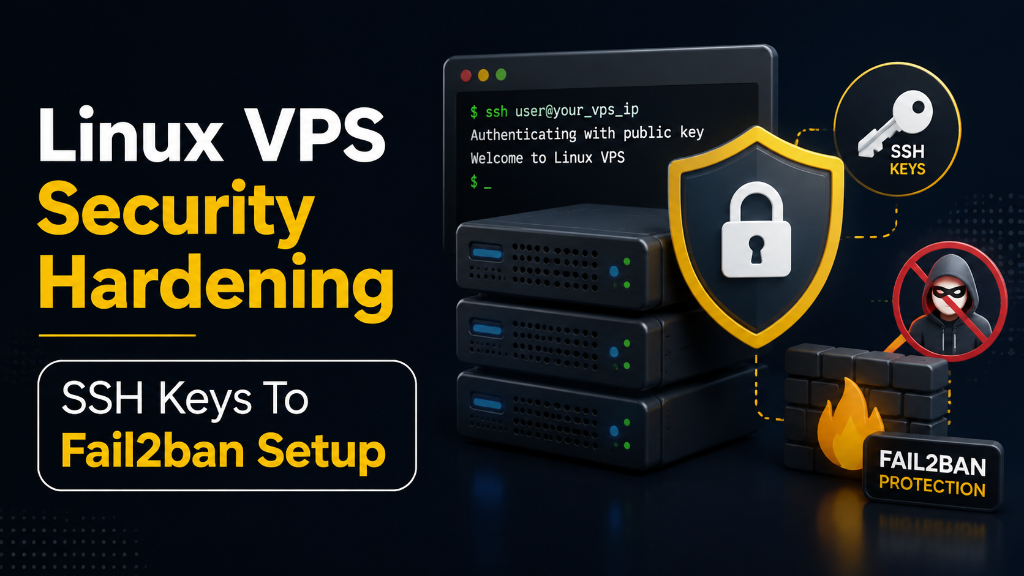
- Eliminate Password Attacks: Disable password-based SSH authentication entirely and mandate modern Ed25519 elliptic curve keys to neutralize automated brute-force botnets.
- Multi-Factor Authentication (2FA): Enforce Google Authenticator Time-Based One-Time Passwords (TOTP) via PAM to prevent unauthorized access even if private keys are compromised.
- Daemon Hardening: Relocate default port 22, disable direct root login (
PermitRootLogin no), and enforce modern ChaCha20-Poly1305 / AES-256-GCM cipher suites. - Fortified Cloud Infrastructure: Deploying on a secure USA VPS server ensures isolated KVM hypervisor boundaries, hardware DDoS scrubbing, and dedicated root management.
1. Securing the Gateway: Why Linux VPS SSH Hardening Matters
The moment a new Linux Virtual Private Server is assigned a public IPv4 address, it becomes a prime target for automated port scanners, dictionary attack bots, and credential stuffing scripts. Malicious botnets continuously bombard the standard SSH port 22 with thousands of common username-password combinations (e.g., root, admin, ubuntu) every single minute. Unprotected servers with weak administrative credentials can be breached within hours of deployment.
Strategic Considerations for SSH Security
A single compromised administrative account can lead to catastrophic consequences: unauthorized root access, ransomware deployment, malicious cryptocurrency miners, data exfiltration, or inclusion in global DDoS botnets. Relying on default factory SSH configurations is an unacceptable operational risk.
Securing your Linux server requires adopting a rigorous defense-in-depth, zero-trust approach. This involves disabling password authentication in favor of state-of-the-art Ed25519 cryptographic key pairs, restricting direct root logins, implementing Time-Based One-Time Password (TOTP) two-factor authentication, and deploying Fail2ban to block aggressive scanning IPs.
By establishing automated session inactivity timeouts and strict sudo privilege delegation, organizations maintain ironclad compliance with SOC2, ISO 27001, and PCI-DSS administrative security standards.
2. Architectural Models: Default SSH vs. Zero-Trust Bastion
Comparing a default Linux SSH installation against a hardened zero-trust bastion clearly illustrates how systematic configuration eliminates attack vectors.
Default SSH Configuration
Standard port 22, password login enabled, direct root login allowed, weak legacy ciphers, and zero automated rate-limiting.
Hardened SSH Bastion
Custom high port, Ed25519 elliptic keys, 2FA Google Authenticator, root login disabled, ChaCha20 ciphers, and Fail2ban integration.
3. Core Strategy: Essential Pillars of SSH Security Hardening
Production server hardening encompasses several distinct configuration layers to create an impenetrable barrier around your Linux VPS infrastructure.
1. Adopt Ed25519 Cryptographic Keys
Ed25519 is the modern cryptographic standard, superseding legacy RSA. It provides superior security with a compact 256-bit key length, faster signature verification, and inherent immunity to side-channel timing attacks.
2. Disable Password Authentication
By setting PasswordAuthentication no in your sshd_config, the server automatically rejects any connection attempting to use a password, forcing reliance entirely on secure public keys.
3. Disable Direct Root Login
Using PermitRootLogin no ensures that attackers cannot bypass auditing by logging straight into the root account. Admins must log in as standard users and elevate privileges via sudo.
4. Enforce Multi-Factor Authentication (2FA)
Even if a private key is compromised, Two-Factor Authentication (2FA) adds a critical layer of security by requiring a time-sensitive code (TOTP) from apps like Google Authenticator.
5. Relocate the Default SSH Port
Changing the SSH port from 22 to a non-standard high port (e.g., 2222) significantly reduces log noise and shields your server from automated, un-targeted bot scans.
4. Implementing Your Linux VPS SSH Hardening Runbook
Execute the following critical commands in your terminal to secure your Linux VPS environment.
Step 1: Edit the SSH Configuration
Step 2: Update the Firewall and Restart SSH
Always keep your original root SSH session open while modifying /etc/ssh/sshd_config. Open a completely separate terminal window to verify login changes. This ensures you are not locked out if a configuration error occurs.
Conclusion: A Foundation for Robust Cloud Security
Building a high-performance, secure, and scalable cloud infrastructure begins with effectively hardening access points like SSH. Through rigorous configurations, such as implementing Ed25519 keys, deploying 2FA, and neutralizing password-based brute force attacks, you establish an uncompromising defense.
By applying these principles on dedicated Linux virtual private servers, organizations ensure maximum operational uptime, unparalleled security, and a steadfast foundation for future growth.
